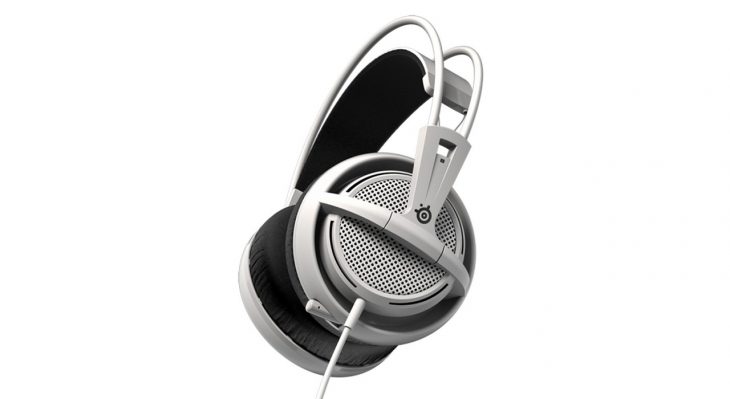
As a full time gamer, I can say that the problems with dealing with wearing headsets during long gaming sessions is very real. There are environmental considerations, aesthetics, weight, mic design, where controls are located, and overall head comfort to consider when purchasing a new one. You can buy multiple pairs for multiple uses (I have) but it is always nice to find one that you can use in multiple locations without it looking silly or paying for a celebrity’s name. With all this in mind I am reviewing the Steel Series Siberia 200 Gaming Headset, a descendant of one of the first headsets I ever reviewed for GamingShogun.com.
Instead of list a bunch of feature gobbledygook, I will mention a few where they seem most important. First off a very important feature is that the SteelSeries Siberia 200 has a microphone that slides up into the left cup area and becomes barely visible. This is great when you are playing games that don’t require team communications or if you slide them up far enough they might not be noticeable if you take a walk somewhere in them. Another feature to this effect would be the in-line mic and sound controls so that if you need to shut off your mic to talk to someone or one of your teammates start throwing a massive meltdown you can easily turn down the volume until they have eased up. It is also handy if you are just wearing them walking around the house listening to music, you can leave your device in your pocket and adjust the levels in-line. The nice thing about the mic system is you retract it into the headset cup and it is safely tucked away from harm. I have used some very nice headsets with some very sexy looks and a name you know but after a couple days of heavy use the mic which is a jack plug into cup system has worn out at the jack and hangs limply or worse just randomly falls out. Let me tell you when you are in front of an audience and up against a professional gamer that was flown in for the event you don’t want to be constantly losing communication with your rookie teammate. That being said when you are kicking it at home and decompressing and it happens that just jacks up you tension rather than releases it.
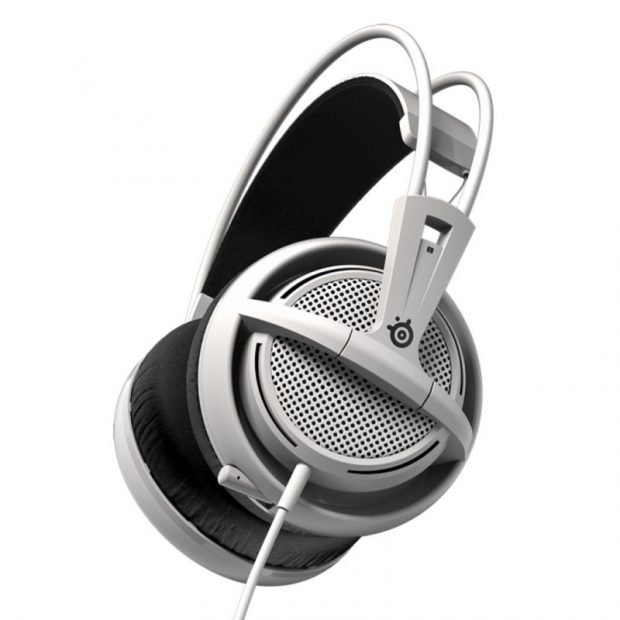
While the SteelSeries Siberia 200’s microphone design and performance is important – let’s face it, generally it is the second most important aspect behind the actual speaker design. The Siberia 200 Gaming Headset uses 50mm drivers in a system they call “audio shaped” so you pick up key sound frequencies and their locations. So the idea is no one will be able to sneak up on you because you will be able to hear where their footsteps are coming from or tell where the bombs will fall to get the heck out of their way.
These drivers are encased in heavy duty plastic and nice thick cup cushions so that hopefully it will survive gamer rage or just the occasional accidental standing up with them still on. the solid cup and cushioning does a terrific job of blocking out sound, I found myself using them around the house to block out an argument of playing white noise to help fall asleep on those rough to sleep nights that I have from time to time. The cups aren’t perfectly comfortable when laying down but they aren’t designed to be either.
The headsets are designed for long term gaming use so we know the sound in it is good and it handles a block-rocking beat, can be quickly turned down when some kid rages in game’s com and you can flick a switch to turn off your mic when someone decides to have a conversation with you by yelling from another room. All of that is important and nice but if you can’t keep them on your head for long periods of time none of that matters.
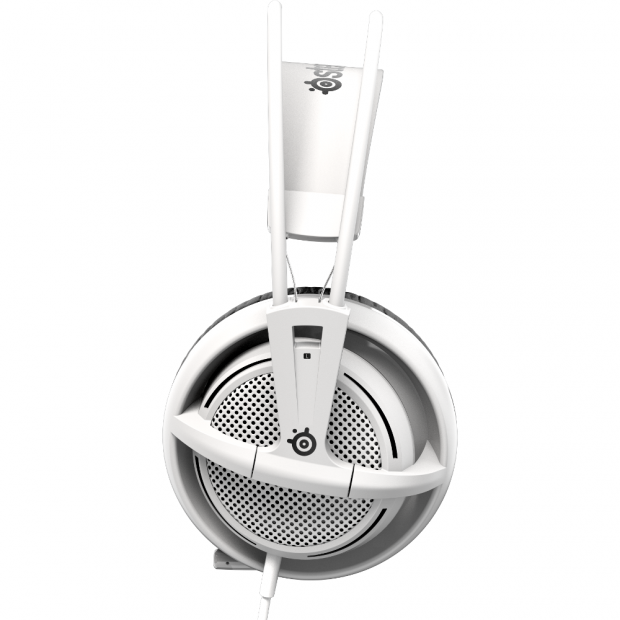
First off all the above mentioned hardware and casing is extremely lightweight which really means the bridge section of the headset just needs to maintain the weight and comfort as much as possible. To maintain the shape and tightness without increasing the weight they did a dual bridge system, one is ridged and two pipes and goes up above the head. The next is a lower section which is directly on the head and has a lightly padded flattened section held to each cup by double cable wrapped in rubber. At first this looks like it would be too fragile to hold up but on closer inspection the wrapped metal cables inside the plastic look like one of the most durable parts of the headset which is important for how often it will be rubbing against your head. Attaching this piece to the cables maintains a strength in the bridge without adding much weight (it actually then spreads it out to the upper bar a bit and into the cups).
The Steel Series 200 is compatible with mobile devices, PC, and consoles (adapters may be required). One last thing if you are wondering the difference between the Siberia 200 and Siberia 2V, the 200 features an upgraded headband, a longer cable, and a mobile adapter.

Still Listening:
Steel Series is a reliable name that makes reliable products and the Siberia 200 Gaming Headset is an excellent example of that. I expect these headsets to be in my main usage for years to come, the only decision will be where to use it. If you want a quality, comfortable product with a reliable name rather than a trendy one give the Siberia 200 a place in your house.
[easyreview title=”Steel Series Siberia 200 Gaming Headset Review Score” cat1title=”Overall Score (out of 5)” cat1detail=”” cat1rating=”5″ ]
[button target=”_blank” style=”” class=”btn_blue” link=”http://gamingshogun.com/gamingshogun-rating-system/”]Learn About Our Rating System[/button]