Archive - 2017

Airsoft Holiday Gift Guide 2017

This holiday gift guide will focus on Airsoft, an action sport/hobby which is gaining popularity around the world.

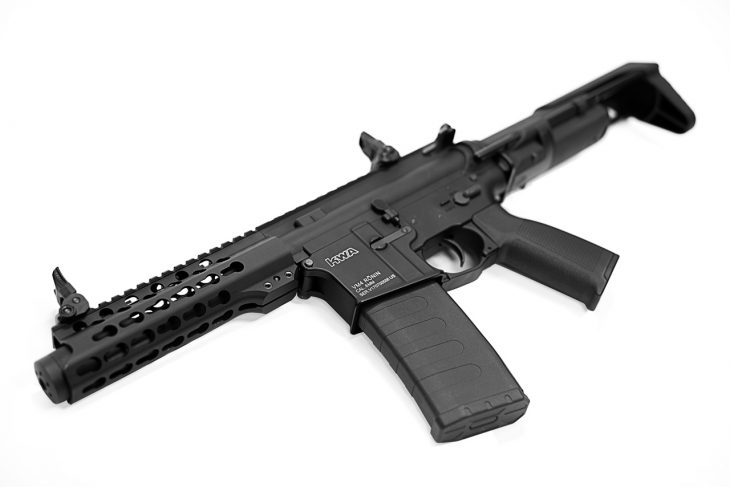
KWA Ronin SBR 10 AEG
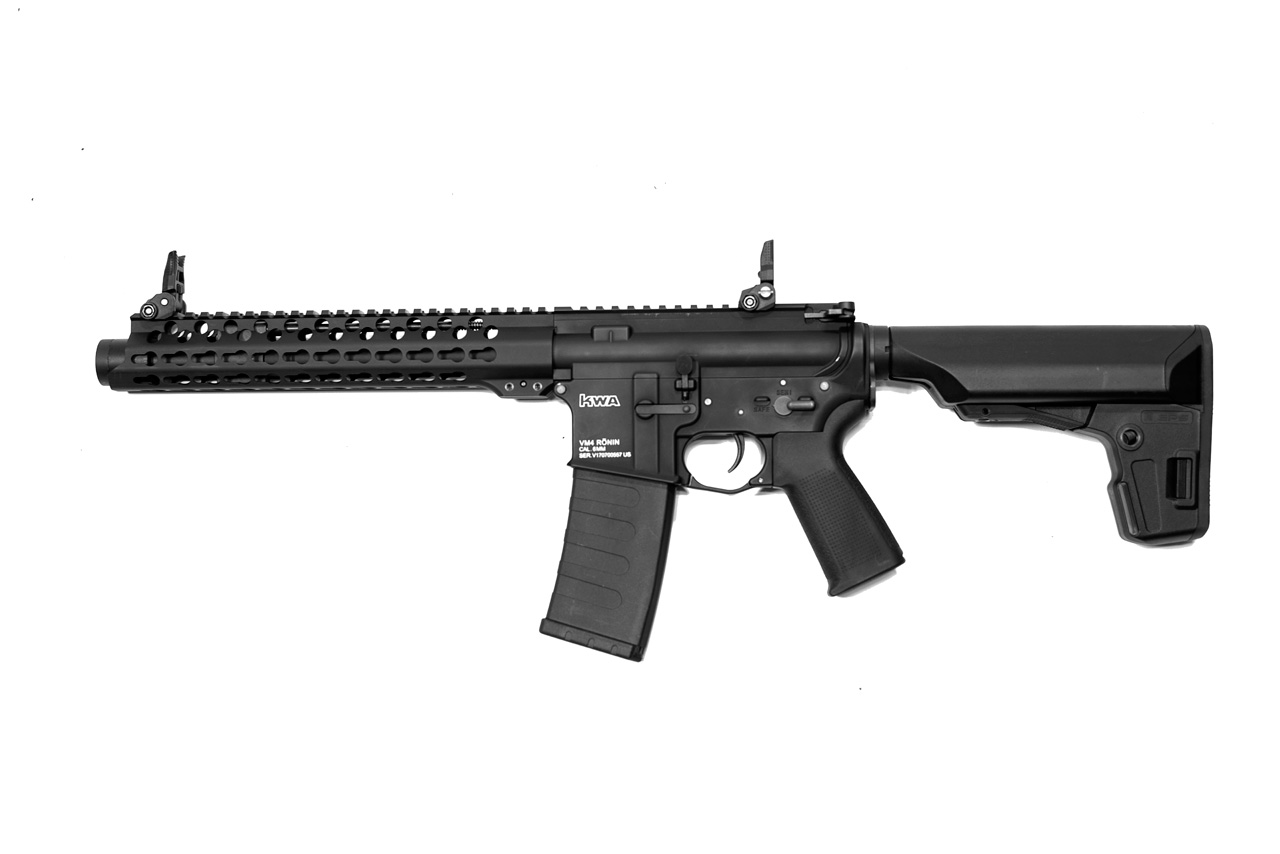
The Ronin line of airsoft electric guns from KWA combines the solid performance of their v2.5 AEG and v3 ERG rifles with a stylish new rail system as well as some nifty PTS furniture. Additionally, the line was designed with modularity in mind, making it easy to change out the various upper receivers to customize your rifle for the game at hand. Finally, these new airsoft rifles feature the variable performance system allowing the user to fine tune their FPS.

The Ronin series is available now and retails between $299 and $399 depending on the model.

KRISS Vector Gen 2 AEG
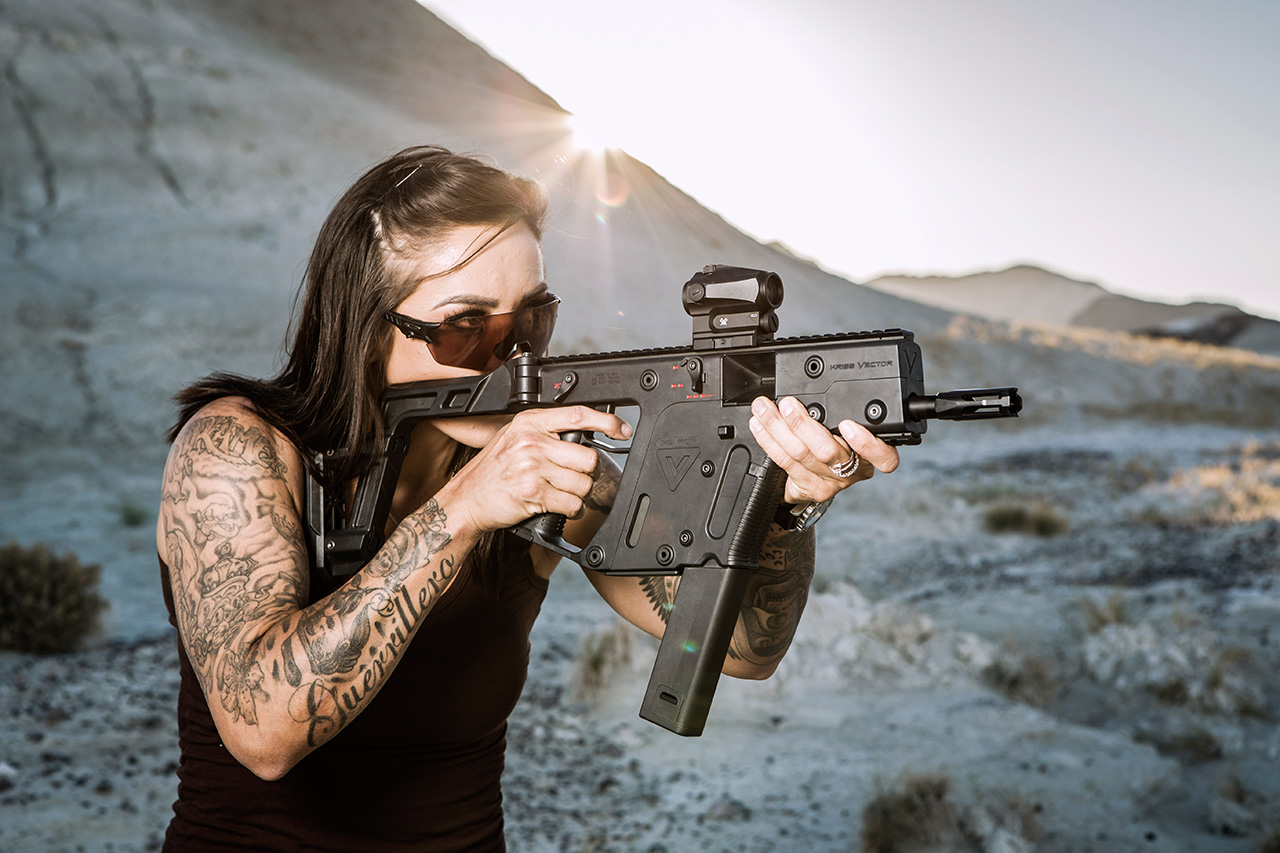
The KRISS Vector gas blowback rifle is a veritable unicorn among airsoft enthusiasts. Sadly, it’s time in the “new” airsoft market is done, but Krytac has resurrected the rifle in the form of the KRISS Vector Gen 2 AEG. Featuring the same realistic look and feel – as well as an airsoft version of the real rifle’s recoil system – this is a terrific choice for indoor or outdoor play (recommend a minor spring upgrade for outdoor play however). The Kriss Vector Gen 2 AEG also features all the cool stuff you have come to expect from Krytac like a MOSFET, rotary hop up, and tight bore barrel. Additionally, this AEG has a 2-round burst fire mode!

The Kriss Vector Gen 2 AEG is available now for around $450 dollars.

G&G GPM92 Gas Blowback Pistol
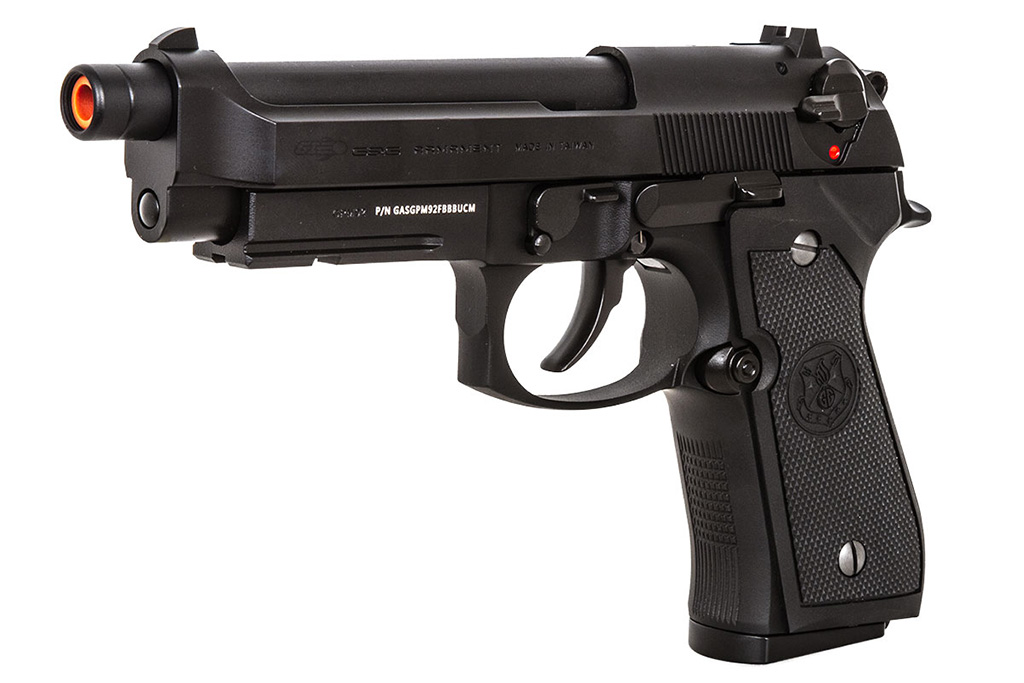
G&G has taken a big step to move further into the gas blowback pistol market with their GPM92. Based off of the Beretta 92, this pistol features some really interesting technical modifications over standard gas blowback pistols. First, the GPM92 features a special “whirl” valve that rotates as green gas passes through it. This rotational spin is designed to reduce the build up of frost inside the slide. Additionally, the valves on the GPM92’s magazines have a special filter to remove moisture particles from the output. It is not usual to see this kind of innovation and it is clear that G&G has come to the gas blowback pistol market ready to play.

The G&G GPM92 is available now (although sold out in many places) for $120 dollars.

Odin Innovations M12 Sidewinder Speedloader
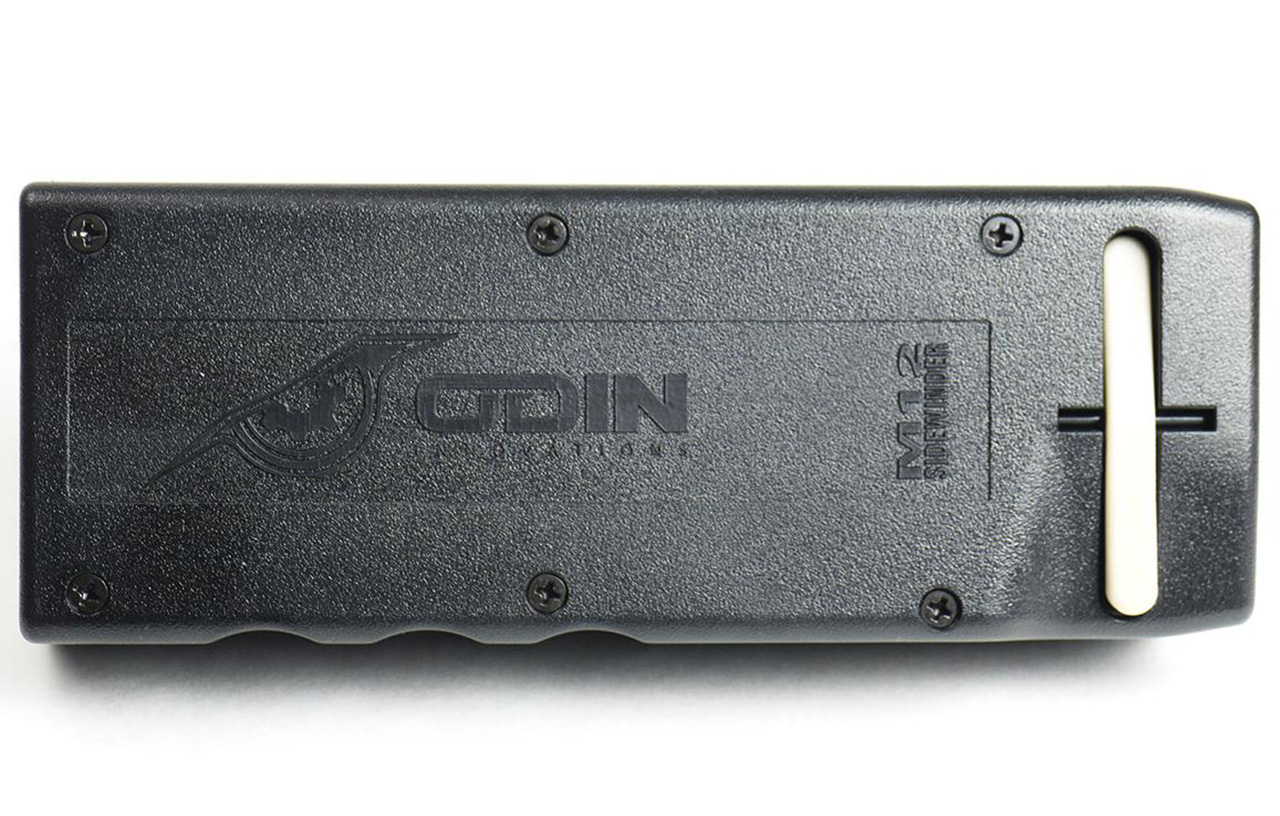
After a recent controversy where their design was essentially “ripped-off” by Valken, it is my pleasure to announce the Odin Innovations M12 sidewinder speed loader as part of our gift guide. This speed loader represents some serious ingenuity and it makes loading your STANAG style AEG magazines extremely simple – both on the field and off. The Odin M12 can hold about 1600 rounds and features a nifty cut-off system when your magazine is full. Don’t buy any overseas reproductions if you are in need of a speedloader – go buy the original. The parts are more rugged and you are supporting a deserving business attempting to make our hobby more enjoyable.

The Odin Innovations M12 Sidewinder is available now for around $40 dollars.
AOC Agon 35 inch Curved Display Review AG352UCG

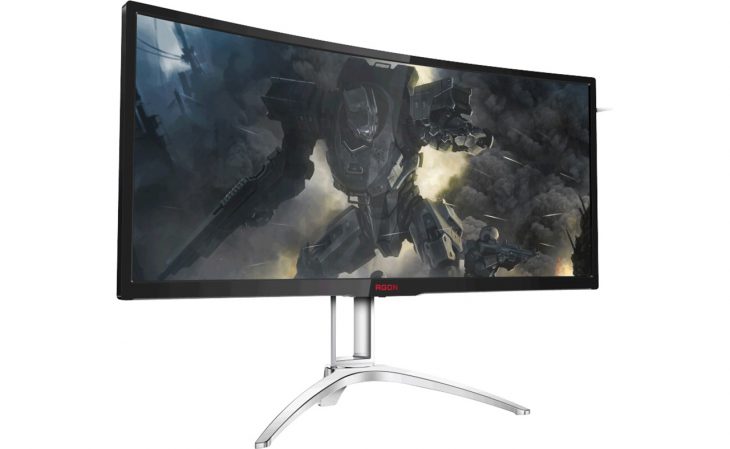
Recently, we got to borrow one of the 35 inch curved UltraWide displays from AOC’s Agon brand. The AC352UCG features 3440×1440 resolution, up to 100Hz response rate, and the ability to use NVIDIA’s G-SYNC technology. But, does this UltraWide display warrant its $900 price tag? Read on to find out!

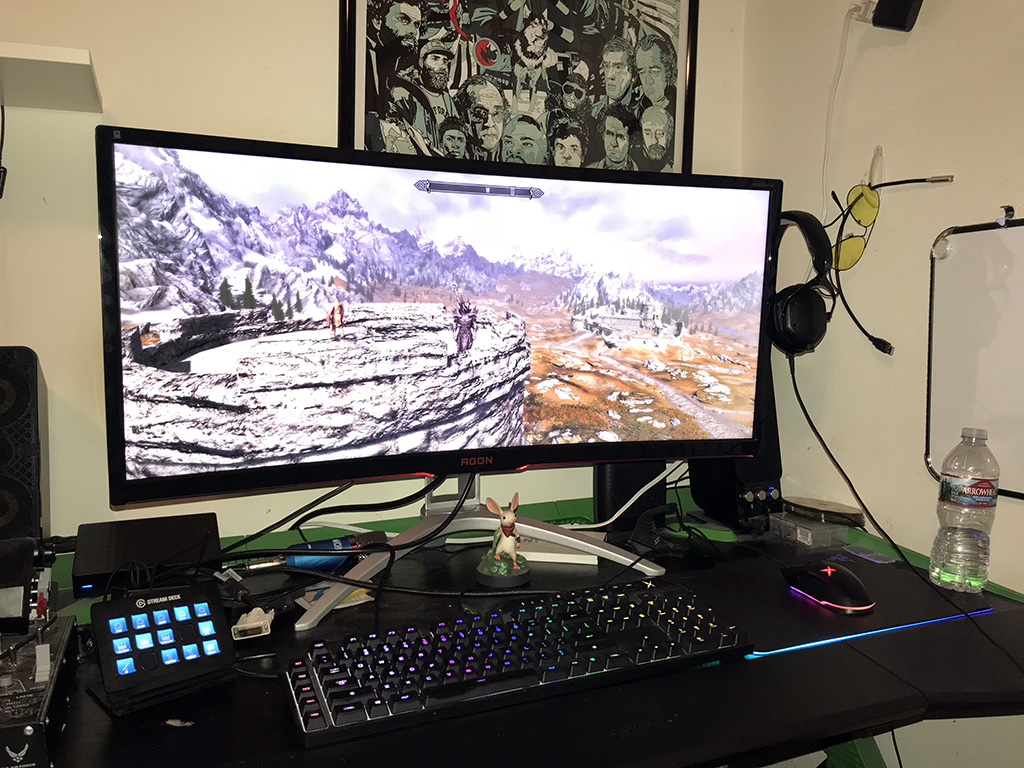
Excitedly, I unboxed the AOC Agon 35 inch UltraWide display and was very impressed at both its build quality and its ease of setup. The box contains the stand, display, and even a set of HDMI and DisplayPort cables! The AG352UCG is a behemoth of a display, measuring 33.35 inches wide and featuring a black, thin bezel as to not distract the user from what they are playing. It also weighs about 12 pounds, making it a very stable addition to your desktop. Just for safety purposes, you should double-check your desk to make sure it can physically accommodate the AOC Agon AG352UCG’s size and mass before setting it down. Once I sat the display down on my desk, I connected the DisplayPort cable from my computer to the monitor and started it up. One thing to note about DisplayPort cables that is different than plugging in an HDMI cable is that, with DisplayPort cables, you must push them in fully until you hear an audible click. Once in, however, that clip system helps the cable not fall out by accident. Also of note on this display is a small pylon that folds out of the upper right hand corner. Once deployed, this tiny hook is actually a headphones holder – very smart!

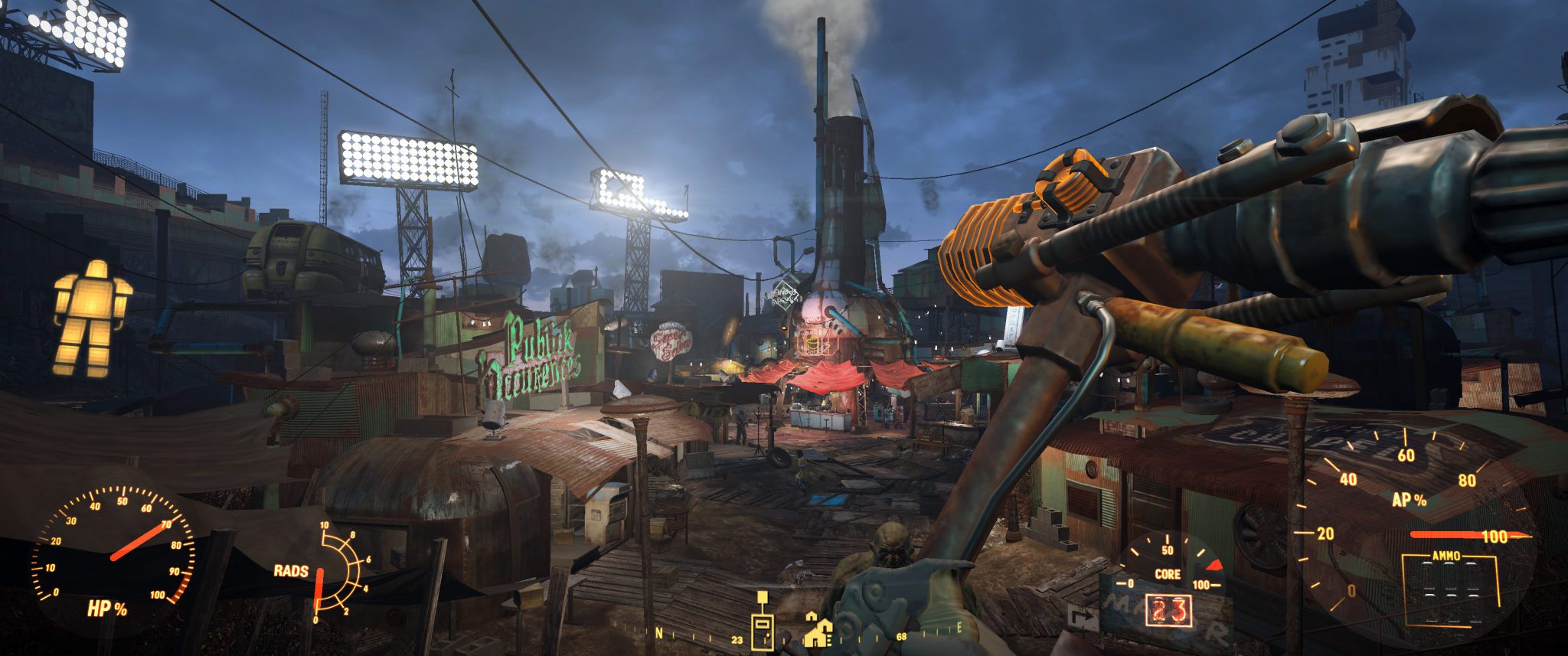
Fallout 4 UltraWide is pretty damn cool

After Windows had booted up, I went to AOC’s website and got the latest monitor drivers then installed the latest NVIDIA display drivers as I was a version behind. After installation, I went into my monitor settings and made sure 3440×1440 was selected and created a new resolution with 100Hz refresh rate. This is technically overclocking the monitor as far as Windows is concerned, but the AOC Agon AC352UCG is rated to handle the refresh rate without issue. Once the custom resolution was created, I applied the settings and went into my NVIDIA control panel to make sure G-SYNC was enabled.

UltraWide screen resolution is not supported by every game out there – sometimes you will have to select a lesser resolution and deal with black bars on each side of your display. But, this is just the nature of the beast. Some games, such as Fallout 4, have third-party mods which enable UltraWide resolutions. So, I installed the mod for Fallout 4 and began a new journey into the Commonwealth. There is some distortion in the image as it gets to the sides of the display – but that is a symptom of UltraWide resolutions in general – even when you go to three display setups. It has to do with how the virtual camera lens translates 3D images on a 2D display. What’s better is that you don’t get the bezel and separation interrupting your experience like you do with those multi-monitor setups. Thanks to the display’s 100Hz refresh rate and NVIDIA’s G-SYNC technology, I barely noticed any screen tearing or ghosting and could not be happier with my time playing on the monitor.

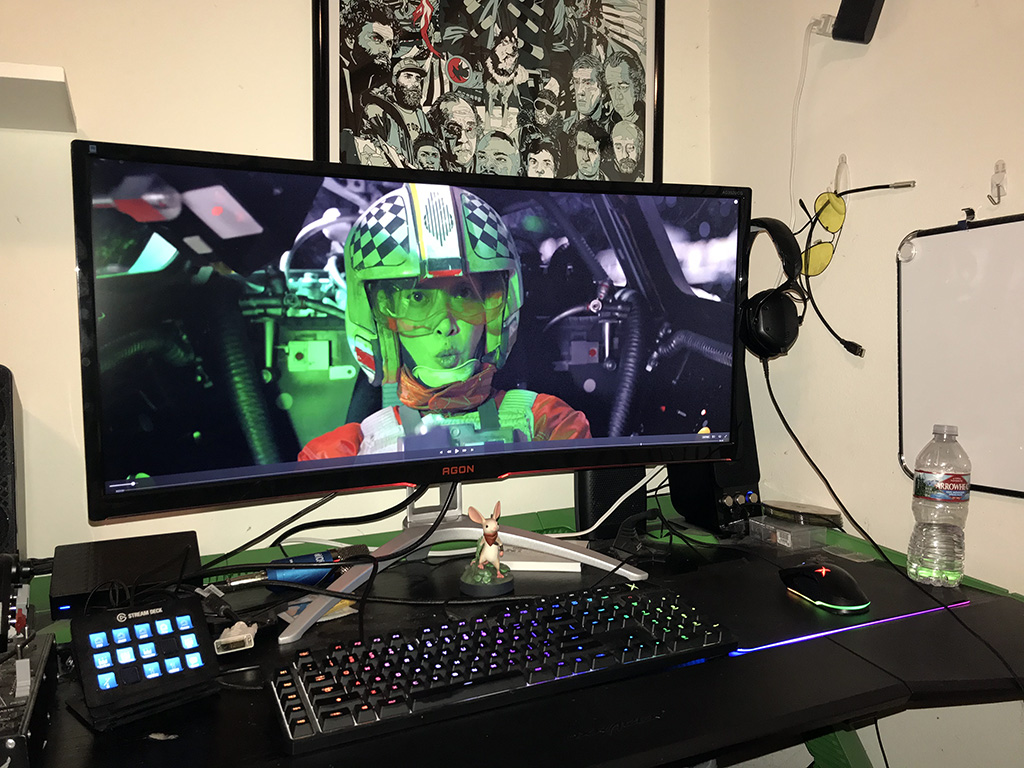
The curve of the display helps not only with immersion but, also the appearance of having a large display than you actually do. After using the AOC Agon AC352UCG for a time, I would wholeheartedly recommend it to any gamer looking for that experience. In fact, it is going to be difficult going back to a regular display after having all that extra real estate! It was nice being able to use half the screen for writing in MS Word and the other half for browsing the Web. Speaking of typing, the display featured some really nice, sharp text and I didn’t notice any eye strain once I got the brightness and contrast settings where I wanted them. There is also one really fun thing about watching movies in UltraWide aspect ratios – no black bars! I watched several movies on the AOC Agon AC352UCG and was very pleased to see Rogue One stretch across my entire screen, uninterrupted!

The AOC Agon AC352UCG’s biggest issue is the 5-way hat control at the bottom of the monitor’s frame. It is what controls the display’s power on/off as well as all the on-screen controls and menus. The problem with the control is that it doesn’t have a high return-to-center pull so it gets kind of “sloppy”. But, I digress. The AOC Agon AC352UCG features the usual on-screen menu commands such as color correction and volume (yes, it has two built-in 2W speakers). Also on the monitor, you will find a headphones jack which allows you to game without disturbing others.

Movies with no black bars?! Awesome!

One interesting thing about the AOC Agon AC352UCG is what they are calling AOC SceneLighting, which is an array of light strips – two on the bottom of the front bezel and four on the back of the display. These can be set to various colors so that, at a tournament you can section off gamers by team color, etc. It also just looks plain cool – and does not take away from the gaming experience at all. My only wish would be that AOC would have implemented that adaptive backlight technology to the SceneLighting system.

Overall, the AOC Agon AC352UCG performs beautifully – especially when the gaming action gets intense. It currently retails for $900 dollars at online retailers like Amazon.com. We’d like to thank AOC for letting us borrow one of these displays for the purposes of reviewing it. You can find the AOC Agon AC352UCG at various online retailers.

Thrustmaster T.Flight Hotas One Xbox One Review

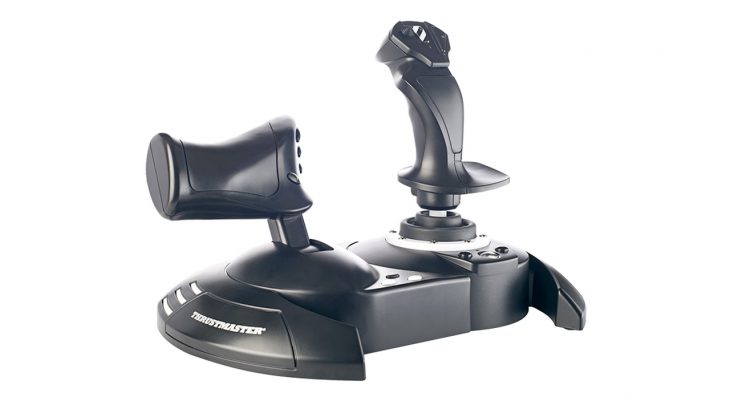
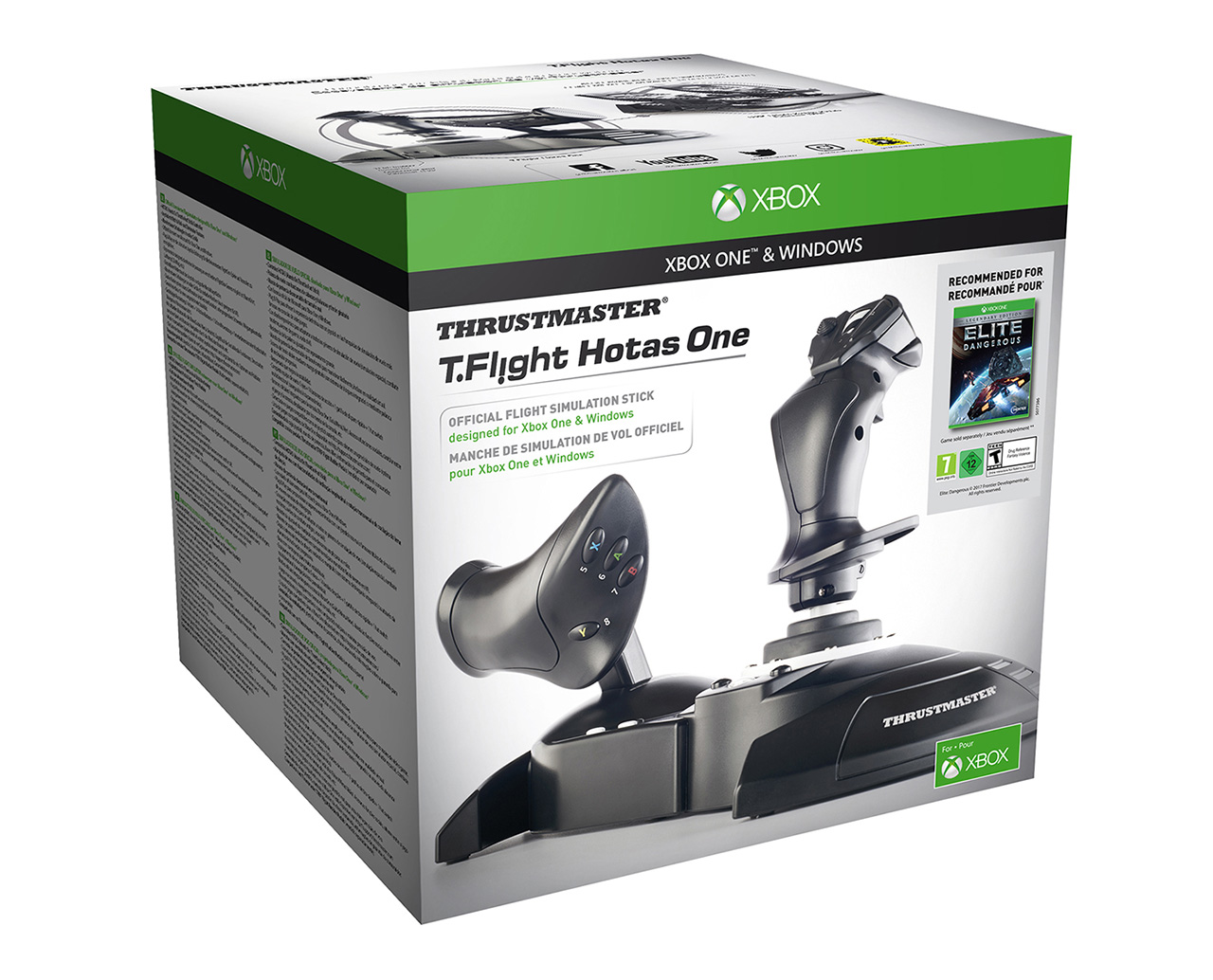
Console gaming has never been the realm of flight or space simulations. Usually, these products require a flight stick or throttle or some other sort of controller which most console gamers simply don’t own. Recently, Thrustmaster released a new HOTAS system for the Xbox One series of game consoles – the T.Flight HOTAS One. Setup in a standard stick and throttle design, the T.Flight HOTAS One is lightweight with a durable dark gray plastic shell. The throttle unit can detach from the flight stick side for a more custom control layout. Additionally, for more flight sim goodness, you can add the Thrustmaster T‑Flight Rudder Pedals for rudder control, but that is a separate purchase.

To set the T.Flight HOTAS One up, you simply plug it in! Just make sure the unit is set to Xbox One mode on the toggle switch at its base. The unit is a wired controller so into the port it goes. Currently, there is one game on the Xbox One which supports the use of this flight stick and throttle combo – Elite Dangerous! So, that is what we played while reviewing this peripheral. The flight stick acts as one would expect, as does the throttle – except you will also find horizontal and vertical thruster controls on there as well! This means you can be moving in whatever direction you need to without taking your hand off of the throttle – a key feature of a HOTAS system. The throttle even has a small detente which indicates you have moved it into the 0% thrust position. One thing that would have been a nice addition to the T.Flight HOTAS One are suction cups that could have been attached to the base. Those would help the controllers stay put during intense gameplay if they are sat on a smooth surface or desktop.

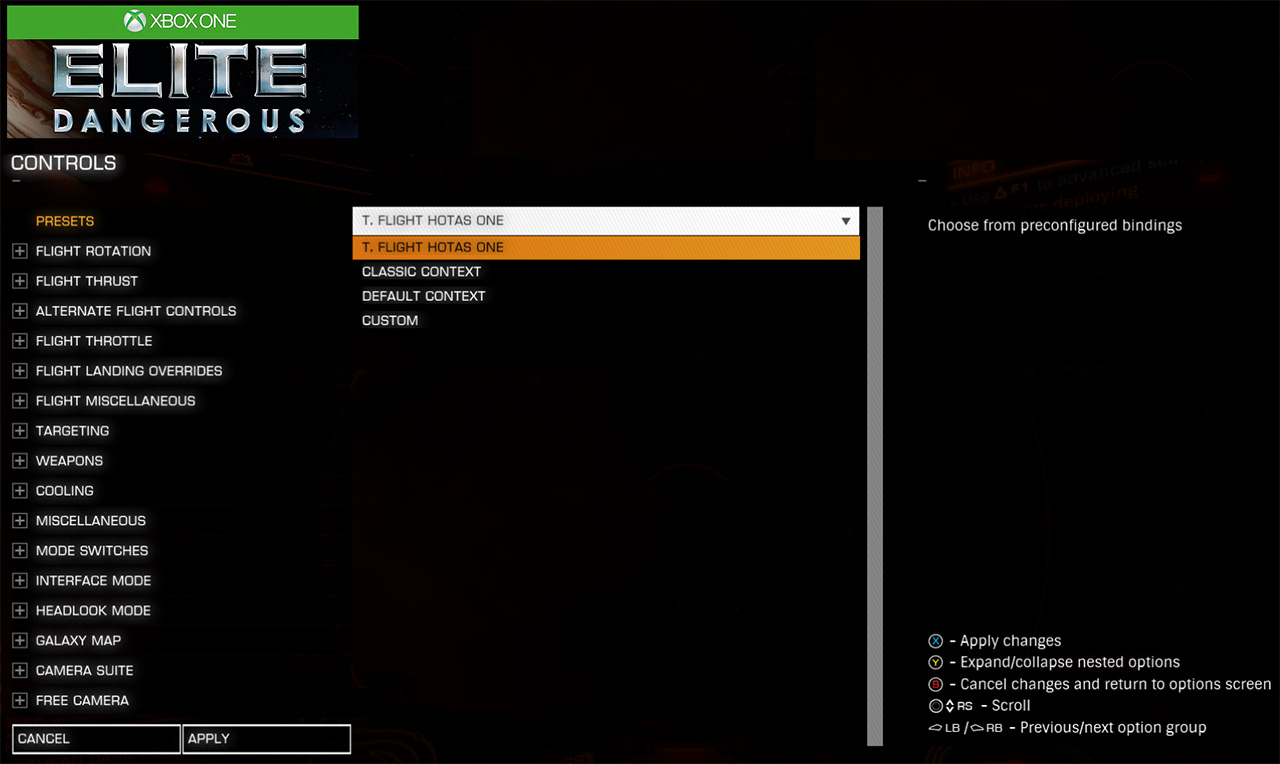
Being that I am a newbie to Frontier Developments Elite Dangerous, I started it up and was thrown into a universe of dangers. The T.Flight HOTAS One functioned very well, with the usual Thrustmaster quality that I am used to in my dealings with their peripherals. The twisting action of the flight stick reminded me of my old Microsoft Force Feedback 2 joystick and was a great way to utilize rudder control. Also, the key bindings are all customizable in case you have your own preferences – however, I just went in with the stock setup and didn’t have too much trouble learning the basic layout in a few play sessions. Going forward, it looks like Bandai Namco’s upcoming Ace Combat 7 will also support the T.Flight HOTAS One, so you will have more than one title in the peripheral’s arsenal at some point in the near future.

I did note that the USB cable which comes out of the T.Flight HOTAS One is rather short, so you might need to utilize a USB hub as an intermediary between your controller and the Xbox One console. Additionally, there is no headset port on the controller, meaning you will have to use a different solution for that purpose – whether it is an Xbox One controller nearby with a headset plugged in or a standalone headset solution.

Overall, the Thrustmaster T.Flight HOTAS One flight system for the Xbox One is a great controller that suffers not because of its build quality or functional parameters, but because of the lack of games supporting its use at the time of this writing. Hopefully, developers will see the benefits of the peripheral in their flight games going forward.


Thrustmaster T.Flight HOTAS One Review Score

[mks_icon icon=”fa-star” color=”#81d742″ type=”fa”][mks_icon icon=”fa-star” color=”#81d742″ type=”fa”][mks_icon icon=”fa-star” color=”#81d742″ type=”fa”][mks_icon icon=”fa-star” color=”#81d742″ type=”fa”][mks_icon icon=”fa-star-o” color=”#81d742″ type=”fa”] (4 out of 5 Stars)


Combat Air Patrol 2 Development Updates

November 29, 2017 — We wanted to drop you a round-up of what’s been happening with CAP2 development over the last few months.  As you can see from the summary below, update pace is gaining momentum.  This is due to continue as we bring you a run of smaller updates, focused on all aspects of aircraft AI.

We are excited about December as we finally start to bring the missions to life!

Current work is focused on all aspects of aircraft AI.  This will improve things such as:

  • Dogfights

  • AI aircraft mission integration (taxiing, AI flight member roles)

  • AI airbase traffic

  • AI aircraft weapon deployment (AA & AG)

  • AI awareness of aircraft state (fuel, weapon state, radar, RWR)

  • A2A refueling.

This means for example, in a training mission you might see a tanker takeoff while your flight taxis to the runway. You takeoff, form up and hit training area targets line astern, refuel and return to base. Another example, for the Mach Loop you may be in a flight of four aircraft transiting the loop where you may be lead or following the flight leader.

Live now

We’ve dropped four patches over the past couple of months and the current version (v810.7) is now live across all branches (including VR).

Here’s Ed’s posts from the Steam community hub  detailing what these these four patches included:

V810.4

  • Terrain editor – We’ve completed a lot of background work on the terrain editor which means we can now rapidly improve areas of interest from the base imagery and OSM data. We intend to make the editor available in the future for people to customise and share terrains, together with a mission editor.

  • Training missions – We’ve used the improved editor to begin building the Yuma training missions. You may discover the newly populated target ranges.

  • Mission planner Improvements – We’ve fixed some of the issues with the mission planner and it also now shows elevation as well as coast line. You will see that the map now includes most of the UK and the Yuma Map extends up to the Grand Canyon. In the future we will also extend the satellite imagery and OSM data – either through DLC or a future update.

  • Easter Egg – Many players have now found this in the UK map, well done!

  • Richer environment – As you can see from the screenshot below of the Harrier leaving Khasab we have added thousands more buildings and lots of additional vegetation. You may be aware (and have contributed – thank you!) that this is done by adding more OpenStreetMap data. It’s been done as an aside and hasn’t impacted general development. Abu Musa and Kaneohe Bay are also now more significantly built up. We’ve also added a host of custom objects including power lines, lighthouses, water tanks, ATC towers, rigs etc.

  • ​Fuel Tanks – As you can also see from the screen above, the Harrier now has external fuel tanks, including associated fuel flow logic and displays, you’ll be able to mod them soon.

  • Terrain Lighting – We’ve added lighting to roads, runways, taxiways and buildings, illuminating villages and cities which really adds to immersion. In case you missed it here’s the promo from a few weeks ago showcasing this. You will also see that we’ve improved vegetation, adding different trees and increasing their density.

  • Cockpit illumination – As you can see from these before and after shots, the Harrier cockpit now has night illumination. It’s easy to see dials/gauges around sunset. You can separately adjust the lighting intensity for self illuminated instruments and the cockpit floodlights. The full day/night cycle will come in a subsequent update. We’ve got a sky shader to complete which bounces a lot of rays through the atmosphere and produces great sunsets and sky throughout the 24hr cycle.

v810.5

Mostly a bug fix build, notable changes include:

  • Controls: Control and shift on mapped control keys are now saved.

  • Controls: OEM keys are labelled correctly.

  • Controls: Added default mappings for keyboard, gamepad, joystick.

  • HARM: firing crash fixed.

  • HARM Mission: mission starts.

  • Terrain LOD: settings bug fixed. You can select Low, Medium, High, Ultra.

  • Flight model: fix for a drag calculation.

  • Time Of Day controls: added to adjust current time and environment lighting.

V810.6

  • Added fixes for fullscreen monitor selection. When in fullscreen mode, changing the selected output monitor is immediate. Also the monitor label has an index added to distinguish between identically named monitors (generic pnp display…)

  • While working on default controls I realised none of the controller manufacturers seem to use the correct USB usage codes for controller buttons or axes/sliders which have a specific function. There are codes defined for controls such as throttle, chaff, flaps, trim etc. It’d be great if they used them where relevant as auto mapping a controller would be pretty simple. Anyway, I’m adding default settings for common controllers which will be included in coming updates. I’ve also begun work on the axis response curves UI.

  • The TOD/lighting controls are pretty cool. Give them a try, you’ll probably find yourself constantly tweaking the light levels. Once the updated day/night sky shader is complete you’ll be able to adjust the full 24hr cycle, plus advancing mission time will be added.

  • The terrain LOD settings fix/update improves the appearance of distant lights popping into view and fixes an issue where extra scenery was being drawn.

v810.7

  • The debug keys for time shifting and cloud regeneration are available in Controls->Misc

  • You can accelerate time from 4x to /32 (decelerating 32x was useful for testing things like gear animations)

  • A crash on starting Hawaii free flight is fixed.

  • You can now add your own cockpit photo. There’s a directory ‘Mods – Examples’ in the game folder which details how to add your photo.

Should you buy CAP2 now?

If you don’t yet own CAP2 obviously we’d love for you to join the crew.  We encourage you to read the store page details carefully first, particularly with reference to what features are currently enabled so that you have the correct expectation from the current build.

Reviews

If you are enjoying CAP2 we would appreciate a quick Steam review as it greatly increases visibility within the store.

SpellForce 3 Orc Faction Trailer

MUNICH, Germany / VIENNA, Austria  Nov. 29, 2017 – At the heart of existence, there is conflict. The wolves hunt the deer, the deer run from the wolves; if there were no deer, the wolves would starve, and if there were no wolves, the deer would breed with no constraint, until there’s nothing left for them to eat.

The orcs of SpellForce 3 live for the fight. They believe that strength only comes from conflict, and that peace is a sign of weakness. It is no wonder, then, that the orcs count on brutal tactics on the battlefield. They come with fierce fighters, fearsome wolf-raiders, devastating magic and giant trolls to smash any resistance without mercy.

SpellForce 3 returns to the roots of the SpellForce saga. Taking place before the acclaimed SpellForce: The Order of Dawn, players will unravel a deep and epic story in the SpellForce universe with over 30 hours of single-player campaign, also playable in co-op. Additional multiplayer modes offer competitive battles for up to six players. Create your own heroes, develop your skillset and build your army to fight in legendary battles with gameplay that expertly blends the RTS and top-down RPG genres together.

SpellForce 3 is launching on Dec. 7, 2017, on Windows PC and will be available with English and German voice over plus full text localization in French, Spanish, Italian, Polish, Russian and simplified Chinese. For more information, please visit the official website, like the game on Facebook or follow THQ Nordic on Twitter.

About SpellForce 3

  • RTS/RPG mix: Unique gameplay that combines the genres of real-time strategy and top-down roleplaying games.
  • Create and customize: Create your group of heroes and choose a number of different combos with a range of skill structures.
  • Boost and command your army: Prepare your troops and fight the greatest of all battles. You can also exploit numerous strategic aspects (e.g., terrain, troop formations, visibility, exploration, etc.) that would make Sun Tzu proud!
  • Epic storyline: Unravel a deep and complex plot that eventually leads up to the events that trigger the convocation ritual, which will change the whole world.
  • Extensive universe and lots of loot: Explore the world of Eo, discover intrigue and secrets, and collect a whole load of loot for your hero.
  • Complex single-player campaign: Over 30 hours of gameplay time, and even more if you’re able to discover everything Grimlore Games has incorporated into the game world.
  • Strong multiplayer component with various modes: Play in versus battles with up to six players or master the single-player campaign with a friend in co-op mode.

Armor Games Announces The Adventure Pals for Spring 2018

IRVINE, Calif. – Nov. 29, 2017 – Armor Games Studios has announced it will launch developer Massive Monster’s original action-packed co-op platformer The Adventure Pals in spring 2018 on the PlayStation®4 computer entertainment system, Xbox One, Nintendo Switch™, Windows PC and Mac.

Armor Games Studios and Massive Monster have also stated that The Adventure Pals will be playable to the public for the first time on console at PlayStation Experience 2017 in Anaheim, California, from Dec. 9-10 at booth #98.

The Adventure Pals is a side-scrolling action-adventure platformer about friendship and exploration, featuring RPG elements and two-player local drop-in/drop-out co-op. Leap, slash and blast your way through increasingly madcap levels filled with dangerous traps, weird enemies, ridiculous bosses and glorious treasure. Visit friendly towns, unlock fun costumes and fill your scrapbook with secret stickers on a journey with a bizarre but lovable cast and colorfully animated storytelling.

Hop on the back of your giraffe, Sparkles, and discover 105 levels across five whimsical worlds filled with unique quests and characters, including zombie pirate cats, post-apocalyptic dinosaurs and hot dogs that poop explosive mines. Help a whale regain confidence, take a side in the battle between toast and dinosaur, travel to a legendary sunken city, decide the fate of a pirate election and more, all while leveling up to gain new and more powerful abilities!

For more information, please visit https://theadventurepals.com, and follow the game on Twitter @SAPgiraffe.

Elevator… to the Moon! Now on Steam

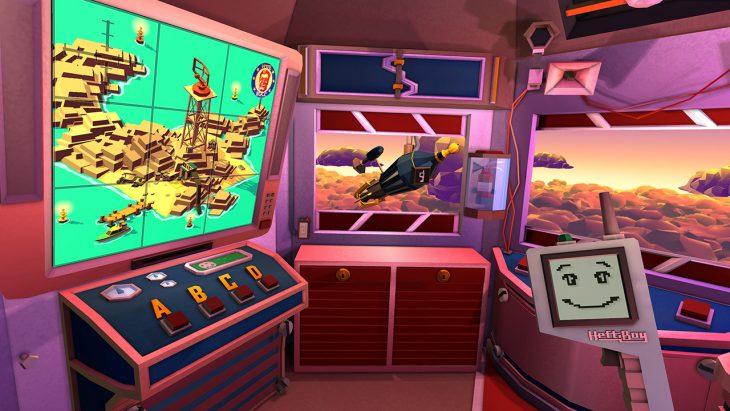
Hamburg – (November 29, 2017) – At long last the wait is over: The best Virtual Reality game of Gamescom 2017 (according to Elite Gamer) is now available on Steam. Take a wild ride on a dilapidated lunar elevator. Fix your odd space vehicle while off-kilter and loudmouthed president of the world, Doug-Slater Roccmeier yells at you for not following every instruction to the point. Take the trip to its end, where dark and horrible mysteries on the moon are just waiting to be uncovered.

Celebrate the launch of Elevator… to the Moon! on Steam with us and buy the game now – at a discounted price for only $7.99, available only for a limited time. But even at its regular price, Elevator… to the Moon! won’t break the bank at just $9.99.

Elevator… to the Moon! is no one trick pony. After you’ve finished the storyline, there is a perplexing alternate ending to experience, many achievements to unlock and fun little secrets to be discovered. As you can see, there is enough action going on to satisfy your lust for entertainment for quite a while.

Wargaming.net League Announces 2017 Final Battle

November 28, 2017 — The Wargaming.net League’s 2017 Final Battle World of Tanks tournament will soon see its front-runners battling for their share of a $300,000 prize pool at this year’s WG Fest. A total of 12 teams will step into the eSports ring to compete in the crowning event of WGL Extended Season 2017, consisting of all the winners from regional tournaments.

Three teams from the EU—Kazna Kru, DiNG, and Oops—will take on three from the CIS—Tornado Energy, Rush, and Unique—with two teams from NA—Elevate, Top Tier Gaming—two from APAC—YaTo RSGaming, Seven Pirates—and two from China—YiNuo Gaming and Steel Man.

The Final Battle will run in two phases. The five days of playoffs (December 13–17) will narrow down the list of teams. The decisive match will be held at WG Fest (December 23). Both playoffs and the final rounds will be held at Moscow’s Expocenter.

Prize pool distribution:

  • 1st place—150,000 USD per team
  • 2nd place—75,000 USD per team
  • 3rd place—27,500 USD per team
  • 4th place—27,500 USD per team
  • 5th to 8th place—5,000 USD per team

Visit the official website for the latest information: http://en.wgleague.net/

ROCCAT Khan Pro Gaming Headset Review

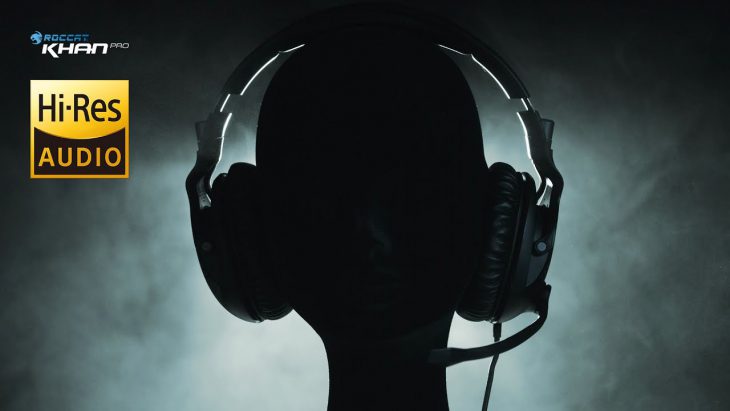
ROCCAT has been making gaming peripherals since 2007. Recently, they released their Khan Pro gaming headset. A wired headset solution, the ROCCAT Khan Pro is available in white, silver/gray, and black color schemes. It also features futuristic styling and comfortable ear cup cushions. Most importantly, this is ROCCAT’s first gaming headset that has official “Hi-Res Audio” certification! But what does this mean for your gaming experience?

As aforementioned, the ROCCAT Khan Pro is available in black, silver/gray, and white color schemes – each attractive in their own way. Additionally, its headset band design looks like a headset from a sci-fi video game. It is a true head-turner in a veritable sea of gaming headphones, all vying for your attention. Setting up the ROCCAT Khan Pro is easy, as it connects via two 3.5mm jacks – one for the headset and the other for the microphone. Notice that this headset does not come with a USB sound card dongle, etc. And that is because the Khan Pro is marketed at e-Sports play, where sometimes computer specs have to be even across the board for fairness. Thankfully, this also keeps the Khan Pro’s price point more reasonable at just shy of $100 dollars.

The much-touted Hi-Res Audio certification is a first for ROCCAT. In 2015, the Japan Audio Society (JAS) and the Consumer Technology Association (CTA) developed a standard for high-res audio. This certification states that the product in question has to produce a high-end frequency of at least 40kHz. However, if you are playing some really cutdown MP3 file, you won’t notice any difference. You need to have an audio source that is capable of using the full range allowed by the headphones. The microphone attaches to the Khan Pro by way of a durable boom and, in my testing of IM and voice chat applications, seemed to provide the people I was communicating with a clear signal.

I got the chance to test out the ROCCAT Khan Pro gaming headphones in a variety of games – from blasting Stormtroopers in Star Wars: Battlefront II to wandering the post-nuclear Commonwealth of Fallout 4. I just didn’t try it out in shooter/RPGs either, I also downloaded some high-resolution audio files from the Web and took a listen. Overall, I was very pleased with the Khan Pro’s sound reproduction. It featured crisp highs, decent lows, and did so all while not becoming uncomfortable on my head after extended gaming sessions. In addition to the games and the high-res audio files, I just took time to listen to my iTunes music library for a bit. Even though the music files are not high-resolution, I enjoyed listening to them through the ROCCAT Khan Pro and had no issues using it for such a task. My music sounded great and that’s what matters to me most.

For just shy of $100 dollars, the ROCCAT Khan Pro gaming headset can be yours from a variety of online and brick & mortar retailers. It may only be stereo sound, but it is capable of producing some very good audio and if you are interested in listening to high-resolution sound without losing audio information, it is a sure way to do it. The ROCCAT Khan Pro is available now.


ROCCAT Khan Pro Gaming Headset Review Score

[mks_icon icon=”fa-star” color=”#81d742″ type=”fa”][mks_icon icon=”fa-star” color=”#81d742″ type=”fa”][mks_icon icon=”fa-star” color=”#81d742″ type=”fa”][mks_icon icon=”fa-star” color=”#81d742″ type=”fa”][mks_icon icon=”fa-star” color=”#81d742″ type=”fa”] (5 out of 5 Stars)