
Bigfoot Networks has always held a certain place of mystery in my brain. I never truly thought that their line of ‘Killer’ NICs would be capable of living up to the hype surrounding them. In an age where just about everything has a ‘*PU’ of its own (CPU, GPU, SPU…) now we have to worry about an ‘NPU’ (Network Processing Unit). ‘Just perfect’, I thought. Finally, I got the chance to play with their flagship NIC, the ‘M1’, and have been thoroughly and excitedly wrong about my previous misgivings. This review should shed a bit more light on my change of heart.
Tech Specs: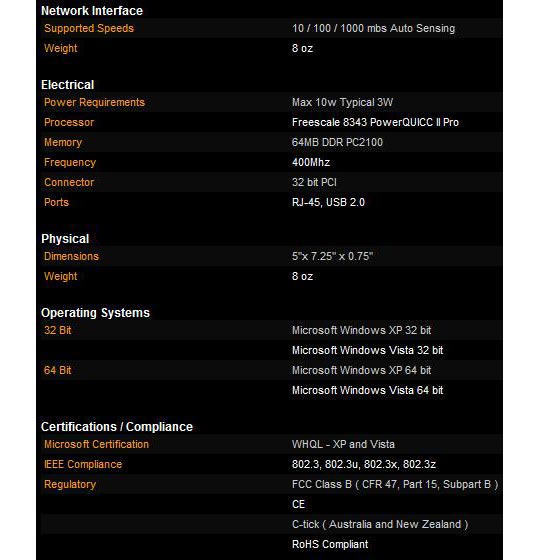
Design:
The M1 is almost identical to its ‘little’ brother, the K1, with the biggest exception being the M1’s very cool K-shaped heatsink. The thing looks like some sort of ninja weapon. Thankfully, the heatsink is fully-secured to the board so those of you with an inkling to throw it at deserving individuals will be denied from doing so. On the back of the Killer M1, you will find the standard LAN port as well as a USB port. Yup, you heard right, there is a USB port on the NIC. Why? Well one of the coolest features of the Killer M1 is its use of FNA applications.
FNA Applications:
FNA stands for ‘Flexible Network Architecture’ and represents a novel idea in network interface cards. Essentially, the Killer M1 is a small Linux-driven computer inside your computer. This small computer acts as a gateway from your PC to the network sure but with ‘FNApps’, as they are called, you can put this small computer to work handling various tasks without taxing your system’s standard hardware. Unfortunately, there are not too many FNApps out yet, but we hope this will change. Thankfully, what FNApps do exist are pretty cool. For instance, the FNA Torrent application allows you to download torrent streams onto a USB drive (attached to the port on the NIC). FNA Voice is a hardware-accelerated voice streaming program and FNA Firewall is, well, a firewall app. Using the Killer M1 as a firewall is an extremely smart idea as it can detect and deny attacks before they reach your PC’s bus.
Installation:
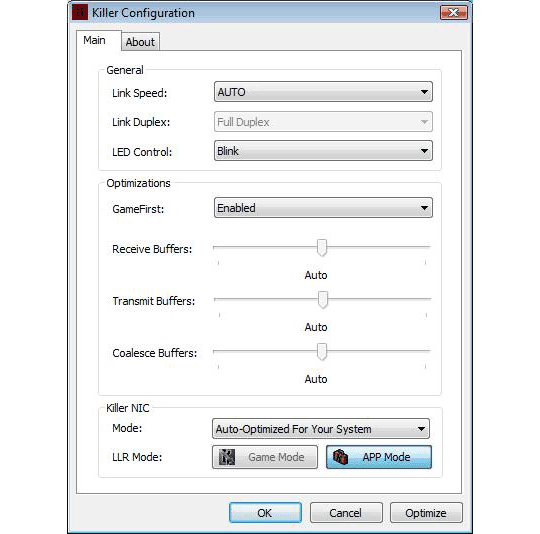
Physically installing the Killer M1 is simple, being really no different than any other PC card. Simply insert it in a PCI slot and boot up your PC. Install the software and you will be good to go. It is that easy and we must applaud Bigfoot Networks for such a simple, yet functional set of configuration programs. Handling the FNApps is equally simple, and adds a ton of value to this card, especially for those of your who like to use torrent programs while gaming. The following is a screen capture from the main Killer Configuration app. As you can see, it is a strictly no-frills piece of software that does not confuse or barrage you with needless information. This is indicative of all the FNApps’ software as well. They have really kept things simple and efficient for the best user experience possible.
Technology:
The Killer M1 NIC takes control of the Windows network stack and increases the speed at which the NIC looks at incoming UDP (User Datagram Protocol) packets which, incidentally, is what most high-performance online games use. This is opposed to TCP (Transmission Control Protocol) packets which require acknowledgement packets to be sent back to the sender and a lot more overhead in general. In that respect, using the Killer M1 won’t make too much of a difference when sending and receiving TCP packets, as the algoritm for doing so is set in stone. With UDP applications and games you will definitely notice an improvement as the NIC offloads this processing from your PC’s CPU to its own 400mhz processor. This amount of processing power on the card is what enables it to not only mind your network, but also run its FNApps.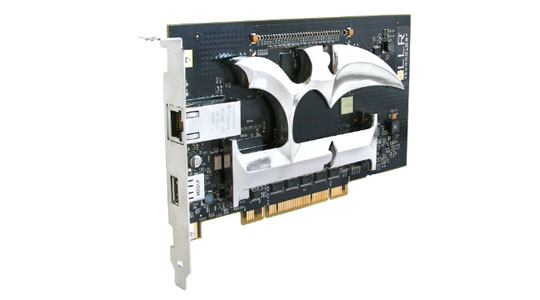
Performance:
Bigfoot Networks touts that the Killer M1 will not only improve network ping, but should also increase my graphical frames per second as it takes on the responsibilities of the Windows network stack, freeing up the CPU to focus on the game at hand. They tout that in Age of Conan, tests have shown frames per second values to increase by up to 20fps. Also regarding Age of Conan, they claim ping improvements of up to 20ms. We thought we would focus our tests on this MMO from Funcom. Our test rig runs an AMD 6000+ 3.0Ghz Dual Core CPU with an Nvidia GTX 280 video card (stock clocking). Also on the test machine is 4GB of DDR2 800 RAM.
Our first run of the MMO without the Killer NIC installed (using the onboard Gigabit NIC) gave us an FPS rating of 38 and an average ping of 162ms. We then moved over to the Killer NIC instead of the onboard network adapter. This yielded us a frames per second rating of 45 and an average ping of 149ms. This represents an increase of 7 FPS and a decrease in ping of 13ms. Not an altogether stellar increase in visual performance but a respectable decrease in ping, especially in the fairly busy game-city of Tarantia.
Our our second run of the game, we moved over to an emptier zone on our server – the Lacheish Plains. This time, we rated values of 44 FPS and 159ms using the onboard NIC. With the Killer NIC, we received ratings of 57fps and 144ms. This is an increase of 13 FPS and a decrease of 15ms, a much better result
These two tests constitute an average ping decrease of 14ms and an average increase of 10 FPS in performance. To us, this test represents a success on the part of the Killer M1 NIC to provide a benefit to game performance, both on the graphical and network levels. 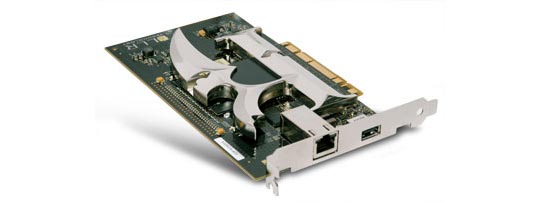
Conclusion:
Bigfoot Networks’ Killer M1 network interface card provides a noticeable improvement in game performance, both from the standpoint of visual frames per second as well as lower amount of network ping. This fact, coupled with the promise and convenience of FNA applications and the added security of the NIC acting as a firewall makes it the perfect fit for that dedicated-gaming PC. Its price tag is hefty at $249 in most retail outlets, but if you can afford it we highly recommend it. We found it on sale at several web-based outlets for $209, so look sharp!
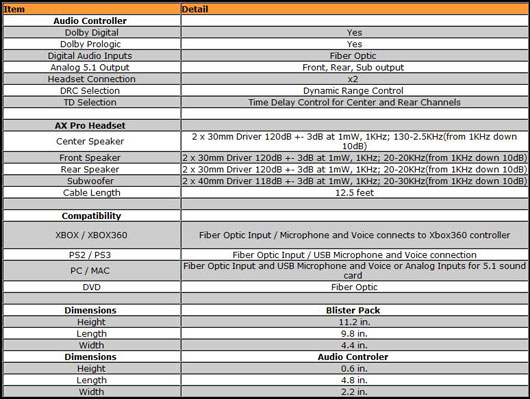
 Tritton has a fairly large line of gaming audio products. Their headsets in the past have generally been focused on one type of input. For instance, the Tritton AX PC is geared towards PC and Mac usage while the AX 360 is, as you can probably imagine, geared for use on the Microsoft Xbox 360 console. This AX Pro, however, is a new breed capable of utilizing multiple types of inputs while also including Dolby Digital and Dolby Prologic decoding for a true 5.1 channel experience.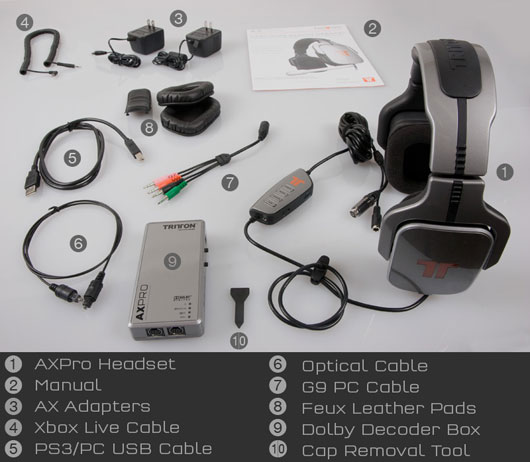

 Left 4 Dead by Valve Software – Valve really has a winner on their hands in Left 4 Dead. In plainest terms, it is a cooperative, first-person shooter set in the wake of a zombie apocalypse. These aren’t Romero zombies we are talking about here – these are Dawn of the Dead re-make zombies and the come at you in very large numbers. Left 4 Dead isn’t just about zombies though. In fact, because of the threat you and your three survivor buddies face, the game emphasizes teamwork above all else. One day, I would love to see company ‘retreats’ where their team-building exercises consist of Left 4 Dead rounds (I wanna work there!). Coupled with the fact that it is available via Valve’s Steam service, allowing it a built-in community, means you will not have to wait long to get game going. Aim for the head!
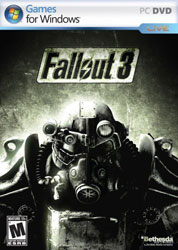 Fallout 3 by Bethesda Softworks – If you never got the chance to experience the original Fallout or its first sequel, you are really missing out as they are truly some of the best RPGs ever made. Thankfully, this tradition has been carried on by Bethsoft even when taking the game into the first-person from the previous title’s overhead, isometric view. In Fallout 3 you will wander around a post-apocalyptic Washington D.C. in a quest to find your father, who mysteriously disappeared from the vault you have been living in since you were born. It features an incredibly immersive world replete with tongue-in-cheek humor and 1950’s retro styling. The game will take you many hours to get through, and even then you will not be able to experience everything, forcing you to play through it again and again.
 MMORPGs
 Spore: This species simulation had some serious hype surrounding it and, while unfortunate that it did not live up to all of it, what we did receive was a very creative life sim that allows you to take your small, multi-cellular beasties all the way from algae eating to space colonization. Suffering from a fair mid-point, the game’s first and last stages are more than worth the play-through. Plus, this is one of those family-friendly games that makes a great gift for the little ones you do not wish to see blowing away wastelanders with their Fat Man!
 Command and Conquer: Red Alert 3 by EA Montreal – While not the most advanced game when it comes to gameplay innovations or visuals, it is easily one of the most well-balanced RTS titles we have played in quite some time. This can lead to some very fun and highly-pitched battles between you and your friends (or enemies) in multi-player games. The single player campaign also stars the likes of Tim Curry, so get out there and defend Mother Russia for Dr. Frankenfurter!
 Out of the Park Baseball 9 by Out of the Park Developments – Unfortunately, aside from a racer or two, the PC market has not been very lucrative for sports gamers this year. Even though Out of the Park Baseball 9 is a baseball management game, it still tops our list as, well, nothing else was very notable. It features some of the most in-depth sports management ever seen in a PC game. Manage your players and team in both offline as well as online seasons against other players. Sorry sports fans, your future looks to be console-bound.
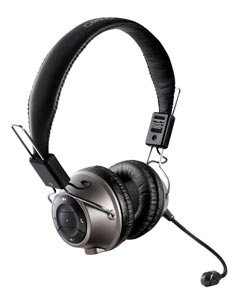 Creative’s HS-1200 Digital Wireless Headset: When we first looked at Creative’s wireless gaming headset we were skeptical at best. Usually, wireless headsets that cost less than a couple hundred dollars are lackluster. What we found, however, was that the HS-1200s featured incredible sound quality and a generally comfortable fit that made gaming (or just listening to music while relaxing) a joy. Plus, the boom microphone’s muting system makes it very easy to tell when your broadcasting, minimizing the risk of accidental outbursts to your friends playing with you.

 When we heard about this new HDD docking station from iStarUSA, we knew we had to try it out. Unfortunately, we have a ton of drives all over the place and their solution, especially since they billed it as hot-swap capable, sounded too good to be true. Thankfully, we have since then discovered that the xAge-N99SAU docking station is a welcome addition to our desktop despite a few limiting factors.
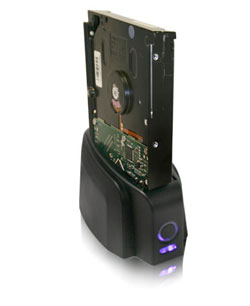 The biggest improvement over its slightly older brother, the N99US, is the addition of an eSATA connection. The front and sides of the docking station are clean, with no controls to speak of. There is an LED power indicator on the front, but its cool blue light is rather stylish. The ports and controls run down the back of the docking station. There you will find the AC power port, power button, and eSATA/USB ports.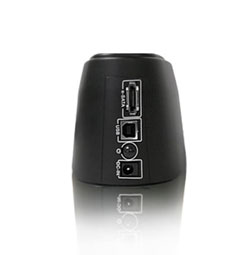
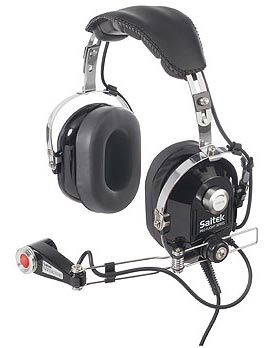 Having been a longtime fan of flight simulators in general and especially great peripherals to go with them (I still remember my original CH Products flight yoke fondly), I could not pass up taking a look at Saitek’s new Proflight Headset.
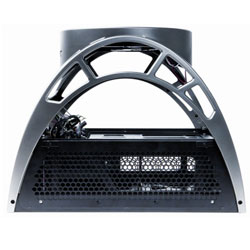
  Open-air cases are the latest thing in PC gaming enclosures. For years, many gamers chose to run their PCs with the side doors open and large external floor fans pointed at the components. While this solution provided good airflow, the components are still all mashed into a vertical ATX PC case. Plus, you would have to worry about keeping enough space around the case to place the floor fan.
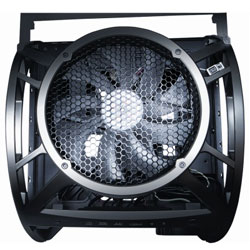 The room is not nearly as plentiful in the below-mobo area where the PSU and internal drives are located, with snaking cabling about becoming a real pain at times. In addition, the way the PSU faces to one side takes away from valuable cable length when pulling cables to the opposite end of the case. These bottom-tier space issues aside, the ease of getting to your mobo components makes it well worth the trouble to be found underneath. Need to add a video card? Simply slide the component tray out the back of the unit and slap it in there, all easy like!
 To make matters worse, Antec’s in-box documentation is not very good, and they refer you to the much more well-written online PDF. In the online document (available
  As you can see, the Antec Skeleton consistently provides lower temperatures than the Lian Li thanks to it being more exposed to a cooler source of air. Cool air just spends less time turning hot and lingering around the Skeleton due to its open design.
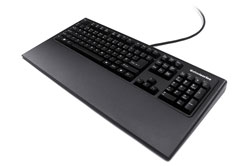
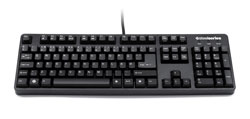 SteelSeries has long been known as a developer of high-end gaming peripherals and their ‘7G’ gaming keyboards keeps to this tradition well. It is the most solid and well-made keyboard I have ever had the pleasure of using.
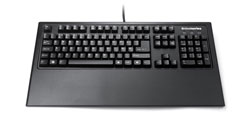 However, it is an all-metal design and can chafe if used for long periods of time. While SteelSeries has told us this design decision was made for durability purposes (gel rests can puncture and decay), and this makes sense, we recommend you put a soft barrier between the rest’s metal and your wrists for your own comfort.
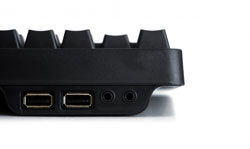
 This can be seen pretty much anytime your USB ports ‘freeze up’. While the PC processes what is going on, if you had a PS/2 keyboard installed it would still be able to pass on your key presses. Also, this allows the 7G to be used during your PC’s booting period where a USB keyboard might not have been detected yet. We would like to thank Mr. Rom for his helpful answers.
 Conclusion: If you are looking for the best ‘functional’ gaming keyboard possible, the SteelSeries 7G gaming keyboard is exceptional and well-worth its $150 dollar price point in that it very well could be the last keyboard you need to buy until the apocalypse, maybe. Even then, the thing might just hold-up fine. Unfortunately, nuclear testing was not part of our review regiment. Also, we cannot say what the value of the beast will be in bottle caps. Sorry, we have been playing Fallout 3 too much. The biggest complaint we can find about this keyboard is the lack of back-lighting. If you can get over not having the ‘bells and whistles’ and are able to afford it, the 7G is easily the keyboard for you.