
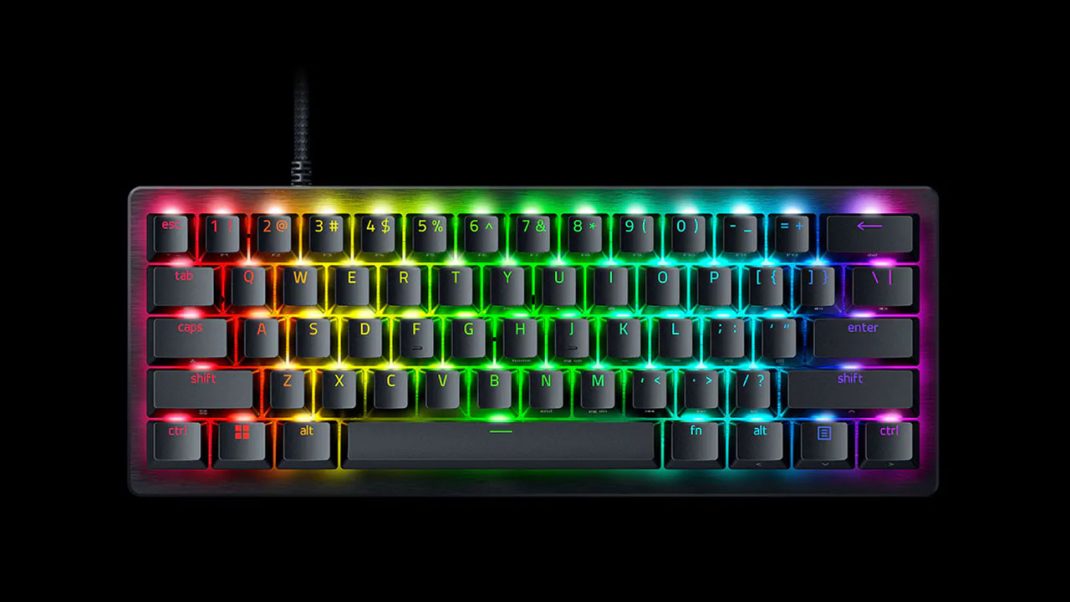
Cramming a massive mechanical keyboard onto a battle station desk when your mouse urgently needs room to breathe gets exhausting. For years, competitive players faced an annoying compromise. You either bought a giant board loaded with macro keys and a numeric keypad you never touched, or you downsized and sacrificed the rapid-fire tech edge that keeps you from getting fried in an online lobby. Well, Razer decided to flip that entire script. They took their premier tournament-grade keyboard lineup and put it through a metaphorical dryer. The result is the Razer Huntsman V3 Pro Mini 8KHz, a tiny 60-percent peripheral packing enough raw speed to make your head spin. But does shrinking a high-end gaming weapon make it lose its soul along the way? Let’s talk about it.
Pocket-Sized Build Quality
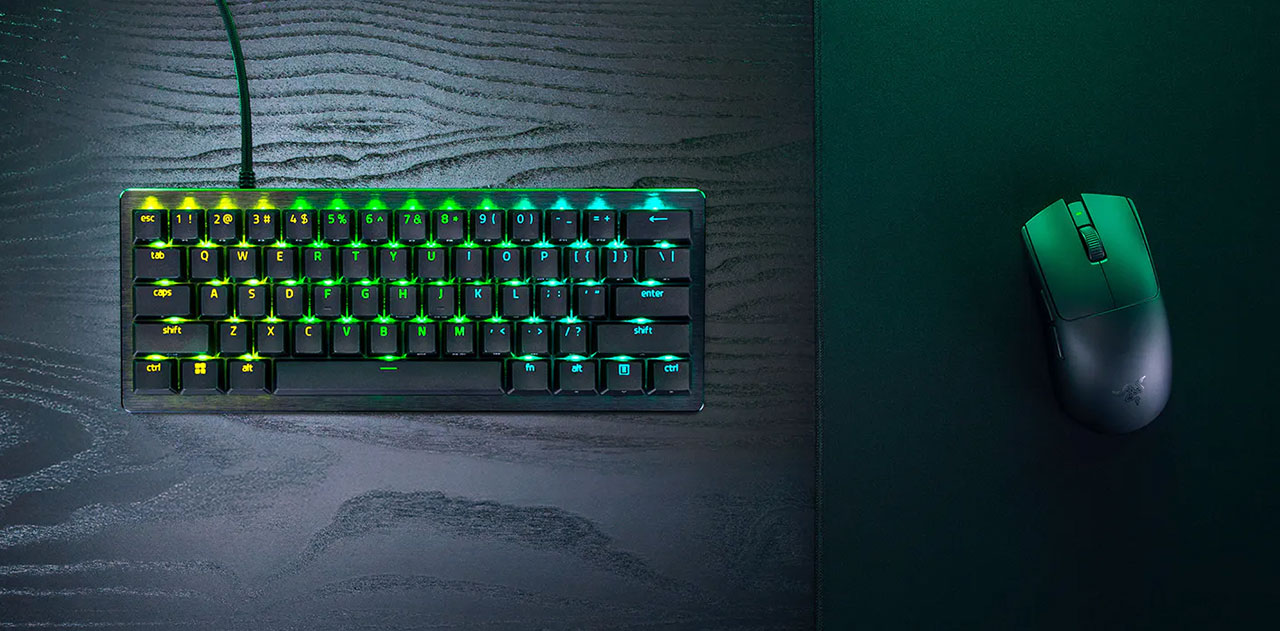
When you pull this thing out of the packaging, you notice two distinct things immediately. First, it is aggressively compact. We are talking about a true 60-percent footprint that strips away the dedication function keys and every other accessory you do not actively spam while clutching a tense late-game round. Second, it does not feel cheap or flimsy. Razer wrapped this little beast in a sturdy 5052 aluminum alloy top case finished with a smooth brushed texture that screams durability. You can toss it straight into a backpack for a weekend LAN event without stressing over whether it will survive the transit. Pair that build quality with textured double-shot PBT keycaps that refuse to shine or fade over time, and you have got hardware built to take a serious daily beating.
Speed That Feels Almost Illegal
Here is the thing about modern gaming hardware: impressive spec sheet numbers usually sound cooler in writing than they feel in actual gameplay. But with the Huntsman V3 Pro Mini, the performance metrics hit completely differently. We are looking at true 8,000 Hz HyperPolling. That means the keyboard checks for your keystrokes eight times faster than standard office boards, clocking in at an absurdly low 0.48 ms latency. Is that tiny fraction of a millisecond humanly noticeable for everyday web browsing or typing notes? Probably not. But when you are trying to jiggle-peek a tight corner or dodge incoming utility in a high-stakes shooter, shaving off those milliseconds feels like moving in slow motion compared to your opponents.
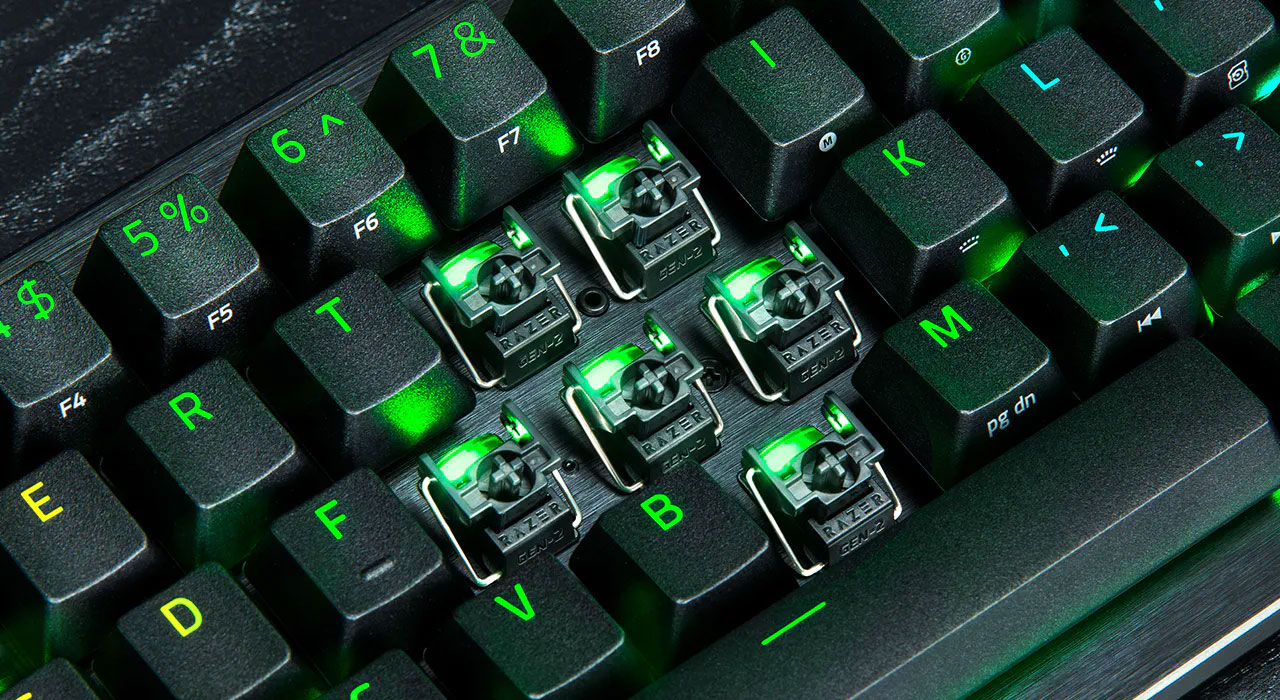
Underneath those keycaps sit Razer’s Gen-2 Analog Optical Switches. These are not your average mechanical switches with fixed, rigid activation points. Instead, you can customize the actuation distance anywhere from a hair-trigger 0.1 mm all the way down to a deep 4.0 mm. Want a key to register the absolute millisecond your finger brushes against it? Set it to 0.1 mm and watch how fast your actions translate on screen. Coupled with Rapid Trigger technology, which instantly resets the switch the moment you lift your finger rather than waiting for it to travel all the way back up to the top, your recoil control instantly tightens up. You stop on a dime, you fire cleanly, and you live to tell the tale.
The Advanced Input Control Suite
Let me explain why this hardware causes fiery debates in competitive esports forums. Razer crammed their entire Advanced Input Control Suite into this miniature frame, introducing features like Snap Tap, Snap Flex, and Dynamic Keystroke. Snap Tap handles rapid counter-strafing by prioritizing whichever directional key you pressed last, making smooth movement feel effortless without requiring clunky finger gymnastics. (Though keep in mind, titles like Counter-Strike 2 have taken strict stances on this specific technology in official rulesets, so you will want to toggle it off depending on where you queue up.)
Then you have Dynamic Keystroke. Because the analog switches measure travel depth with extreme precision, you can map up to four distinct actions to a single key press—two actions when you push down, and two more when you release. Imagine holding down a grenade key in your favorite tactical shooter, and the exact millisecond you release it, the keyboard automatically triggers a jump and a toss simultaneously. It feels like cheating, but it is entirely legal outside of specialized tournament regulations. It turns a simple input device into a specialized macro command center if you are willing to spend time setting it up.
Typing Quirks
Of course, no piece of technology is completely magical, and there are distinct compromises when you shrink a board down to this size. Let’s talk about typing. While gaming performance sits at the absolute peak, hammering out a lengthy document on the Huntsman V3 Pro Mini takes some mental adjustment. Because it is a 60-percent layout, dedicated arrow keys are missing from their conventional positions. Instead, Razer uses dual-purpose modifier keys that double as a four-way arrow pad when you tap them quickly.
If you are used to flying across a full-sized keyboard, having your right index finger double-duty the function key right next to the spacebar can feel slightly awkward at first. It works fine once you build up the muscle memory, but you will definitely hit the wrong key a few times during your initial writing sessions. Furthermore, while the individual switches are factory-lubricated and seated inside a foam dampening layer to mute the acoustics, magnetic and optical switches naturally lean toward a heavier, thumpy sound profile rather than a creamy, clacky mechanical resonance. It sounds fine for a gaming setup, but purists looking for acoustic perfection might want to temper their expectations.
Software-Free Tweaks
Software can easily ruin an otherwise great peripheral, but thankfully, Razer avoided the heavy bloatware trap here. You do not even need to install a massive application suite if you are jumping between different gaming rigs at a friend’s house. You can adjust your actuation points and Rapid Trigger sensitivity directly on the number row using onboard keyboard shortcuts, with the RGB lighting visually guiding you through the intensity levels. You can store up to six custom profiles directly on internal onboard memory.
If you want deeper control over custom Chroma lighting effects or advanced controller bindings, Razer offers Synapse Web, a browser-based utility letting you tweak settings anywhere without forcing software downloads onto your machine. Honestly, more hardware manufacturers need to adopt browser-based configuration tools. It keeps things clean, fast, and remarkably hassle-free.
Quick Breakdown
- The Good: Incredible gaming performance, true 8K polling, fully adjustable analog switches, sturdy aluminum build, and highly portable 60% form factor.
- The Tradeoffs: Typing requires adjusting to the compact layout and modifier arrow keys, wired-only connection, and a thumpy acoustic profile.
Final Verdict
So, who is this miniature marvel actually meant for? If your desk setup resembles a cramped battle station where every single millimeter of mousepad space matters for wide flicks, this keyboard makes an incredible companion. It bridges the gap between ultra-portable gear and uncompromising competitive performance. Sure, typing long emails requires a bit of patience, and the price tag demands respect, but for anyone who takes their multiplayer matches seriously, the raw hardware speed and control suite justify the investment. Razer managed to squeeze a mountain of performance into a molehill of physical space, and honestly, it is hard not to respect the engineering wizardry behind it.