
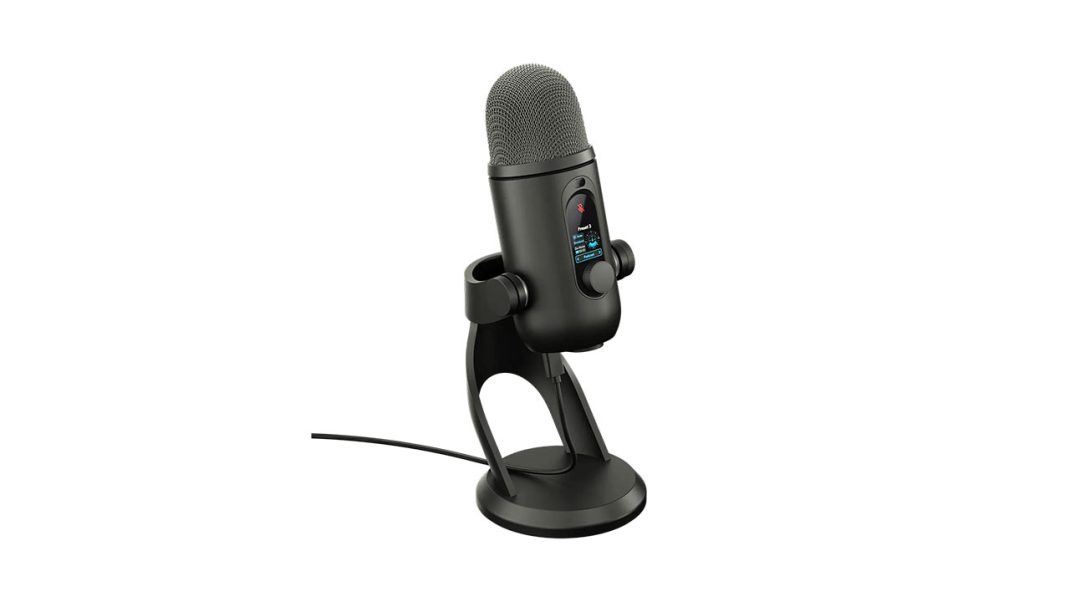
If you booted up Twitch, hopped into Discord, or recorded a gameplay video anytime after 2009, you probably spoke into an original Blue Yeti. It sat on your desk like an enormous retro spacecraft, captured every frantic click of your mechanical keyboard, yet somehow became the golden standard for a generation of bedroom creators. Now, seventeen years after that original debut, Logitech G has officially rolled out the numbered successor: the Logitech G Yeti 2.
Priced at $159.99 (£139.99 / €149.99 / AU$249.95), the Logitech G Yeti 2 lands just ten bucks north of what the original model cost almost two decades ago. But our setups look radically different now. We have sound-dampened rooms, low-profile boom arms, and compact dynamic mics everywhere. Can this revamped classic still claim prime real estate on your desk, or is it merely cruising on name recognition? Let us break it down.
The Design and the Tiny Pixel Mascot
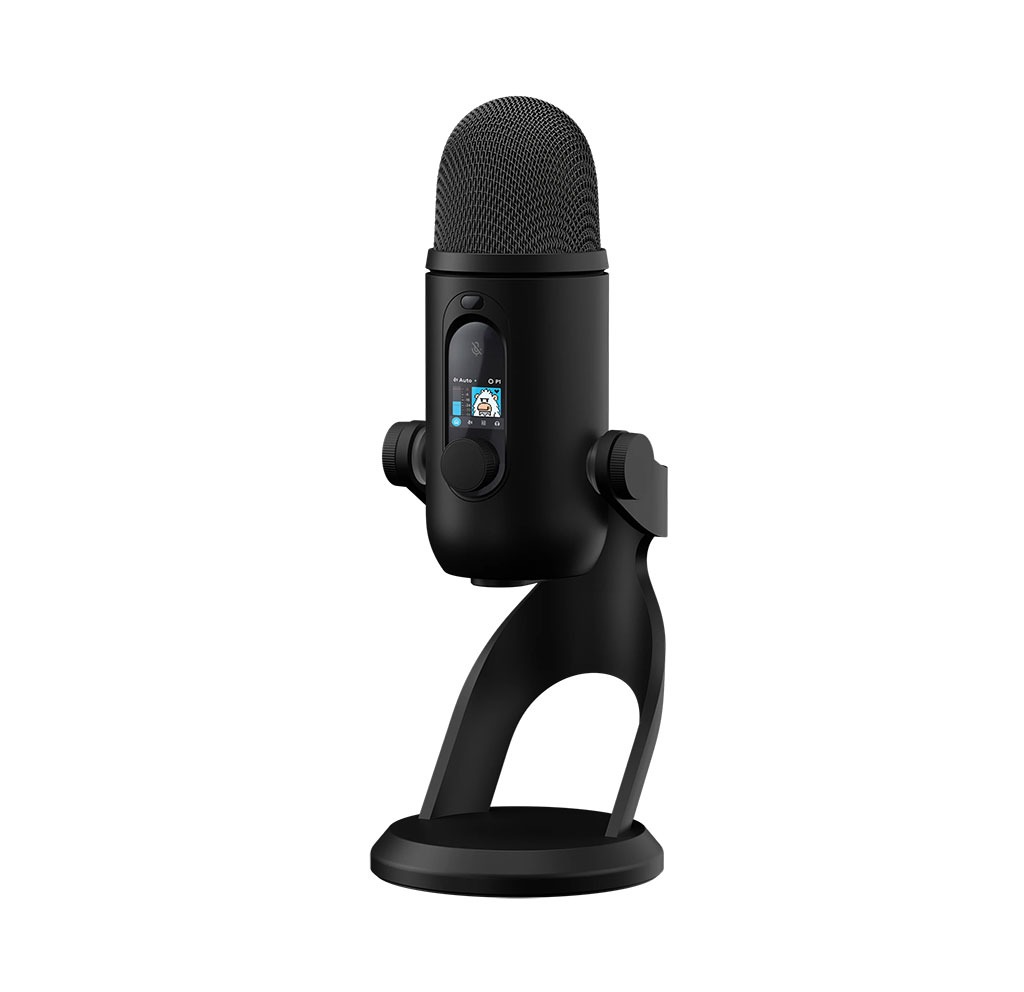
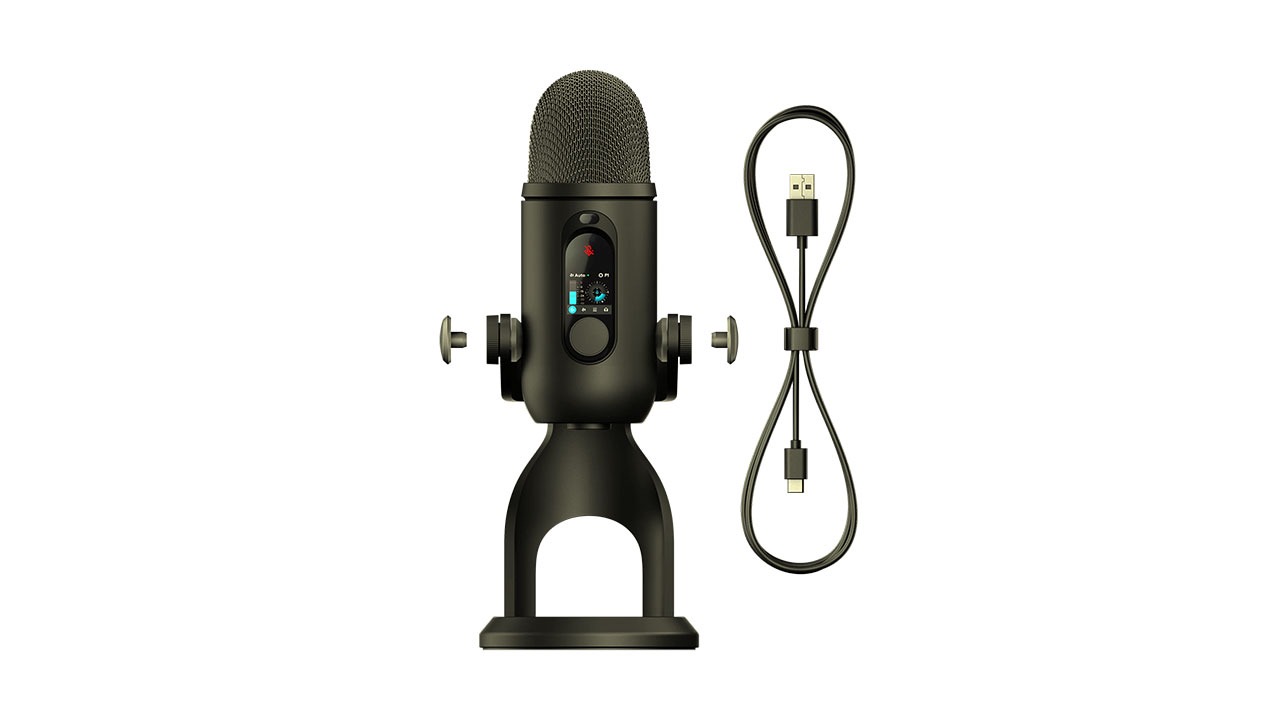
Pulling the Yeti 2 from its box triggers immediate deja vu, yet it feels noticeably sleeker. Logitech kept the recognizable capsule shape while smoothing out the rough edges, offering clean matte finishes in off-white and black. Weighing in at 995 grams with its base, the heavy cast-metal stand anchors the mic firmly to your desk. If you prefer floating your gear out of camera view, you can spin off the desktop stand and screw the body directly onto any standard 5/8-inch boom arm.
You know what grabs your attention right away, though? It is the little 1.3-inch LED screen sitting directly on the front. Instead of forcing you to tab out of your match to peek at recording software, the display delivers live status readings. Logitech even included an animated pixel-art Yeti mascot that reacts to your voice. Talk too quietly, and the little guy looks bored; get overly excited during a clutch play and clip your signal, and he looks visibly panicked. Some might view it as visual flair, but glancing down between rounds to verify your volume levels is surprisingly useful. If animated characters are not your style, G HUB lets you swap the graphic or turn it off entirely.
Right above the screen sits a silent capacitive tap-to-mute button encircled by a bright LED ring. If you have ever coughed during a team fight and blasted your squad because an old plastic switch clicked loudly, you will love how quiet this touch sensor is. Around the back, you get a modern USB-C connection alongside a standard 3.5 mm zero-latency headphone monitoring port.
Hardware Capabilties
Here is where the Yeti 2 separates itself from legacy desktop gear. Standard USB condenser microphones are simple listeners; they convert vibrations to digital data and leave room management up to you. Lean back in your secretlab chair, and you sound like you are shouting from down the hall. Lean forward to read chat, and your voice turns into an uncomfortably boomy wall of bass.
The Yeti 2 tackles that annoyance with onboard hardware intelligence. Tucked inside is a high-frequency 3D acoustic proximity sensor that tracks your position within a two-meter (roughly 6.5-foot) radius, running up to 48,000 checks every single second. When you lean back to grab your water bottle, the internal processor boosts your pre-gain and tweaks the equalization to keep your vocal presence steady. When you sit up and speak directly into the grille, it trims the gain and dials down muddy low-end buildup.
Logitech also moved the Blue VO!CE processing suite off your computer and directly onto the microphone hardware. You can store up to five custom profiles in onboard memory. That means you can plug the Yeti 2 into a secondary streaming PC, a game console, or a work laptop, and your custom EQ, compression, and noise filters stay active without installing desktop apps.
Speaking of noise, the built-in multi-stage AI noise suppression does genuine heavy lifting. Creator desks are noisy places. Between whirring graphics card fans, clacking mechanical switches, and buzzing room heaters, background hum ruins otherwise great content. The Yeti 2 cleans out those steady desktop hums directly on the local chip, saving your computer from heavy CPU loads.
How Clear Does It Get?
Smart sensors mean nothing if the vocal capture sounds flat. Thankfully, the acoustic fundamentals are very solid. Logitech redesigned the internal array with three custom 14 mm electret condenser capsules recording at 24-bit/48 kHz.
In cardioid mode, which will handle the vast majority of gaming comms, voiceovers, and live broadcasts, the sound is full, crisp, and articulate. There is a gentle presence lift between 5 kHz and 9 kHz that gives consonants clean definition without introducing harsh sibilance. Logitech also nestled a mechanical pop filter right behind the outer steel mesh. During close-proximity tests with punchy “P” and “B” sounds, the internal screen broke up aggressive bursts of air before they could slap the diaphragms. You can easily skip buying an awkward external pop filter.
Because this is a multi-pattern Yeti, you also get three extra pickup geometries:
- Omnidirectional: Captures a 360-degree radius, making it a great choice when multiple friends gather around a single desk for a co-op stream or casual chat.
- Bidirectional: Grabs sound from directly in front and behind while muting the sides, tailor-made for face-to-face tabletop interviews.
- Stereo: Splits left and right channels, providing rich spatial separation for acoustic instruments, ambient field audio, or ASMR whisper streams.
The Catch: When Smart Features Overreach
Now, let us examine the quirks, because no piece of audio equipment is flawless.
While the 3D tracking feels smooth during steady conversation, sudden volume spikes can trip it up. Say you are playing a tense horror title; everything is quiet, an enemy jumps through a window, and you scream. Because the auto-gain tries to react instantly, unexpected shouting can trigger an audible volume drop followed by a noticeable “pumping” artifact as levels slowly float back to normal. Audio creators like Danny Lightning have also noted that in echo-prone, untreated rooms, automated tracking can occasionally boost room reverberation when you sit far back.
Furthermore, cranking the AI noise reduction to its maximum tier introduces slight phase smearing, leaving complex vocal tones sounding slightly hollow. Sticking to the moderate suppression setting yields far more natural results.
Lastly, there is no analog XLR jack. The Yeti 2 is strictly a USB peripheral. If you plan on upgrading to a balanced audio interface or hardware soundboard down the road, this mic cannot grow into that setup.
Rival Gear and Final Verdict
How does it hold up against current competition? If your room is loud and untreated, a dedicated dynamic mic like the Shure MV6 Gen 2 ($169) provides superior physical background rejection. However, dynamic mics require you to stay glued three inches from the foam. If you shift back, your audio drops off a cliff. The Elgato Wave:3 offers fantastic digital sub-mixing software, but it features a single cardioid pattern and relies entirely on your PC’s CPU to run its effects.
The Logitech G Yeti 2 finds a clever middle path. It retains the wide, airy response and multi-pattern versatility of a classic condenser, but frees you from having a microphone jammed against your face all evening. You can lean back, glance between monitors, laugh with friends, and trust the hardware to maintain consistent vocal output.
If you already run a tuned studio mixer, this will not replace your XLR setup. But for gamers, podcasters, and everyday streamers who want broadcast-ready vocal clarity without babysitting audio dials, the Yeti 2 brings a legendary workhorse right into the modern era.