
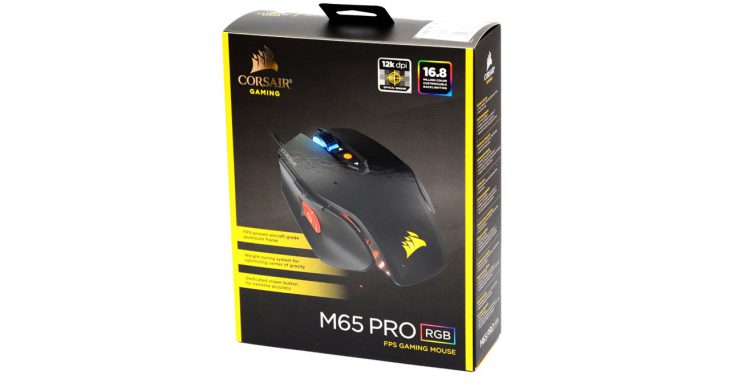
We recently got the chance to take a look at Corsair’s new M65 PRO RGB gaming mouse. Retailing for $59.99, the M65 PRO RGB has some very gamer-centric features that goes to illustrate exactly how Corsair has listened to fans out there when designing this latest gaming mouse. The Corsair M65 PRO RGB is available in both black and white exterior colors, and has an overall shape that looks something out of science fiction. Continuing with its aesthetics, the mouse also features some very eye-pleasing lighting effects that, while I don’t usually need lights on a mouse, really dug with this particular product. It also features a strong aluminum frame which helps protect the mouse from the strain of long-term usage and any accidental drops.
One of the most interesting features on the M65 PRO RGB is its weight-tuning system. On the underside of the mouse, you will find three weight locations – on which little weights can be added or removed in order to adjust the mouse’s center of gravity. I prefer a mouse to have a little more weight than most in order to keep my movements smoother and more deliberate, and found the M65 PRO RGB to be a joy to glide around my mouse pad. Additionally, the M65 PRO RGB features a braided mouse cable which is always a welcomed addition to a gaming mouse. So many companies are not adding this feature anymore – Corsair is to be commended for recognizing its usefulness.
Of course, the review of any gaming mouse would not be complete without mention of what its got “under the hood” – i.e. it’s sensor system. Corsair has opted to outfit the M65 PRO RGB with an optical sensor capable of up to 12,000 DPI. While I am unsure as to what company manufactured this sensor (or if it is an in-house Corsair product), I can state that it does an incredibly-fine job of tracking the mouse’s movements. When coupled with the Corsair CUE (Corsair Utility Engine) software, you can even calibrate the mouse for your particular mousing surface. The software is fairly straightforward and should not give any gamers out there trouble in figuring out what options do what.

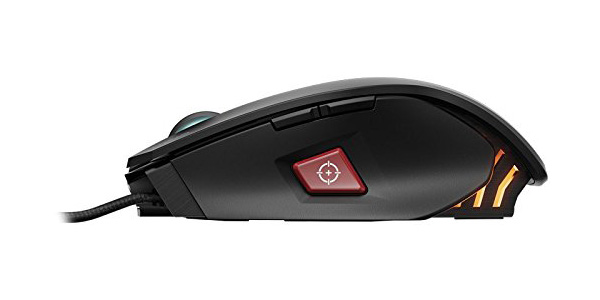
The Corsair M65 PRO RGB gaming mouse features a number of buttons – all which can be configured for whatever control scheme you prefer. The standout to the mouse controls has to be what Corsair refers to as the “sniper button”. When pressed, it allows you to immediately alter the current DPI sensitivity setting of the mouse, which is great to be able to do when, as it is named, sniping in a first-person shooter game.
Also worth noting is the M65 PRO RGB gaming mouse’s scroll wheel. It’s easily one of those most gamer-friendly wheels I have used in a mouse. It is heavy and features some great texturing. They actually put a rubber exterior over a metal core, which makes this scroll wheel one for the record books. Of course, there cannot be that many entries into the “scroll wheel record books” but, if there were, this would be a stand out in the category. In fact, the only real issue with the M65 PRO RGB isn’t really an issue at all, and that is that the mouse is a right-handed only design. Again, this is not really an issue as it was designed to be right-handed only.
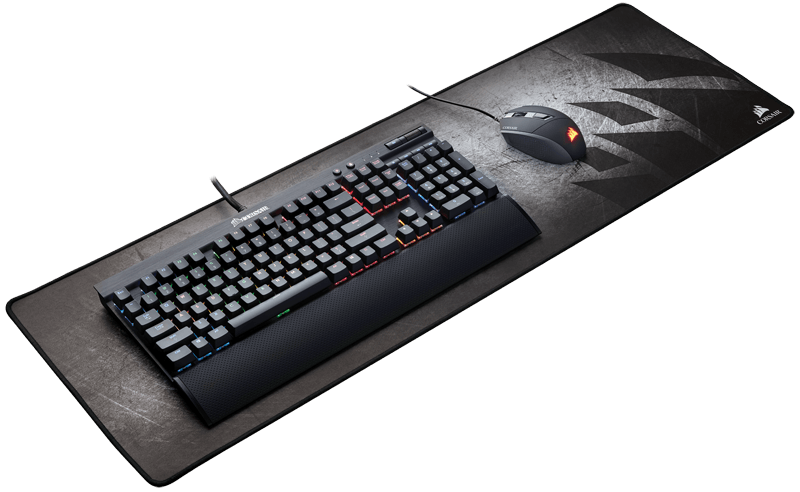
Finally, Corsair shipped us one of their MM300 Extended Edition mouse pads with this shipment, and it is worth mentioning that it is the widest mouse pad I have ever seen. It measures about 36 inches by 12 inches in dimensions and is made from foam and cloth. This mouse pad retails for about $30 dollars and is an excellent option if you need a lot of mousing real estate. It is so wide, in fact, that you can even put your keyboard on it and still have plenty of room for your mouse as well. This is kind of cool as it acts as not only a mouse pad but also a desk protector!
Overall, the Corsair M65 PRO RGB Gaming Mouse is a great gaming mouse with a lot of features built-in with the gamer in mind. Retailing for $59.99 at Corsair’s official website and various online retailers, the M65 PRO RGB is out now and well worth your hard-earned cash.
[easyreview title=”Corsair M65 PRO RGB Mouse Review Score” cat1title=”Overall Score (out of 5)” cat1detail=”” cat1rating=”5″ ]
[button target=”_blank” style=”” link=”http://gamingshogun.com/gamingshogun-rating-system/”]Learn About Our Rating System[/button]