
You know that annoying moment when you finally sink into the couch with a controller, boot up a PC game, and a random Windows prompt hijacks your screen? Suddenly, you’re leaning forward, squinting at a tiny button, and hunting for a mouse you left across the room. It kills the vibe fast.
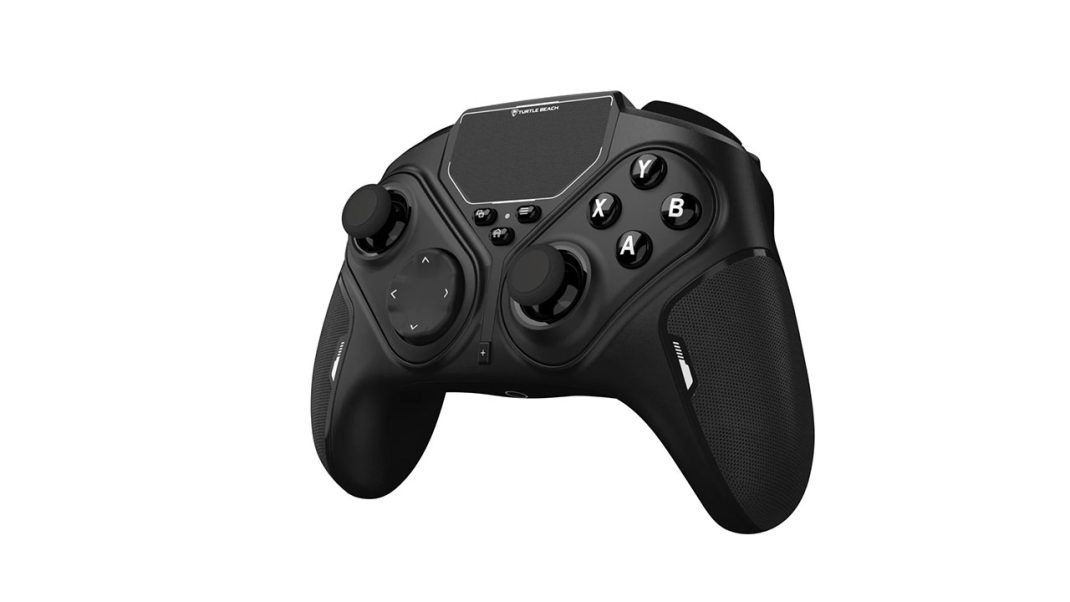
That exact living-room headache is why the Turtle Beach Stealth Flip wireless game controller exists. Launched in late October 2026 for $99.99 USD ($139.99 CAD / €99.99 / £89.99), this wireless PC gamepad tries to squeeze both a traditional controller and a multi-touch mouse setup into one shell. On paper, it sounds like a dream for couch PC gamers. In practice, though? Well, let’s talk about it, because the gap between a neat hardware trick and a great daily controller can be pretty wide.
Spend enough time with the Turtle Beach Stealth Flip, and a clear contradiction jumps out at you. It’s actually a sturdy, comfortable traditional gamepad. It’s just tripped up by the very touchpads meant to make it special.
Didn’t Turtle Beach Already Make a Flip Controller?
If this feels like déjà vu, you’re not imagining things. Turtle Beach previously put out the $139.99 Stealth Pivot, a smart controller with rotating modules for swapping between standard sticks and a fighting-game layout. The Stealth Flip borrows that same asymmetric Xbox-style frame. Instead of fightpad buttons, though, Turtle Beach dropped in circular capacitive touchpads and aimed this model straight at Windows 10 and 11 PCs, Android 8.0+ devices, and Smart TVs. (Noticeably, Xbox console support is gone here.)
Here’s the thing: Turtle Beach didn’t wrap this gimmick in cheap, creaky plastic. Right out of the box, the Stealth Flip feels like serious gear. It weighs 290 grams (about 0.64 to 0.65 pounds) and measures 161.3 by 67.2 by 108 mm. That hefty weight gives it a reassuring presence in your hands, and the comfort is genuinely standout. Its textured, rubber-style side grips hold steady against your palms without ever turning sticky during marathon sessions.
So far, so good, right? Wait until you see how it actually changes shape.
How Does the Flip Actually Work?
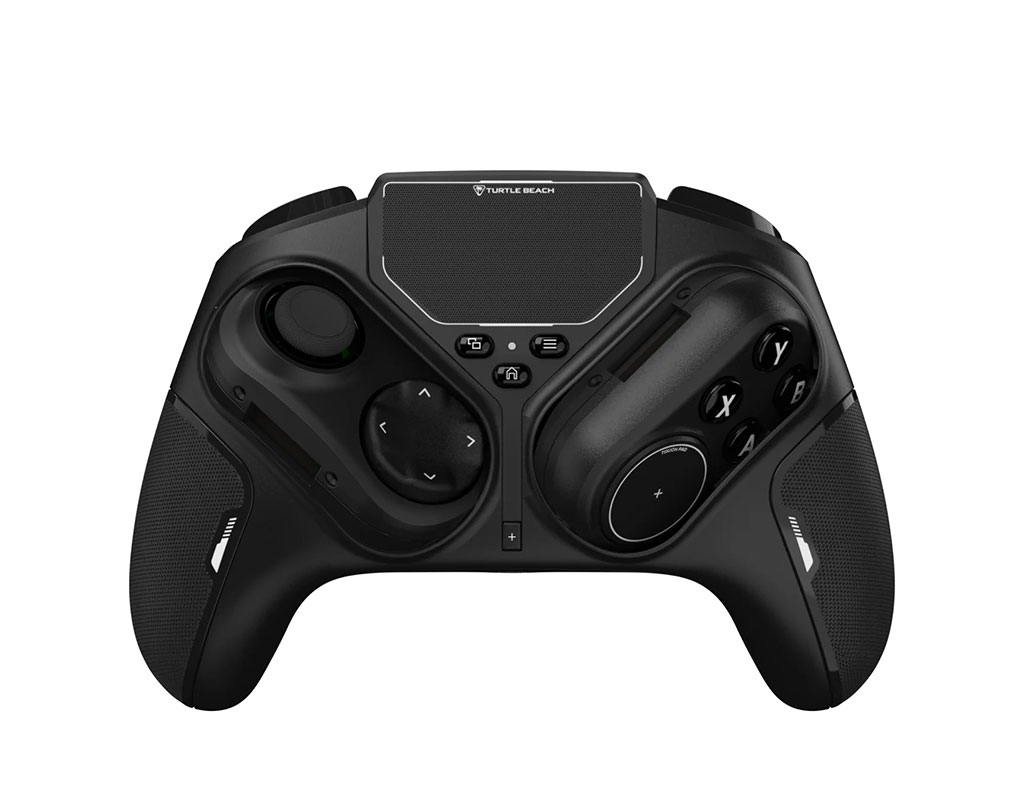
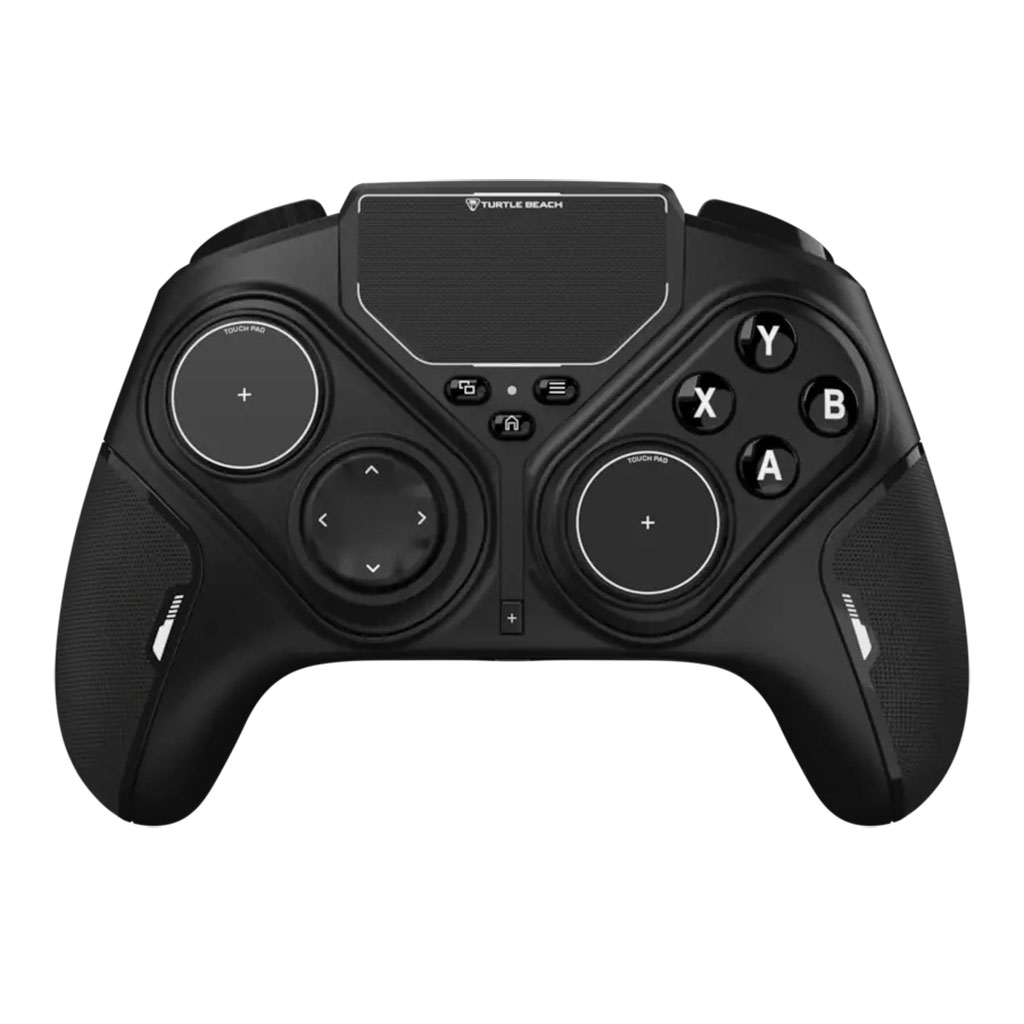
Let me explain how the magic happens, because the mechanical engineering really is slick. You don’t need tiny screwdrivers, magnetic faceplates, or spare parts rattling around in a desk drawer. Instead, you release a latch on the back of the controller, twist a thumbstick 90 degrees so it sinks into a pill-shaped block, and spin that whole module 180 degrees. Flip both sides, and boom, your analog sticks vanish, revealing dual circular capacitive touchpads paired with fresh D-pad or face controls.
Honestly, it’s clever enough that Turtle Beach stuck a warning label on the unit telling you not to yank the sticks straight off, a smart touch, given how tempting it looks at first glance.
Yet that rotating mechanism brings two weird catches:
First, the flipped touchpad side gets crisp, clicky microswitch action buttons rated for five million presses. The regular analog side? Standard face buttons. That split feels super baffling on a $100 controller. Why hide the snappiest buttons behind a mode most players barely use?
Also, moving hinges look cool on day one, sure, yet extra moving parts always spark fair questions about how well those rotating blocks will hold up in year two.
Trackpads
Okay, so you flipped the sticks over. Now what?
I ran the dual circular touchpads through shooters, platformers, racing games, and big action titles like Gears of War: E-Day, Forza Horizon 6, and Phantom Blade 0. Honestly, they never clicked. Without physical spring tension, a raised center point, or real tactile pushback, sliding your thumb across tiny, flat circles feels vague and sluggish. You simply can’t beat real thumbsticks for quick camera snaps or tight platforming.
And what about the giant trackpad sitting right in the top-center? It eats up roughly 60% of the controller’s upper middle face. You can drag a Windows cursor and scroll with two fingers, which works in a pinch for clicking through menus. Still, its response time feels sluggish, noticeably slower than a standard laptop trackpad.
Worse yet, that huge center pad causes an ergonomic traffic jam. Turtle Beach crammed the Start, Back, and Home buttons right underneath it, shrinking them down to the size of rice grains. While playing Phantom Blade 0, reaching for the map or gear menu meant constantly grazing the trackpad by accident. Every brush tricked the PC into reading wild mouse inputs, sending the camera into nonstop screen jitter until I powered the controller off and back on.
Add in shaky early software behavior, where a firmware update can leave the unit locking up or make the central pad track in weird zig-zags instead of straight lines until you power-cycle it, and the touch side clearly still needs polish.
How is it as An Every Day Controller?
Here’s where things get mildly contradictory. Even though the marquee gimmick stumbles, the Stealth Flip actually shines when you leave the sticks facing up.
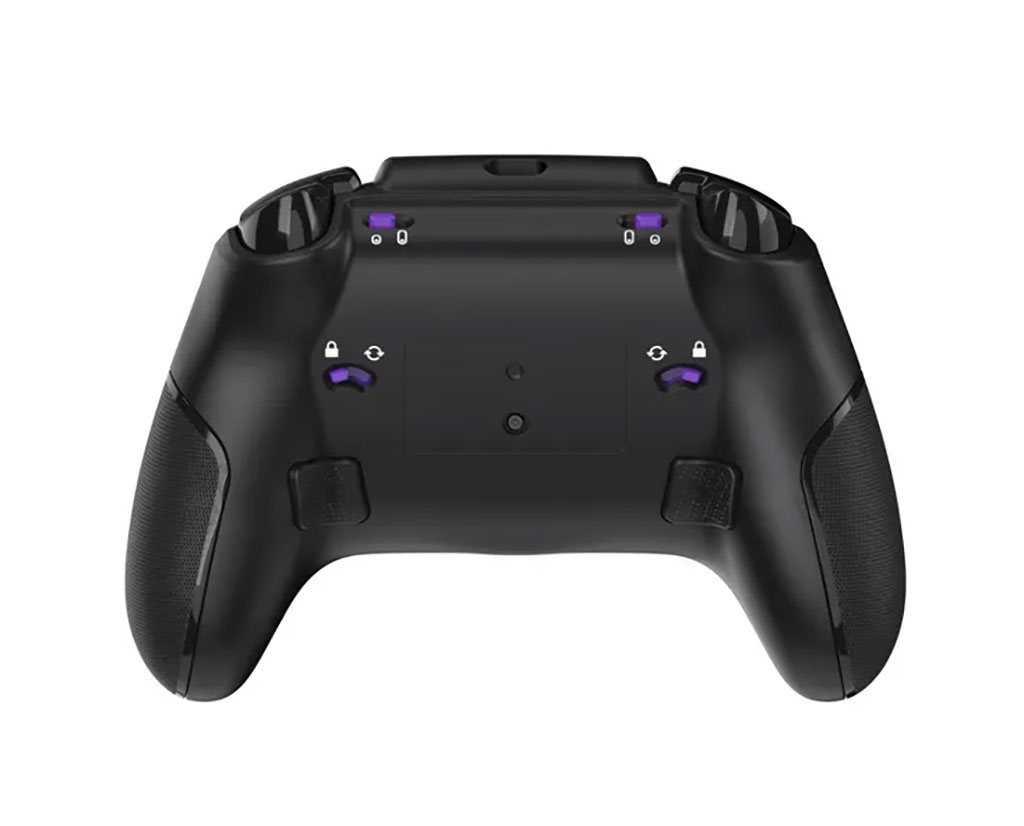
Let’s check the core specs. You get AntiDrift Hall-Effect thumbsticks, which use contactless magnets to stop stick drift before it starts. You also get two-stop adjustable hair triggers for rapid shooter taps or full-travel racing throttles, two mappable back buttons (easy to assign on the fly with a front “+” button), four onboard profiles, and a 3.5 mm headset jack with built-in audio tuning. Battery life stretches up to 20 hours, and a generous 3-meter (9-foot-10) USB-A to USB-C cable sits right in the box.
Watch out for one sneaky detail on polling rate, though. Turtle Beach advertises up to 1,000 Hz polling, which competitive players love for snappy input speed. However, that 1,000 Hz speed only applies over a wired PC connection, not via the included USB wireless transmitter or Bluetooth.
On feel alone, the standard controls mostly deliver, with a couple of quirks. The disc-shaped D-pad responds cleanly even if disc styles divide fighting-game fans, though the bumpers sit a bit far up if you only rest your index fingers there. As for the sticks, the caps feel surprisingly small, and straight out of the box they can feel a little loose. Yet once you jump into Turtle Beach’s Swarm II desktop app and tighten the inner dead zones, that nice Xbox-style stick resistance comes right through. Honestly, Swarm II deserves real credit here. It lets you tune stick curves, trigger dead zones, rumble intensity, touch sensitivity, macros, and headset EQ with impressive depth.
Where’s the Gyro?
If you care about precision couch gaming on PC, one missing spec is going to jump off the page right away.
There is no gyroscope inside the Stealth Flip. Zero motion aiming.
Think about that for a second. Why do people still adore Valve’s original 2015 Steam Controller? Because pairing a right touchpad with gyro aiming gives you near-mouse precision from across the living room. Leaving gyro out of a trackpad-heavy PC controller feels like selling a sports car without third gear. A few other misses sting too, starting with no native Steam Deck support. Deep pad tuning and mode-shifts stay locked inside Turtle Beach’s Windows-only Swarm II app, leaving Linux setups and Steam tinkerers out in the cold. Flipping hides your analog sticks completely, whereas dual-input setups let you keep thumbsticks and full-sized trackpads active at the same time. Also, at $99.99, plenty of rival controllers hand you four rear paddles instead of two.
Mix in Turtle Beach’s bumpy track record on past high-end pads, like wireless stick lag during vibration on the Stealth Pivot or headaches with the Stealth Ultra, and waiting for long-term reliability feels smart.
Should You Buy?
You know what? If you genuinely want a weighty, comfortable PC gamepad that lets you nudge a cursor across your TV screen now and then without keeping a wireless mouse on the coffee table, the Turtle Beach Stealth Flip can handle that job.
For almost everyone else, though, $99.99 is a tough ask. If you just want a fast, drift-free PC controller without touchpad drama, Turtle Beach’s own Rematch Wireless RGB PC controller actually makes more sense. It runs $59.99, forty bucks cheaper, and packs newer TMR sticks, three-way Hall-Effect hair triggers, and 1,000 Hz polling across both wired and 2.4 GHz wireless modes (with audio turned off). And if you truly want deep trackpad control, gyro aiming, and Steam Input freedom? Stick with Valve’s Steam Controller lineup instead.
Neat party trick? Definitely. Must-have upgrade for your gaming rig? Not quite.