If you want to capture your travels, you probably use your phone. But let’s be honest. Phones can only do so much. If you want to record steady videos while walking, you usually have to carry a massive, heavy tripod or a bulky camera rig. Nobody wants to carry that much gear on a casual vacation.
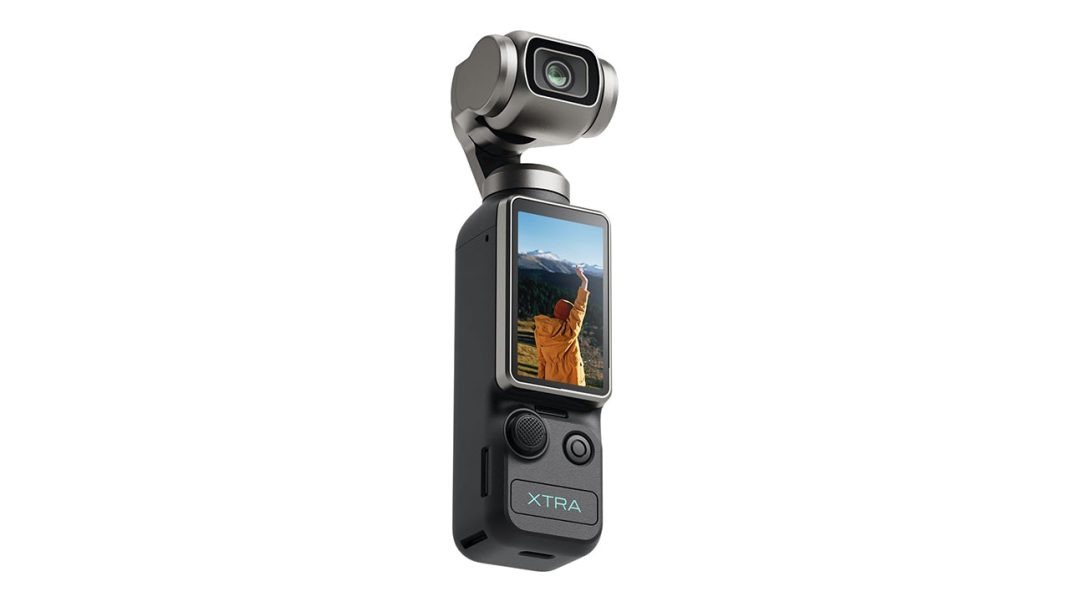
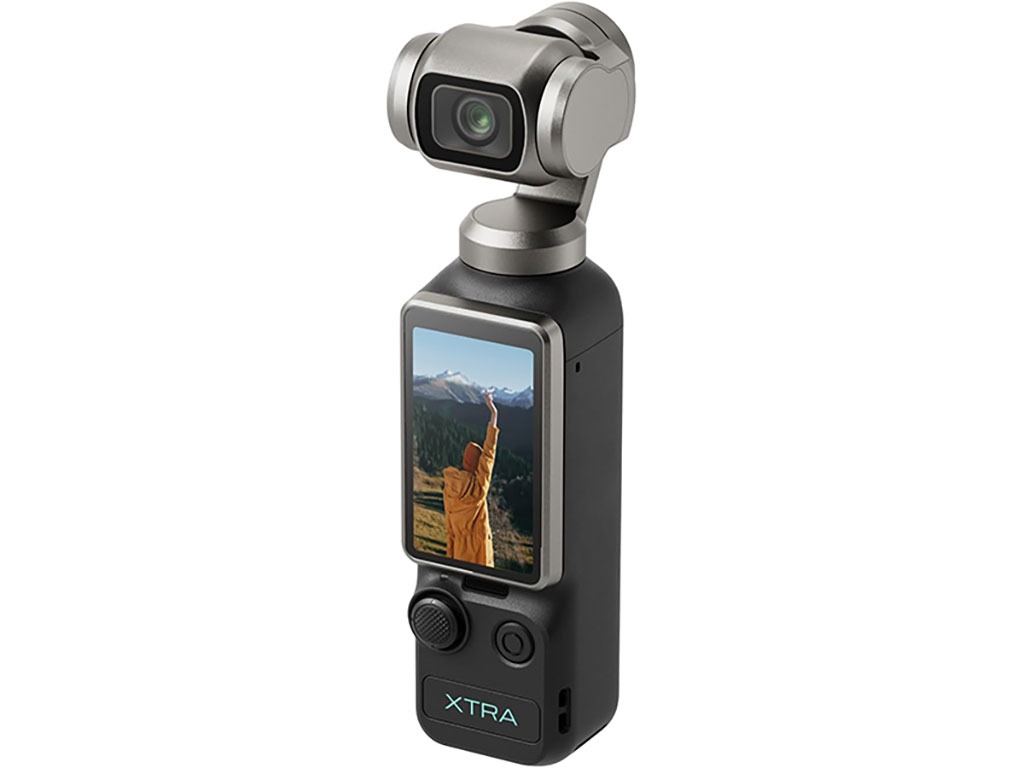
That is why pocket-sized gimbal cameras are becoming so incredibly popular among creators. The XTRA Muse is a small, five-and-a-half-inch device that costs just $379. It features a real one-inch sensor and a mechanical stabilizer. It sounds amazing on paper, but how does it actually handle when you take it out into the real world? Let’s examine what makes this tiny camera a massive deal for social media creators and travel vloggers alike.
Steadicam That Fits in Your Pocket
Let’s talk about the physical stabilization first. How many times have you filmed a walk-and-talk video on your phone, only to watch it later and get motion sickness? Phones rely on electronic stabilization, which crops your footage and creates a weird, jiggly warp around the edges of the screen.
The Muse uses a physical three-axis mechanical stabilizer. It actively counteracts your hand movements in real-time. Honestly, it is like holding a tiny professional camera crane. Whether you are running up a mountain trail, walking down busy city streets, or chasing after pets, your video stays smooth.
It has a incredibly discreet design, too. In public spaces, people do not even realize you are recording a video. They think you are holding a small flashlight or a remote control. Some creators call it “shy girl approved”, and they are completely right. It lets you film without making a scene or drawing unwanted stares.
The Magic of a One-Inch Sensor
Now, let’s look at the actual image quality. The camera has a massive one-inch image sensor. Most small cameras use tiny sensors that struggle the second the sun goes down. The Muse is different. In low-light spaces, it captures clean, bright footage.
You know what? I shot some videos at a neon-lit park at night, and the results were incredible. The colors were rich, and there was very little digital noise. It also creates a soft background blur. This natural blur separates you from the background clutter, making your videos look expensive and professional.
The default color science is also a pleasant surprise. On social media, many creators have pointed out that the camera renders skin tones with a warm, natural hue. It avoids that cold, clinical look you get with other action cameras.
The Post-Production Trap You Need to Avoid
For advanced creators, the camera supports a 10-bit X-Log color profile. This captures over one billion colors, giving you massive dynamic range. But here is a major warning. If you shoot in 10-bit log and try to edit on a Windows computer using the free version of DaVinci Resolve, you will run into a wall.
Let me explain. The free version of Resolve on Windows does not support 10-bit H.264 or HEVC files. When you import your clips, they will either look completely grey or refuse to open. Many beginners assume the camera has a hardware defect.
It doesn’t! You just need to apply a proper REC709 recovery LUT to correct the tones, or upgrade your software. Once you do, the colors are gorgeous.
Our Latest VLOG filmed with the Muse and Atto
Living with the Everyday Quirks
Of course, no camera is perfect. The hardware is brilliant, but the software has some annoying quirks. The companion app, “Xtra Tech,” works fine for transferring files, but it feels a bit basic.
For instance, if you like to edit your videos on an iPad with a keyboard, you will find a frustrating limitation. The app is locked in portrait mode. It does not rotate to landscape orientation. It is a simple software bug, but it is incredibly annoying in a real workflow.
There is also the default watermark. Out of the box, the camera automatically adds a branded watermark to all exported videos. To remove it, you have to dig deep into the settings menu of the companion app. Why would they make this the default setting? It feels cheap.
The camera also has gesture controls so you can start recording by waving at it. This is great in theory, but in practice, you might look like you are waving to a ghost in the middle of a coffee shop.
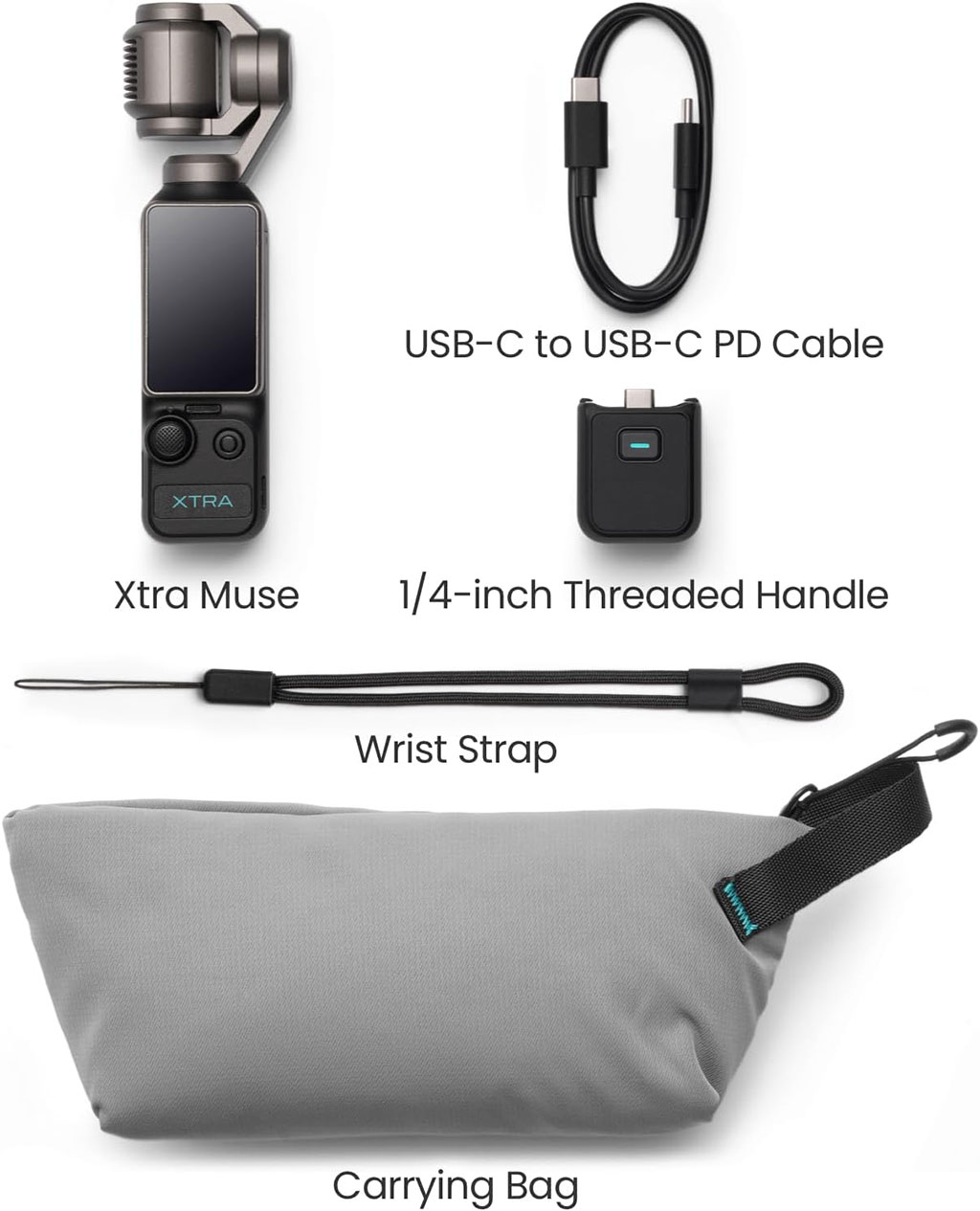
Then we have the physical accessories. If you buy the optional magnetic wide-angle lens, you cannot turn the camera off with it attached. The extra thickness prevents the mechanical gimbal from spinning back into its safe resting position. The motor will stall, leaving your delicate glass lens unprotected. You have to pull the magnetic lens off every single time you pack up.
The Big Sound Update
For the first few months, the absolute biggest issue with the Muse was audio. The camera has three built-in microphones. They are decent for casual family clips, but they cannot replace a real external microphone. Previously, if you wanted high-quality sound, you had to plug a clunky wireless receiver into the USB-C port at the bottom of the handle.
But here is the exciting news: Xtra released a massive firmware update.
This update changed everything. The camera now supports direct Bluetooth sync with external microphones. You can pair a high-end wireless microphone directly to the camera in about twenty seconds. You do not need any separate receiver plugged into the handle.
Real-time audio level meters render directly on the camera’s two-inch touchscreen. Even better, it supports high-fidelity 32-bit float audio, which prevents your sound from clipping or distorting if things get too loud. It makes the Muse a serious tool for professional travel vloggers.
Should You Buy It Now or Wait?
If you are thinking about buying the Muse, you should know that the second generation is already on the way. Xtra has started teasing the upcoming Muse 2 and Muse 2 Pro. The upcoming models show that the designers are actually listening to user feedback. They have redesigned the physical body to address several complaints.
Here are the main upgrades coming to the next generation:
- Dual-Side Flip Screen: The original screen only rotates in one direction. The new model features a dual-axis hinge, allowing the touchscreen to flip out to either the left or the right side of the body. This makes framing easy whether you are shooting selfies or third-person views.
- Built-In Grip: Instead of a separate plastic handle that can get loose, the new model integrates the grip directly into the camera chassis. It is one single piece of solid hardware.
- Side-Mounted USB-C: The charging port has been moved to the side of the body. This means you can easily plug in a power bank while the camera is mounted on a tripod.
So, is the original Muse still worth buying today? Honestly, yes. At $379, it is an absolute steal. The mechanical stabilization is rock-solid, the low-light performance is brilliant, and the recent audio update solved the biggest workflow headache. If you want professional-grade travel footage that fits in your pocket, this camera is a fantastic choice that won’t break the bank.
Overall Rating 4 out of 5
Pros
- Incredible Value
- Pro-Grade Image Quality
- True Mechanical Stabilization
- Universal Accessory Support
Cons
- Frustrating Companion App
- Some Quirky Firmware Issues