
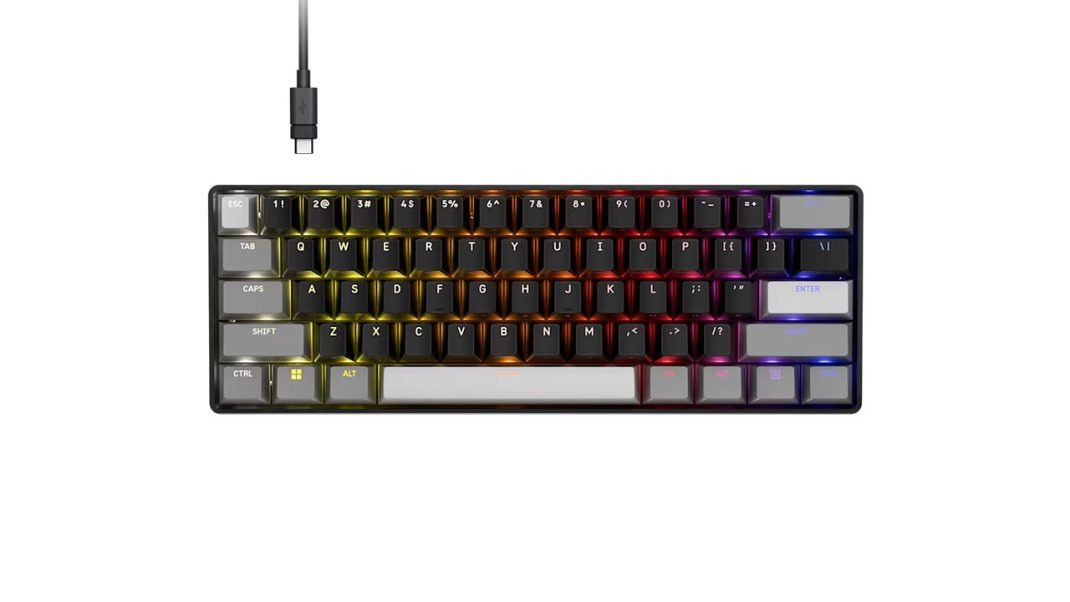
If you follow competitive gaming gear, you know that prices have gotten completely out of hand over the last couple of years. It feels like every brand wants you to drop close to two hundred dollars just to get rapid key resets and dynamic magnetic actuation. So when Corsair announced the Clipper Pro Mini 60 HALL Effect keyboard, at a super affordable $99.99 MSRP, my first reaction was simple: what is the catch?
You know what? Offering dynamic Rapid Trigger, 8,000Hz hyper-polling, and custom movement controls under a hundred bucks is a massive shakeup for budget-conscious gamers. Usually, buying a budget-tier board means settling for basic mechanical switches and noisy, clackey typing. But Corsair packed this 60% ultra-compact deck with their brand-new MGX Hyperdrive Core magnetic switches.
Is this board a genuine competitive game-changer, or did Corsair cut too many corners to hit that price point? Let me explain how it actually performs when you put your hands on the keys.
Plastic Fantastic or Cheaper Than It Should Be?
Pulling the Clipper Pro Mini 60 out of its box, the very first thing you notice is how light it feels. Weighing in at just 414 grams (0.90 pounds), it feels almost weightless in your hands. That tiny footprint, measuring roughly 11.5 inches wide by 4 inches deep, frees up huge amounts of desk space for sweeping mouse movements in fast-paced tactical shooters.
The outer chassis is built entirely out of molded ABS plastic. If you press down firmly near the center of the deck or try to twist the frame, you will definitely notice some chassis flex. It does feel a bit basic compared to heavy aluminum custom keyboards, which is totally logical given the budget price tag.
Here’s the thing, though: that lightweight build has a surprising ergonomic upside. Corsair recessed the switches deep into the low-profile case frame. This produces a very flat typing angle that sits close to your desk surface, feeling almost like a cross between a low-profile deck and a standard mechanical board. It feels super natural on your wrists without demanding an extra wrist rest. Plus, soft rubber pads on the bottom hold the board firmly in place during heavy gaming sessions.
MGX Hyperdrive Core & Teardown Realities
The real magic happens beneath the keycaps with Corsair’s MGX Hyperdrive Core magnetic switches. Instead of using physical metal leaves that touch to trigger an electrical signal, these linear switches use Hall Effect magnetic sensors. They feature an ultra-light 27-gram actuation force, a total travel distance of 4.0mm, and a rating for 100 million keystrokes.
Corsair also redesigned the switch stems with a square-wall structure. This square shape dramatically cuts down keycap wobble, keeping every keypress smooth and vertical. The 27g initial force feels silky and fast. Your fingers effortlessly glide across the keys, making fast ability spamming feel effortless. However, if you are a heavy touch typist, be warned! Resting your fingers heavily on shallowly configured keys can cause accidental typos until you adjust to the ultra-light resistance.
Now, here is a crucial warning for hardware tinkerers and modders. Teardowns reveal that Corsair used a non-standard PCB implementation. The surface-mount RGB LEDs and Hall effect sensors are consolidated into single nodes on the circuit board, and the switch housings latch directly into the plate frame.
What does that mean for you? You cannot swap these switches out for third-party magnetic options like Gateron KS-20 or Geonworks switches. Corsair traded off switch modularity to ensure exact magnet-to-sensor tracking alignment and secure a impressive IP57 durability rating.
Quiet Acoustics
Cheap plastic 60% keyboards usually sound hollow and echoey, filling your room with annoying metallic spring ping. Honestly, I expected this board to sound like a noisy plastic toy.
To my huge surprise, Corsair got the acoustics right. They crammed two full layers of internal sound dampening material between the plate, PCB, and bottom plastic shell. These plastic and rubber sheets absorb internal reverberation and mute harsh bottom-out clacks. The stabilizers on the Spacebar, Enter, and Shift keys also come generously pre-lubricated from the factory, completely eliminating wire rattle. The result is a deep, clean typing sound that outperforms keyboards selling for twice the price.
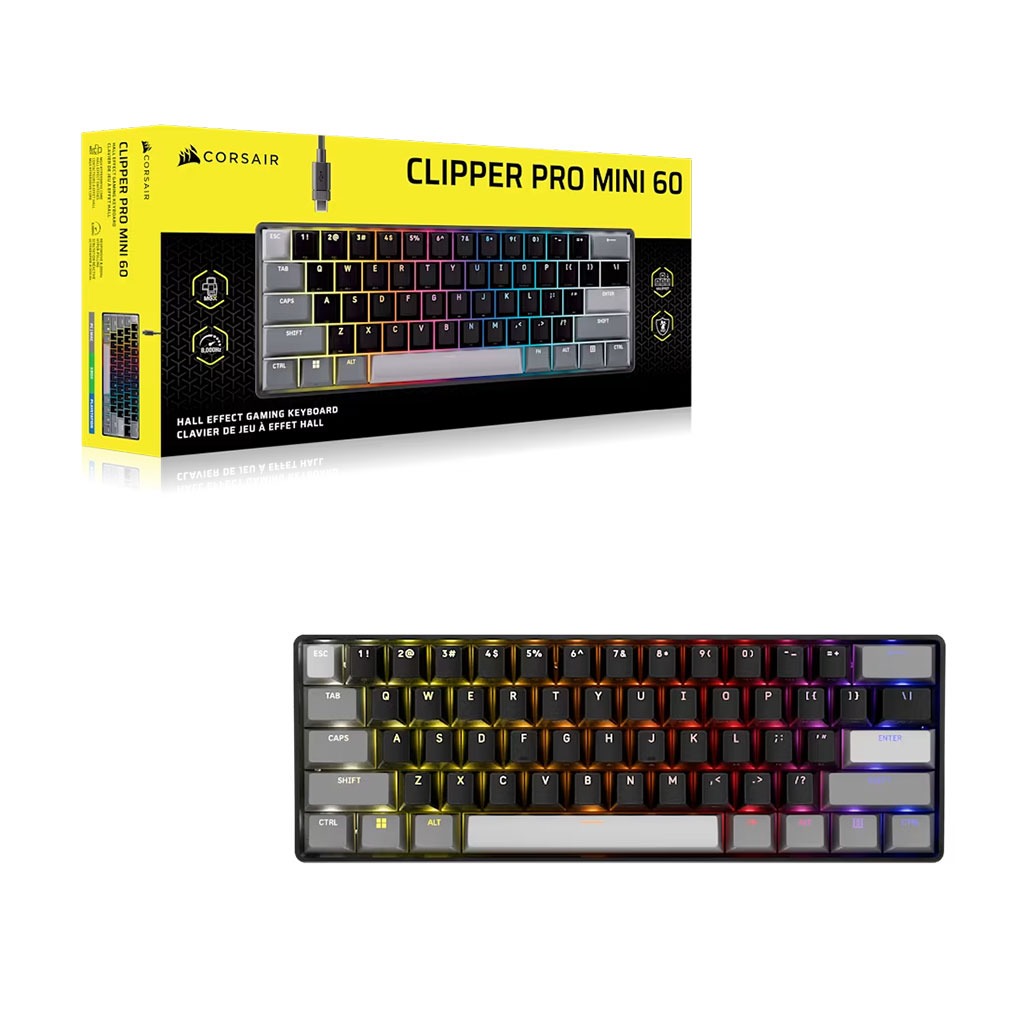
The board comes equipped with double-shot PBT keycaps styled in a stylish tri-color black, dark grey, and light grey palette. PBT plastic resists oil shine over time, which is awesome for long-term durability. To make navigating a compact layout easier, Corsair printed secondary function icons, like F-keys and media controls, on the front face of the keycaps.
While front-printed legends shorten the learning curve, there is a minor catch. The front legends are not illuminated by the top-mounted RGB backlighting. If you are playing in a dark room, finding secondary function keys requires memory or ambient light.
Rapid Trigger, FlashTap, and Smart Tap
Where the Clipper Pro Mini 60 truly dominates is raw speed and competitive feature depth. You can customize actuation points for every single key between 0.2mm and 3.8mm in fine 0.1mm steps. Rapid Trigger resets key inputs the instant your finger lifts by just 0.1mm, letting you stop movement or re-trigger abilities at incredible speeds.
Corsair also included FlashTap SOCD handling. When you hit opposing movement keys simultaneously (like ‘A’ and ‘D’), FlashTap resolves the conflict based on your preference, such as prioritizing the last key pressed, enabling razor-sharp counter-strafing in games like VALORANT. Backed by 8,000Hz hyper-polling via the AXON processor, signal latency is basically non-existent.
My absolute favorite quality-of-life feature is Smart Tap. The biggest downside of any 60% keyboard is losing dedicated arrow keys. Smart Tap solves this cleanly. A quick tap on the bottom-right modifier keys (Shift, Alt, Control) registers immediate arrow key inputs, while holding them down executes their normal modifier functions. It works so seamlessly that you completely forget you are using a mini deck!
And if you spill a drink during a sweaty match? No problem! The keyboard holds an official IP57 rating, meaning it is protected against dust accumulation and can survive full water submersion. If you drown it, Corsair just recommends giving it a 72-hour drying period before re-applying USB power.
Browser Control Without Software Bloat
Corsair made a fantastic decision with software management. Instead of forcing you to download heavy background desktop software like iCUE, you configure everything through the web-based CORSAIR Web Hub.
Using your web browser, you can adjust actuation distances, set up Rapid Trigger, program macros, customize per-key RGB backlighting, and configure FlashTap rules without installing permanent drivers. Your settings save directly to one of 5 onboard hardware profile slots. You can plug the board into a tournament PC, macOS laptop, or PlayStation 5, and all your custom binds work instantly.
That said, early firmware releases have a couple of minor quirks. Writing complex lighting profiles or multi-action macros to the onboard memory through the web interface can take several seconds per save. Additionally, holding the FN key lights up active secondary keys, which is super handy, but custom per-key lighting can occasionally reset to default presets if you do not save carefully.
The Final Verdict
At $99.99, the Corsair Clipper Pro Mini 60 is an absolute win for competitive gamers looking for professional analog speed without spending a fortune.
You get customizable Rapid Trigger, FlashTap SOCD, 8,000Hz hyper-polling, IP57 waterproofing, and surprisingly rich acoustics packed into a compact, desk-saving layout. Sure, the all-plastic case exhibits some flex, the front keycap legends are dark at night, and switch modding is impossible. But if you want pure esports responsiveness and smart 60% utility at a disruptive price point, this little keyboard punches way above its weight class.
Overall Rating 4 out of 5 stars
Pros
- Extremely affordable Hall Effect entry
- Lightning-fast 0.1mm Rapid Trigger
- Smart Tap restores arrow key functions
- Surprisingly muted, ping-free acoustics
- Driverless browser-based configuration
Cons
- All-plastic case exhibits center flex
- Front-printed secondary legends aren’t illuminated
- Proprietary switches prevent aftermarket swapping
- Ultra-light 27g force can cause typos