Archive - 2010

Battlestar Galactica Online E310 Trailer

Bigpoint, SyFy, NBC Universal, and Art Plant have released the Electronic Entertainment Expo trailer for their upcoming Battlestar Galactica Online. The game, which is due out this fall, will be available for free 30 day trials on SyFy’s website, so players can demo the game on either the human or cylon sides.

Mortal Kombat 9 Debut E310 Trailer

Warner Bros. Interactive Entertainment have released the debut trailer for the next game in the Mortal Kombat series, just in time for the upcoming Electronic Entertainment Expo in Los Angeles. No word yet on release date or official name (right now it is just referred to as ‘Mortal Kombat 9’), but you can be sure that we will bring you the latest on the game as it breaks from the convention next week.

Gamerkraft Announces Free To Play Actioner – FreeJack

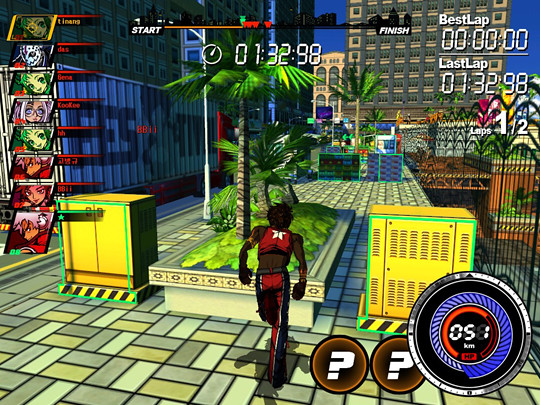
Game Bridger Entertainment unveiled the latest game to arrive on their GamerKraft free games platform, FreeJack. Developed by Korean developer WiseOn, FreeJack is a racing game with cartoon-style graphics and gameplay mechanics based on the underground sport of free running, parkour. In the game players race head-to-head across New Jack City as one of four characters, bustin’ flips and tricks to increase their speed and gain access to hidden pathways and shortcuts.

‘We are proud to announce FreeJack as the second title on the GamerKraft platform,’ said Matthew Denomme, marketing manager for Game Bridger Entertainment, ‘it’s a game with a hip graphical style and unique gameplay mechanics unlike any other title currently in the free-to-play market. GamerKraft is gearing up for FreeJack to launch in North America and Europe in July 2010.’

FreeJack supports Windows XP, Windows Vista, and Windows 7. To register for a free account, visit GamerKraft’s website.

(ed. note: THIS is the only true FreeJack, IMHO!)

Team Fortress 2 Hits the Mac Today


The PC versus Mac debate has now become a full fledged war, on Team Fortress 2. Valve Software has announced that Team Fortress 2 is now playable on the Mac starting today and is free to play until June 13th. Mac users and PC users will be able to face off against each other in 2Fort, Badlands, and other great Team Fortress 2 maps. However, Mac users who log in before the free weekend is up will get one thing the PC users will never see, earbuds to put on any of the classes in the game. So get out there and fight for your side, Red versus Blue and Mac versus PC!

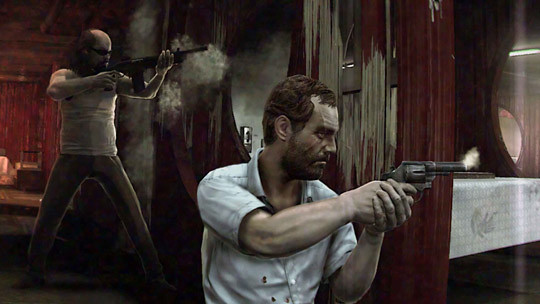
Lynch of Kane and Lynch 2 Just Left Us A Voicemail

So, I got back to my lair tonight after a good graduation dinner for my lil’ sis and saw I had a voicemail on my iPhone. The voicemail, I discovered, was from Kane and Lynch 2: Dog Days’ Lynch himself. In the message, he stated he needed my help (assuming I was Kane) with a job in Shanghai and ending the message with warm sentiments of how it would be ‘nice’ to see ‘me’ again…. Oh how I love the Electronic Entertainment Expo marketing stuff – Let the games begin!

You can listen to the voicemail message below (wmplayer 11 compatible):


We called the number back but received a robotic ‘Lynch is in Shanghai right now’ message. The message did say we should try our call again later, so we will!

Review of the Eclipse Touch Mouse

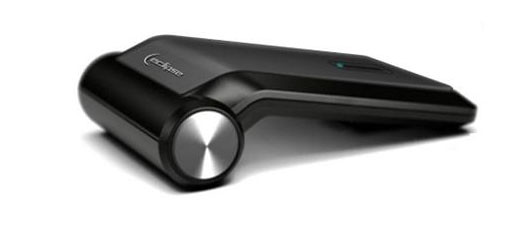
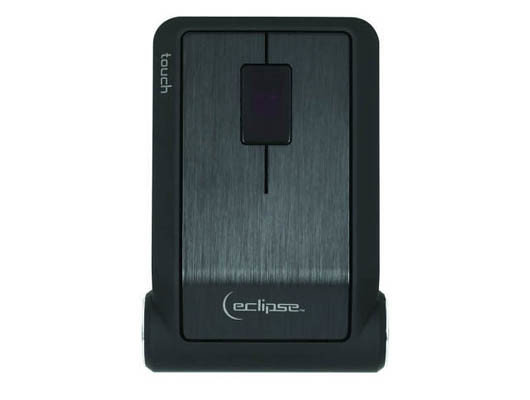
Eclipse is an arm Mad Catz, they focus on personal use peripherals that lean more toward what I would like to call the executive home user. Their pieces are beautiful to look at and their ideas cater to those that enjoy easy to use and innovative mice and keyboards. Their collection all seem to celebrate being a computer peripheral – things you wouldn’t hide in between the couch and the wall when company is over. The Eclipse line would be displayed proudly on the coffee table, the controls for a top-end Home Theater PC (HTPC). Today I will be talking about their Touch Mouse, a sleek and stylish item that looks like it would unlock the Batmobile more than simply move a cursor about the screen.
Looking at the low-profile mouse with its brushed aluminum buttons, you can just imagine it fitting in with your receivers and Blu-Ray players. A simple AA battery powers it, and I’m told a single battery will last 4-6 months with normal usage. Of course a rechargeable lithium-ion battery would be preferred, but they had that wonderful cylinder there, why not just fill it with a replaceable battery instead? The mouse talks to your computer via Bluetooth® and is good to a range of about 30 feet. This also means if you don’t have Bluetooth® built into your system, there is an additional $20-25 extra expense to get a USB key. The sensor is a 1600dpi laser, which for what it was designed for is more than enough. Of course the spec that stands out is the 4-way touch scroll pad as the middle button. You can use this to go up and down, left and right to scroll through anything smoothly. Press the touch pad down and it acts just like any other middle button on your mouse. Hold it down and move it in forward, back, left or right and you will get different behaviors that make up for the mouse’s size and lack of thumb buttons. You can move left to go back in your browser, right to go forward. Down will refresh your page, while up will open a new browser window. Very nifty idea, that.

For use in an HTPC, sitting on your coffee table, I believe the mouse does a splendid job. For every day use at home or at the business, I’m not so sure. I can only assume Eclipse designed the mouse for a minumum of usage, form over function. Your average HTPC user is playing music or watching movies for long periods of time, not necessarily using the mouse like you would in another environment. As you can see from the images, ergonomics is right out. It’s such a low profile mouse, that most people will have a difficult time palming it. I personally am a ‘claw’ mouse user, which means I hold the mouse with my thumb and pinky. I move it with small, quick strokes. Holding it this way yields poor results in comfort, but also cursor movement. The position of the laser (or optical sensor) of a mouse, very few people pay attention to. If you look at yours, most likely it’s almost dead in the center. This is the accomodate the many different styles of mouse movement. Someone that moves the mouse across the pad will have no issues with the Eclipse Touch Mouse. Someone like me that rotates the mouse around its center will get varied cursor movement if the sensor is not exactly centered. The Eclipse Touch Mouse’s laser is all the way at the front to allow for the killer design. If I rotate the mouse certain ways that a normal mouse would respond to, sometimes this mouse’s cursor barely moves a pixel.
The touch sensor is a great idea, and when it’s working perfectly it’s hard to find fault in it. Web pages fly down and back again with a minimal of effort. The glassy surface feels inviting, even tempting. There are a few quirks unfortunately. You can adjust the sensitivity of the scroll speed. At the lower speeds it feels as though the pages stutter and barely move. At the higher speeds, it’s difficult to control. The unfortunate part was we couldn’t find that Goldilocks setting of just right.
I was curious to see how the mouse performed over Bluetooth® knowing that it could be jumpy at times. Although I did notice some light jumpiness and I had difficulty controlling precise cursor movement, I would more quickly attribute those difficulties to my mouse grip than anything. The one thing that I think I can attribute to Bluetooth® issues was the random button press drops. The test system is a full on hot-rod gaming rig, definitely not something that would have issues keeping up with the clock cycles of a mouse. At random times, though, I would click… nothing… click again… nothing… leave it and then boom it would click. At one point in testing I lost the middle button because it was stuck on scroll lock. I had to turn the mouse off and reconnect it for it to reset. I will be the first to say this is very probably a firmware or driver issue, but it happened enough times that I have to mention it.

The Eclipse Touch Mouse is excellent at what I hope it was designed for: looking beautiful on a coffee table and being used for the average HTPC. I could not recommend this for normal business or home use, it’s just not comfortable. The location of the laser makes precise movement difficult. The touch pad is great when it works, but it’s very, well touchy. I did experience some issues, and I’m not sure if they can be attributed to Bluetooth® or drivers or what. All in all, if you love how it looks, you’ll love how it looks even more in person – other than that, you might want to find a mouse that has a little bit more function and less form.

Natsume Announces E3 2010 Lineup

Natsume Inc., a worldwide developer and publisher of family-oriented video games, announced their lineup for the Electronic Entertainment Expo. ‘We can’t wait to show off some of the key titles in our 2010 lineup at this year’s E3,’ said Hiro Maekawa, President and CEO at Natsume. ‘We have eagerly-anticipated new entries in the Harvest Moon and Rune Factory series, a fun-filled new rhythm adventure game, and the triumphant return of the Lufia series!’

Harvest Moon: Grand Bazaar (DS)
The bazaar is now open! Zephyr Town’s bazaar was once the grandest in the world, drawing customers and peddlers from all four corners of the Earth. These days, though, the bazaar has more tumbleweeds than customers. Maybe you can turn its fortunes around! Raise animals, harvest crops, craft rare delicacies, and then sell your wares at your very own shop! Can you bring prosperity back to Zephyr Town?

Lufia: Curse of the Sinistrals (DS)
The Sinistrals have returned! The Sinistrals, the four legendary harbingers of doom, are out to resurrect the ultimate evil and bring the world to its knees. It’s up to the fiery monster hunter Maxim and his eclectic band of adventurers to put a stop to them once and for all. Their adventures will take them across an expansive world packed with dangerous enemies, powerful items, and diabolical puzzles! (cont.)

See the rest of Natsume’s E3 lineup, After the Break!
(cont.) Rune Factory 3: A Fantasy Harvest Moon (DS)
It’s an adventure that will transform you! The people of Sharance and their horned Univir neighbors are embroiled in a bitter conflict. An age-old hatred between humans and monsters divides them. You are an adventurer with an unusual secret: you’re half human and half monster. Are you the one who can unite the humans and the Univir? And will you be in time to stop the growing evil force that threatens to destroy them both?

Gabrielle’s Ghostly Groove (DS)
Gabrielle’s having a bad day. She sneezed her soul right out of her body! She’ll have to travel to Monster Town, the home of all things that go bump in the night, to get help. Only by busting out the ghostliest dance moves and thrilling and chilling people will she be able to scare up the power she needs to get herself back into her body! It’s a spooktacular rhythm adventure!

Alien Breed: Impact Review (PC)

Arcade shooters have been around pretty much as long as arcades themselves, but Alien Breed has worked well at advancing genre. The Alien Breed I.P. has been around since 1991, when Team17 first made it for the Commodore Amiga, and then in 1993 it was translated to MS-DOS by Microleague. You feel like a a left behind marine from the Alien movies, which were very popular when the game first appeared. Over the years the storyline has progressed, graphics have improved, and the atmosphere has been refined so that it draws you in and makes you feel even more like you are running through a movie – fighting for your life.

ATMOSPHERE
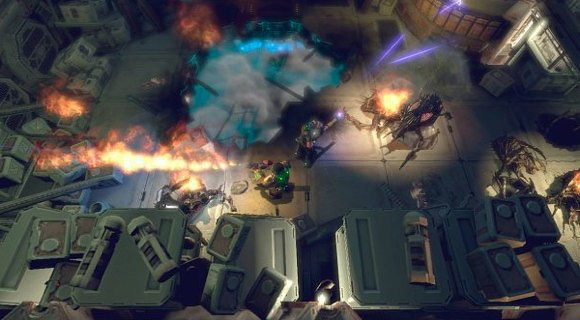
To help infuse the atmosphere, music only comes in when you are getting overrun by aliens or in a menu. That way most of the time you just hear your breathing, explosions and most importantly the calls of different aliens. Part of your weapon choice is supposed to be based on what alien is on its way and each alien has its own call to let you prepare the right weapon, though sometimes the aliens popping out of spider holes don’t give much of a warning. You hear a crash, a screech and you start spraying bullets. Don’t forget to dodge the flaming wreckage and collapsing sections while you are at it.
GAMEPLAY
In Alien Breed: Impact you play Chief Engineer Conrad, who has just been notified that the ship has collided with a much larger ship. You are thrown right into the middle of the storyline but, eventually, you will clearly get an idea of what is going on, though there are multiple allusions to something in the story that needs to be resolved without giving any real clue as to what it is. This may be due to a story arc that is supposed to cover three games. The between-level cut scenes are done in an excellent comic book storyboard style with great artwork but in the end you wind up getting a bit annoyed by the mystery and just get down to the killing and problem solving.

The problem solving is nice and clues to solutions are given in tips throughout the game so you don’t find yourself lost for too long. Expect that every time you start up a console there won’t be enough power and you need to get a turbine or two going before heading back to the console, however the game will point the way. Fresh aliens and new obstacles may change your path, but the limited exploration you can do when paths change is how you find the secret rooms, so keep an eye out. A great deal of the items you need to solve given problems are picked up from corpses, lockers, and sometimes just lying around on the ground. Some of the items are credits which you can then use at the company vending machine to upgrade weapons, buy more ammo and get extra health kits or various grenades. This is one of the things which could add to replay value because you can try going through the levels using a different combinations of weapons.

There are three levels of difficulty so if you just want to see how fast you can finish you can try Rookie and run run run. If you want to immerse yourself and really challenge your skills, play through slowly and find the secret room on each level or play on a hard mode, which will challenge your ammo to kill ratio. The vending machines also double as save points and there are plenty of them which means you won’t find yourself re-exploring too much territory if you get a little too overwhelmed by screeching aliens.

CONTROLLER/KEYBOARD
I am a fan of both consoles and PCs, and have at least a couple of both (ok, a LOT of consoles). I like them both but keep them separated. If I am playing a console game, I am gripping a controller with both hands and locked on the screen across the room. When it is time to play a PC I slide my fingers onto the WASD and the mouse, lean forward to a few inches from the screen and play whatever MMO, FPS, or any other variety of game that has gripped my attention. But, I have always played with the controllers the game was designed for. I started off AB:I and the controls were a little awkward, the run is in an odd spot but the aiming system was spot on.
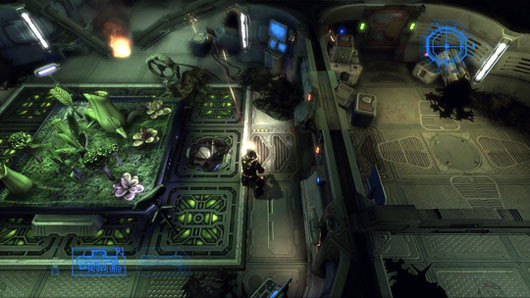
This was why I was very confused when I found a section I couldn’t beat. My fingers were flying over the keys and sliding the mouse like crazy – yet, time and time again, I died. The problem was in a section of forced perspective that required constant running while the forced perspective shifts and changes your required key arrangement. So, you are hitting the shift to run and the ‘s’ to head in a certain direction and suddenly you find yourself needing to hit ‘d’ for a moment then hit ‘w’, all while you keep pressing the shift key down and getting ready to adjust your view when it unlocks with the mouse. I thought it was meant as a challenge and after a lot of effort, worked past it. Then there was another almost exact situation right after that which results in the same issues, multiplied, and getting me killed and sent all the way back to the beginning. After a long night of trying to beat it I went out the next day and bought a console controller for my computer. And, subsequently, I beat the section in under 3 minutes.

I think there were strides taken to make the gameplay different between console and PC versions. The mouse aiming is better with the computer, so kill shots take less ammo and because of the awkward location of the run button, the game lasted longer, helping me feel more immersed in the atmosphere and I enjoyed finding the secret locations. Once I got the controller the gameplay was insanely smooth, I was able to constantly run and I blew through levels and ended the second half of the game before I knew it. My aim rate dropped, the damage I took shot up and I was done with the game in no time trying to figure out how I felt about it.

To truly get the most from AB:I I would recommend using the keyboard until you get to the above stuck moment. Get by the moment with a controller, then go right back to the WASD until you get stuck again. It will greatly increase your play time, help you immerse in the game, and I think improve your experience overall. I do suggest that if you don’t have a console controller for your PC, make the investment.

GRAPHICS/AUDIO
Since 1991, the graphics have improved every time a new episode of the game has come out. Even since Alien Breed: Evolution came out on Christmas, the graphics have improved and the variety of monsters have increased. Team17 has committed itself to improving each time to the point that some fans of the franchise have made videos and posted them on YouTube.com showing the change since 1991. The graphics are solid with realistic flames, well-rendered alien species, and never a choppy moment or graphic error on my rig. There could have been more species of alien enemies, but they are probably saving it for the next episode. I loved how the shattering glass was rendered too, starting off with spidering lines then falling to the ground in a tinkling mess. They paid heavy attention to those sounds which is most likely why the score you hear when overwhelmed or in a menu is used so sparsely. Team17 wants you to hear the different alien screeches beyond the line of your sight. They want you to hear the ‘skitting’ noise of the legs of the ‘facehuggers’ as they scurry across the ground, shriek in triumph and they leap at you as well as the sound of them exploding as your accurate sounding machine gun fire tears into them. In the end you find yourself hearing a certain cry and knowing you have very little time to cycle to the right weapon for a big job. My favorite audio was a section where you are in a space suit, explosions going off everywhere, and the only sound you hear is your respirator feeding you an ever dwindling supply of oxygen.

PLAYTIME/COST
Just over an hour a level if you are running, if you are just moving along taking it in, who knows? But at a cost of $14.99 most people will probably feel they got their money’s worth. There is also a very short demo that can be played both solo and co-op to get a little taste of the game and a look at some of the aliens they could have screeching at them for hours.
MULTIPLAYER
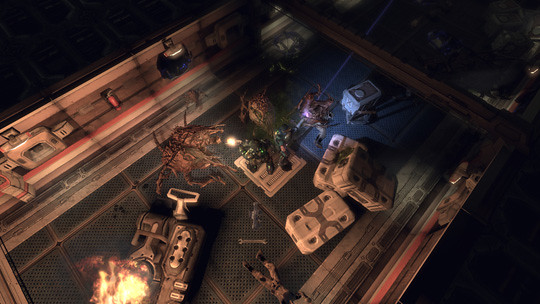
Co-op is still a work in progress. There are three new levels and combing the various forums, I found some people to play it. But I had the results most people seem to be having, game crash after game crash, once with eerie voices speaking in strange tongues over a never ending working screen. However I am really looking foward to giving the co-op a try.

LAST CALL
It was a fun ride for a great price. Another chapter in a series of alien-filled episodes dating back almost two decades. I am definitely looking forward to the next episode and I have my controller ready.

*DISCLOSURE: A copy of this game was sent to us for the purpose of this review.

Checkout the New Controllers for Guitar Hero: Warriors of Rock

Activision has released a new trailer for their upcoming Guitar Hero: Warriors of Rock, which shows off the two new guitar controllers which will be included in the game. The new controllers rank VERY high on the Metal-Meter. This entry in the Guitar Hero series is all about high-shredding metalness, featuring over 90 tracks out of the box, including tracks form Black Sabbath, KISS, and Muse.