
Insta360 Mic Pro Wireless System Review
If you have ever recorded a video in public, you know the exact feeling of the “creator walk of shame.” You are walking down a busy street, talking to a camera, and clipped to your collar is a giant, glowing, glossy plastic box that practically screams, “Look at me, I am making a video!” It is awkward. Even worse, many of these modern clip-on microphones have bright, flashing LEDs or massive, reflective company logos that ruin the look of your outfit on camera.
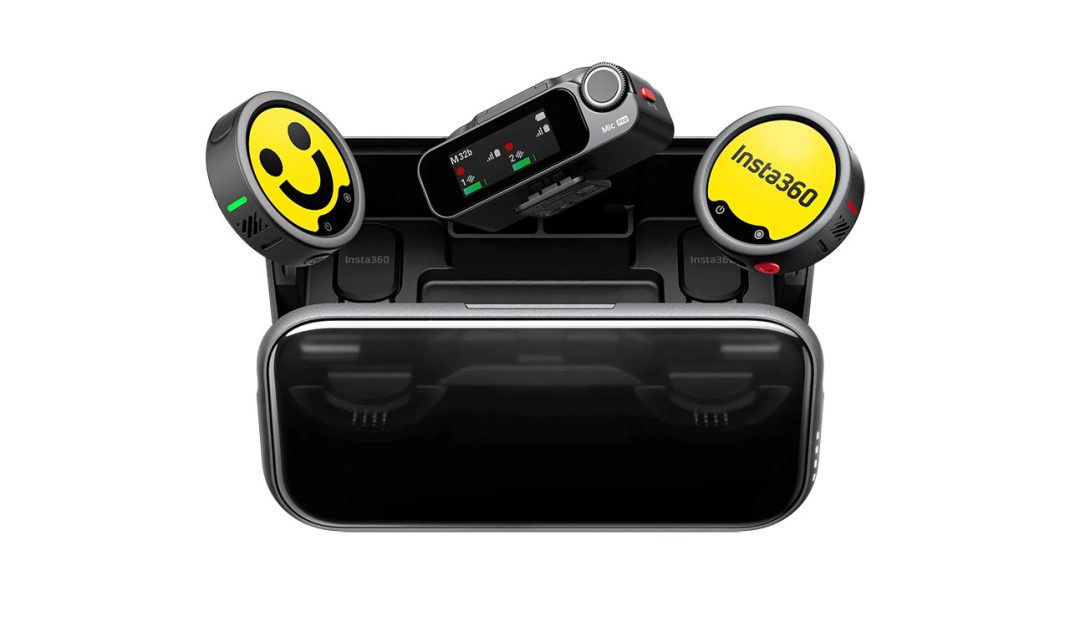
Insta360 wants to solve this design headache with their new Insta360 Mic Pro Wireless system. The standard bundle which includes two transmitters, a receiver, and a hardshell charging case retails for $329.99. That is a premium price, putting it right in the ring with heavy hitters like the DJI Mic series and the RODE Wireless PRO. But the Mic Pro has a clever trick up its sleeve.
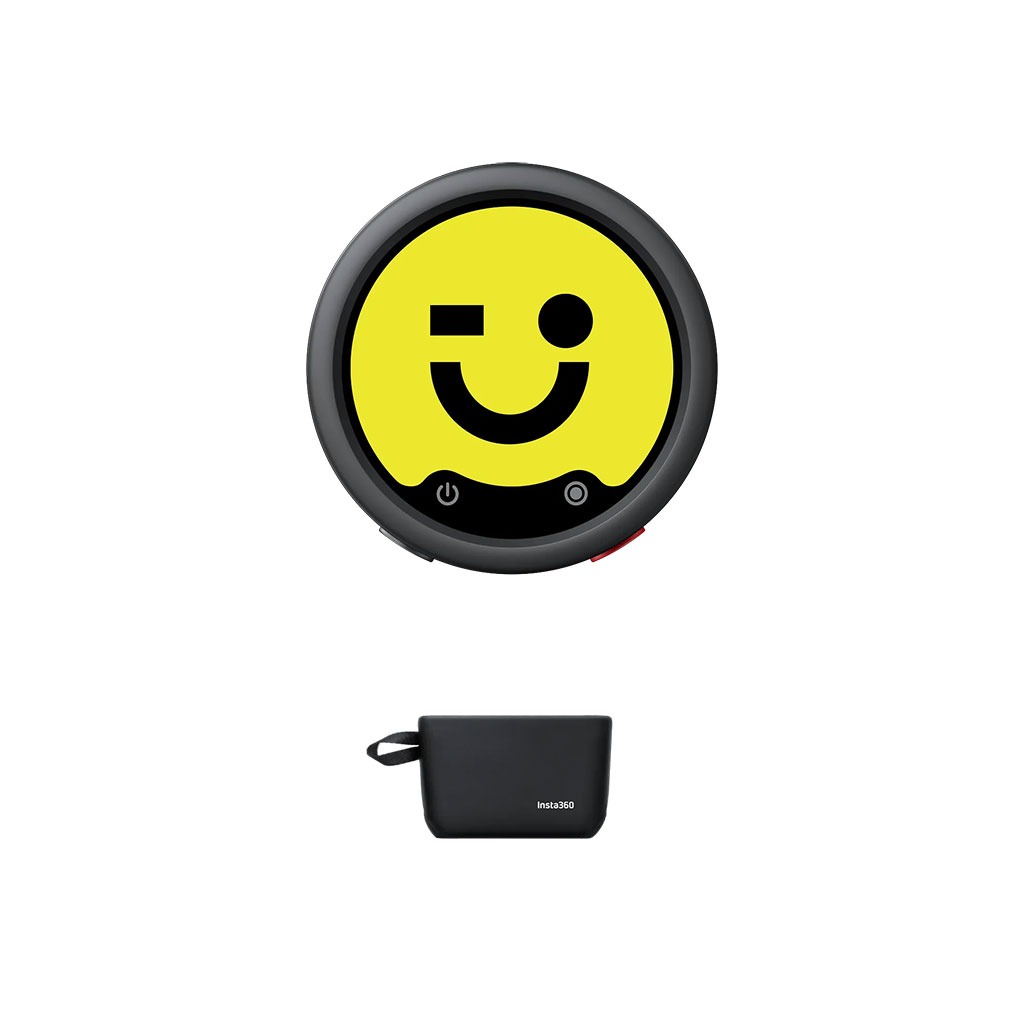
The front of each circular transmitter features a 1.22-inch, six-color E-Ink display. You can upload custom images, show graphics, or station logos directly through the mobile application. Because it is E-Ink, the screen only saps power when the image actually changes. Once your logo is set, the image stays there permanently, even when the transmitter is powered off.
You can even set it to a solid black or grey background to blend in with your clothing, effectively camouflaging the microphone on camera. Additionally, because there is no active backlight, the screen exhibits zero refresh-rate flickering or weird visual patterns when captured on camera. Honestly, it is a brilliant idea that makes you wonder why nobody thought of it sooner.
Why Three Mics Beat One
Most traditional clip-on wireless microphones rely on a single omnidirectional microphone capsule. It is a simple setup that captures sound in a broad sphere, but it means you cannot change how the microphone behaves in a noisy room. The Mic Pro changes the game by packing a three-microphone array arranged in a tight triangle right inside its round chassis.
Using smart digital processing, the system combines the audio from these three capsules to create four selectable pickup patterns. Let me explain how this works in the field:
- Omnidirectional Mode: This is your standard setting, capturing sound in all directions. It is great for natural field recordings where you want to capture the atmosphere of your surroundings alongside your voice.
- Cardioid Mode: This focuses the capture zone directly in front of the mic, rejecting noise from the sides and rear. If you slide the transmitter onto your camera’s cold shoe, it acts like a directional shotgun mic, saving you from carrying extra gear.
- Figure-8 Mode: This profile captures sound from the front and rear while rejecting lateral noise. It is highly useful for quick, two-person interviews where you can place a single transmitter on a table between you and capture both voices with balanced clarity.
- Super-directional (Voice Focus): This uses adaptive beamforming to lock onto your voice in extremely noisy spaces.
Here is a quick contradiction, though. While these patterns are incredibly versatile, they are digitally synthesized using software math rather than physical acoustic tubes. If you cover one of the physical mic ports with a heavy winter coat, it can throw off the digital calculations, making your voice sound slightly artificial. But when kept clear, the flexibility it offers is phenomenal.
NPU AI Noise Cancelling
Vlogging outdoors is a constant battle against noise. Traffic, wind, construction – they all conspire to ruin your audio. The Mic Pro tackles this with an onboard neural processing unit (NPU) chip designed specifically for intelligent noise reduction.
In technical tests against running office fans, the “Strong” noise cancelling setting completely killed the background drone. It outperformed the DJI Mic 3 by a wide margin under identical conditions, keeping the voice sounding remarkably clean and natural without that watery, digital distortion that cheaper microphones suffer from.
You get both Weak and Strong settings, giving you the flexibility to adapt to your environment. However, keep in mind that Strong noise cancellation is disabled when using the super-directional Voice Focus mode to prevent phase cancellation artifacts. If you are vlogging in a noisy coffee shop or recording on a breezy day, this noise reduction engine is easily one of the best in the business.
Audio Samples
Standard Wind Level
Heavy Wind Level
32-Bit Float and Onboard Backups
Every creator has experienced the gut-wrenching feeling of checking their footage only to find the audio clipped and ruined because someone laughed too loudly. To prevent this, each Mic Pro transmitter comes loaded with 32GB of internal flash memory. It functions as a standalone recorder, capturing up to 44 hours of uncompressed audio.
More importantly, it supports 32-bit float internal recording. Think of 32-bit float as the audio equivalent of shooting RAW photos. It captures a massive dynamic range of 168dB, making digital clipping physically impossible.
If a subject suddenly shouts, you can simply pull the volume down in DaVinci Resolve or Premiere Pro later, recovering the audio perfectly with zero distortion. The internal system also splits your files into 30-minute segments automatically, ensuring that even if your camera battery dies mid-shoot, your audio files remain safe and uncorrupted.
If you shoot on compatible cameras like the Ace Pro 2 or X5, the Direct Connect feature lets you pair the transmitter directly over Bluetooth. This bypasses the physical receiver entirely, keeping your setup clean and incredibly light.
Real-World Scratches and Case Quibbles
As brilliant as the audio tech is, we need to talk about where the physical design falls short. Honestly, the hardware has a few frustrating quirks that become obvious after a few days in the field.
Let’s start with the mounting clips. While the backing plates on the mic and clip are metal, the guide rails on the transmitter housing are thin plastic. Removing the clips requires significant physical force. If you slide the clip off-angle, it can easily tear the soft silicone casing or damage the plastic rails.
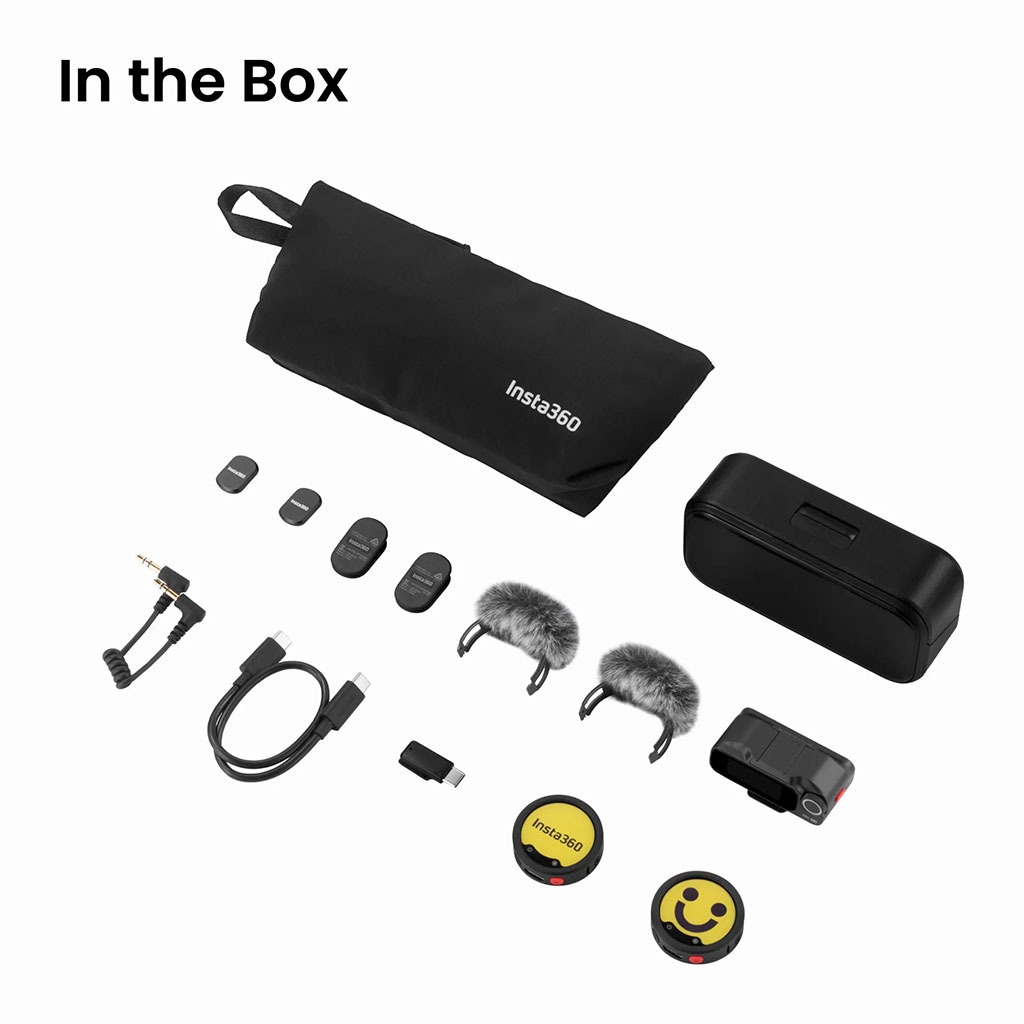
Then there is the charging case. It is a sleek hardshell box, but the designers made a classic mistake: the furry windmuffs do not fit inside the case while attached to the transmitters. You have to pull them off every single time you put the microphones away.
Even worse, there is no designated slot inside the hard case to store the 3.5mm camera cable. You are forced to carry these accessories in a separate soft neoprene bag, which defeats the purpose of an all-in-one charging case and makes it easy to lose your cables on a hectic set.
Additionally, the companion app feels surprisingly intrusive. It constantly prompts you to register an account, pushes promotional ads, and has even sent sales notifications to macOS desktops.
Finally, action camera users should be careful. If you pair the Mic Pro with a GoPro Mission 1 Pro, you might encounter garbled, popping audio over stock firmware. In extremely hot environments (exceeding 110°F), the GoPro’s processor can thermal-throttle, causing the USB-C audio stream to disconnect completely. In those harsh conditions, you’ll have to rely strictly on the transmitter’s internal 32-bit float backup files.
Is It Worth Your Money?
Ultimately, the Insta360 Mic Pro (2 TX + 1 RX) Kit is a highly advanced, premium audio tool that delivers spectacular sound quality. The three-mic array, incredible noise cancellation, and unique E-Ink branding faceplates make it a standout choice for professional videographers and active content creators.
However, the fragile plastic clip rails, the bulky receiver, and the charging case storage limitations keep it from being a flawless masterpiece. If you are already in the Insta360 camera ecosystem, it is a fantastic, seamless upgrade. For general camera users, if you can live with the case quirks and the bulky transmitters, the stellar sound quality and E-Ink customization make it highly worth the investment.
Overall Rating: 4 out of 5 stars
Pros
- Spectacular audio with 3-mic array
- Customizable, power-saving E-Ink screens
- Best-in-class NPU active noise cancellation
- Bulletproof 32-bit float internal backups
- Direct wireless pairing to action cameras
Cons
- Windmuffs do not fit inside case
- Bulky transmitters drag down light shirts
- Companion app has heavy ad bloat