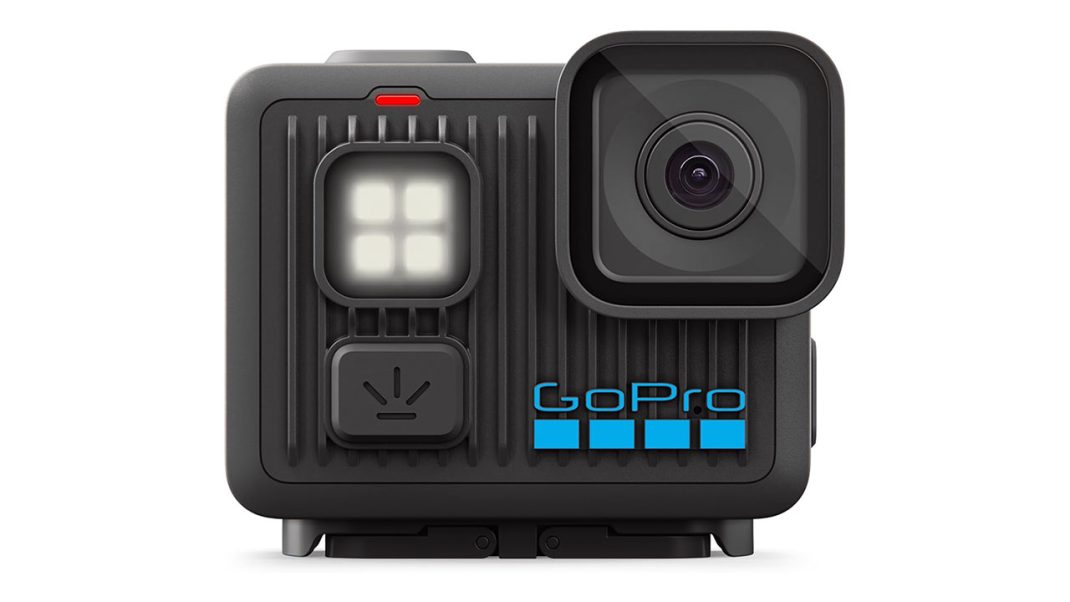
So, you want to buy an action camera? Maybe you’re trying to mount it to your monitor for a weird desk-cam angle while you stream your favorite games on Twitch. Or maybe you’re finally starting that travel vlog you’ve been talking about for three long years. Choosing the right gear is genuinely tough. You want something simple, right? Something you can just grab and start filming without needing a college degree in cinematography. Enter the GoPro LIT HERO 4K.
GoPro just dropped this thing in October of last year, and it’s causing quite a stir in the tech community. It’s tiny, it features a built-in flashlight, and it retails for $269. But is it actually good? Let me explain what you’re really getting with this little piece of tech. Honestly, the marketing hype only tells half the story. As someone who spends hours messing with camera settings to get the perfect shot, I can tell you this camera is a mixed bag. It has some brilliant features, but it also has some flaws that might drive you crazy.
Let’s Talk About That Tiny Screen (And the Physical Design)
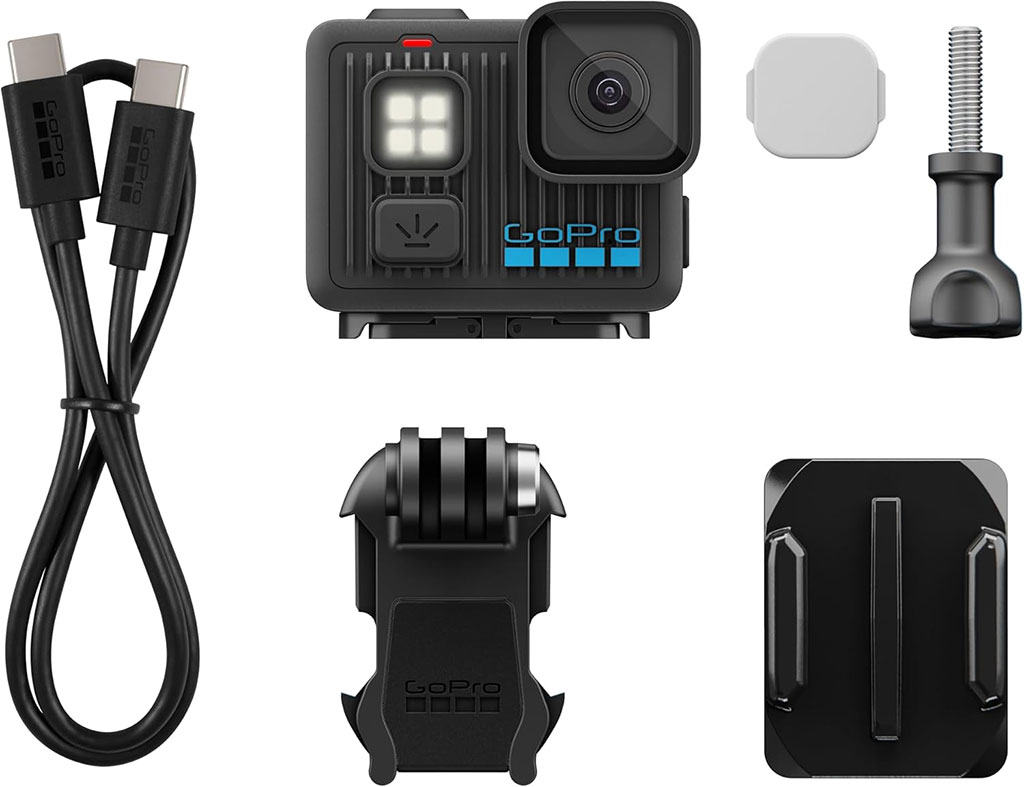
Moving right into the physical design, the LIT HERO is very small. It’s small. It’s really, really small. It weighs just 93 grams. To put that in perspective, it’s lighter than a decent gaming mouse. You can basically clip it to your hat or your backpack and completely forget it’s even there. For gamers who want a secondary camera that doesn’t take up precious desk space, this sounds perfect. It also has a standard 1/4-20 tripod thread on the bottom, meaning you can easily screw it onto a cheap desk stand without a special adapter. That’s a huge win for rigging it up in a studio or a cramped bedroom.
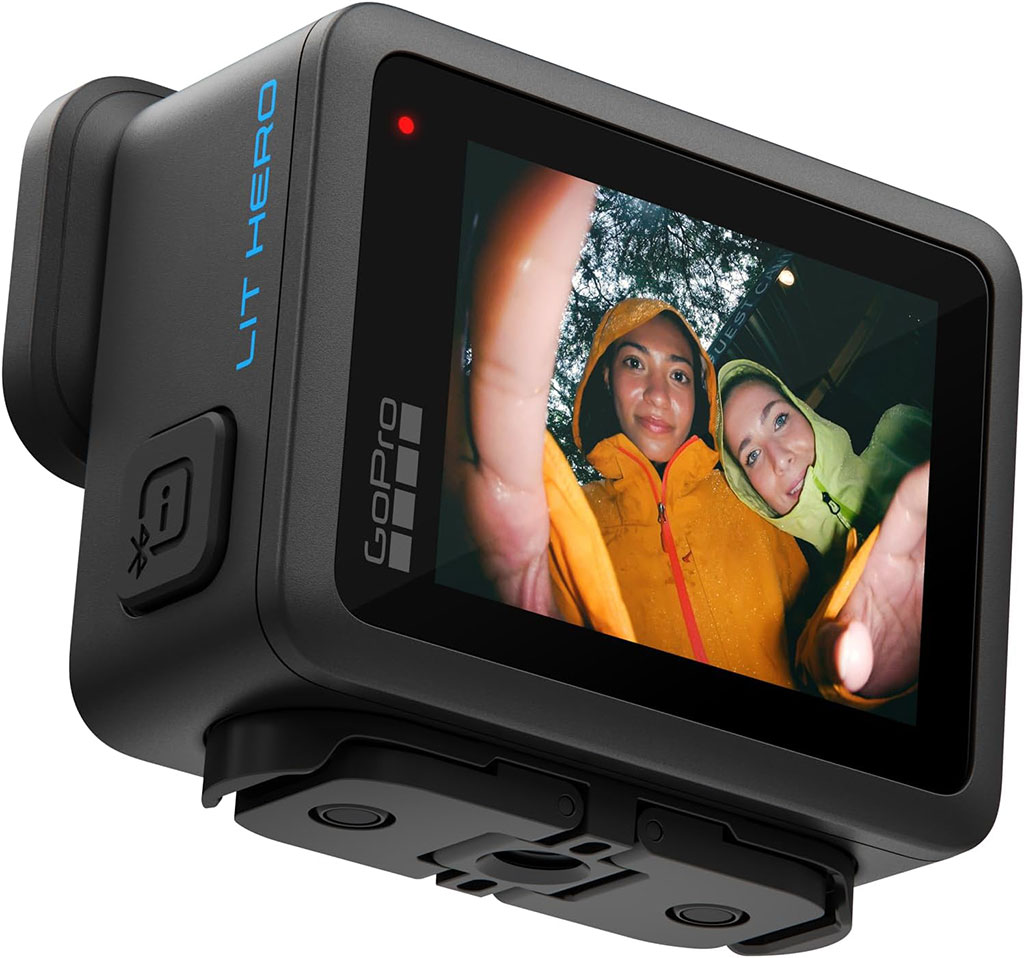
But here’s the thing. Because the camera is so microscopic, GoPro had to make some brutal cuts. First, there’s no front-facing screen. If you’re a vlogger, you know exactly how annoying that is. You just have to point the lens at your face, stretch your arm out, and pray you’re actually in the frame. The back of the camera has a tiny 1.76-inch LCD touchscreen. You know what? It’s super fiddly. If you have larger hands, swiping through the menus feels like trying to text on a smartwatch from 2015. You’ll constantly hit the wrong button. You’ll think your shot is in focus, only to open it on your laptop later and realize everything is blurry. It’s a real pain in the neck. I took it out last week to film a quick coffee shop review, and trying to change the frame rate with cold fingers was a nightmare. I ended up just leaving it on auto and hoping for the best.
The Flashlight Feature: A Blinding Reality
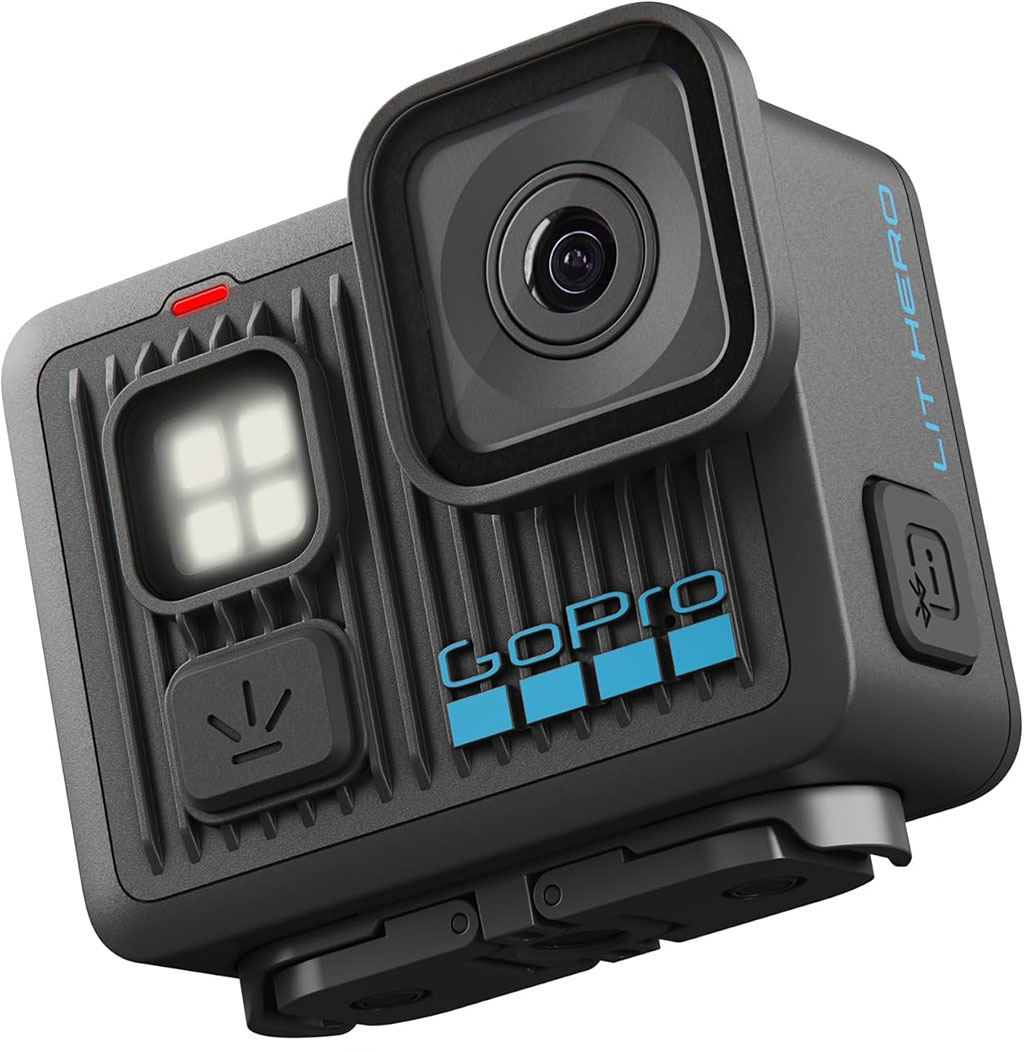
And then there’s the “LIT” part of the name. GoPro slapped a square array of LEDs right on the front of the camera. At first glance, having a built-in continuous light sounds amazing. We’ve all been there, trying to film a late-night run to the store, only for the footage to look like pitch-black garbage.
The light is very bright, offering three different levels of intensity. But honestly, if you point this thing at your own face for a selfie video, you’ll be seeing spots for an hour. It’s blinding. Instead of making you look good, it gives your footage that raw, washed-out look. Think of the movie The Blair Witch Project, and you get the exact idea. The harsh shadows it casts on the wall behind you look incredibly unnatural. It has its uses, of course. It’s great if you’re rummaging through a dark tent looking for your sleeping bag or hiking a trail at midnight. But lighting your face for a beauty vlog? Yeah, that’s definitely not happening. You will look like a startled deer caught in the headlights.
Sensor Physics and the Low-Light Struggle
Speaking of how things look, we need to chat about the actual video quality. The camera shoots 4K video at a smooth 60 frames per second. That’s a solid upgrade from the older 2024 model, giving you the ability to slow things down for those cinematic b-roll shots. When the sun is shining brightly, the footage looks great. The colors are natural, and everything is sharp. It captures the blue of the sky and the green of the trees beautifully.
However, as soon as you step indoors or the sun goes down, things get messy fast. The camera uses a tiny 1/2.8-inch CMOS sensor. In camera nerd terms, a smaller sensor means it gathers a lot less light. Less light means the camera has to crank up its digital sensitivity, which turns your crisp video into a noisy, mushy mess. If you’re trying to stream from a dimly lit gaming room with just some RGB lights in the background, this camera will struggle hard. The dark shadows will look blocky and gross. You really need a ton of light to make this camera sing. I tried filming my keyboard setup in low light, and the footage was basically unusable.
The App Dependency Nightmare
Moving right along, we have to address the elephant in the room. There’s absolutely no in-camera stabilization. Read that again. It’s an action camera that doesn’t stabilize your action.
Instead of fixing the shakes inside the camera, you have to transfer your raw, bouncy video files to your phone using the GoPro Quik app. The app uses artificial intelligence to read the camera’s motion data and smooth everything out. On paper, offloading that heavy processing saves battery life. In reality, it’s a massive workflow killer. You can’t preview your stabilized shot while you’re filming. You just have to cross your fingers and hope the app does a good job later. To make matters worse, connecting the camera to your phone can be a frustrating experience. People constantly complain about the Wi-Fi dropping, endless loading screens, and having to fight with buggy connections just to pull their footage. I spent twenty minutes last Tuesday just trying to get a one-minute clip onto my phone. It’s just… well, it’s frustrating.
The Good Stuff: Battery and Thermals
I know I sound a bit harsh, but the LIT HERO does have one massive saving grace. Because it doesn’t process stabilization internally, it hardly generates any heat. This thing is an absolute thermal champion. High-resolution cameras usually overheat, but not this one.
During continuous 4K 60fps recording, it can run for an incredible 103 minutes without a single overheating shutdown. That’s unheard of for a camera this size. If you lower the resolution to 1080p at 30fps, it can supposedly record for almost three hours. The battery is fixed, meaning you can’t swap it out for a fresh one when it dies. But with a runtime that long, you might not even need a spare. I absolutely love the idea of this thermal efficiency. Actually, wait, love is a strong word. I appreciate what they tried to do here. It is genuinely nice to hit record and not worry about the camera melting on your desk halfway through a stream.
The DJI Problem (And the Final Verdict)
Here’s where the whole value proposition falls apart. GoPro decided to charge $269 for the LIT HERO. That’s a steep asking price for a budget camera.
And then there’s DJI. Right around the same time, DJI launched the Osmo Nano. The Nano costs roughly the same amount, but it completely crushes the LIT HERO in almost every single category you can think of. Instead of relying on a tiny, outdated sensor, the DJI Nano rocks a massive 1/1.3-inch sensor that handles low light like an absolute champion. You also get built-in storage right out of the box and a gorgeous OLED touchscreen that actually responds to your fingers accurately. Plus, it uses next-generation Wi-Fi 6 for super-fast app transfers, meaning you aren’t waiting around forever to move your files. On top of all that, it even records in professional 10-bit color, which gives you way more flexibility when editing. By integrating all these high-end features into a camera that costs the same as the LIT HERO, DJI has really shaken up the market. It is just a wildly better package for the money.
So, why would anyone buy the GoPro LIT HERO? Honestly, unless you really need that native 5-meter waterproof rating right out of the box without a separate case, it’s a tough sell. The LIT HERO requires too many compromises. It makes you work entirely too hard for average footage. If you’re a streamer looking for a reliable desk camera, or a new creator wanting to film your travels without constantly fighting your gear, I highly recommend looking at the DJI Osmo Nano instead. Save yourself the headache, keep your workflow simple, and spend more time actually creating.