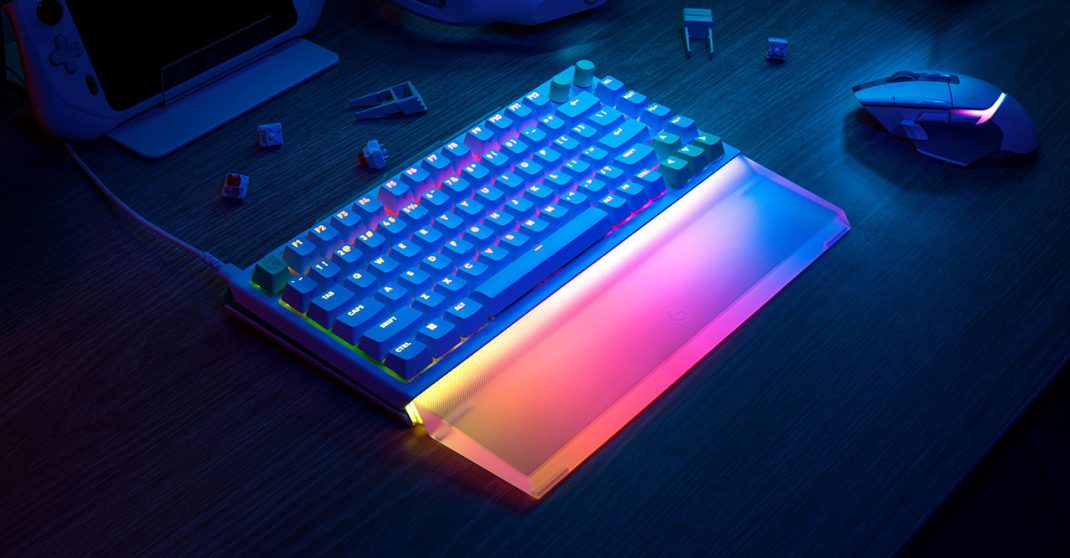
You know what? I think we might have finally reached peak “keyboard tinkering.” For the longest time, you either bought a standard mechanical board or you went down the rabbit hole of custom DIY kits that cost as much as a used car. But Logitech just dropped the Logitech G512 X series, and it feels like they’re trying to offer a “tasting menu” for everyone who wants the fancy pro features without needing a soldering iron. Honestly, it’s a lot to take in at first glance. It’s bold; it’s colorful; it’s unapologetically “gamer.”
I spent some time with both the 75% and the 98% versions, along with that glowing acrylic palm rest. Here’s the thing: this isn’t just another keyboard. It’s a hybrid experiment that might just change how you play, though it definitely has some quirks that might make you tilt.
Why Does It Look Like a Sci-Fi Prop?
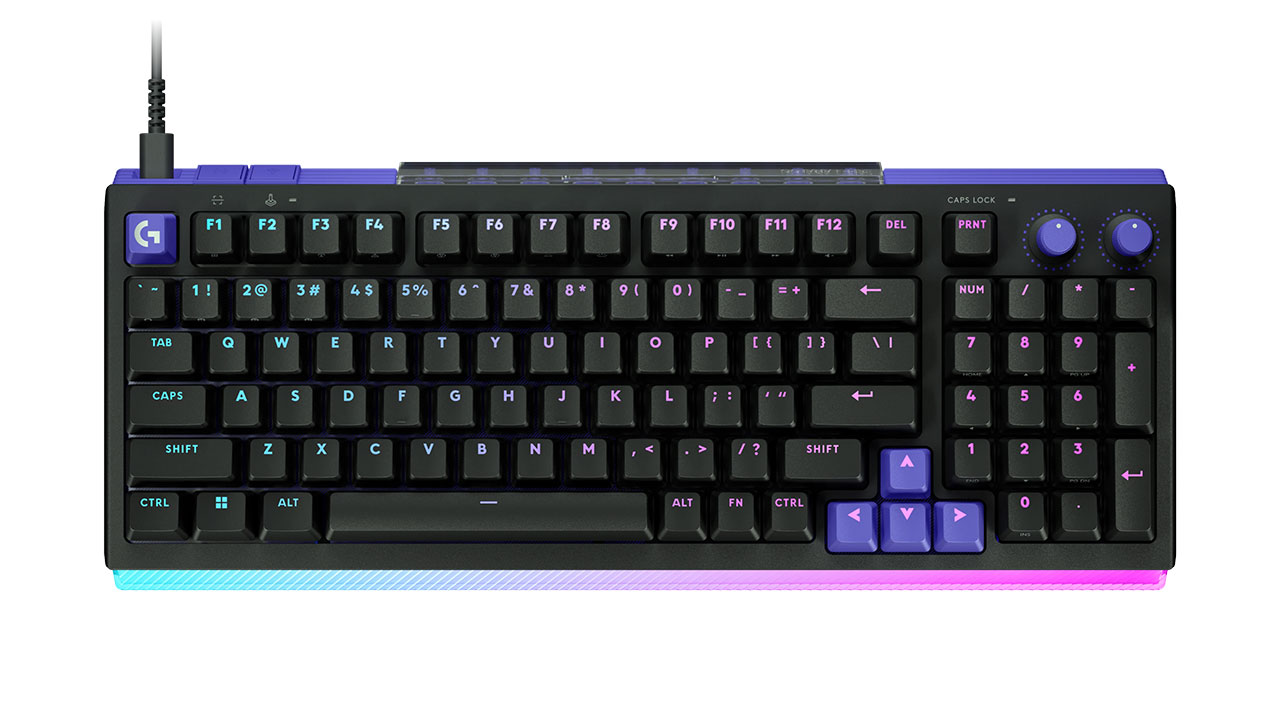
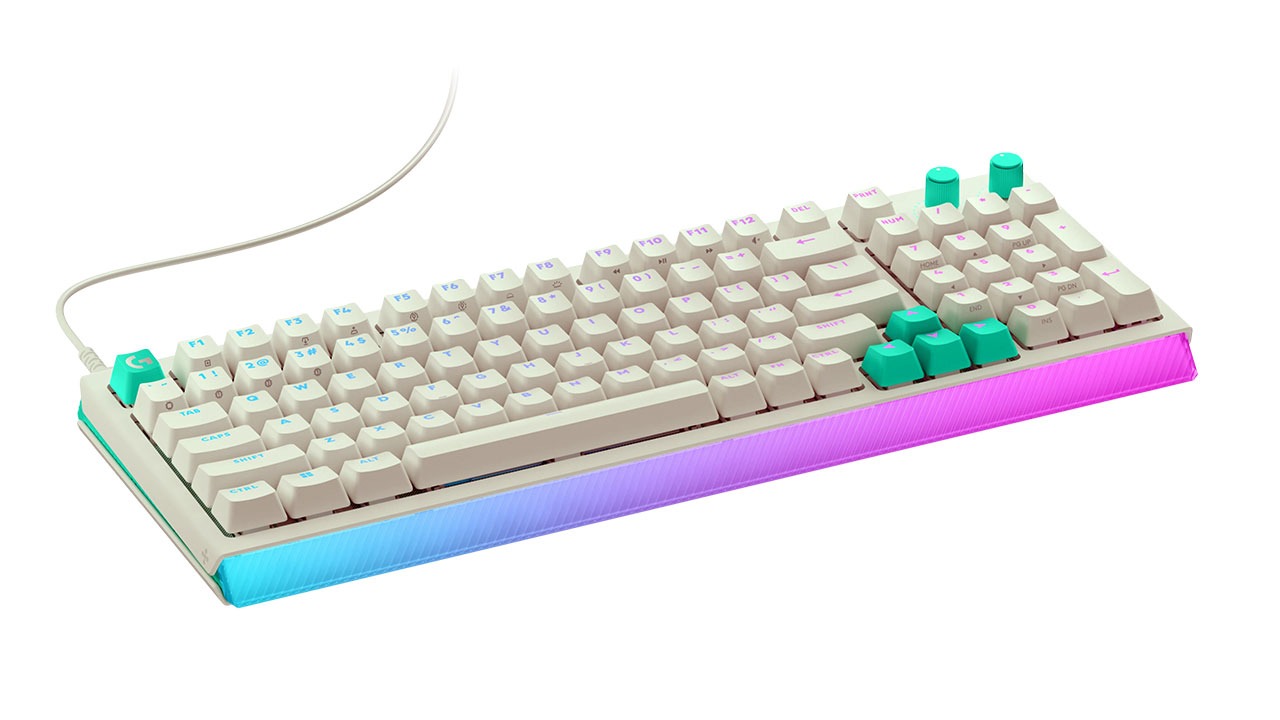
When you first pull this out of the box, the “cyberpunk” aesthetic hits you right in the face. Logitech went for ridged plastic flanks and these bright purple or teal accents that really stand out. Some people on Reddit are already complaining that it looks a bit like something from a Walmart toy aisle. I get that. If you’re used to the clean, brushed aluminum look of the old G512 Carbon, this is a massive departure. But you know what? I kind of dig it. It feels like a piece of gear from a neon-soaked future.
The 75% version is perfect if you’re a low-sensitivity gamer who needs a mile of desk space for mouse flicks. It’s compact but keeps the function row, which is a life-saver for actual work. The 98% version (or the 1800 layout) is the one I gravitated toward. You get the numpad, but it’s squished together so it doesn’t feel like you’re typing on a surfboard. Just a heads-up, though: if you use the “0” key on the numpad by muscle memory, you might struggle. It’s a small key here, not the big double-wide one we’re used to.
The “Dual Swap” Magic and Those TMR Sensors
Here is the real meat of the board. Logitech is using something called Tunnel Magneto Resistance (TMR) technology. I won’t bore you with the quantum physics of it, but basically, it’s a way for the keyboard to know exactly how deep you’re pressing a key. Most “pro” boards use Hall Effect sensors, but TMR is supposed to be even more precise and use less power. Hall Effect sensors have been known to “drift” after long periods of time, whereas TMR is apparently immune to this degradation.
But here’s the twist: they didn’t make the whole board analog. Only 39 keys on the left side (up to the U, J, and M keys) plus the arrows have these TMR sensors. Logitech calls this “Dual Swap.” It means you can keep your nice, “thonky” mechanical switches for typing, but swap in the included Gateron KS-20 magnetic switches for your gaming keys.
Does it make a difference? Honestly, yes. In games like Counter-Strike 2 or Valorant, being able to set a “Rapid Trigger” where the key resets the instant you lift your finger is huge. It makes your character stop on a dime. I noticed my strafing felt way more responsive. You can even set the actuation point as low as 0.1 mm. That’s a “hair-trigger” if I’ve ever seen one.
Those Weird Little Silicone Rings
Inside the box, you’ll find five “SAPP” rings. No, it’s not a fancy jewelry collab. It stands for Second Actuation Pressure Point. You slip these onto the stem of your analog switches, and they give you a physical “bump” at a certain depth.
Think back to the old PS2 controllers. Remember how you could press the button lightly to walk and harder to run? This is exactly that. You can map a light press on “W” to walk in Red Dead Redemption 2 and a deep press, past that physical bump, to sprint. It’s incredibly intuitive once you get the hang of it. My only gripe is that Logitech only gives you five rings. If you want to set up a full “analog” experience for a flight sim or a racing game, you’re going to be wishing for a few more.
A Masterclass in “Not Losing Your Stuff”
Can we talk about the design forethought for a second? I am the world’s worst at losing keycap pullers. I have a drawer full of random cables and plastic bits, and I can never find the one I need. Logitech solved this in the coolest way: the feet of the keyboard are actually the keycap and switch pullers. You just pop them off when you need to swap a switch.
On top of that, there’s a little storage bay at the top of the board behind a translucent cover. It holds your extra analog switches and SAPP rings. It’s such a simple, human-centric touch. It makes the whole “modding” experience feel less like a chore and more like a fun little project.
The Build Quality Debate
Now, we have to talk about the elephant in the room. This keyboard is almost entirely plastic. For a board that costs $180 to $200, that’s a tough pill to swallow. If you press down hard in the middle, you can feel some flex. Compare that to something like a Keychron Q6 HE, which is a solid chunk of CNC-machined aluminum, and the G512 X feels a bit… light?
It’s also wired-only. No Bluetooth, no Lightspeed wireless. Logitech says this is because of the 8K polling rate (which sends data to your PC 8,000 times per second) and the heavy RGB lighting. They claim it would just eat through batteries. I get the logic, but in 2026, being tethered to a cable feels a bit old-school.
That Glowing Palm Rest
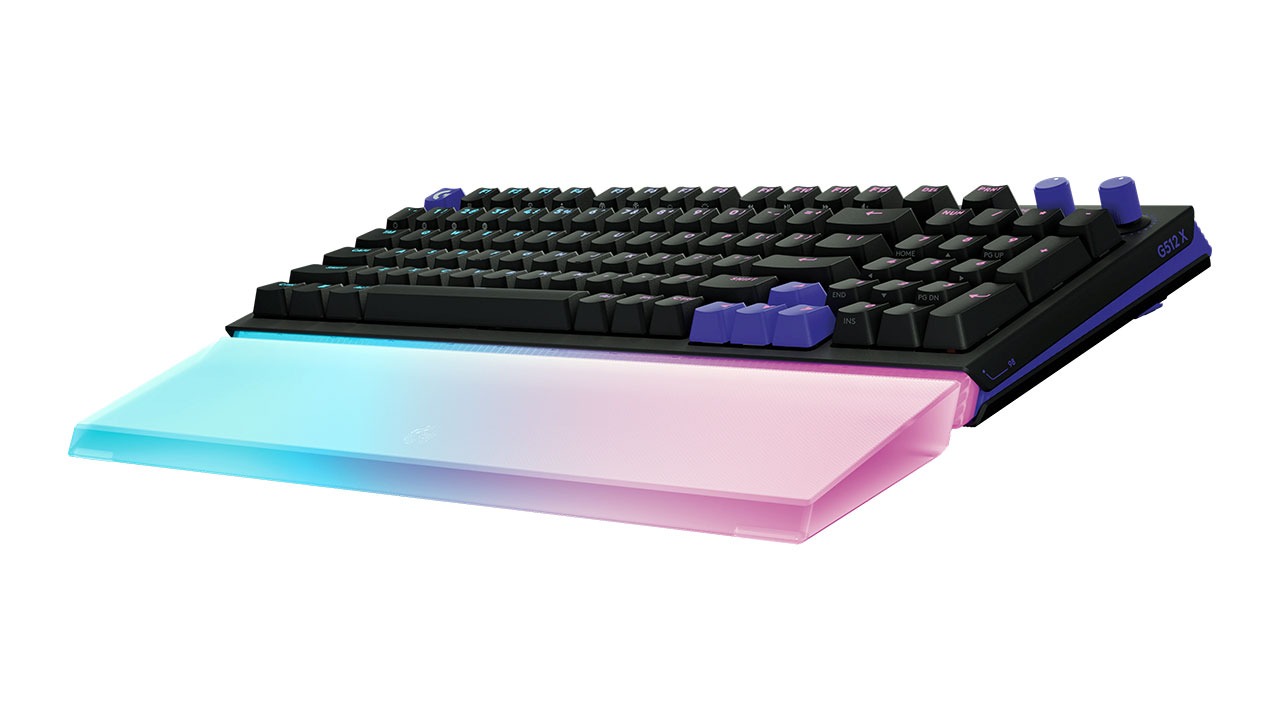
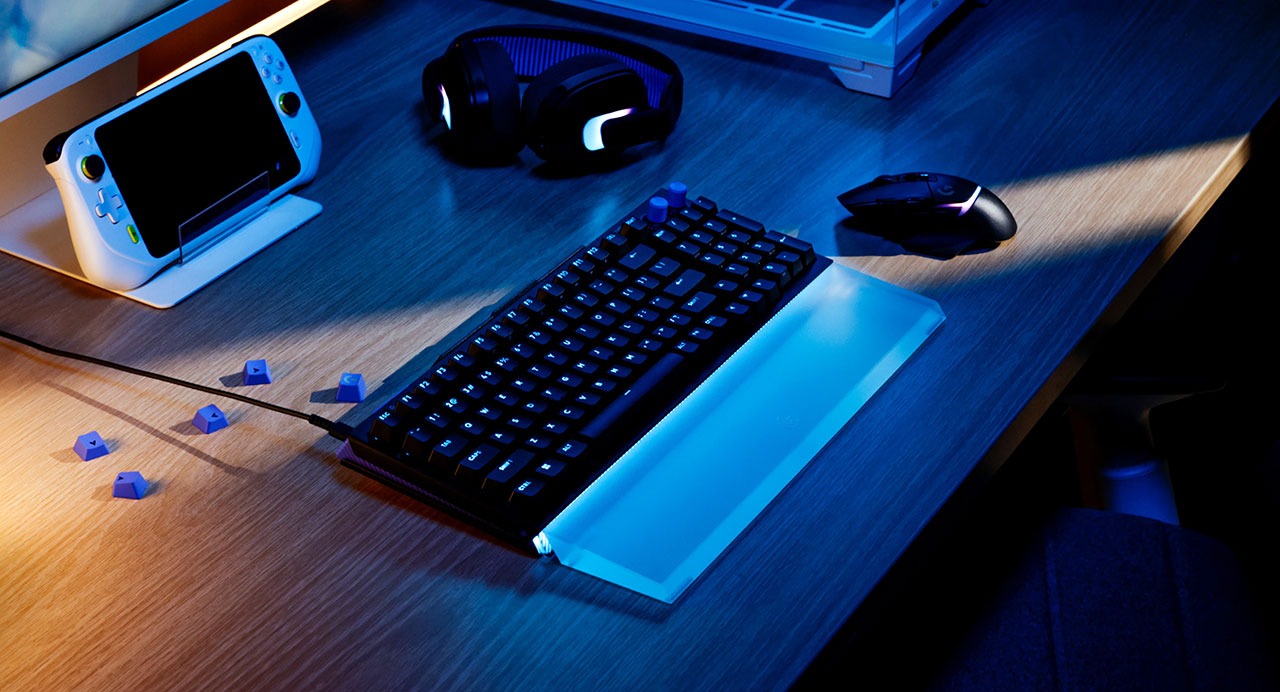
Then there’s the G512 X Palm Rest. It doesn’t come in the box, which is a bit of a bummer given the price of the keyboard. You’ll have to shell out another $40 or so. It’s made of solid, optical-grade acrylic with laser-etched patterns.
When you slide it in front of the keyboard, it catches the light from the front-facing RGB lightbar and glows like a neon sign. It’s spectacular in a dark room. But is it comfortable? Here’s the thing: it’s hard plastic. It’s not a soft, squishy foam rest. It provides great support and matches the angle of the keyboard perfectly, but it won’t give you that “cloud” feel. If you’re prone to sweaty wrists during a marathon session, though, the matte UV coating is a dream to wipe clean.
The Verdict: Who Is This For?
So, should you buy it?
If you’re someone who loves the idea of custom keyboards but gets overwhelmed by all the technical jargon, this is your gateway drug. It’s easy to use. The G Hub software makes visualizing your key presses simple. The “Dual Swap” system lets you experiment with analog tech without losing that satisfying mechanical feel for your daily typing tasks.
But if you’re a purist who needs a heavy metal chassis or you absolutely refuse to have a cable on your desk, you might want to look elsewhere. You’re paying a premium for the TMR tech and the “all-in-one” convenience.
Honestly, despite the plastic build, I’ve found myself really enjoying the Logitech G512 X. There’s something addictive about being able to “tune” your keyboard like a racing car. It makes the whole experience feel personal. And at the end of a long day, having a “cyberpunk Christmas tree” glowing on my desk just makes me smile. Isn’t that what a good setup is supposed to do?
Logitech G512 X Overall Rating 4 out of 5
Pros
- Precision TMR Technology.
- Hybrid “Dual Swap” Design.
- Ultra-Low Latency.
- Integrated Hardware Storage.
- Durable PBT Keycaps.
Cons
- Plastic Construction.
- Wired-Only Connectivity.
- High Price Point.
- Only 39 specific key beds support analog TMR switches.
- Palm Rest Sold Separately.
Logitech G512 X Palm Rest Overall Rating 3 out of 5
Pros
- Stunning RGB Diffusion.
- Durable, Weighted Build.
- Low Maintenance.
Cons
- Sold Separately.
- Lack of Cushioning.
- No Secure Attachment.