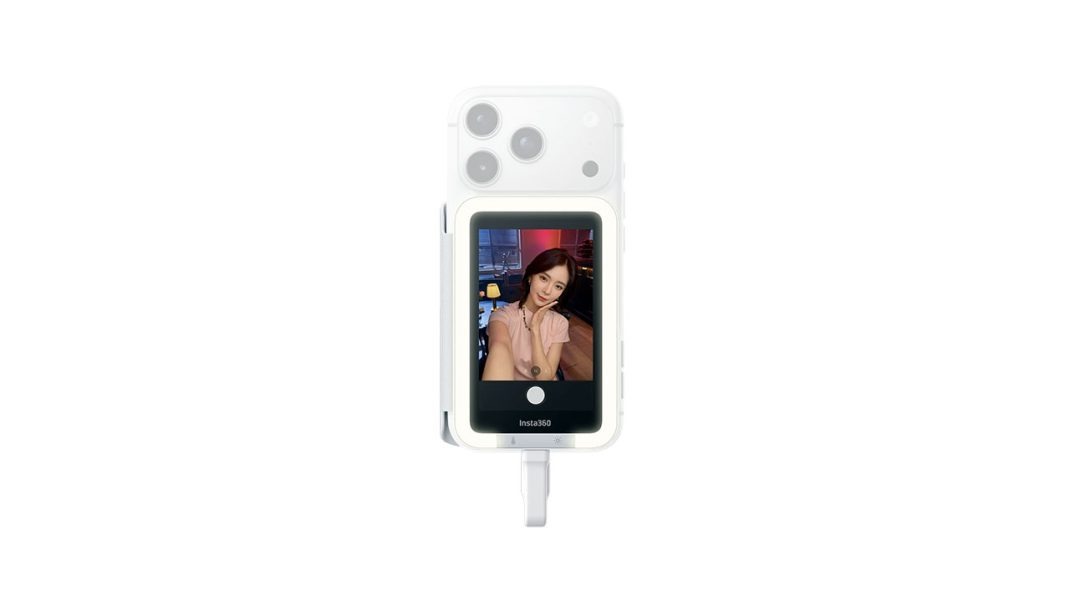
You know that feeling when you’re trying to film a quick TikTok or a YouTube Short, and you’re staring at your face through the front-facing camera? It looks… fine. Just fine. But then you remember that the lenses on the back of your phone are actually professional-grade glass capable of 4K60 or even 8K video. You want that quality, but shooting blind is a recipe for ending up with a video of your forehead. Honestly, it is the ultimate creator dilemma.
Enter the Insta360 Snap Selfie Screen. I have been playing with this little gadget for a couple of weeks now, and it is basically a “cheat code” for anyone who takes mobile content seriously. It is a 3.5-inch touchscreen that magnetically snaps to the back of your phone so you can finally see what those big, beautiful rear lenses are seeing.
Magnets, Wires, and Zero Lag
Here is the thing about most “vlogging monitors” for phones. Most of them use Wi-Fi or Bluetooth to mirror your screen. That sounds great until you actually try to use it. Wireless signals mean latency. You move your head, and the screen catches up half a second later. It is disorienting and makes it impossible to check your focus or framing in real time.
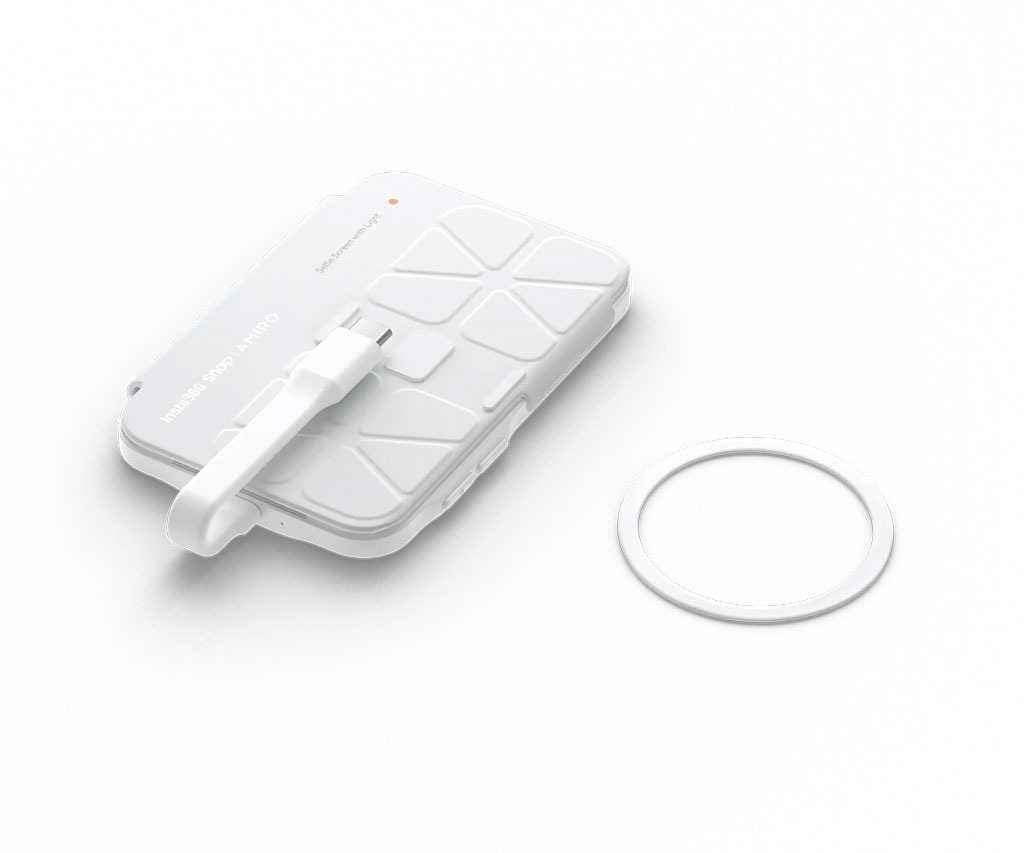
Insta360 went a different route. They went wired. The Snap connects via a short USB-C cable. Because it is a hard connection, the lag is basically non-existent. We are talking about 30 milliseconds. That is fast enough that your brain doesn’t notice a delay. What you see is what you get.
The build quality is actually pretty impressive. It is super thin, only about 7.3mm for the standard version. It uses a MagSafe-style magnetic mount, so if you have an iPhone 15 or 16, it just clicks right on. If you’re on Android or an older device, they include a magnetic ring in the box you can stick to your case. I tried it on a few different setups, and the magnets are strong enough that I wasn’t worried about it falling off during a walk-and-talk.
The iPhone Hoop Jump
Now, let’s talk about the setup, because it isn’t quite “plug and play” for everyone. If you’re on Android, you’re usually golden. You plug it in, hit a prompt to allow screen mirroring, and your phone’s screen pops up on the Snap.
But if you are on an iPhone? Get ready for a little trip into the settings menu. To get the touchscreen features working, you have to enable the “Zoom” function in your Accessibility settings. It feels a bit like a workaround, but once it is done, you can actually control your phone from the back screen. You can swipe, change camera modes, and hit the shutter without ever turning the phone around.
One thing I noticed while browsing Reddit is that some S24 Ultra users have had a bit of a headache with Samsung DeX. Sometimes the phone thinks the Snap is a desktop monitor and tries to launch a whole PC interface. You have to go into the DeX settings and switch it to “Mirrored” mode to get it to behave. Is it annoying? A little. But once you’ve got it dialed in, it stays that way.
Glow Up with the AMIRO Light
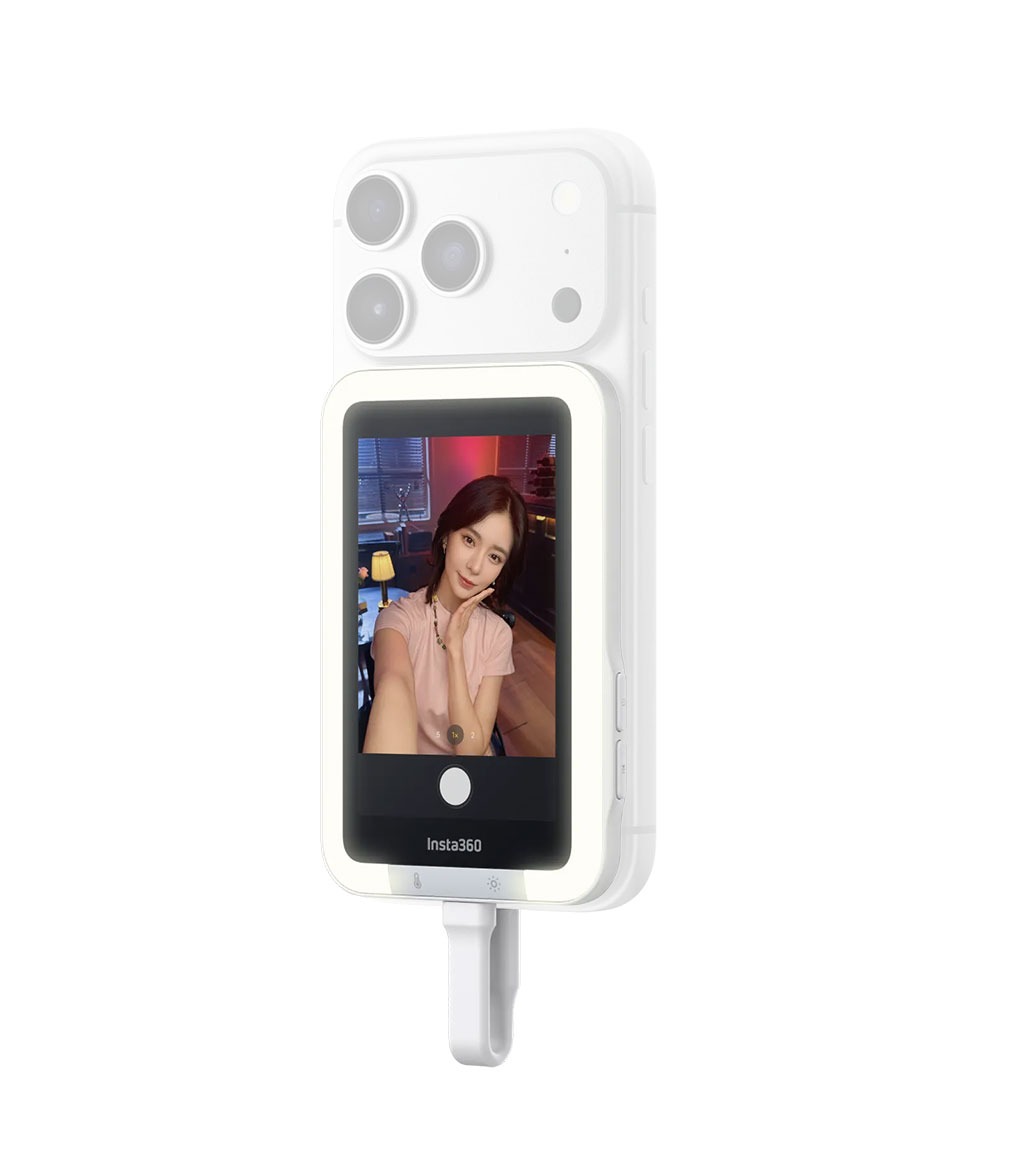
I tested the version with the built-in light, and I think it is worth the extra ten bucks. They co-developed it with a beauty-tech brand called AMIRO. You get three color temperatures: cool, neutral, and warm.
Why does this matter? Well, if you’re filming in a coffee shop with warm overhead lights, you don’t want a cold blue LED hitting your face. It looks unnatural. Being able to switch to a warm tone helps you blend into the environment. It also has five brightness levels. It won’t replace a massive ring light in a studio, but for a “Get Ready With Me” video or a late-night vlog, it is a lifesaver. It softens those harsh shadows under your eyes that we all love so much.
The “Flappy” Cover Situation
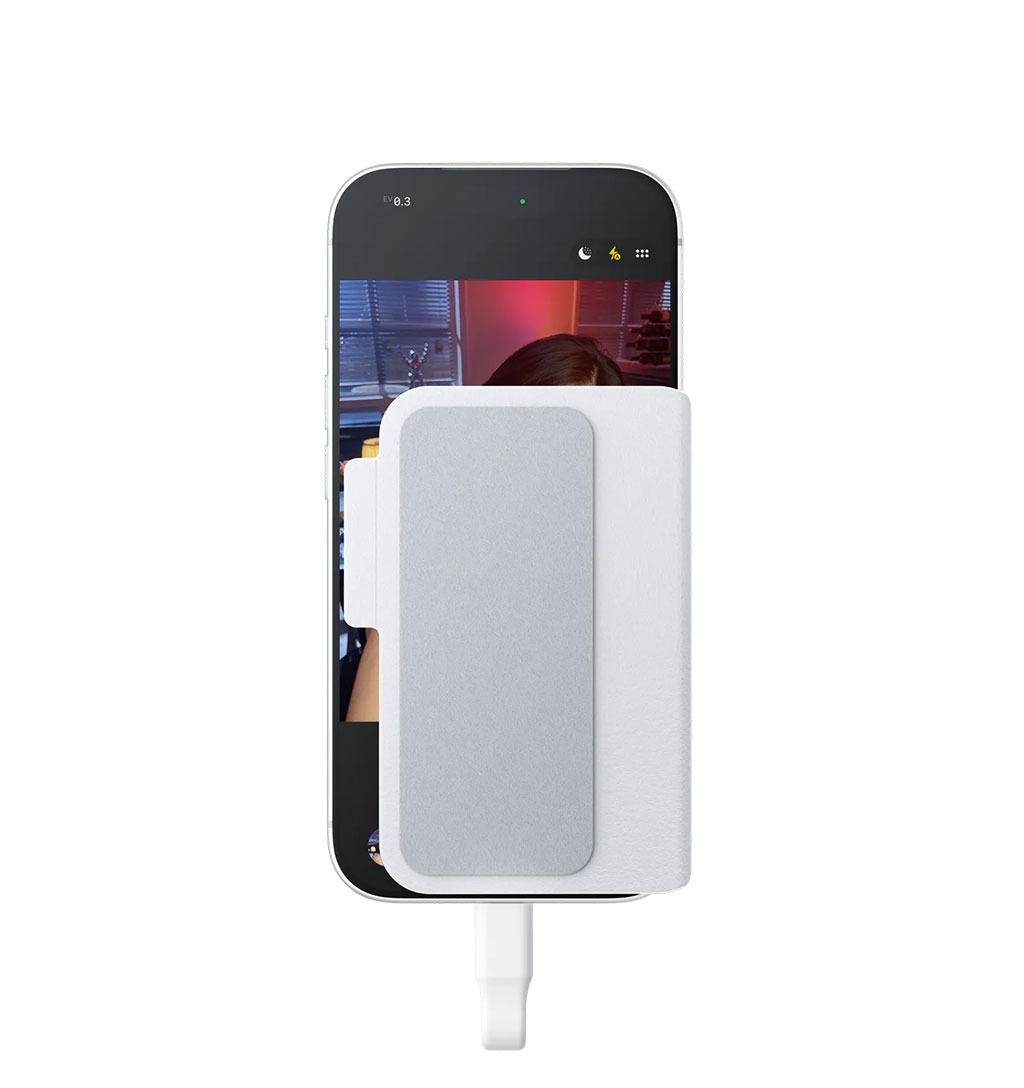
Okay, let’s talk about the one thing that has the community divided: the 2-in-1 protective cover. When you aren’t using the Snap, the leatherette cover protects the screen. When you are filming, you flip it around to the front of your phone.
The idea is that the cover acts as a barrier for “palm rejection.” When you hold your phone backward, your fingers inevitably touch the main screen and start opening random apps or stopping your recording. The cover blocks those accidental touches.
In theory, it is brilliant. In practice? It is a bit awkward. If you have a massive phone like the S25 Ultra or a Pro Max iPhone, the cover doesn’t quite hide the whole screen. You might still get a stray thumb trigger. Some people on the forums find it “inexcusable” or “annoying,” while others think it is the best solution for a tricky handling problem. Personally, I think it is fine, but you definitely have to get used to the grip.
Is It Better Than a Foldable?
You know what? A lot of people keep asking, “Why not just buy a Samsung Flip or a Google Pixel Fold?” It is a fair question. Those phones have built-in screens for selfies.
But here is the catch. Even the best foldables usually have slightly worse camera hardware than the “big slab” flagships. If you want the absolute peak image quality of a 1-inch sensor or a 50MP main lens, you’re usually carrying a more standard form factor smartphone. The Snap lets you keep your favorite phone but gives you the “foldable” convenience. Plus, it is $80 compared to the $1,000 you’d spend on a new phone.
Comparison Selfies
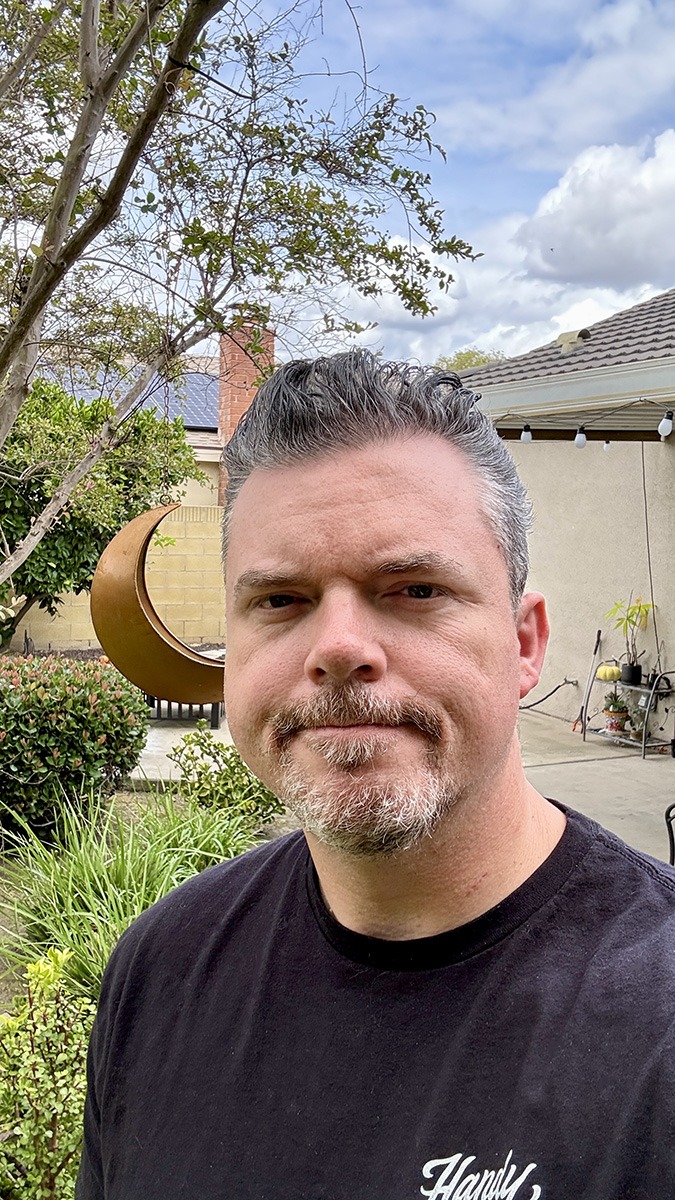
Here is the acid test for selfies taken with the Snap – a comparison between an image taken using the Snap, and one from the standard selfie lens:
-

- WITHOUT the Snap
-

- WITH the Snap
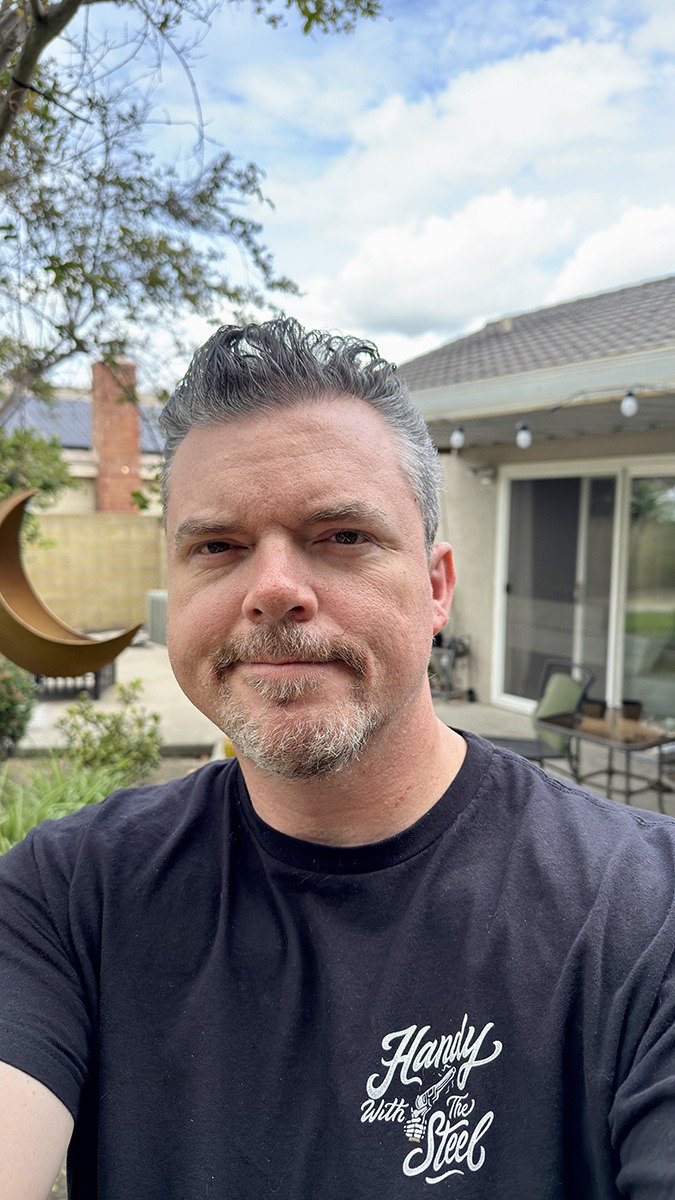
Just LOOK at the comparison and, frankly, there is none. The selfie with the Insta360 Snap outclasses the one without in every single way. Look at the dynamic range, depth of field, viewing angle, etc. Everything is better using the rear lens and the Snap.
Battery Life and Thermal Stuff
Since the Snap doesn’t have its own battery, it sips power from your phone. Insta360 says a ten-minute session only eats about 6% of your battery. In my testing, that felt about right. However, if you are doing a marathon 4K60 recording session with the light on full blast, expect your phone to get pretty warm.
I wouldn’t recommend this for a two-hour livestream. It isn’t designed for that. It is for those quick, high-quality captures where you want to look your best. If you’re worried about heat, just unplug the cable between takes. It is a simple fix.
The Final Verdict
So, is the Insta360 Snap worth it?
If you are just taking casual selfies for your private Instagram, maybe not. It is an extra thing to carry. But if you are a creator, a geek who loves min-maxing your gear, or someone who is tired of the grainy front-camera look, this thing is a game-changer.
The lack of latency is the real hero here. Being able to see yourself with near-zero delay while using the best glass in your pocket makes a massive difference in how you perform on camera. You aren’t guessing if you’re in frame anymore. You aren’t worried about your hair being a mess. You just hit record and do your thing.
Honestly, it isn’t a perfect product, but it is a very clever one. It solves a specific problem for a specific group of people, and it does it better than the wireless competition. For $80, it is a lot cheaper than upgrading your entire camera rig. Just remember to turn on that Zoom setting on your iPhone, and you’re ready to go.
Overall Rating 4 out of 5
Pros:
- Near-zero latency thanks to the wired connection.
- Magnets are super convenient.
- The AMIRO light is actually useful for skin tones.
- No need to charge a separate battery.
Cons:
- The iPhone setup is a bit clunky at first.
- Accidental touches on the main screen can still happen.
- It is pricier than the basic mirrors you find on AliExpress.