Archive - 2009

Special Modern Warfare 2 Controller in the Works

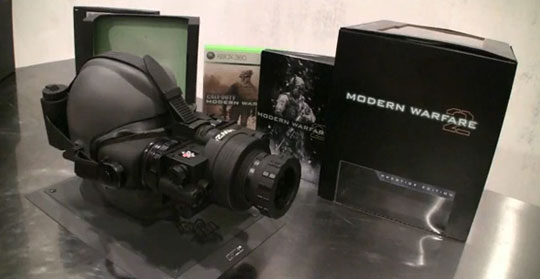
Robert Bowling, Community Manager for Infinity Ward, has tweeted via his official Twitter account that Activision and Infinity Ward are teaming with an unnamed party to create a special Call of Duty: Modern Warfare 2 controller. The game is due out on November 10th and was recently touted for its very special ‘Prestige Edition‘ which will include a fully-functional set of NVGs.

From @FourZeroTwo:
‘In a design meeting for a #MW2 controller. Need your advice – Concave or Convex grips for the Analog sticks? Whats your preference and why?’

Being the renegade that I am, I prefer sticks that are neither convex OR concave. I refer to them as… ‘flat’.

EA Reveals 17-inch Eddie Riggs Action Sculpture


Electronic Arts has released the first images of the 17” action-sculpture featuring the character of Eddie Riggs from their upcoming Brutal Legend. According to the announcement email they have only made one thousand of these statues and will be giving them away via their Twitter account.

Checkout some totally metal images of the statue After the Break!

Review of the Saitek Pro Flight Radio Panel

Hot off my last review of Saitek’s Pro Flight Instrument Panel, I took a look at their Pro Flight Radio Panel. While gauges are fine and good, at some point you are going to need to communicate with the ground to do such important tasks as check request a flight following, acknowledge nearby traffic, or even something as simple as put in a request to taxi to the runway.

Microsoft’s Flight Simulator series has never been great at giving the player the ability to change their multiple frequencies. Usually I pause the game and fiddle with the mouse cursor, which acts my pilot’s ‘virtual hand’, to adjust the small and large increments to get them just right. This is just not fun and it generally ends with me doing auto-station flips via the on-screen ATC communication menu.

I can safely say that my radio issues have crashed and burned thanks to the new Pro Flight Radio Panel. In this peripheral, Saitek has designed a very good recreation of the basic radio stack found in civil aircraft. It features four bright LED readouts in the center of the panel as well as two heavy-duty mode select knobs on the left of the unit. To the right side of the radio panel you will find the macro and micro-adjustment knobs and standby buttons. The construction of the frame is in keeping with all of the Saitek Pro Flight panels and is a heavy-duty black plastic.
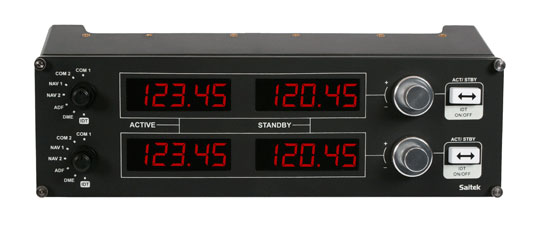
Its mounting frame which gets screwed into other Pro Flight peripherals (most likely the Pro Flight Yoke) is still a bit flimsier than I would like to see but it doesn’t get too much in the way. Using the Radio Panel is very simple. After mounting the unit where you like, simply install the included software and you will be all-set to use it in FSX (Microsoft’s Flight Simulator X). It is really that easy to get up and running.

Loading up FSX, I start on the parking area at KRAL (Riverside Municipal – my hometown’s airfield). I then bring the map and begin to plan my flight. For today’s excursion I plan on arriving at Orange County’s John Wayne-Airport (SNA). Its a short flight and going by visual flight rules I don’t expect any real delays or problems. Clicking on the two airports I write down both their control tower and ground frequencies. My short-range setup is to have my departure airfield as COM1 and arrival airfield as COM2. Manipulating the dials on the right of the top panel, with the left knob selecting ‘COM1’, I reach KRAL’s ground channel and hit the ‘standby’ button, which switches the ‘active’ and ‘standby’ frequencies with the other. This system allows you to setup a frequency in-flight, if you like, before you actually need to switch over to it. So with KRAL’s ground frequency as the active one and its tower frequency in the standby position, COM1 is all setup. I follow the same algorithm to setup COM2 with SNA’s ground and tower frequencies.

Thankfully, the Radio Panel is responsible for a whole lot more than just your COM channels. You can also setup your NAV frequencies in the same manner! In addition, Saitek has had the forethought to add additional modes like your transponder frequency as well as DME and ADF frequencies – very vital things to have so handy in navigation.

The added-convenience and tactile-feedback provided by this panel is incredible. In the image below, you can see the radio panel glowing in all its glory in lower-light conditions.
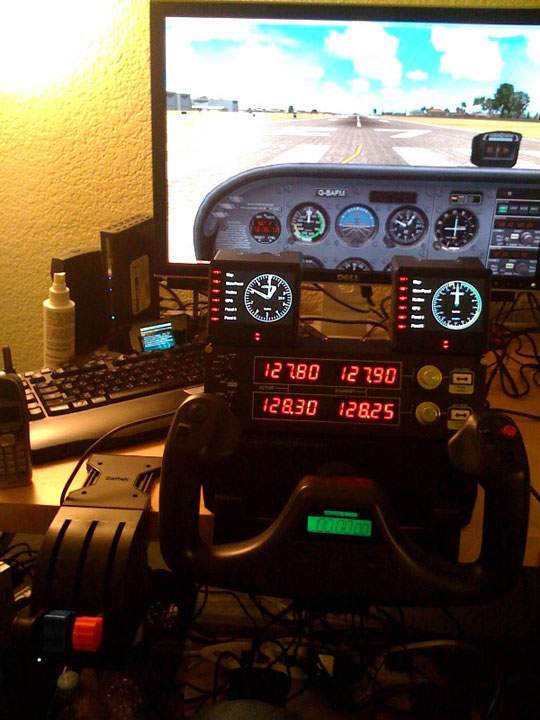
The worst issue with the Radio Panel is that even though the frequency adjustment knobs have detents built-in to give you tactile feedback when turning them, they do not always match up to the frequencies. Sometimes, you will find that you hit the frequency you are looking for in-between knob detents, forcing you to wiggle the metal control a bit until it aligns correctly.

While some would argue that the Radio Panel’s $149 dollar price point is expensive, I would say that when you look at other panels of the same function you are actually saving money by using the Saitek model in your home cockpit. GoFlight sells a larger panel of similar function and it retails for over a thousand dollars. While it is of more realistic construction than the Pro Flight Radio Panel, for the average virtual pilot you are getting a whole lot more out of your dollar with Saitek’s peripheral.

Overall, the Saitek Pro Flight Radio Panel is an excellent addition to the Saitek Pro Flight range and to your home ‘pit. It provides a ton of convenience in giving you easy-to-access radio frequencies as well as provides a new level of realism in your home cockpit with its crisp LEDs and tactile feedback.

AION Now Available for Pre-Order Via Steam

Due out September 22nd, gamers interested in playing NCsoft’s upcoming MMO can pre-order it on Valve’s Steam service. When pre-ordered you get a number of bonuses (including beta access), more if you chose the Collector’s Edition of course.

Pre-Order Bonuses Include:
* 37 days of free play when the full game releases.
* Access to beta and preview events
* Special in-game items
o Attribute Boosting Hat
o Experience boosting Talisman
o Exclusive special effects ring (Water)

Go for the End Zone With EA Sports NCAA Football 10

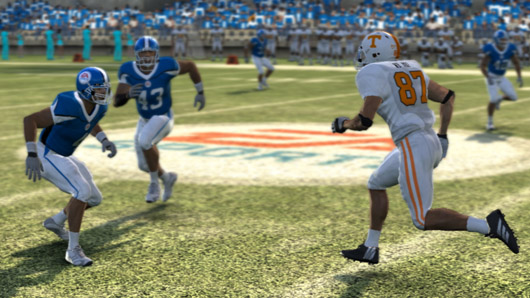
Every year a new season of sports games comes rolling out and, each year, we get a list of minor tweaks which never really leave the fans with something new to sink their teeth into. Enter the monster known as NCAA Football 10. This season’s college football extravaganza gives a blitz to an already deep sports series. Let’s jump right in and check out some of the features.

The first thing that is going to pop out to you is the presentation. NCAA Football 10 really shines when it comes to making you feel like you are at the game. The stadium is alive with rabid fans cheering on their sides, marching bands are doing formations on the field, and the songs of the home schools fill the air. As with every EA Sports game ESPN has a huge presence and tightens up the presentation with college game day precision. The announcers are not in the way and can even detect when two rival schools are going at each other by throwing in some facts. NCAA Football 10 and its commenting team has added Erin Andrews sideline reporting to this year’s version and she does a good job by giving up to date info when a player gets hurt. This really is the ultimate college experience as far as immersion goes. I had several people ask me if I was watching a DVR of a last season game. There is also nothing like seeing the Georgia Bulldog’s mascot does a headstand or chase after a football when you score. The crowd reacts to pivotal moments in the game and I even discovered that when you are at home and losing badly (which I seem to do a lot) they can go deathly silent. Big props go to the developers for continuing with the outstanding feeling of actually being at the game.

The basic gameplay is similar to other football games so we will focus on the improvements. There is the normal mode and family mode which you can choose. Normal mode gives you the deep ability to choose your formations, plays, and audibiles. The play calling goes a step deeper as well by allowing you to adjust your ‘style’ per each call. Say you want to focus on hard hits instead of balance play or defense. You can set your players to do just that but you may get more penalties along the way. In all there are 11 different attributes for both offense and defense to adjust depending on what’s going on in the game. The AI can be a bit wonky at times during certain plays that you choose but it does not really cause any real hampering of the experience. There is the great addition of a pre-play menu where before you hike the ball you can lock on to a certain player to control their movements or change formations on a fly. A big draw this year is the new ‘family mode’. Say you don’t know a lot about football or want to play with one of your kids but they are a little scared about getting decimated by your blood-thirsty gaming nature. This new mode takes away a lot of the customized game play options but still gives you a great game. One-touch passing and auto-catching make it easier to just get out there and play for fun. The playbook for both levels of detail also gives you the option to have a coach give you tips on what plays you should make. NCAA Football 10 also features an online matchmaking system that is easy to start up and play. I had no problems getting right in there and being stomped on by a much better player.

There are so many new modes this year but the best has to be the TeamBuilder. Have you ever wanted to recreate ANY high school you went to: Middle school, high school, etc? With TeamBuilder you can go to an easy to use web-based interface and do just that. You can name your roster, set your team colors, and even add logos or make a home playing field from a list of generic stadiums. Once created you can access your team from the TeamBuilder section of NCAA Football 10 and simply download it to the game. It was easy to use and I found no problems with getting my high school team imported. TeamBuilder is simply too awesome for words. It really brings NCAA Football 10 to the next level of sports games. I imagine a father and son creating the kid’s school football team and then taking it on to glory. On top of that you can download other user-created teams should you want to try out some of the community’s excellent team-builds.

Season Showdown is a unique new mode that allows you to play and root on your favorite school from the pre-season through the regular season. By fighting it out with the computer or playing online games you earn credits for your school. These credits can be spent on things you do in-game such as tackling, touchdowns, and defensive plays. Not only that but just like in real college football – sportsmanship counts for something. Next time you punt the ball down the field it might not be a good idea to bash the receivers head into the dirt when he waves off the punt. Being a good sport earns you extra credits that go towards your schools rankings. There is also an offline portion of Season Showdown where you can answer trivia challenges to gain credits as well. The team that is the top of the rankings at the end of the season will be crowned champion.

The final new mode is the Road to Glory mode hosted by Erin Andrews and Kirk Herbstreit. The presentation, like the rest of the game, is top notch with green-screened sequences featuring the hosts. You create a player and they chronicle your rise through the ranks of your college career. You even have your own dorm room where you can view your awards, catch up on news, and view photos from your career.

Returning in NCAA Football 10 is the Dynasty mode where you coach your favorite team through years and years of play. Feel like red shirting some players for staring at you wrong? Oh you can do that and just about any other thing you feel like doing as a coach. You can simulate the entire season or play out each season, game by game. It is entirely up to you on how you want to do it. There is also an online dynasty option where you can import 12 of your creations from TeamBuilder to launch your career.

NCAA Football 10 is an excellent football game experience and, I dare say, one of the best football games ever made. For someone that played football in high school like me its depth really was engrossing in a positive way. Coupled with giving casual players an option to get in there without getting overwhelmed and you have yourself a real winner. If you are a sports game fan get out there and pick up this title before you get blitzed into the turf.

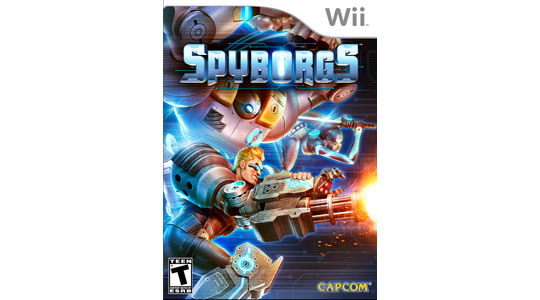
Spyborgs for the Wii Out on September 29th

Capcom has announced that its upcoming arcade-brawler Spyborgs will be released exclusively-for the Nintendo Wii on September 29th, 2009. The game features two-player coop and a ton of arcade-style butt kicking to go around.

You can read more on Spyborgs at the game’s official website.

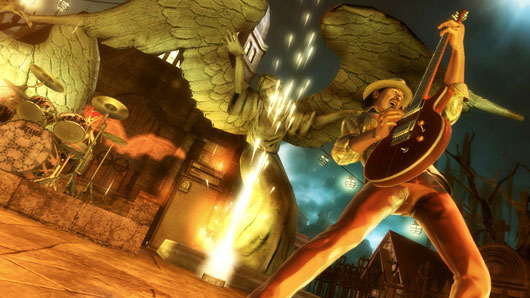
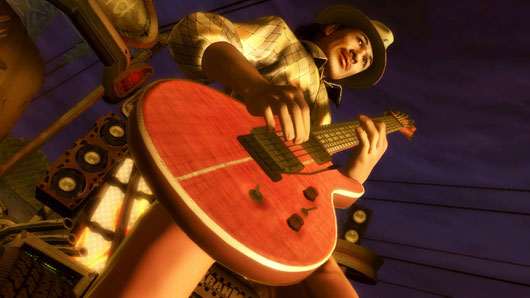
Activision Announces Guitar Hero 5 Pre-Order Bonuses


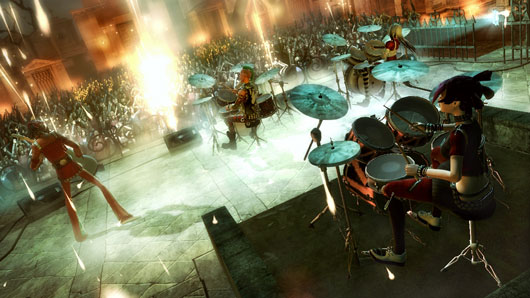
If you are one of the many people planning to pre-order Activision’s Guitar Hero 5, know that where you pre-order will effect what bonus goodies you get!

Here is the breakdown of goodies per outlet:
GameStop – Receive two free playable songs with reservation (for Playstation®3 computer entertainment system. Xbox360® video game and entertainment system and WiiTM)
GameCrazy – Receive an exclusive faceplate with reservation
Amazon.com – Receive five free MP3s with reservation
Guitar Hero Store – Receive free two-day shipping with reservation

Guitar Hero 5 is scheduled to release on the Playstation 3 and Xbox 360 on September 1st, 2009.

Rage Website Updates With Week Two After the Impact

Due out in the second quarter of 2010, RAGE chronicles events on Earth after a devastating comet impact wipes out most life on the planet. Rage has been designed with a Mad Max-art style and will utilize Id Software’s new id Tech 5 game engine.

The Rage site has been updated with ‘Week Two’ now available to explore as you follow the footsteps of whom we assume to be the game’s protagonist.

Rage will be released on the Xbox 360, PS3, and Windows PC platforms.