The idea behind Too Human starts off interestingly enough. Imagine the gods of Norse mythology actually being an advanced race of cyborgs, and that all of that mythology we know of today is based on their exploits to fend off an invasion of genocidal machines. Sounds good, right? Well, after the intro sequence of Too Human ends, the pain begins and most of the fun stops.
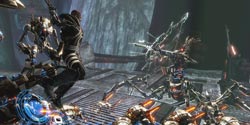 You play as Baldur, son of the patriarchal Norse god, Odin. The game is set out in a third-person hack-and-slash format mixed with ranged weaponry. You start off selecting one class from five, and these range from the melee-centric to the ranged-centric, with a healer class in the mix as well. This class is the only class in the game that can heal itself. There is none of that Halo or Gears-style ‘stay put to recharge’ business to be found here. If you are not a healer, you will have to depend on mobs dropping healing orbs.
Visually, Too Human moves back and forth between standard and bland. In most cases, the character’s skin textures are very pleasing, even being able to make out their pores and rosacea. On the other hand, we are treated to awful-looking fur and hair, and some very bland textures and models in many parts of the world. Thankfully, most of the ranged weapon effects look nice, as do the explosions. The average visuals might have something to do with the fact that the game has been around so long that they kept having to change and update the engine (not to mention their legal issues with Epic Games).
Speaking of the world, the maps in Too Human are fairly large. While this is great in making the game feel more ‘epic’, the levels get fairly monotonous quickly as the same formula repeats itself time and again. You walk a ways and then you are jumped by 20 or so robots. If you kill them, you walk some more and are jumped again. 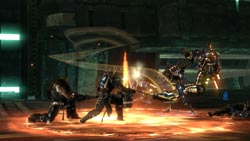 Repeat this pattern until eventually you reach a boss battle. Unfortunately, most of those tend to be uninspired, getting down to a rinse-and-repeat method of killing each one. Outside of the combat, even walking around in the massive (but generally empty-feeling) Aesir city takes forever just to get anywhere. Making things worse is that sometimes while on a mission, a goal area will not trigger from your presence, making you walk some distance away from the place and then back. This work around is not always successful, and then you have to reload your game.
One of Too Human’s good points is that there are tons of weapons, items, and armors to acquire during the course of the game. Loot is generally dropped off of mobs, but at the Aesir city you can buy and sell from vendors. You can collect runes to augment your weapons and armor and even obtain blueprints with which to construct advanced items throughout the course of the game. Customizing your character out with just the right set of equipment is fun.
The melee control system is probably the most interesting part of Too Human. While moving your character with the left stick, you tap and rotate the right stick to swing your melee weapon about. You can combo off of enemies in a fluidic manner so you look like a sword-wielding pinball. When the system works, it is a fun experience. Unfortunately, the AI camera often goes wonky, setting up from some strange angle or distance which makes judging your attacks rather difficult. Not to mention the fact that as you move about (with the camera always adjusting itself), your orientation of stick direction can easily reverse on you. You will be moving, the camera will flip around on you, then all of a sudden you are moving in the opposite direction your left stick is pointing. This requires you to release the stick momentarily, and re-engage in the same direction to reset the orientation.
Game balance is totally out the window in Too Human. At times, you will feel completely invincible, and then for no reason (not even a boss battle) the game will throw 20 elite robots at you. 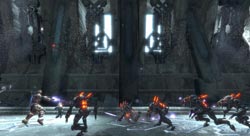 Even as one of the combat-focused classes, you end up dying quite a bit when this happens and your AI squad-mates aren’t worth much more than human shields. The robots will also get abilities that can stun you. This is fine, except for the fact that the stuns last way longer than necessary, forcing you to yell at the screen quite a bit as you sit there waiting to die. The best part is when they stun you and you wait all that time just to be stunned again right when you break free. FUN!
Notice that again I mentioned the topic of ‘death’ in Too Human. You might think I don’t like challenging games by my complaints. This is not the case, I adore a logical challenge in my gaming. However, dying in Too Human is something you too will rue with venom after you experience it a few times! We can rue together, it will be a blast: The first time you see someone die (one of your human squad-mates), a nice cut-scene appears of a very cool-looking Valkyrie beaming down from the heavens, snatching up the fallen warrior, and riding the beam back up to Valhalla. Well, I thought that was pretty sweet until I died the first time. After the many seconds it takes to fall down dead in a dramatic fashion, the camera pans up slowly and you see the beam of light form which will carry the Valkyrie down to your corpse. Of course, the Valkyrie picks you up and and carries you off. The problem is that this sequence just takes forever. I mean, an annoyingly long amount of time. EVERY time you die this happens. There is no way to skip the scene. After the agonizing is over, you will be magically brought back to life either so far away from where you died it takes you close to a minute to run back, or, right in the middle of the mob of robots that killed you to begin with. Problem with the latter circumstance is that this mob of elites has no notion of our human ‘mercy’ and quickly cuts you down again! And again! Each time, the nice Valkyrie lady has to come and revive you, and each time I wish she would just let my corpse rot so I can enjoy Valhalla.
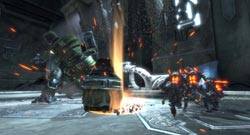 The voice acting is generally alright, but the real problem lies in the script. The dialog is corny, pompous, and cliched. Chances are that you will probably be reaching for the mute button about an hour or so into it. The plot also falls apart somewhat during the middle portion of the game. Thankfully it comes back to the entertaining side towards the end, but the last couple hours cannot redeem the previous seven spent playing it.
The talented guys at Silicon Knights are not a bunch of nuggets. They and their QA people (if there were any) should have noticed these glaring issues. Instead, we are treated to what is one of the most annoying games you will have played in the last five years. Its not only annoying because of its flaws, but because as a veteran gamer I can see what this game SHOULD have been. Silicon Knights completely dropped the ball on this one. Too Human is one of those titles which should be a balls to bone cash cow. You can see that there used to be some genius underneath the wonky elements but they just don’t shine through. I believe Too Human will go down in gaming history as one of the worst disappointments since Daikatana.

 Design: The 5H V2 features a tough plastic construction with modular ear units nacelles which detach from the headband for easy transportation. Its ear cups are gigantic, enveloping all but the largest ears with a soothing foam the likes of which makes your ears feel like angel babies wrapped in a cloud. The headband is rather rigid and if your head is too wide you could have comfort issues. With my large cranium I was just pushing the limits of where the discomfort would begin thankfully, so I could enjoy the headset pain free. The boom microphone extends and retracts from the left ear unit on a flexible chord. This can make retracting the microphone tricky sometimes as the chord would rather flex than retract. The 5HV2’s cable for the microphone and headset plugs is made of a rope-like nylon, which is so much better than the standard rubber-insulated wires found on most headsets. This rope-cable is stronger and does not get tangled up as easily. Included is a huge extension cable for the headset, but I would have rather seen the base cable length extended by a couple feet instead.
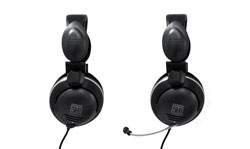 Movies and Music: While you will enjoy this headset for your movie watching and music listening needs, you hardcore folk would probably be better served with a Dolby Digital-equiped multi-driver headset. For the general populace, I am happy to say music and movies both sound good and the comfort of the headset keeps on going through the entirety of the film or album and then some.
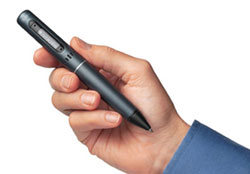 When I attend a press conference or private appointment at a gaming convention, I have always preferred to use a regular pen and paper whenever possible. I find that using higher-tech items just ends up getting in the way. As a student sitting in a professor’s lecture, I would sometimes miss an important point in my note-taking and have to scramble in my friends’ notes later to find out what I missed. These problems have plagued note-takers from around the world for quiet some time. Now, Livescribe has a solution to all your ills with their Smartpen Pulse.
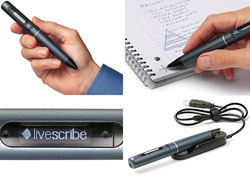 Currently the word choices you can write out are limited but again, this feature is in beta and will be expanded upon soon. More of a toy feature, but probably useful for you aspiring musicians out there, is a virtual piano. Simply follow the instructions in drawing a simple nine-key piano keyboard and play music by tapping on the ‘keys’. The Smartpen Pulse is an open platform for software developers out there, and company reps tell me several third-parties are working on additional applications and games for the pen in the future.
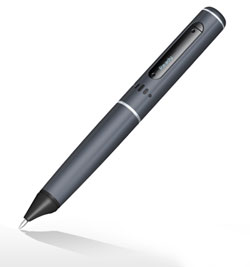 The pen also includes a 3.5mm audio jack for your ear buds or headphones at the top of the unit so you can review your stuff without bothering those touchy neighbors.
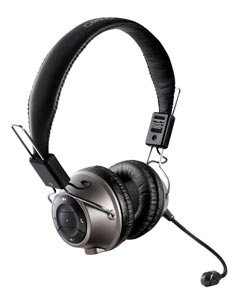 The HS-1200 is a modest-looking headset: simple lines, light if not durable solid construction, and spartan overall design. Not saying the design is bad in any way, it is just not as flashy as many gaming headsets out there. It doesn’t feature any gaudy decals or quasi-futuristic curves where it doesn’t need them. In fact, it is easy to underestimate the HS-1200’s capabilities based on looks alone. That is, until you use the headset.
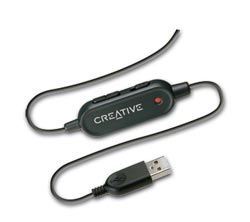 work nicely enough to produce virtual surround sound in the headset.
 We found the sound coming from the 40mm Neodymium drivers to be crisp and accurate. In the Creative Console headset surround sound test, I originally had the volume up a bit too high and the sound of the helicopter they use was impressive as hell. Once I heard that, I knew I was in for a treat. While gaming, Creative’s CMSS-3D virtual surround sound is plenty useful in discerning relative direction of effects. OpenAL also comes through well with the headset. Using either of these methods in your gaming will yield good results. We tested the headset in Age of Conan, Crysis, and Battlefield 2142. In all cases we were more than pleased. The surround sound coming from the headset was immersive and enjoyable. We did not experience any strange anomalies, driver issues, or software glitches to speak of.

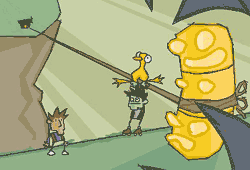 Dan Marshall and Ben Ward are the masterminds behind Zombie Cow Studios, and their first project is a point-and-click adventure game aptly titled ‘Ben There, Dan That’.
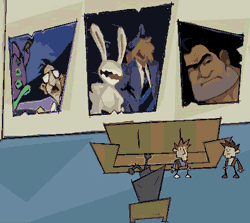 Well, it is not really Dan’s head per se, but a virtual representation of the virtual representation of Dan’s head.This last tool is the most unique, as this is how you get Dan to do ‘stuff’ and is vital in overcoming your journey’s challenges. For example, if you need to throw a switch on one side of the room while doing something else on the other side, you could have Dan throw said switch while Ben works elsewhere. This tag-team aspect of the game is a very clever gameplay element, and the banter between the two characters is very witty.
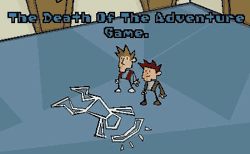 Ben and Dan also makes a clever commentary on the current state of adventure games (See right). It is rare that an independent developer can make such an inspired, witty, and entertaining game such as Ben there, Dan That. It goes to show, just as the classic adventures that came before it did, that you do not need fancy 3d graphics to entertain, and that message is a welcome site in the age of the multi-million dollar video game. Zombie Cow Studios, we salute you! Did we mention the game is free to download?
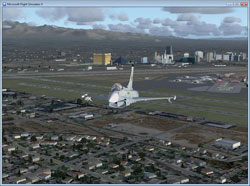 X1 Software’s Eurofighter 2000 for FSX and FS9 adds the titular aircraft (actually a few variations) to the two most recent versions of Microsoft’s Flight Simulators. We played it out on Microsoft’s latest offering, Flight Simulator X. After installing the add-on, we read through the instructions. There are optimum realism slider settings to achieve the proper flight modeling, so be sure to follow the instructions carefully. Also a good read through is the cockpit guide, but more on that later.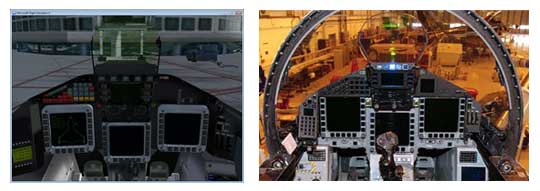
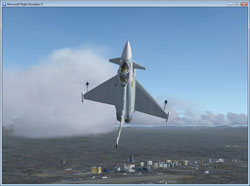 This inertial effect was quite cool and, even though I do not know how the real aircraft handles, it ‘felt’ realistic.
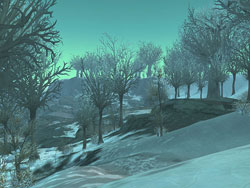 The quests are definitely in line with your character being a complete evil badass – remember you are one of the chosen by the Lich King himself. You are given several tasks, killing civilians among them until you eventually sneak your way to the Scarlet Crusades docks. You find out that they’re changing their name and heading up North for unknown reasons. Once at the docks, this was the first time I encountered a mounted weapon in the form of a giant cannon. Well, you blow them to high hell and escape narrowly on a skeletal gryphon.
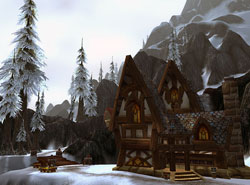 I’m all for mayhem, but there are a few quests that I almost didnt’ want to do – you’ll know them when you get to them. I was eventually sent back to the citadel and then back down yet again. The scenery had changed once more and I was given a skeletal dragon to assault the last remnants of the Crusade. When the dragon was low in health you had to swoop down and eat someone, the dragon swept a random guy up and I flew into the air as I was constantly bombarded by arrows and whatnot. When the dragon was done eating, the body was dropped unceremoniously. Once I was done with the destruction I was decked out in a full set of blue armor – and on a dreanei it looked plain out evil.
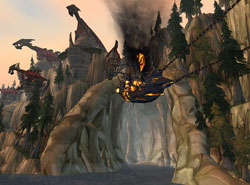 Suddenly, the entire zone reset and we were standing in formation with all of the NPC’s from the citadel along with some GIANT elites on our side. When the time came 10,000 – yes… ten thousand – ghouls, ghosts and various other things came out of the ground and we charged the Light’s Hope Chapel. You’re given a buff that basically makes you a god so you can just have fun and experience it. Kicking the crap out of everything in sight was amazing among the battle.
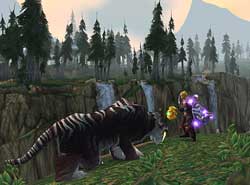 Gameplay with the Knight reminds me of a rogue. You build up runic power to use spells, I liked the ice stuff mostly so I specced in that. During the beginning experience you are slowly (or quickly) given a few talents here and a few talents there so you can get to know stuff as you go along. I found getting used to the Knight fairly challenging, although you can bring some serious pain very quickly the defenses just aren’t there once you get more than one guy on you. This might also be partly because abilities at the level I was didn’t have much in the way of defensive power. That, and having no way to heal yourself effectively of course.