You know what? I honestly never thought I would be reviewing a GoPro gimbal again.
Remember the Karma Grip from way back when? It was restrictive, clunky, and locked you entirely into GoPro’s tiny walled garden. It felt like buying a fancy sports car that only allowed you to drive to one specific grocery store. If you didn’t have the exact right camera, it was essentially a very expensive paperweight.
But here we are in the spring of 2026. The creator economy is absolutely bursting at the seams. Everyone from casual gamers to professional travel vloggers is carrying three different cameras in their backpack. The days of brand loyalty to a single camera ecosystem are completely dead.
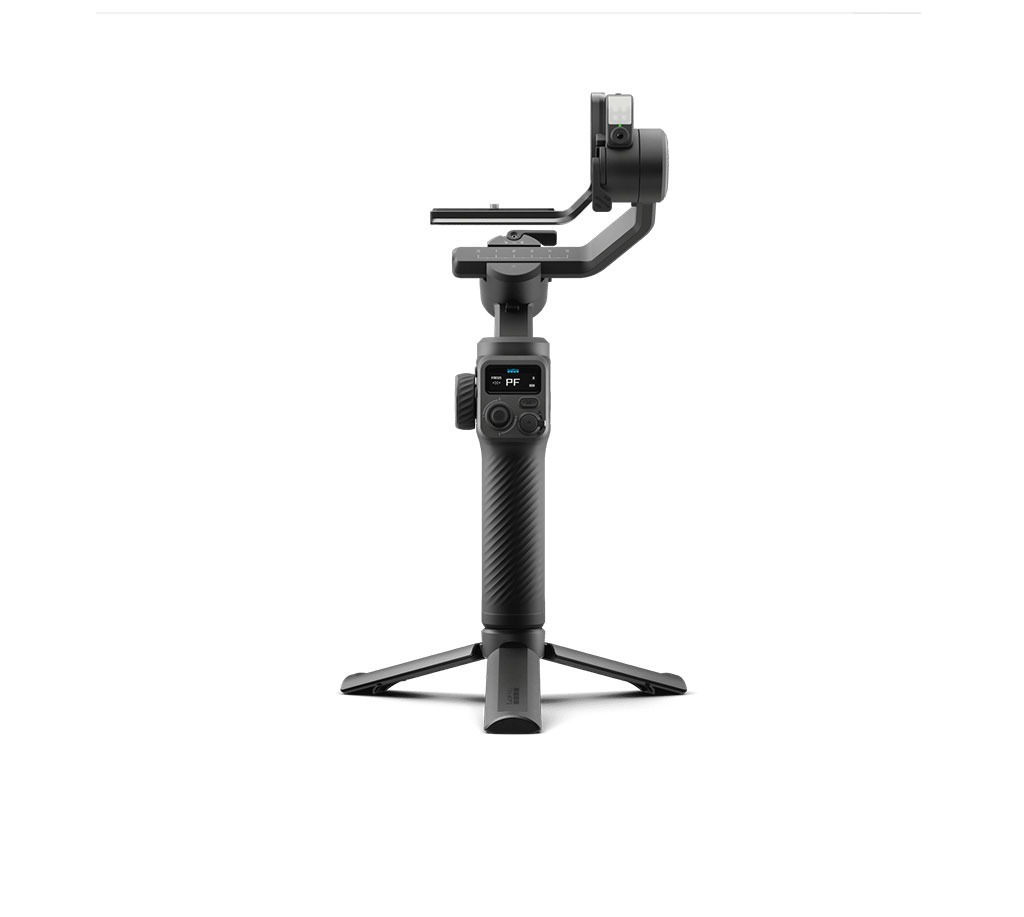
GoPro finally read the room and launched the Fluid Pro AI Multi-Device Gimbal Stabilizer. It is a GoPro accessory. Actually, wait, no, that is completely wrong. It is a universal creator tool that just happens to have a GoPro logo stamped on the side. Confused? I will explain…
The Brawn: Balancing the Big Boys
Here is the thing about modern gimbals. DJI and Insta360 make incredibly slick, pocketable devices. They are great for casual users. But those tiny motors start screaming and vibrating the second you mount anything heavier than a bare smartphone.
Smartphone makers keep packing more glass, metal, and massive sensor arrays into their flagship devices. An iPhone 17 Pro Max or a Samsung Galaxy S25 Ultra is a hefty brick of tech. Add a heavy-duty aluminum cage, a shotgun microphone, and maybe a variable ND filter to that rig, and your standard consumer gimbal will simply give up. It will overheat and collapse in defeat.
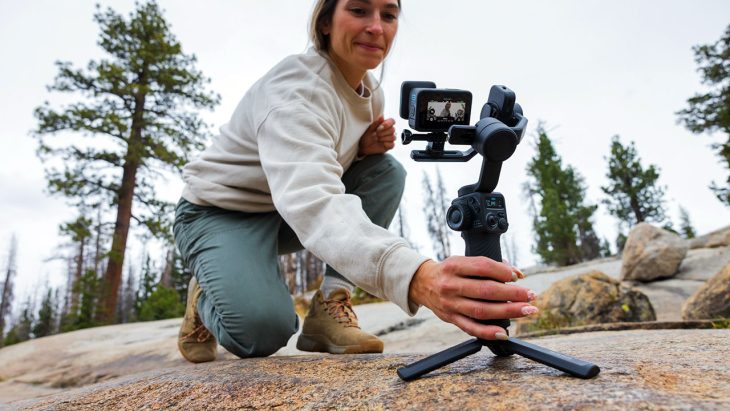
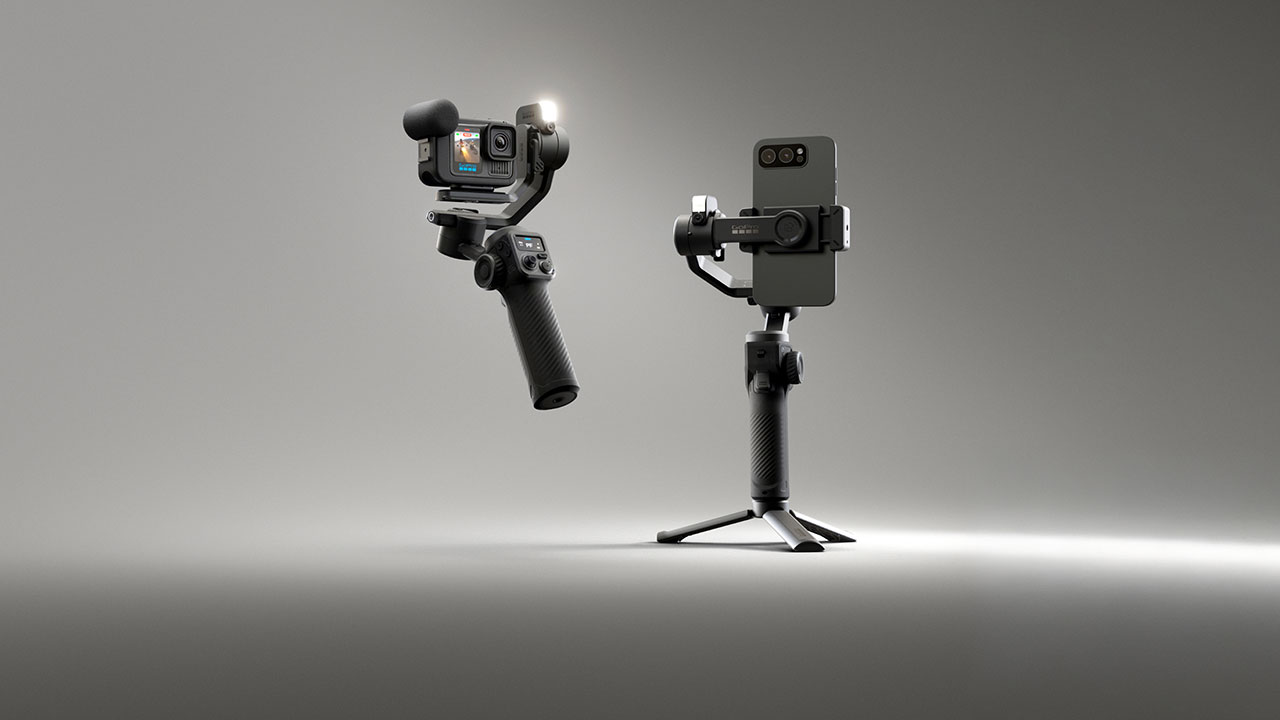
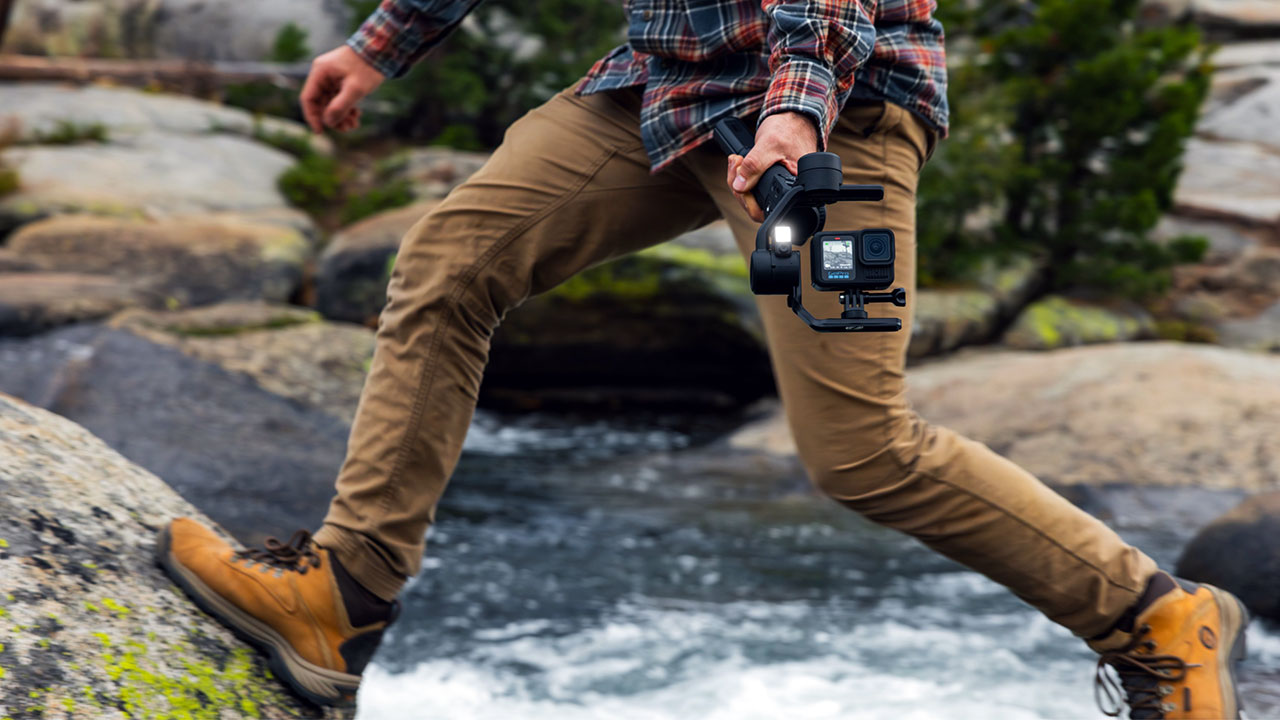
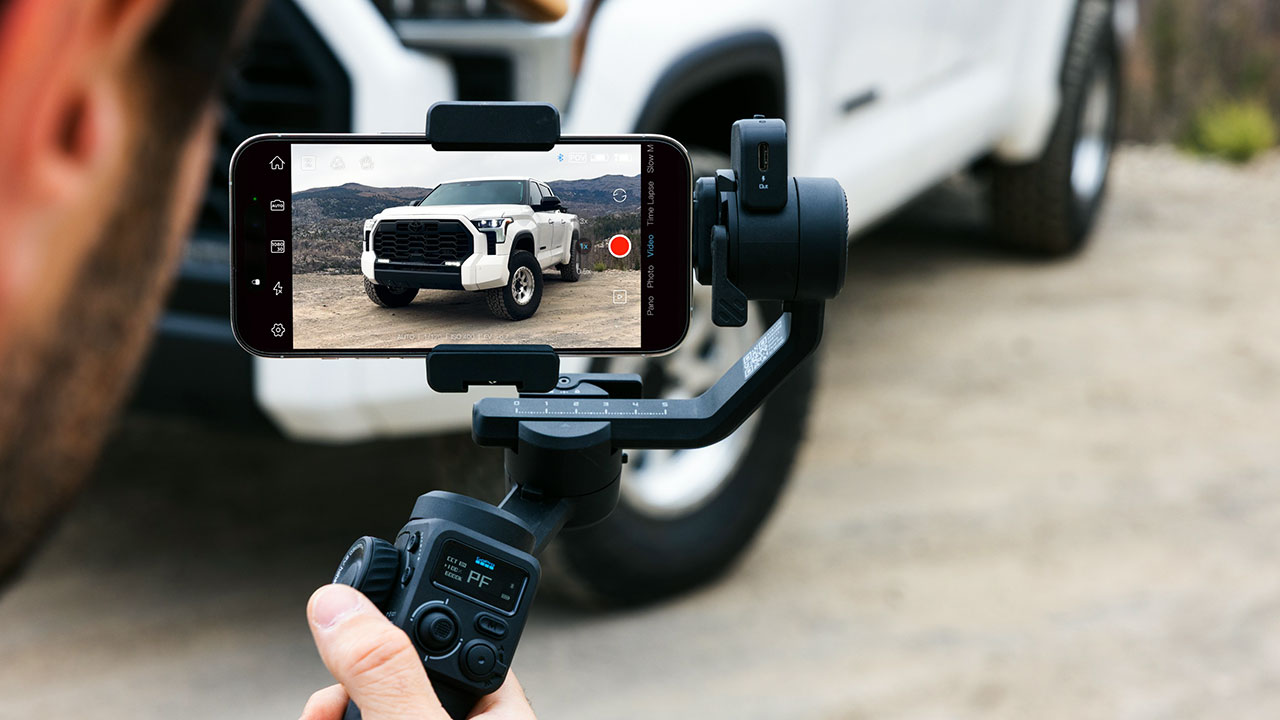
The Fluid Pro AI laughs at that heavy setup. It boasts a massive 400-gram payload capacity. That means you can securely mount your heavily rigged phone, any modern GoPro HERO camera, or even a premium compact point-and-shoot like the Sony ZV-1. Having the freedom to bounce between my HERO13 Black for high-speed action shots and my ZV-1 for crispy, shallow depth-of-field vlogs without swapping gimbals is a massive relief. The gimbal grip itself comes in at about 498 grams, so it feels incredibly solid in the hand without being a burden in your travel bag.
The physical build relies on an ultra-stable orthogonal motor design. It tilts and rolls up to 335 degrees, but the real kicker is the unlimited 360-degree pan. You can spin this thing horizontally forever. If you are filming a subject walking continuous circles around you, the gimbal never has to hit a physical hard stop and awkwardly rewind. It just keeps flowing smoothly.
The Brains: A Decoupled Robot Videographer
Let’s talk about the AI. “AI” is the tech buzzword of the decade, but GoPro actually implemented it in a way that solves a massive real-world headache.
Most gimbals force your smartphone’s processor to handle all the subject tracking. Your phone runs the companion app, processes the visual feed, calculates the spatial tracking math, and records high-bitrate video all at the exact same time. Doing that on a warm day means your phone will probably overheat, drop frames, and crash right in the middle of a perfect take.
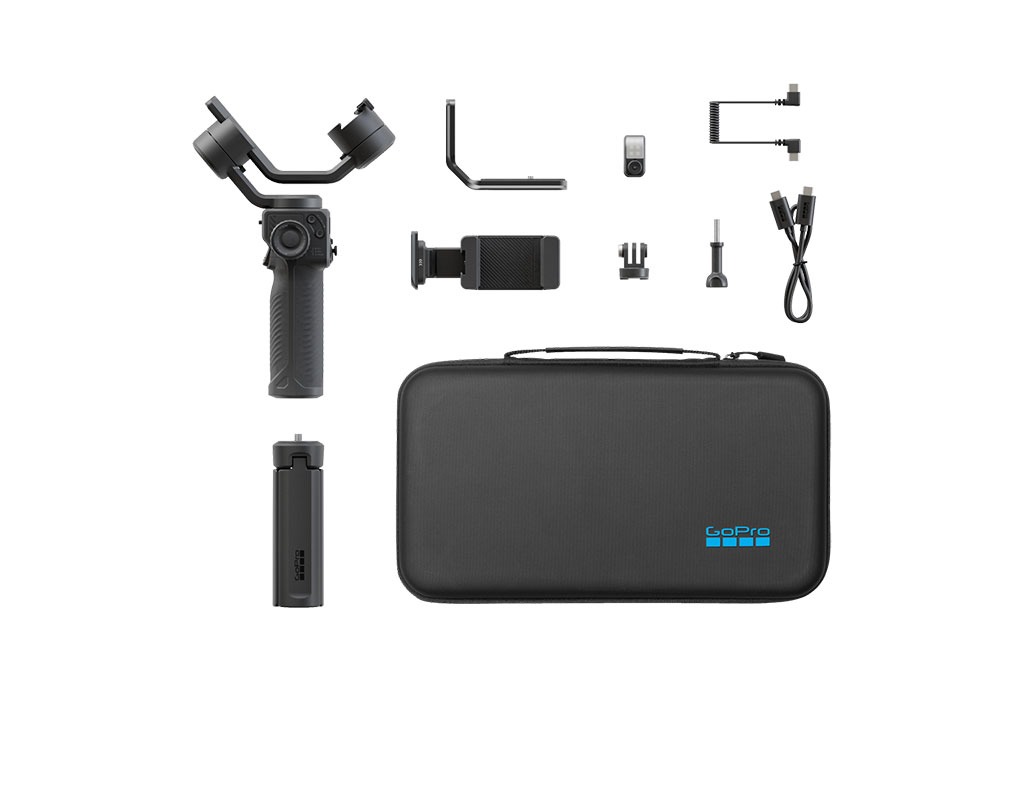
GoPro fixed this thermal nightmare by putting the brain on the outside. The Fluid Pro AI features a dedicated, magnetic AI Tracking Module that snaps right onto the gimbal mount. The module handles all the visual machine learning completely independent of your camera. You can literally track yourself while filming on a totally “dumb” point-and-shoot camera or an older legacy GoPro.
You control this little robotic camera operator using simple hand gestures. Flashing an “OK” sign at the sensor turns the tracking on, and holding up a flat “Palm” stops it. You can also do a “Customized Composition” gesture to frame yourself exactly where you want in the shot, and the motors will lock that angle in. A tiny green light blinks rapidly to tell you the gimbal understood the assignment. It feels a bit like using the Force to control your camera.
Lighting Up The Dark
Content creation rarely happens in perfect studio lighting. Sometimes you are trying to vlog your dinner in a dimly lit ramen shop or film a spooky segment in a shadowy forest.
That same magnetic AI module also packs a surprisingly punchy CCT LED fill light. You can tweak the overall brightness and dial the color temperature anywhere from a warm 2700K to a clinical 6500K using the physical control wheel on the handle. It puts a nice little catchlight in your eyes and smooths out harsh facial shadows instantly.
Just a quick warning, though. Physics always wins. Packing high-intensity LEDs and an edge-computing processor into a tiny, uncooled magnetic block generates some serious heat. The manual specifically warns you to let the module cool down before grabbing it after running the light at full blast. I touched it once right after a long 20-minute take, and it was certainly toasty. You definitely want to give it a minute to breathe.
Endurance and the Hohem Connection
Battery anxiety is the absolute worst part of field production. The Fluid Pro AI tackles this with a massive 2600mAh internal battery that promises up to 18 hours of baseline runtime. That completely destroys the 10-hour lifespan of the DJI Osmo Mobile 7P.
Of course, that 18-hour number is under perfect conditions when you are just passively balancing a phone. If you are aggressively using the AI tracker and running the fill light at maximum brightness, that number drops to about six to eight hours.
Still, six hours of heavy lifting is phenomenal. Plus, the gimbal has a reverse charging port. You can plug the included USB-C cable from the gimbal directly into your camera or phone. If you have ever had a GoPro battery die randomly while filming in the freezing snow, you know exactly how crucial a constant trickle charge can be.
Speaking of the hardware, I need to go on a quick tangent. There is a very persistent rumor in the tech community right now. Many geeks suspect this gimbal is heavily based on the Hohem iSteady V3 Ultra. The magnetic AI tracker, the physical button layout, and the motor design look suspiciously identical. It seems like GoPro took a fantastic existing platform, injected their proprietary Bluetooth protocols, and slapped a premium price tag on it. Frankly, I don’t care if it is a white-label partnership. It works flawlessly.
Tactile Controls and Software Magic
The handle is covered in buttons that actually make logical sense. You have a multi-axis joystick for smooth manual panning, a mode selection button, and that handy control wheel.
The real mechanical magic is the trigger on the front of the grip. It acts as a rapid command shortcut. Pull it three times, and the gimbal whips around 180 degrees for an instant selfie vlog transition. Pull it four times, and it enters Ultra-Wide Mode. This mechanically moves the roll motor entirely out of the way so it doesn’t accidentally ruin the edge of your ultra-wide action camera shots.
GoPro also nailed the wireless connectivity, but with a slight catch. The gimbal can pair to both your smartphone and your GoPro at the exact same time via Bluetooth. You can use your crisp phone screen to change exposure settings in the Quik app, and then hit the physical shutter button on the gimbal handle to start recording. It is an incredibly fluid ecosystem.
The catch? That seamless wireless shutter magic only works for GoPro HERO9 and newer. If you shoot on a rival DJI or Insta360 action camera, the gimbal firmware actively rejects you. You still get the incredible stabilization and autonomous AI tracking, but you have to hit record manually on the camera body itself. It is a slightly annoying corporate software lockout, but certainly not a dealbreaker.
You also get the GoPro Fluid app for your phone. It handles essential firmware updates and offers some really cool computational features called “Moment Templates”. You can execute automated dolly zooms, dynamic motion time-lapses, and perfect panoramic photos without needing to be a Hollywood cinematography expert.
The Final Verdict
At $229.99, the GoPro Fluid Pro AI is significantly more expensive than the plastic smartphone gimbals currently crowding the market. You are undeniably paying a hefty premium.
Is it worth the extra cash? Honestly, yes. If you only shoot quick, casual social media clips on an old, lightweight phone, save your money and grab a cheaper entry-level stabilizer. But if you are a gear geek, a gamer documenting conventions, or a serious creator juggling heavy flagship phones, GoPros, and premium point-and-shoot cameras, this is the exact tool you need. The massive payload capacity, the independent robotic AI tracking module, and the life-saving power bank feature make it a complete production powerhouse. GoPro finally built a piece of hardware that plays nicely with others, and the creative results are pretty spectacular.
Overall Rating 4 out of 5
Pros:
- Supports heavy rigs and cameras up to 400 grams.
- Includes interchangeable mounts for smartphones, GoPros, and compact point-and-shoot cameras.
- The magnetic tracking module works autonomously without relying on a smartphone processor.
- Offers up to 18 hours of baseline runtime.
- Features a reverse charging port to keep your camera or phone powered while shooting.
- The orthogonal motor design allows for unlimited 360-degree horizontal rotation.
- Features an integrated, adjustable CCT LED fill light for shooting in dark environments.
Cons:
- At $229.99, it is significantly more expensive than standard entry-level smartphone gimbals.
- Bluetooth camera control only works with smartphones and GoPro HERO9 or newer models.
- The wireless telemetry explicitly rejects connections with competitor action cameras from brands like DJI or Insta360.
- Heavy use of the AI tracker and fill light drops the battery life down to 6 to 8 hours.
- The AI/Lighting module can become hot to the touch during extended, continuous use.
- It does not support GoPro’s native one-button QuikCapture recording feature.