
We have all been there. You drop into a competitive lobby, call out an enemy flank, and your teammate asks if you are playing from inside a running washing machine. Headset microphones have come a long way over the years, but let us be honest, most of them still make you sound like you are ordering lunch at a drive-thru window.
If you want to sound clear on stream or in Discord, a standalone USB microphone is the easiest fix. The trouble is that good audio gear can get expensive fast. Once you start looking at XLR setups, audio interfaces, and heavy studio arms, your budget can vanish before you even hit the “Go Live” button.
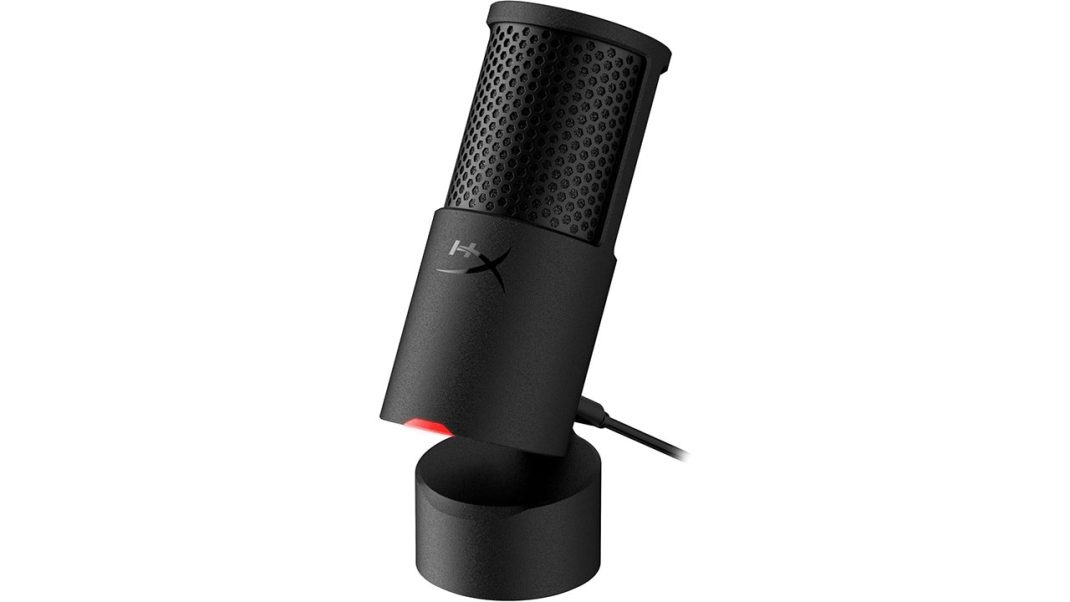
That is where the HyperX SoloCast 2 USB Microphone comes into play. Retailing at an easy-to-swallow $59.99 (and often floating closer to $45 or $50 on sale), this little black cylinder promises clean, broadcast-ready sound without needing a recording studio degree.
I plugged it into my rig to see if it delivers the goods or cuts too many corners.
Goodbye Creaky Plastic
If you used the original SoloCast, you might remember its flimsy plastic stand cradle. It worked, sure, but taking the mic in and out could eventually crack the ring.
HyperX threw that entire design in the bin for the SoloCast 2, and thank goodness they did.
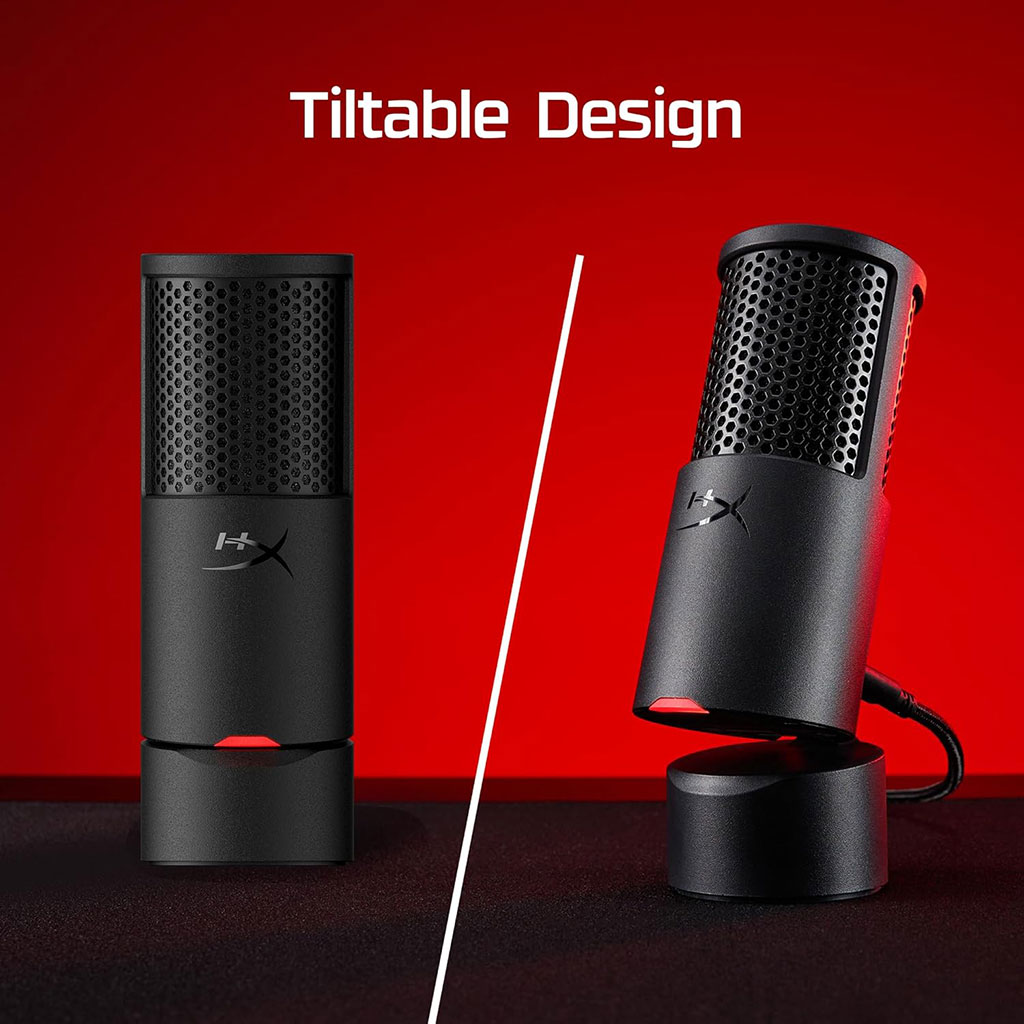
The SoloCast 2 is built as a single, solid cylinder with a matte-black finish. It weighs about 12.9 ounces (roughly 365 grams), so it has enough heft to sit firmly on your desk without wobbling around whenever you bump your mouse pad.
The coolest touch is the built-in stand mechanism. Instead of clipping into a separate plastic base, the back of the microphone has a sturdy metal friction hinge. You can tilt it back between 40 and 45 degrees to point the capsule straight at your mouth.
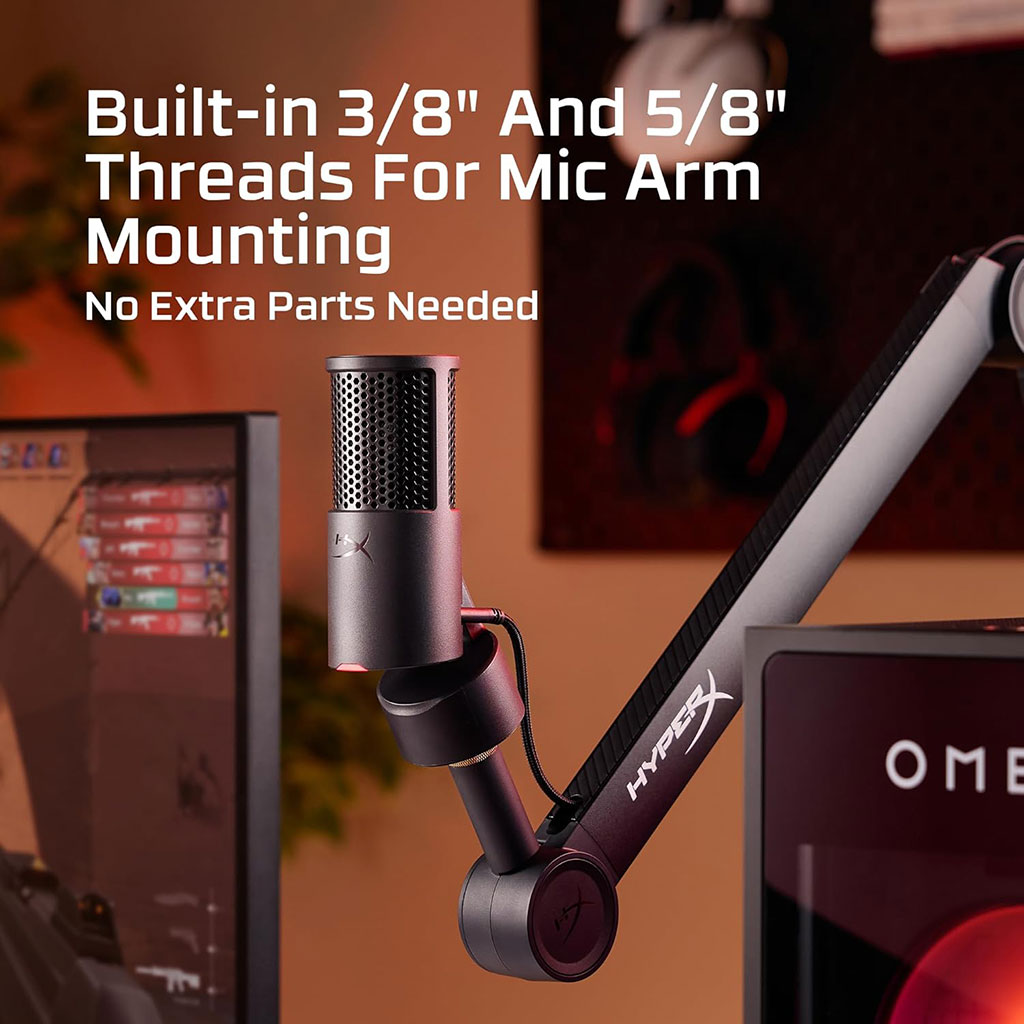
Flip it upside down, and you will find integrated 3/8-inch and 5/8-inch screw threads built right into the base. That means you can pull it out of the box, screw it directly onto standard boom arms, and skip hunting for those annoying little brass adapters that always seem to get lost in a drawer.
How Does It Sound?
Let us get straight to the point: audio quality is where this little mic punches well above its weight class.
Inside that compact body sits a single 14mm electret condenser capsule recording at up to 24-bit depth and a 96kHz sample rate. It uses a cardioid pickup pattern, meaning it listens closely to what is right in front of it while ignoring much of what happens behind it.
When you speak directly into it from about four to eight inches away, your voice sounds crisp, full, and surprisingly natural. The capsule has a subtle boost in the upper-mid frequencies, which helps your speech cut through loud game audio without sounding shrill.
Is it going to replace a $400 Shure SM7B hooked up to a preamp? No, of course not. But for your viewers on Twitch, your teammates in Valorant, or your boss on a Monday morning Zoom call, the raw clarity is night and day compared to any built-in laptop or headset mic.
There is a minor catch, though. Because it is a sensitive condenser microphone, it will pick up background noise if you crank up the gain. If you have a loud mechanical keyboard with clicky blue switches or a box fan roaring two feet away, that sound can creep into your raw audio feed.
Tap-to-Mute
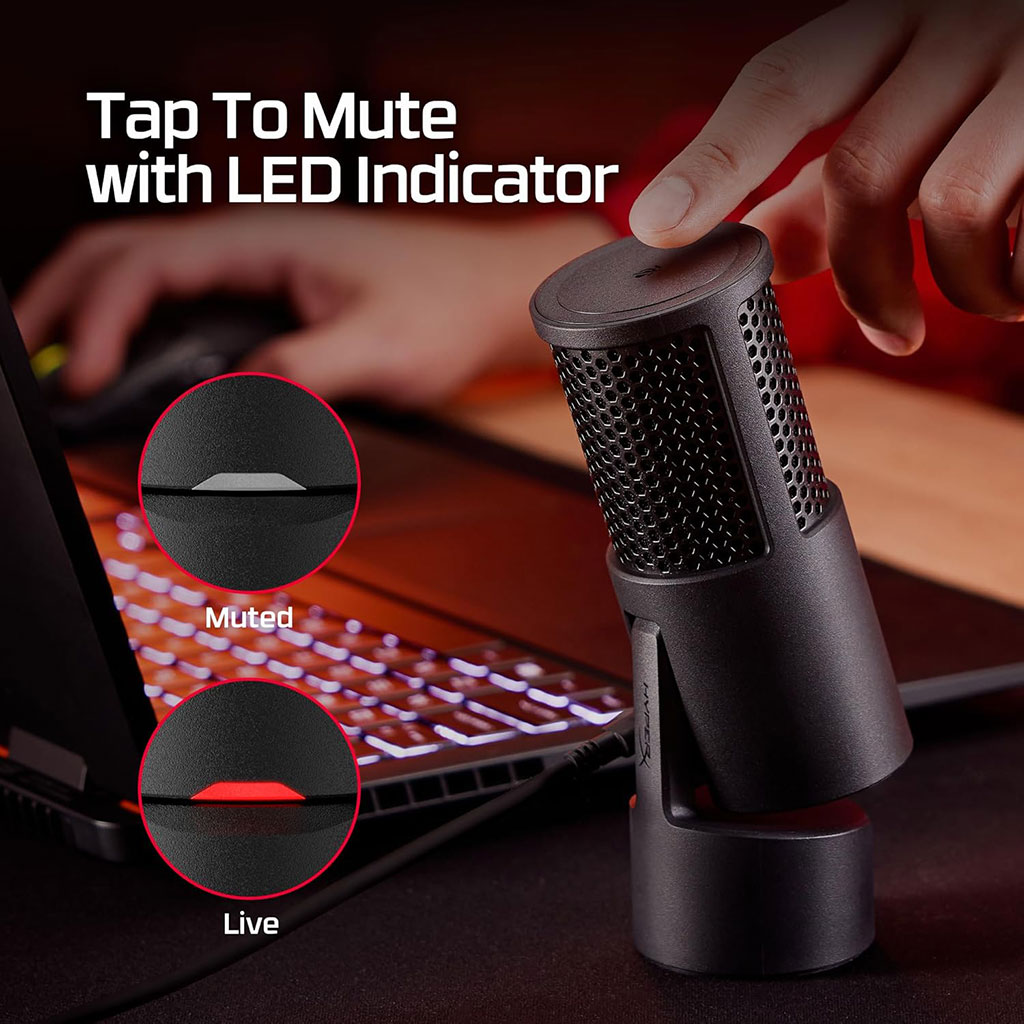
One of my absolute favorite features on HyperX microphones is the capacitive tap-to-mute sensor on top, and it makes a welcome return here.
There is no clunky mechanical button to press. You just lightly tap the flat top surface, and your feed cuts out instantly. Because it is touch-sensitive, you never get that loud, deafening thump that physical buttons send straight to your friends’ eardrums.
Just be mindful when moving your hands around your desk; the sensor is wide, so reaching for a soda can behind the mic might accidentally mute you mid-sentence.
Then there is the status light.
Near the lower front of the capsule, a small red LED turns on when the microphone is live and listening. When you tap to mute, the light turns off completely.
This matches traditional broadcast studio setups, red means on air, but it can throw gamers for a loop at first. Many gaming headsets use a red light to show that you are muted, so you might need a day or two to reprogram your brain.
HyperX NGENUITY
You do not need to install any software to start using the SoloCast 2. You just plug the included USB-C to USB-A cable into your PC, Mac, or PlayStation console, and it works immediately.
If you do want to shape your voice, you can open the HyperX NGENUITY software on Windows. Inside, you will find some handy digital audio tools:
- High-Pass & Low-Pass Filters: Great for cutting low rumble or high electronic hiss.
- Equalizer: Lets you warm up your tone or add crispness to speech.
- Compressor & Limiter: Keeps your volume steady so you do not blow out anyone’s speakers when you shout after a clutch win.
- AI Noise Reduction: Digitally scrubs away keyboard clicks and background hums.
The software audio tools work well, but keep two things in mind.
First, running your audio through NGENUITY’s digital processing caps your output format at 24-bit/48kHz. That is still the standard format for gaming, streaming, and video calls, so you will not notice any practical loss.
Second, the NGENUITY app has a frustrating quirk where custom settings might not save directly to the microphone’s hardware memory. If you shut down the app completely, your custom EQ curves might reset, meaning you will want to keep the software running in the background to preserve your tweaks.
Desk Stand vs. Boom Arm
HyperX added both an internal rubber suspension system and a built-in foam pop filter inside the metal mesh of the SoloCast 2.
The pop filter does a respectable job softening sharp “P” and “B” plosives if you speak at a sensible angle. The internal shock mount also helps deaden minor vibrations.
However, physics are still physics. Because the built-in desktop stand sits quite low on your desk, hard keyboard clatter and direct fist thumps will still travel up through your tabletop and into the recording.
If you want the best possible audio, grab an inexpensive boom arm. Floating the mic closer to your mouth allows you to lower the software gain, which cuts out room noise and gives your voice that rich, warm radio tone.
The Final Verdict
The HyperX SoloCast 2 USB Microphone makes smart trade-offs. You do not get a physical analog gain knob, and there is no 3.5mm headphone jack for direct zero-latency monitoring. If those are deal-breakers, you might want to look higher up the product ladder.
For $60, this microphone hits the sweet spot. It looks clean, feels durable, mutes silently with a tap, and captures crisp, rich vocal audio straight out of the box.
If you want to ditch your crackly headset mic and level up your stream or Discord presence without emptying your wallet, the SoloCast 2 is easily one of the best budget picks you can buy right now.