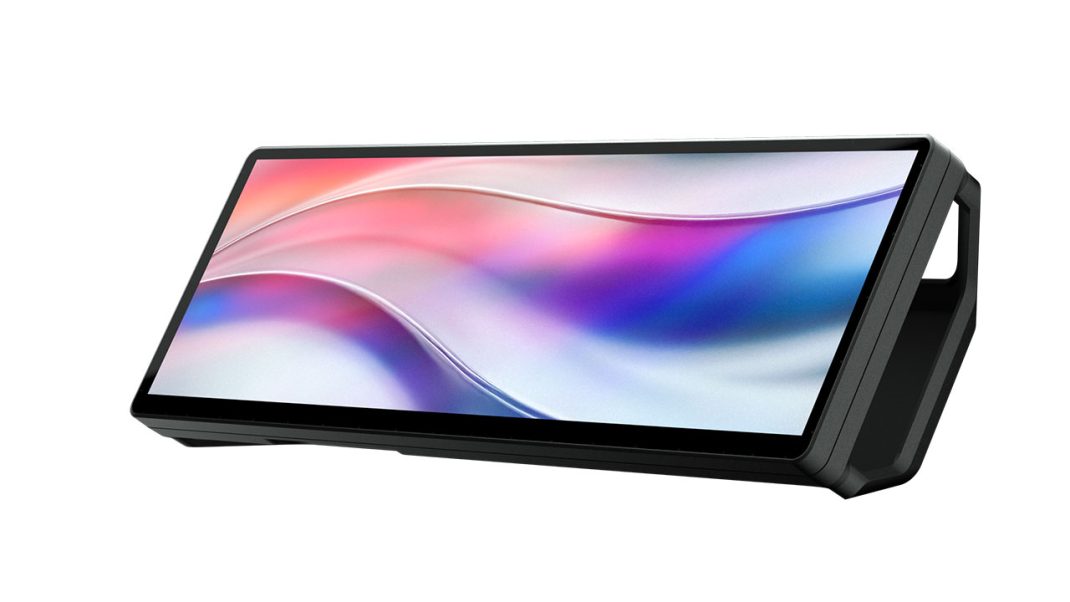
CORSAIR® (Nasdaq: CRSR) is excited to announce widgets for the XENEON EDGE 14.5″ LCD Touchscreen are now on the Elgato Marketplace. This gives XENEON EDGE owners a new and growing platform to browse, download, and install software for their device for expanded customization. Additionally, independent developers and makers can create widgets for the XENEON EDGE, even with no coding experience. Custom-made widgets can be for personal use, and will be able to be submitted to the Elgato Marketplace for the community to purchase or download in the future.
Integration with the Elgato Marketplace will significantly expand both the number and variety of widgets available for XENEON EDGE, adding even more functionality and value to what is already an incredibly flexible and customizable device. As a bonus, the rollout includes over 20 first-party widgets that are free to download and are available immediately.
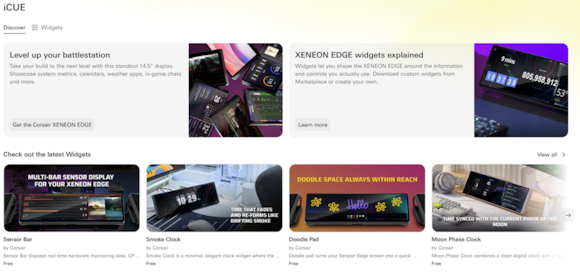
https://marketplace.elgato.com/icue
Elgato Marketplace Integration
Marketplace hosts thousands of digital assets for the CORSAIR and Elgato ecosystem, from Stream Deck plugins and voice effects to OBS scene collections. It brings the best of the community into one place, so there’s no need to search the web for compatible tools. “Stream Deck became a platform because the community and Makers built experiences on it that took it further than we ever could have on our own,” said Taylor Ward, Director of Ecosystem for Elgato. “XENEON EDGE has that same opportunity, and a touchscreen gives the community a completely different canvas to work with. What they decide to build always surprises us, and we can’t wait to see it.”
A dedicated section on Marketplace now brings touchscreen widgets to the storefront. Users can browse, download, and install directly to iCUE in a few clicks. To celebrate the launch, CORSAIR has released a collection of free widgets available today. Options range from countdown timers and live sports scores to monitoring system stats and network ping as well as a doodle pad for sketching ideas on your XENEON EDGE. This collection of new widgets just scratches the surface of what will be possible with community-made iCUE Widgets .
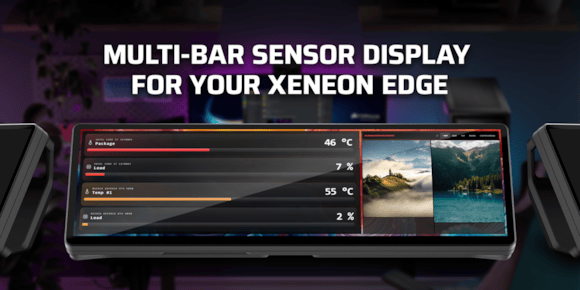
Monitor system vitals with the Sensor Bar widget
Create Your Own XENEON EDGE Widgets
Getting started is easier than you’d expect. Documentation for building XENEON EDGE widgets is available at docs.elgato.com, and AI coding tools mean you can describe what you want to build in plain language and get working code back in return. Whether you’re an experienced developer or just starting out, the tools are there to take an idea from concept to a finished, running widget in a matter of hours.
It could take just a few hours to build a simple widget, and more complex widgets could take a day or two to become ready for distribution, so the whole process is very quick in software development terms. Once a widget is finished, it can be imported into a user’s iCUE software for immediate use.
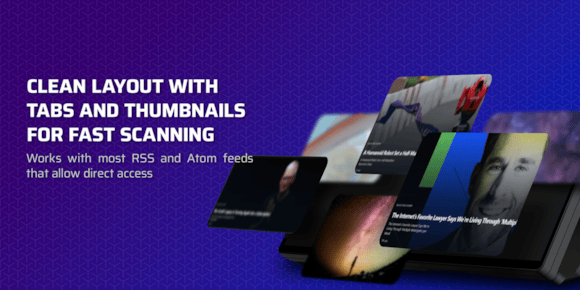
Get breaking news with the RSS Feed Reader widget
Easily Add New Widgets to iCUE Software
With the release of iCUE software version 5.44 and the addition of widgets to the Elgato Marketplace, it is now possible to download widgets and easily add them to iCUE software. Prior to this announcement, widgets were baked into the software, and were only added internally when the software was updated. The process is similar to adding an RGB profile to a CORSAIR keyboard, and newly-added widgets appear in iCUE for easy customization on the XENEON EDGE.

Add custom-made widgets to XENEON EDGE for tracking sports, measuring air quality, checking commute times, and anything else you can create
Availability
New widgets for the CORSAIR XENEON EDGE 14.5″ LCD Touchscreen are available to download from the Elgato Marketplace: https://marketplace.elgato.com/icue
The CORSAIR XENEON EDGE 14.5″ LCD Touchscreen is available immediately from the CORSAIR worldwide network of authorized retailers and distributors, and the CORSAIR webstore.
Web Pages
To learn more about the CORSAIR XENEON EDGE 14.5″ LCD Touchscreen, please visit:
To learn more about widgets for the XENEON EDGE, please visit:
https://www.corsair.com/us/en/explorer/diy-builder/accessories/xeneon-edge-widgets-explained/
To learn how to create your own widget for the XENEON EDGE, please visit: