You find yourself in a 1v3 situation in Valorant. The spike is ticking and your palms are starting to get that familiar itch. That is usually the moment where you realize your gear either feels like a natural part of your body or a clunky piece of plastic standing between you and a win. Honestly, for the last few years, the Razer Viper line has been the “safe bet” for anyone who takes their aim seriously. But with the Razer Viper V4 Pro hitting the shelves, things have changed in ways I did not expect. It is faster, lighter, and somehow louder.
Let me explain.
Prop or Peripheral?
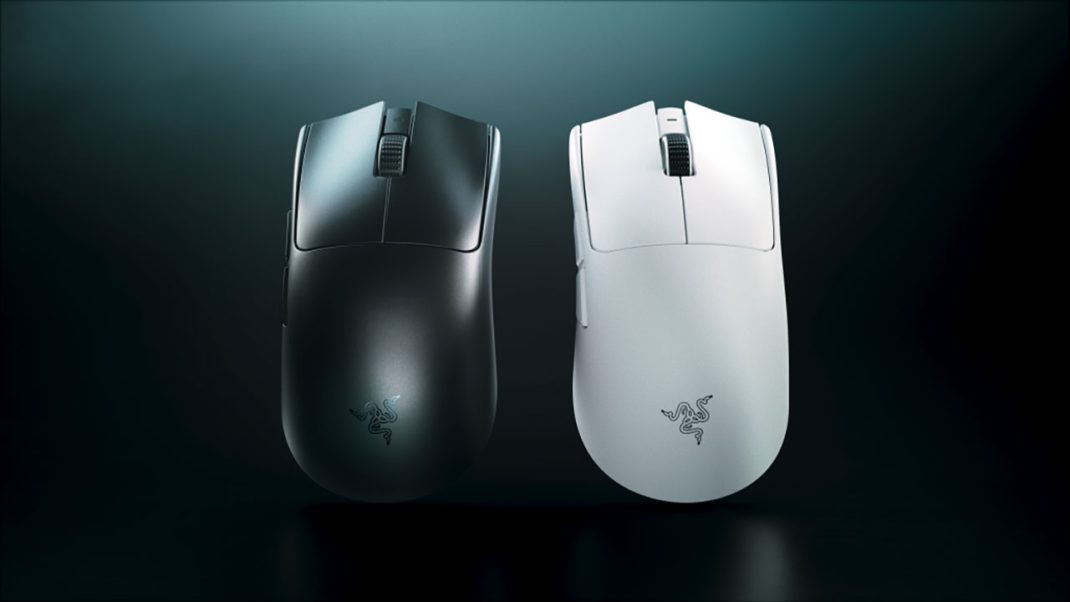
When I first pulled the black version of the Viper V4 Pro out of the box, I genuinely thought Razer had sent me a hollow shell for a store display. It weighs 49 grams. For context, that is about the same as a medium-sized egg. If you go for the white version, you are looking at 50 grams, which is still absurdly light. I have used plenty of lightweight mice, but this one feels different because it does not have those “honeycomb” holes that usually collect dust and dead skin. It is a solid shell, yet it feels like it might float away if I leave a window open.
Here is the thing about the weight, though. Razer managed to trim it down while actually making the internal structure feel tougher. There is no creaking when I squeeze it, which was a bit of a gamble on previous models. They used a 55nm process for the sensor and refined the PCB to save every milligram possible. You might wonder if a few grams really matter? Well, if you are doing 180-degree flick shots for six hours a day, your wrist will definitely tell you the answer is yes.
The Sound Effects
Now, we have to talk about the elephant in the room: the noise. These Gen-4 optical switches are loud. They have this hollow, tinny “ping” to them that sounds like a cheap plastic toy. It is a bit of a weird contrast because you are paying $160 for a premium piece of tech, and it sounds like… well, like that. However, the actual feel of the Gen-4 optical switch click is the best Razer has ever done. It is snappy, there is zero mushiness, and the response time is a ridiculous 0.2ms. It is one of those trade-offs that only a true sweat would appreciate. You get a sound that drives your roommates crazy, but you get a click that never double-clicks and fires the millisecond you think about it. Is it worth the headache? For me, yeah. The tactile feedback is just too good to pass up!
Is 50K DPI Worth It?
The marketing for this mouse highly touts the new Focus Pro 50K sensor. Let’s be real: nobody is playing at 50,000 DPI. If you even breathed on the mouse at that sensitivity, your cursor would travel to a different dimension. However, the real magic is not the peak sensitivity number; it is the overall tracking integrity.
Razer added something called “Frame Sync” which basically times the sensor’s data captures with your PC’s polling intervals. It sounds like high-level physics, but what it actually means is that the movement on your screen feels “glued” to your hand. There is no jitter, no micro-stutters, and the sensor is perfectly centered between your fingers. It sounds like a small detail, but when the sensor is shifted too far forward or back, it messes with your muscle memory. Having it right in the middle makes everything feel more intuitive.
The 8KHz Polling Debacle
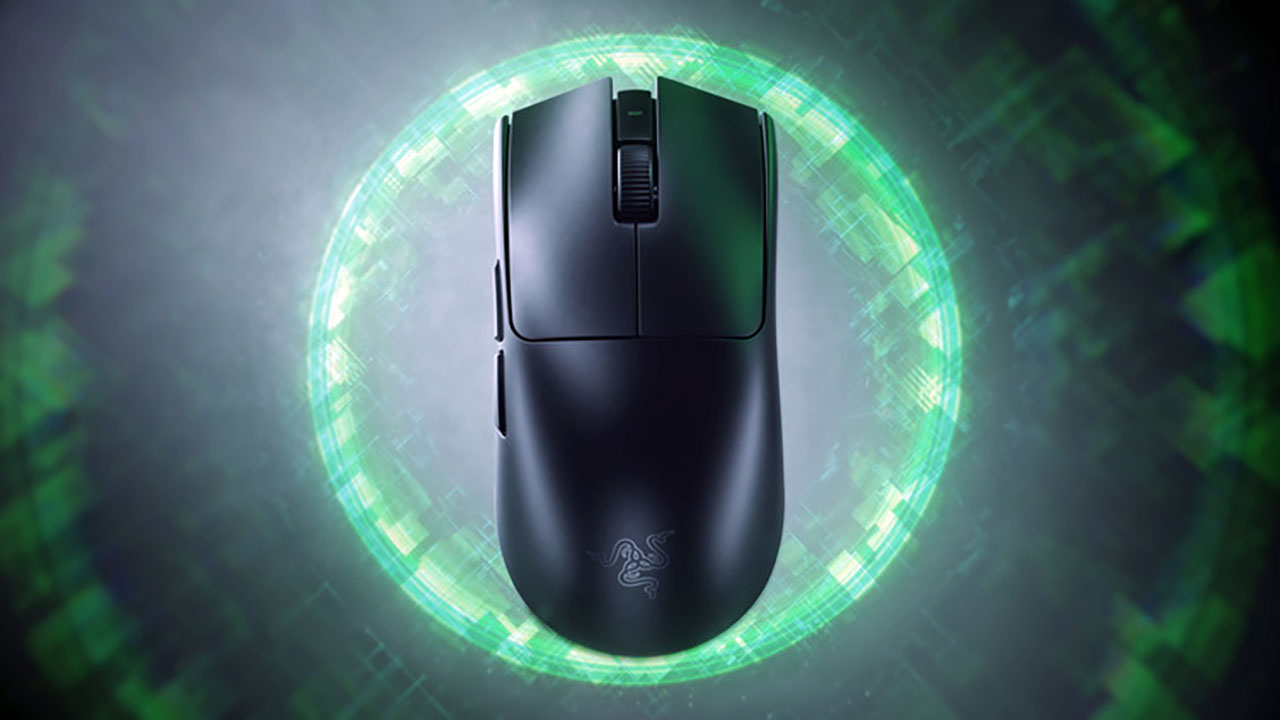
If you are a tech nerd, you probably know about the polling rate drama. The Viper V4 Pro supports true 8,000Hz wireless polling right out of the box. That is 8,000 reports per second to your computer. On a 360Hz or 540Hz monitor, you can actually feel the smoothness. It is like the difference between a 60Hz and 144Hz screen. Just keep an eye on your battery. At 1,000Hz, this thing lasts for 180 hours, which is incredible. You could go weeks without a charge. But once you crank it up to 8,000Hz? You are looking at 45 hours. You will be plugging it in every few days. Luckily, the new “hemisphere” dongle has a little LED that tells you when it is dying, so you won’t get caught off guard mid-match.
Software Updated
Razer Synapse is usually heavy, slow, and wants you to make an account just to change your DPI. But with the V4 Pro, they pushed the Synapse Web app. It is a Chromium-based tool that runs in your browser. You plug the mouse in, go to the site, change your settings, and save them to the onboard memory.
No installation. No background processes eating your RAM. No “proactive” pop-ups asking you to join a newsletter. It is a massive shift in how they handle things, and honestly, it is the best thing they have done for the user experience in a long time. It even works on Mac, which is a nice touch for the three people out there trying to play Counter-Strike 2 on a MacBook.
This is an absolute WIN.
Taking on the Superstrike
The big rival here is the Logitech G Pro X2 Superstrike. Logitech has that fancy “HITS” system with haptic clicks, but the Viper V4 Pro feels like the more complete package. The Superstrike is heavier (around 60g) and still uses a mechanical scroll wheel that a lot of people have issues with over time.
The Viper V4 Pro uses an optical scroll wheel encoder. Razer claims it is over three times more reliable. In my testing, the steps are very defined. You aren’t going to accidentally swap to your knife when you meant to pull out a flashbang. It feels deliberate. The Superstrike might have “faster” clicks in some very specific tactical scenarios, but the Viper V4 Pro feels better to use across every genre.
Is It Your New Mouse?
At the end of the day, the Razer Viper V4 Pro is a tool for people who care about the margins. It is expensive, the clicks sound like the percussion section in a band, and the coating is a bit smoother (and slipperier) than the V3 Pro. If you have super dry hands, you might find yourself reaching for the included grip tape pretty quickly (btw, more gaming mouse makers need to include grip tape).
But if you want the absolute ceiling of what a gaming mouse can do right now, this is it. It is the most responsive, consistent, and lightweight symmetrical mouse on the market. It is not for the casual office worker or the person who just wants a pretty RGB setup. It is for the person who wants to know that when they miss a shot, it was their fault, not the hardware’s.
So, should you buy it? If you are still rocking a 100g brick from five years ago, this will feel like alien technology. If you have a Viper V3 Pro, the upgrade is more about the battery and the sensor refinement. But for everyone else? It is a great time to be a gamer, even if your wallet (and your ears) might disagree.
Overall Rating 5 out of 5
Pros
- Extremely lightweight.
- Native 8,000 Hz wireless polling.
- 50,000 DPI optical sensor.
- Up to 180 hours of battery.
- Reliable optical scroll wheel.
Cons
- Loud and hollow-sounding main clicks.
- Premium price point.
- Smooth matte coating can feel slippery for some.