
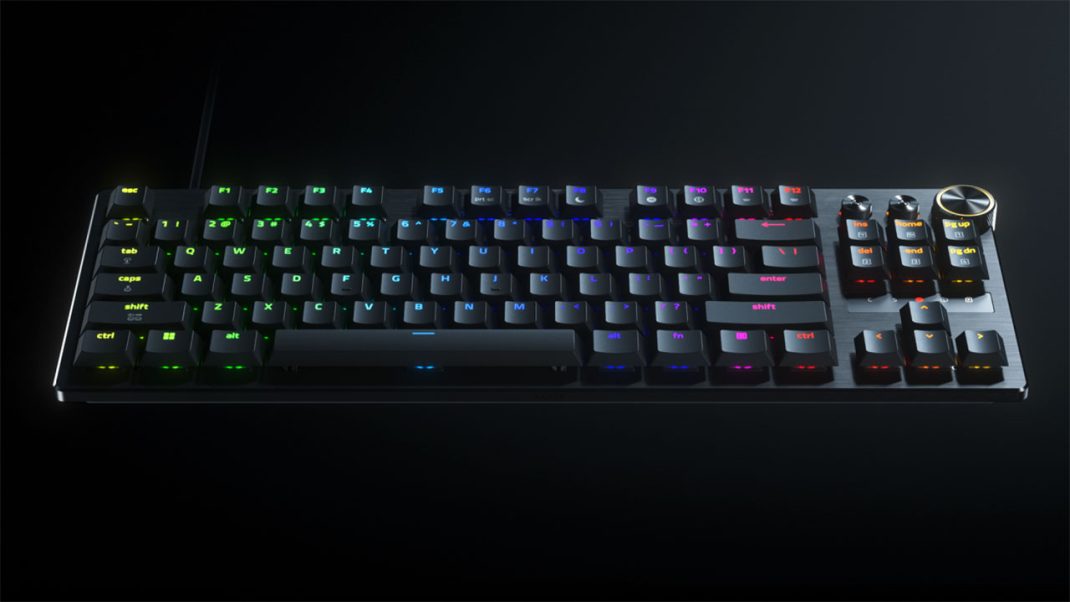
If you spend half your life gaming and the other half editing clips or typing scripts, you know the struggle. Traditional esports boards are absolute bricks. They sit high off the desk, demand a chunky wrist rest, and force your hands into an aggressive arch that gets exhausting after a six-hour stream.
For years, whenever someone asked for a slim, comfortable board, the answer was always the same: “Sure, grab a low-profile board for typing, but get ready to lose your competitive edge.” Low-profile boards were wireless office cruisers or casual mechanical decks, not twitch-shooter weapons.
Razer is trying to kill that compromise with the Huntsman V3 Pro Low-Profile Tenkeyless 8KHz gaming keyboard.
Priced at a steep $229.99, this is the first low-profile slab packing true analog optical switches, 8,000 Hz polling, and adjustable actuation into a deck that stands just 19.5 mm tall. In fact, Counter-Strike pro Lotan “Spinx” Giladi from MOUZ actually won a major trophy and an MVP title using a pre-release version of this exact board.
Is it the ultimate hybrid board, or does shrinking down a flagship introduce new headaches? I put it through its paces across long gaming sessions and endless workdays to find out.
How Does It Feel on the Desk?
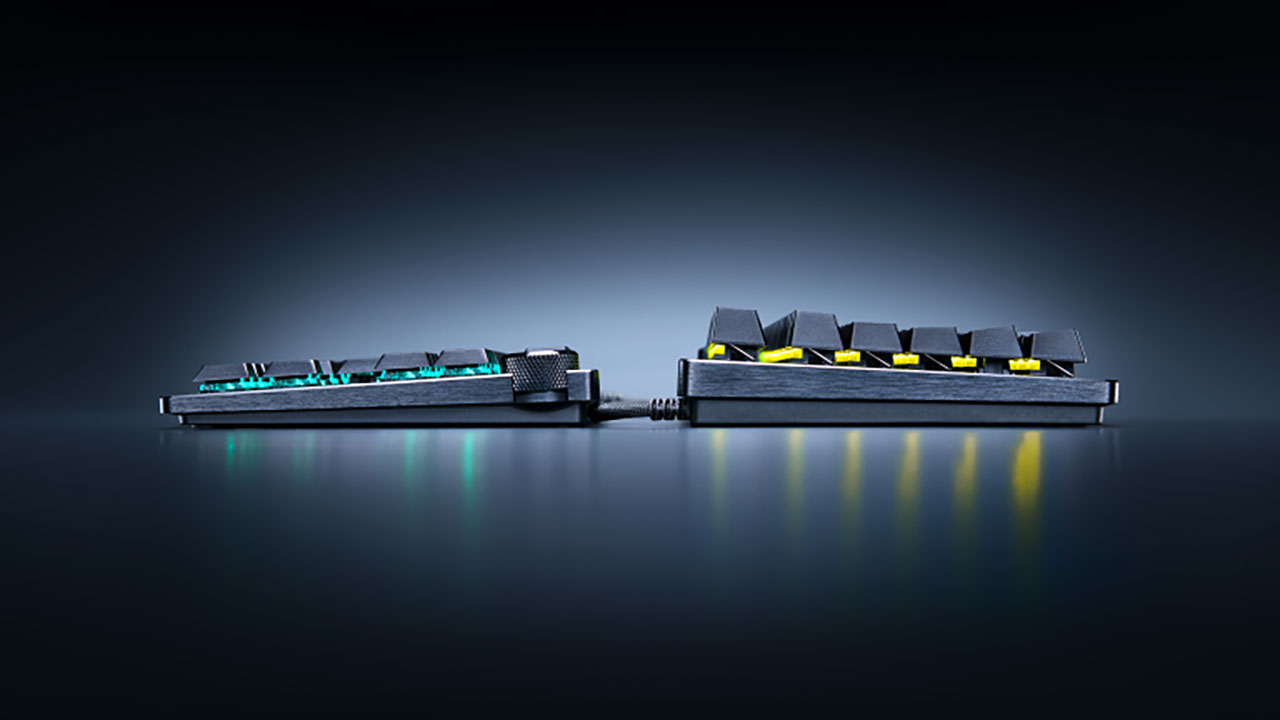
The first thing you notice when pulling this board out of the box is how flat it sits. At 19.5 mm at the front lip, it is barely taller than a nickel standing on edge.
If you switch between a sleek laptop on the go and a desktop rig at home, this shape feels immediately natural. You do not need a wrist rest at all. Your palms rest naturally on the desk mat, keeping your wrists neutral and happy during frantic aim duels.
The top plate uses 5052 brushed aluminum alloy, giving the frame plenty of rigidity. There is no deck flex when pressing hard, though the plastic bottom case keeps the overall weight quite light.
You also get a textured multi-function digital dial and a pair of control buttons in the top right corner. The dial has great tactile steps. While it defaults to volume control, you can remap it to scrub through your timeline in Premiere Pro or DaVinci Resolve. That alone makes it a fantastic tool for content creators.
Razer also outfitted the board with textured doubleshot PBT keycaps. They feel grippy, resist finger grease, and sport a subtle dish shape that cradles your fingertips.
The one catch? The switches use a custom square stem. If you have a drawer full of custom artisan keycaps or aftermarket Cherry MX sets, they will not fit here. You are locked into Razer’s stock keycaps.
Optical Beams and Zero Lag
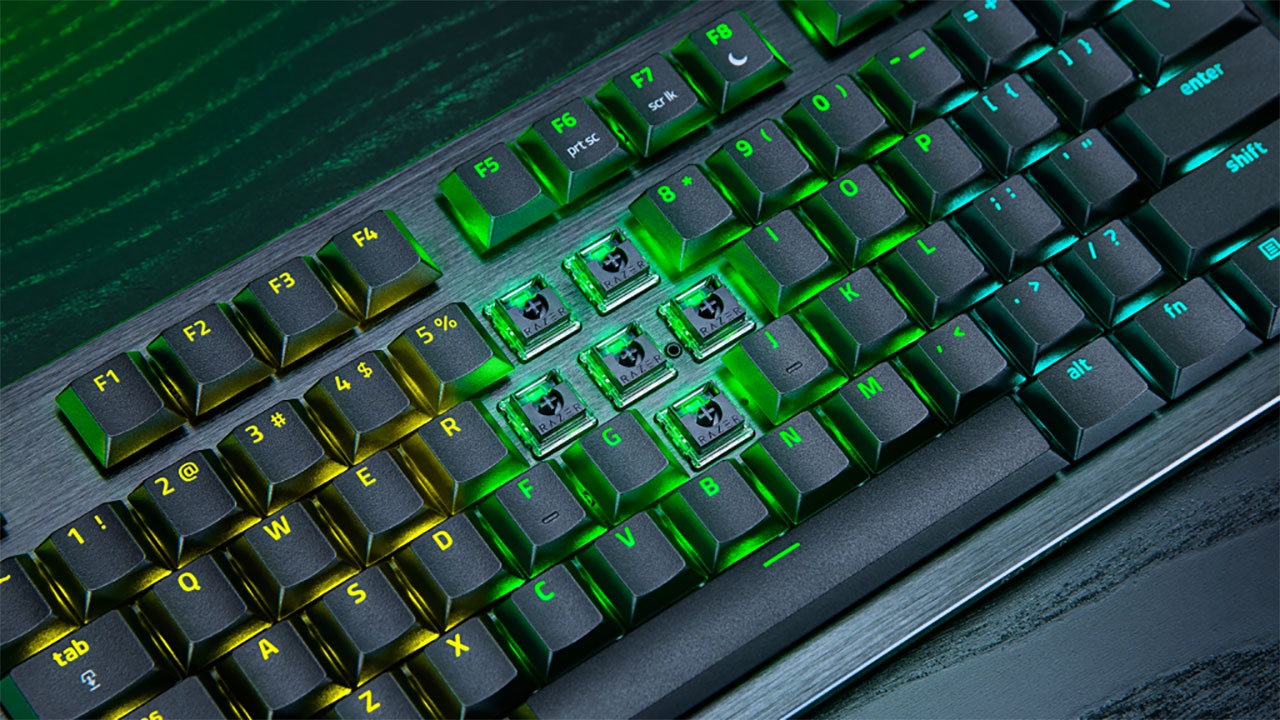
Under the keycaps sit Razer’s brand-new Low-Profile Analog Optical Switches. Instead of relying on physical metal leaves that bang together and wear out, these switches track a beam of infrared light inside the stem.
The total key travel is just 2.8 mm, down from the standard 4.0 mm on full-sized boards, with a light 40 g actuation force. Because the optical sensor measures light intensity continuously, the board knows exactly how deep you press each key from 0.1 mm all the way to 2.8 mm.
Razer pairs this optical setup with True 8,000 Hz HyperPolling. Standard gaming keyboards send reports to your PC 1,000 times a second (every 1.0 ms). An 8K board sends reports every 0.125 ms. When you dial the key sensitivity down to 0.1 mm, Razer claims an average input latency of 0.39 ms.
Can you feel 0.39 ms compared to 0.6 ms? Honestly, unless you are a tier-one pro with superhuman reflexes, probably not. What you can feel is how snappy the short physical travel feels under your fingers. Stopping your strafe or throwing a flashbang happens with minimal effort.
To maintain this speed without packet loss, the board is strictly wired via a detachable braided USB-C cable. There is no Bluetooth or 2.4 GHz wireless here. If you want a totally cord-free desk, this might sting, but for tournament reliability and pure input speed, wired is still king.
Rapid Trigger and Web Tuning
Where the Huntsman truly justifies its price is the firmware suite.
- Rapid Trigger: Standard switches must reset past a fixed physical point before you can tap them again. Rapid Trigger resets the key the millisecond your finger moves upward by as little as 0.1 mm. Counter-strafing in games like Valorant or Apex Legends feels instant.
- Snap Tap (SOCD): This prioritizes your newest directional key without needing to release the first one. While Valve has cracked down on automated SOCD features in Counter-Strike 2, you can toggle Snap Tap off via a simple hotkey to stay tournament-legal.
- Snap Flex & Dynamic Keystroke: Snap Flex lets you trigger one command when pressing a key and a second command when letting go. Dynamic Keystrokes allow up to four actions across different press depths, letting you walk on a soft press and sprint on a full bottom-out.
Best of all, you do not need to install heavy desktop software to manage these settings. Razer launched Synapse Web, a browser-based tool that runs directly inside Chrome or Edge. You can plug the board into a tournament PC, open a browser tab, tune your actuation points, save them to the six onboard profiles, and close the browser. It is clean, fast, and bloatware-free. I am so excited to see where Razer takes their Synapse Web client.
Daily Typing and Sound
Here is the thing: a pure gaming setup does not always make for a great typing experience.
If you leave the entire keyboard set to an ultra-sensitive 0.3 mm actuation and are like me, you will make typos constantly when typing documents on your PC. Just brushing against the edge of a key will send stray letters flying into your Discord chat.
Fortunately, the fix is easy:
- Set your WASD and movement keys to 0.4 mm with Rapid Trigger enabled.
- Set your alphanumeric typing keys to 1.8 mm or 2.0 mm.
- Set your Spacebar and Enter to 2.5 mm.
Once you split your layout like that, typing on the board is crisp, fast, and comfortable.
Acoustics, however, are a mixed bag. Razer put thick EVA and EPDM dampening foam inside the case, and the switches come pre-lubed from the factory. The regular letter keys produce a soft, muted clack that is completely safe for quiet office spaces or open-mic voice calls.
The spacebar is another story. On their full-height Huntsman V3 HE boards, Razer placed foam pads under the spacebar to mute the noise. They skipped those pads on this low-profile model. The result? A hollow, tinny “twang” every time you tap the spacebar that clashes with the smooth sound of the rest of the board. It is not a dealbreaker, but on a $230 keyboard, it is an annoying oversight.
The Verdict: Should You Buy It?
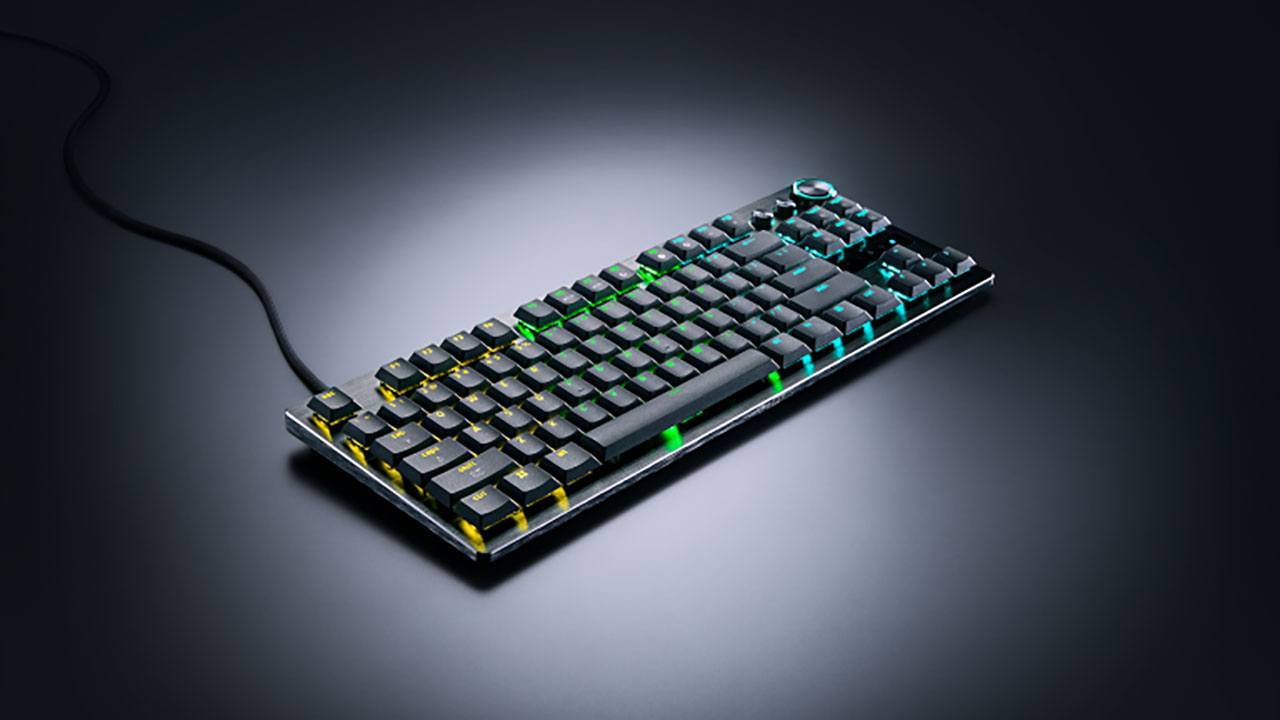
The Razer Huntsman V3 Pro Low-Profile TKL 8KHz is an impressive piece of hardware. It takes every pro-grade feature from top-tier analog boards: Rapid Trigger, 8K polling, sub-millisecond latency, and custom depth tracking, and packs them into an ultra-slim chassis that saves your wrists.
If you are a competitive gamer who loves the flat, low-travel feel of laptop keys, or a content creator who wants lightning speed without wrist fatigue, this board is one of the best on the market.
If you demand wireless freedom, love swapping custom keycaps, or want deep mechanical thuds, stick with traditional full-height boards. But for flat-out speed in a razor-thin frame? This board sets a brand-new standard.
Overall Rating 4 out of 5
PROS
* Ultra-fast response time
* Low-profile ergonomics
* Rapid Trigger & Snap Tap suite
* Driverless Synapse Web tool
* Multi-function media dial
CONS
* Steep price point
* Twangy spacebar
* Strictly wired connection
* Can require re-tuning for typing