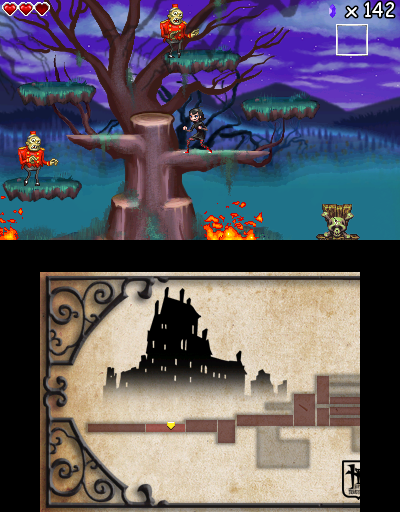
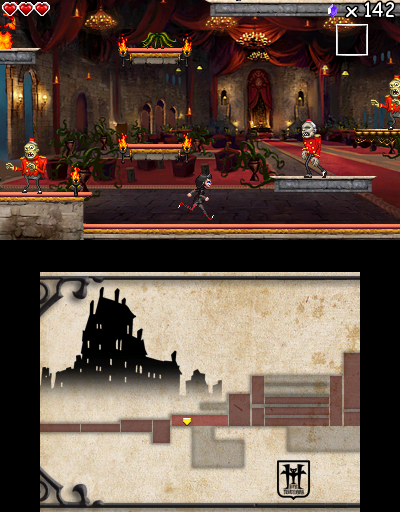
Minneapolis, MN – GameMill Entertainment, an independent publisher of entertaining mass-market video games, announced today Hotel Transylvania for the Nintendo DS and Nintendo 3DS hand-held systems launches September 18, 2012, based on Sony Pictures Animation’s upcoming animated comedy Hotel Transylvania releasing in theaters nationwide on September 28, 2012.
Welcome to Hotel Transylvania, Dracula’s lavish five-stake resort, where monsters and their families can live it up, free to be the monsters they are — without humans to bother them. On one special weekend, Dracula has invited some of his best friends — Frankenstein and his wife, the Mummy, the Invisible Man, the Werewolf family, and more — to celebrate his beloved daughter Mavis’s 118th birthday. For Drac, catering to all of these legendary monsters is no problem — but everything could change for the overprotective dad when one ordinary guy stumbles on the hotel and takes a shine to Mavis.
Featuring a wide variety of locations, puzzles, and boss battles galore, the game creates an imaginative and fun way to interact with the movie characters. Developed by Way Forward, Hotel Transylvania for Nintendo DS and Nintendo 3DS is rated “E10+” for Everyone 10 and up by the ESRB. For additional information about GameMill’s line of products, please visit: www.game-mill.com.
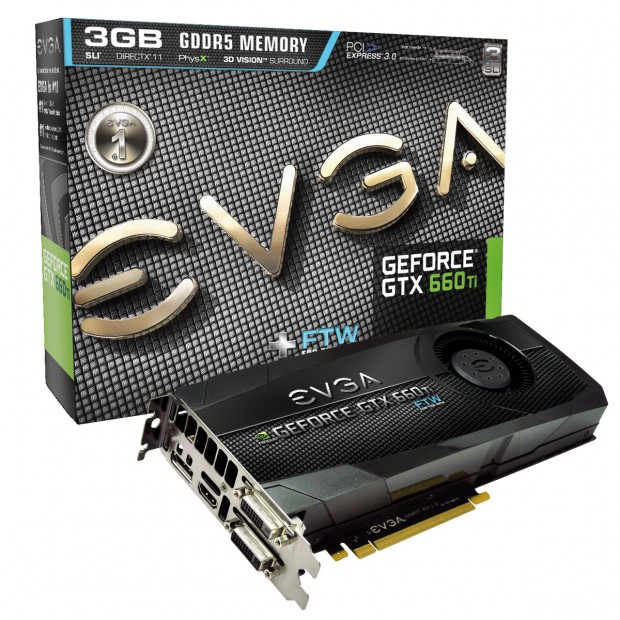
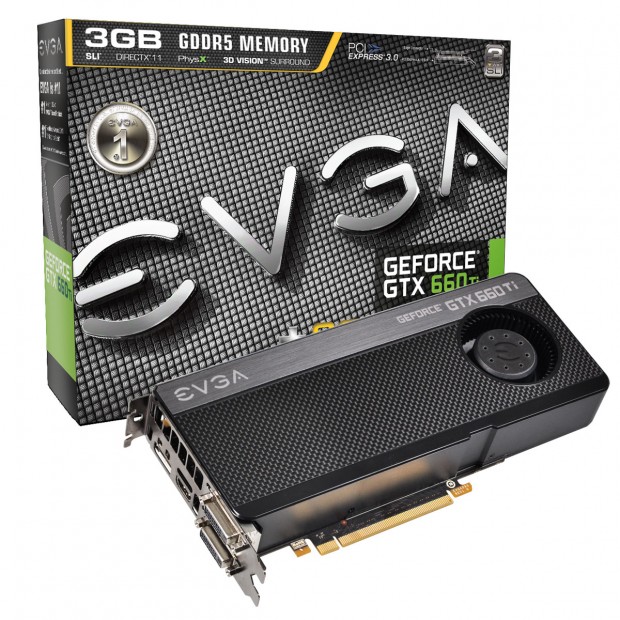
Introducing the weapon of choice for gamers – the EVGA GeForce GTX 660 Ti. It adds a new dimension to the NVIDIA Kepler-powered family of graphics cards by delivering the ideal fusion of power, performance, and affordability. Experience faster, smoother, richer gaming with innovative NVIDIA technologies like TXAA antialiasing, Adaptive Vertical Sync, and PhysX.
EVGA is offering a full lineup of GeForce GTX 660 Ti graphics cards, including Superclocked, FTW and 3GB models:
· EVGA GeForce GTX 660 Ti 2GB
· EVGA GeForce GTX 660 Ti Superclocked 2GB
· EVGA GeForce GTX 660 Ti FTW 2GB
· EVGA GeForce GTX 660 Ti+ 3GB
· EVGA GeForce GTX 660 Ti Superclocked+ 3GB
· EVGA GeForce GTX 660 Ti FTW+ 3GB
The EVGA GeForce GTX 660 Ti graphics card features many new and key features:
* NVIDIA SMX Engine – Brand new processing engine which delivers twice the performance/watt compared to previous generations.
* NVIDIA GPU Boost Technology – Dynamically maximizes clockspeeds to push performance to new levels and brings out the best in every game.
* NVIDIA FXAA – Lightning fast anti-aliasing in a huge variety of games with the simple click of a mouse.
* NVIDIA TXAA – Next generation anti-aliasing algorithm that delivers the image quality of 8x MSAA, with the performance hit of only 2x MSAA.
* Adaptive Vertical Sync – Dynamically adjusts VSync to your monitor’s native refresh rate for the smoothest gameplay possible.
* Frame Rate Target – Set a target Frame Rate with EVGA Precision X and your card will automatically adjust the power/performance to meet that target.
* NVIDIA 3D Vision Surround – Supporting up to three gaming monitors plus one accessory display!
* PCI Express 3.0 – Offers double the bandwidth of PCI Express 2.0, for highest data transfer speeds. Also backwards compatible with all existing PCI Express motherboards.
Also, EVGA is offering an exclusive EVGA GeForce GTX 660 Ti Precision X skin that can be downloaded at the official EVGA Precision X website.<http://www.evga.com/precision> EVGA Precision X is the ultimate GeForce overclocking/monitoring software which allows you to fine tune your EVGA graphics card, including GPU clock speeds, Memory clock speeds, Fan speeds and more!
EVGA Precision X Key Features:
· Brand new GUI – Built from the ground up for the next generation of graphics accelerators.
· Advanced Hardware Monitoring – See GPU vitals in real time.
· In Game Monitoring – See your GPU vitals, without leaving your game!
· Frame Rate Target – GeForce GTX 660 Ti will adjust power/clock dynamically to mach set framerate.
Occasionally we at GamingShogun.com read more than just game manuals (who am I kidding? We NEVER read game manuals!) and on those occasions it usually has to do with something video game related. In this case it was actually based off of Christopher Nolan’s Dark Knight Universe but it is at least a manual! The Dark Knight Manual: Tools, Weapons, Vehicles & Documents From The Batcave is comprehensive collection of information for those who will never be satisfied for what they glimpsed on the big screen.
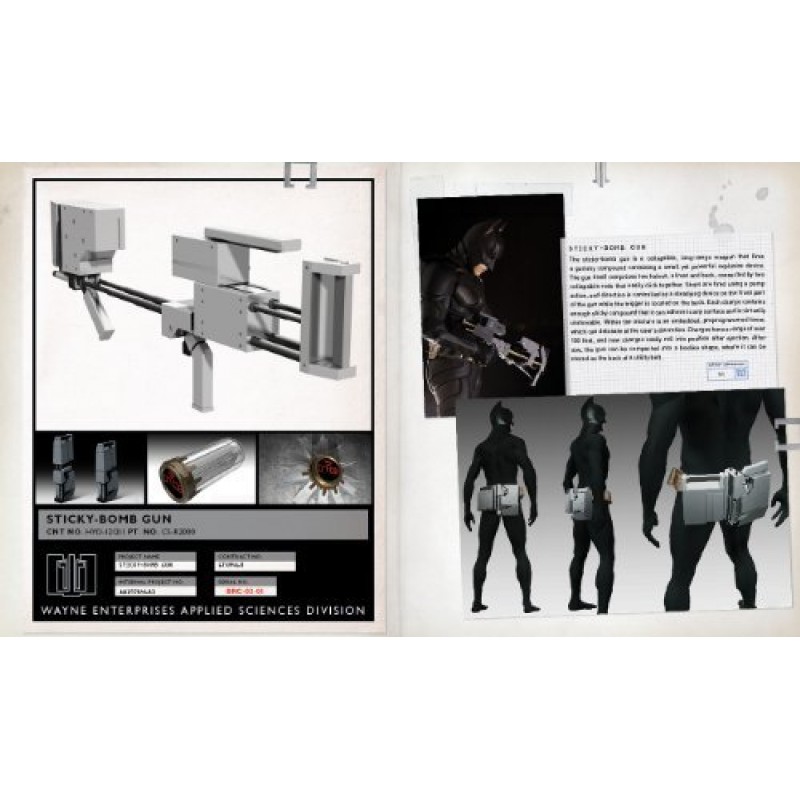
The manual is written under the premise that after the destruction of Wayne Manor Bruce Wayne started collecting all files, documents, sketches, and pretty much everything that is needed to become Batman and entrusted the collection to Alfred. The manual opens to the case file of his parents murder and by saying it opens to the case file it literally opens to a case file, made of old cardboard filing sleeve which opens and shows crime scene reports as well as glued together photos from the crime scene. The cover of the file has the name of every officer who checked it out, the date and its return date and pages you can flip through. This sets the mood for the whole book which it follows through with, this truly feels like it was taken straight out of that world, that these are the actual documents, schematics and details that made Batman who he is. Many parts are written on post-it notes or scraps of paper while other parts are in architectural document sleeves that contain blue prints on how to theoretically create the devices. There are newspaper clippings that don’t just have a headline with scribbles for a story but actually have a fully written story taken right out of a scene either from the movie or would have happened between the scenes.
I’m sure the Dark Knight Notebook wouldn’t have carried the same weight and technically it is a manual on creating Batman from the Batarang to his mental state and fighting style, but it feels like a notebook in the sense that it is composed of scraps of information compiled together, sometimes literally on a scrap of paper that as the owner of the book you could take out and stick on your wall. It kind of reminds me of what someone obsessed with a subject might make, there is a degree of obsession that comes through in the book, as if Bruce Wayne knew that someday something might happen and someone else might need to take up the mantle and this is everything needed. It also has the feel that originally all this might have been tacked to a wall as it was organized and re-organized to eventually fit into categories. This isn’t a sterile bunch of facts, there is emotion in here, personalities come through and it truly feels like an extension of the movies.
Any big fan of the Batman franchise will love the breakdown of his toys, the blueprints, concepts sketches and photographic details of their completion. The Batsuit is displayed in transparent increasing layers starting with Bruce Wayne without the suit at the bottom and building up, piece by transparent papered piece until you see him in the full suit. It even has details of the presuit, which “was an Applied Sciences creation: strong and stiff and originally designed for advanced infantry use.” There is a post-it attached to this that says “Master Wayne, I’ve replaced the base layer, if you’ll kindly be more careful putting it on the next time? Even with your bank account, $300,000 per suit warrants some caution. -A” This is the beauty of the book, it really brings across the details of the objects but also the character of those who populate Batman’s life because in the end the whole book revolves around making Batman.
I have only one point of slight disappointment and it is fairly slight. Most of the items that can be pulled out of the book have small print on it somewhere noting that it is trademarked and copyrighted by DC Comics. In an otherwise very well detailed immersion which uses so many aspects to sell the feel that this came right out of that universe, DC Comics has to put it’s stamp on things completely reminding you that this is a fictitious universe based on a comic book. I understand since there items could literally be pulled out of the book that you might want to note intellectual property but since technically any page could be taken out of a book it seemed unfair to all the work done to make this seem so real to have the “DC Comics” splashed all through it.
Last Call:
I had high hopes for this book when it arrived but it was even better than I had expected. There was a lot of love and detail put into this, it was truly made to feel right out of the Christopher Nolan’s Dark Knight universe. I was like a kid pointing out the details in the book that made it seem so authentic, like it was stolen right off of Alfred’s desk. The little DC Comics trademark everywhere took away from it but not enough to spoil it, not enough to ruin all the detail and touches that were put into this amazing book. If you are a Batman fan, a fan of the movies or just a book reader who wants to read a story told in such a unique way this is the book for you.
This was a press release waiting in my inbox this morning…
New York, NY — August 20, 2012 – The 2012 Presidential race is about to get more lively thanks to something quite dead – the news that A. Zombie, America’s first Zombie Presidential candidate, is entering the race.
A formidable third party contender for the nation’s highest office, A. Zombie is slated to announce his candidacy at a high-energy rally on Monday, August 20th at Westfield Horton Plaza in San Diego. The candidate and his human wife, Patty Morgan-Zombie, will then commence a cross-country bus tour that will take them to six major U.S. cities including Tampa and Charlotte, where they will bring their pro-zombie message to the Republican and Democratic Conventions.
“My husband is someone who has dedicated his life and his afterlife to bringing equal viewing opportunities to all Americans,” said Mrs. Zombie. He’s the right man to lead the fight to bring zombies to everyone in America, and he won’t stop — even if it kills him, again.”
The A. Zombie for President Campaign is organized by AMC Networks, home to AMC, WE tv, IFC and Sundance Channel. Satellite company DISH dropped these networks earlier this year because of an unrelated lawsuit and is now in the disadvantaged position of being the nation’s only major television provider without these channels and their popular shows.
A one-issue candidate, A. Zombie’s mission is to rally zombie fans around the country who don’t have access to these networks and shows to find an alternative television provider before the highly-anticipated third season premiere on October 14, 2012 of A. Zombie’s favorite show, AMC’s The Walking Dead, the most watched basic cable scripted drama series among DISH subscribers, according to the Nielsen company.
At present, A. Zombie’s campaign juggernaut is slated to motor to: San Diego (August 20); Dallas (August 24); Tampa for the Republican Convention (August 28); Atlanta (September 1); Charlotte for the Democratic Convention (September 3 – 4) and New York City (September 5).
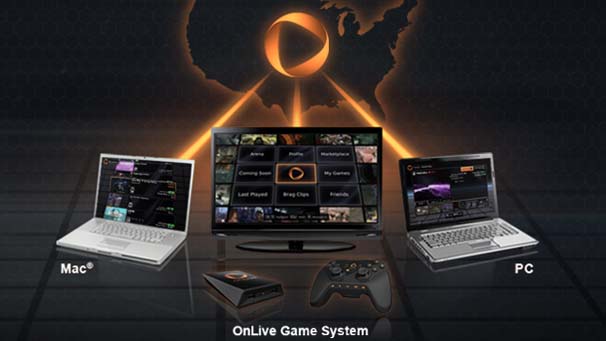
Palo Alto, Calif. August 19, 2012 — OnLive, the pioneer of instant-action cloud computing, announced today that on August 17th all of its assets were acquired by a newly formed company that will continue to operate under the OnLive name. The OnLive® Game and Desktop Services, all OnLive Devices and Apps, as well as all OnLive partnerships, are expected to continue without interruption and all customer purchases will remain intact; users are not expected to notice any change whatsoever. OnLive’s current initiatives will continue as well, with major announcements of new products and services planned in the coming weeks and months. An affiliate of Lauder Partners was the first investor in the newly-structured company, holding the view that OnLive is the future of computing and entertainment, and a passion to see OnLive’s breakthrough technology continue to grow and evolve. The new company structure enables OnLive to do so.
OnLive, Inc.’s board of directors, faced with difficult financial decisions for OnLive, Inc., determined that the best course of action was a restructuring under an “Assignment for the Benefit of Creditors.” The assignee of the company’s assets then sold all of OnLive, Inc.’s assets (including its technology, intellectual property, etc.) to the new company. Unfortunately neither OnLive, Inc. shares nor OnLive staff could transfer under this type of transaction, but almost half of OnLive’s staff were given employment offers by the new company at their current salaries immediately upon the transfer, and the non-hired staff will be given offers to do consulting in return for options in the new company. Upon closing additional funding, the company plans to hire more staff, both former OnLive employees as well as new employees.
The OnLive Service has been in operation 24/7 without interruption since its launch over two years ago, and is expected to continue to operate smoothly under the new company. All games, products and services remain available, and the company has new product and partnership announcements on the way.
OnLive’s breakthrough instant-action cloud computing technology has been in development for over a decade and, despite immense skepticism, OnLive successfully deployed this highly disruptive technology as a polished consumer offering with commercial-grade reliability across a vast range of devices, including TVs, tablets, phones, PCs and Macs, connected over almost any Internet connection, including wireless and cellular. Only a few major corporations have ever developed and deployed products and services across such a broad spectrum. OnLive is rare among startups in both the depth and scope of its offerings.
The asset acquisition, although a heartbreaking transition for everyone involved with OnLive, allows the company’s core innovation and ongoing offerings–the product of over a decade of hard work transforming the OnLive vision into reality–to survive—and continue to evolve.
Given the widespread speculation about OnLive and the new company, a FAQ is below that addresses a number of questions both for the public and former employees.
FAQs
Q. Will users see any change in the OnLive Game or Desktop Services? What about their purchases?
A. Users should see no change in the OnLive Game or Desktop Services. All of their purchases remain intact and available. OnLive has been up 24/7 since launch over two years ago and expects to remain so. OnLive has over 2.5 million subscribers, with an active base of over 1.5 million subscribers, connecting from a vast range of devices and networks, with many sessions running for hours. The user base is growing rapidly with OnLive’s addition into recently announced devices and TVs from major manufacturers. We expect this growth to continue under the new company.
Q. Is there any cash or stock in the new company provided for any OnLive, Inc. shares?
A. Unfortunately not. The nature of the transaction is such that only assets, not shares, were purchased. This is true for all shares of OnLive, Inc., whether held by investors, employees or executives.
Q. Did Steve Perlman receive stock or compensation in this transaction?
A. Like all shareholders, neither Steve nor any of his companies received any stock in the new company or compensation in this transaction at all. Steve is receiving no compensation whatsoever and most execs are receiving reduced compensation to allow the company to hire as many employees as possible within the current budget.
Q. Did all OnLive, Inc. assets transfer into the new company? Are any assets held by any other party?
A. All of OnLive, Inc.’s assets (e.g. technology, patents, trademarks, etc.) were transferred to an assignee, which then sold the assets to the new company. There was no transfer to any other party.
Q. Have OnLive, Inc. employees been offered positions in the new company?
A. Almost half of OnLive’s staff were offered employment at their current salaries in the new company immediately upon the transfer, and the non-hired staff will be given offers to do consulting in return for options in the new company. Upon closing additional funding, the company plans to hire more staff, both former OnLive employees as well as new employees.
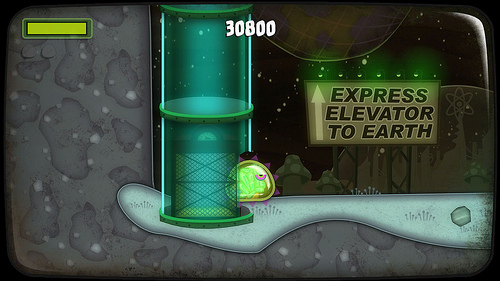
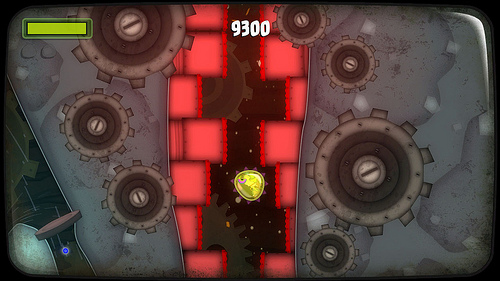
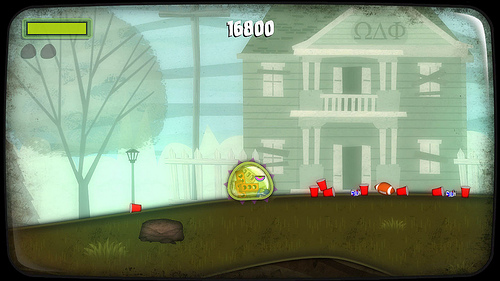
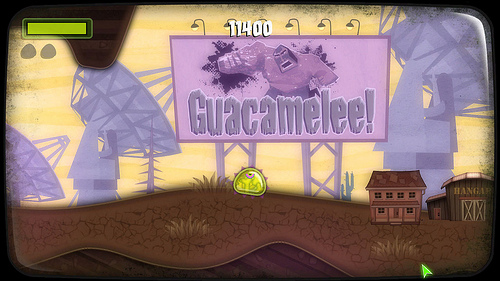
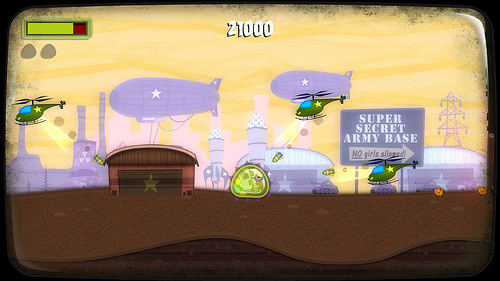
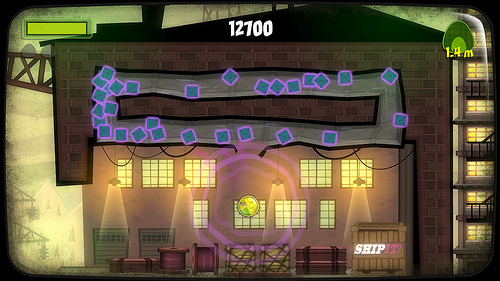
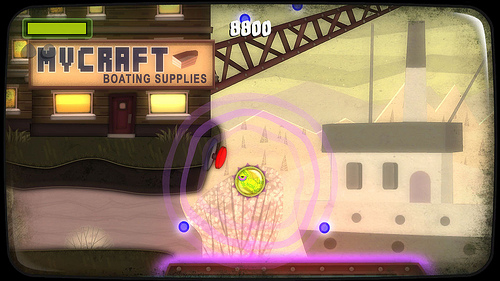
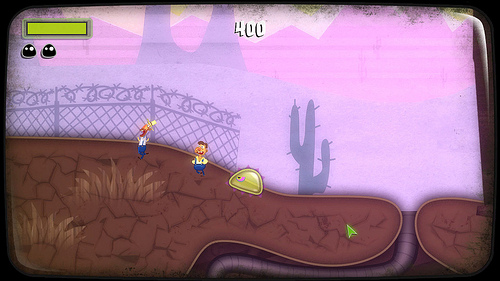
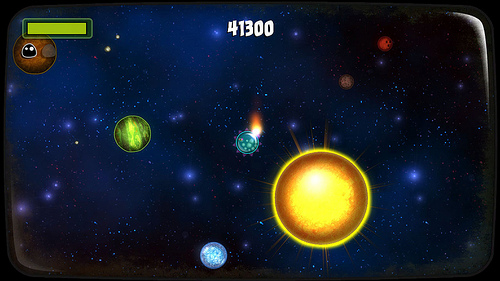
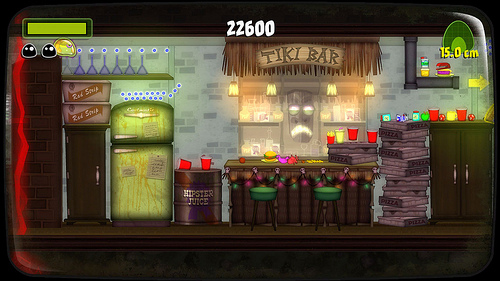
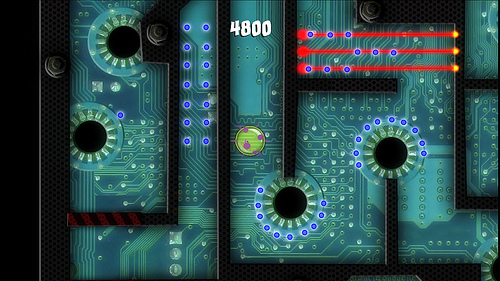
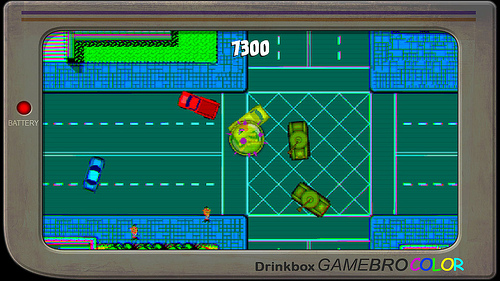
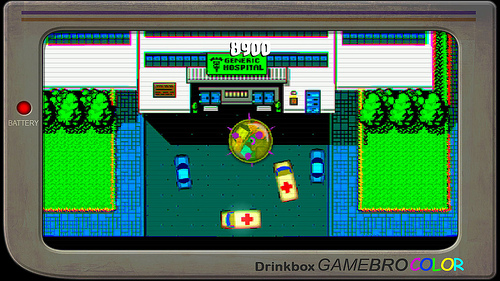
I love camp. My favorite movies are campy, many of my favorite games are campy, my favorite toys are campy, heck I figure life would be a far less enjoyable plane of existence were it not for camp. So when I saw a stylized campy game called Tales From Space: Mutant Blobs Attack was coming to the PC I thought it was the best of two worlds, the only thing that makes camp better is stylized camp. Then a moment’s hesitation… wait this is a port? Why hadn’t I heard of it? Ah the PS Vita was it’s previous home, one of the few holes in my gaming collection. How well would a port, from a portable no less, translate to a PC screen?
Storyline:
As stories go it is pretty thin but let’s face it in stylized camp that quite often is a good thing. The less time people have to spend figuring out the plot the more time they can just go on a silly ride. You are in a lab with scientists experimenting on your blobliness. Not cool. But you manage to escape the lab and you go on a mission to vacate the whole planet. To do this you must grow big and strong, by eating more trash than a junk food addicted teenager. If you can wrap your blobby form around it you can digest it (probably even corn!). So that is what you do, cruise around, eat and expand like the average American!
Graphics and Audio:
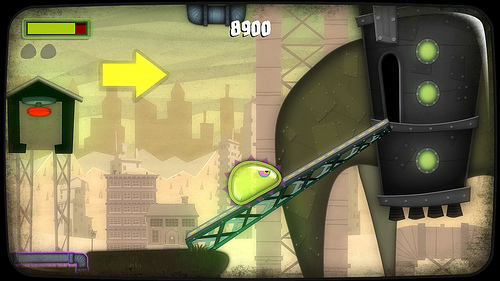
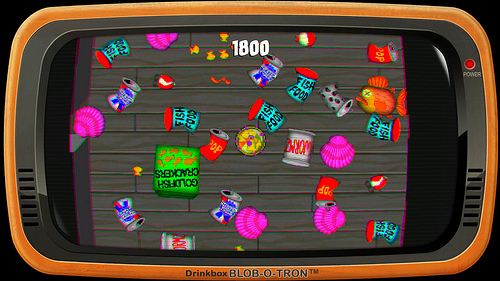
Campy music with Saturday morning cartoon graphics suck you right in and keep you playing. This game is only taken serious in the execution of the quality of sound and the hand animated look of the video are just amazing. I could see people who don’t really even care for this type of game playing it for a while just because of the feel of the game. Just about anybody who loved shows from Scooby Doo to Samurai Jack (definitely a Samurai Jack feel to the video) will love giving this a play, maybe with a bowl of cereal next to the keyboard.
Gameplay:
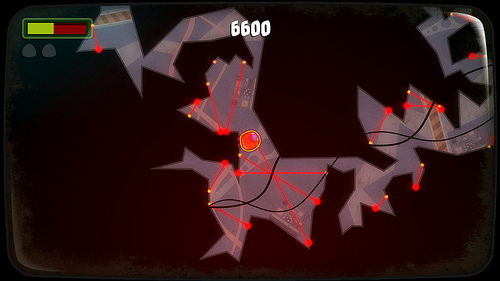
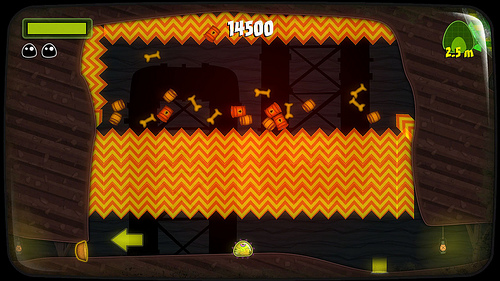
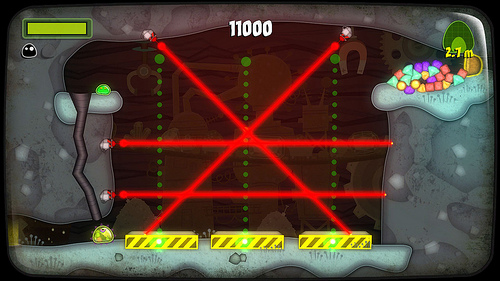
The gameplay is using the mouse and a few keys on the keyboard and is fairly intuitive and pretty fun. There is a bit of puzzle solving which I was pretty good at. Then there were jumping sections I was pretty good at. Then there was trying to jump with a red hot laser on your ass and I started to have problems. I actually went from having fun and moving at a good pace to struggling in a single transition but then I have always just been good at jumping games not great so my challenge will probably not transfer onto many others (hint: if you suck at jumping games you will have some spots you get stuck a while!).
Last Call:
This may be a bit of a shorter review but that is because the game is pretty straight forward and the true fun in it really is in the experience. The music is great, the animated cutscenes are great and the gameplay is fun, all wrapped up in a campy cartoon ball. Or in this case… blob.
So I had been totally falling behind in the gameplay department when it came to big titles. Indie titles I was becoming the guru, much like Judgeman is our fighting guru and the GamingShogun himself is the sim stud, we could review anything asked of us but there were specialties developing. We have a well defined sports department with infighting over which was more of a sport: Nascar or Soccer (playful rivalries with neither camp touching the other’s games). So when things got quiet for many of the other styles, my plate filled up and stayed full for a while. When a game that appeals to everyone like Skyrim comes along I keep saying I’ll get to it. Well I finally realized I was alone in the “I’ll get to it” camp on Skyrim so I asked the team “which system should I get it for? PC or console?” Turned out no one on the team had touched it on PC, were we all just playing console jockey favorites or was there a reason? I decided to find out.
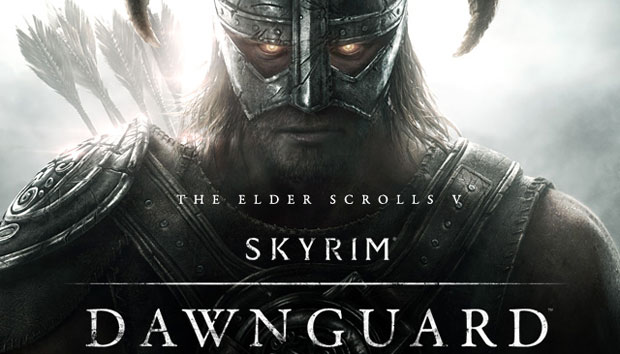
Skyrim, which I grabbed on an insane deal on Steam, and Dawnguard, which the reps provided to me for this test (thanks again guys!), downloaded over a couple days while I played other games and read our own review of Skyrim. The review had me salivating as did the near daily calls from our MMORPG guy had who updated me through his playtime on Skyrim and let me know I would LOVE Dawnguard. The question was would I find the same love of the game everyone else had if I played it on a different platform?
Control Differences:
Ok this would seem to be one of the most obvious of differences considering one would use a keyboard and mouse and the other would use a controller. That is half right, the PC version had gamepad support which made it so that you could use the keyboard and mouse and play it just like a first person or third person shooter depending on preferred viewpoint but you could also pick up your controller and go to work with that which actually give the PC player more options.. Some people question the gamepad, feeling that if you want to play it with a controller then why not play it on a console? That brings up the next point…
Style of Immersion:
When playing on a console players generally, I know this varies, sit about 6 feet at least from a large television set. The argument for this is that they have this huge window into the world right across the room from them which can be extremely immersive with their controls virtually or completely out of their view. It pulls them in much like watching a movie but with interactive suspension of disbelief. The argument from console players is they wouldn’t want to play on a little screen with their controls in front of them. The counter to that is most computer gamers lean forward in their chairs and can’t see their keyboard unless they want to lean back and see it. They are really close to the monitors with their faces and argue at least nobody can walk through the room and interrupt their game. So far these arguments seem to be the standard between the two with everything coming down to personal preference and most of the arguments are and always have been between the two. Instead of continuing the same old arguments I will show where they are particularly solid points…
Family Experience:
Unless you plug your computer into your large screen television (which does cause a loss in clarity generally) console gaming can actually be a family experience, especially story driven ones like Skyrim. I have read plenty of articles of whole families sitting together with one person on the controller watching the game like a movie and taking turns making the decisions that make up the storyline. It is technically being played single player but everyone is involved which for the most part isn’t the case with the computer player who usually has to call someone over or have them hover over their shoulder to participate.
Building:
Steam is a HUGE supporter of community built content and Skyrim: Dawnguard is no exception. On boards where people were discussing the pros and cons between PC vs. console this point almost always came up and there was no strong answer back about it. When it comes to building you want a PC, Steam especially to get the most out of the game, if you just want to play the game they are pretty even ground but builders and potential developers want the tools and community of Steam. Modding seems to be one of the few places where there really is no competition.
Graphics/Lag
Because Dawnguard had to work within a set software system the consoles have very similar resolution which particularly during battle shows less detail and generally more lag (Bethesda was flat out unhappy about how it played on the PS3). I double checked this with multiple sources and it is the consensus, if the PC owner has a decent rig. If the PC owner is running with minimum requirements the graphics don’t improve that much. In my case I have a pretty good graphics card, plenty of RAM and a monitor that was state-of-the-art- when I got it (instead of standard 30,000-1 contrast mine has 5,000,000-1) so when I set my graphics on ultra the detail difference not just on objects but on the background, literally a couple tree becomes a forest, is astounding. My system cost more than the two consoles combined though so we are talking more money for better graphics and if I was across the room I would notice a difference because of actual additions to the environment. Graphically and lag issues considered the PC wins out again.
Last Call:
It really depends on what you want to do with the game and if you care how it looks that much. It looks really nice on the console, can be a family experience, and it is more affordable than a gaming rig. If it isn’t just a game to you, if it is a chance to work on building mods, items, weapons, or you HAVE to have the most detailed environment and most content possible, the PC is your way. So did we really decide anything? Or does this still go down like the debate between Mac vs. PC, Bud vs. Coors, religion, politics… I guess it still always comes down to taste and your faith in yours.
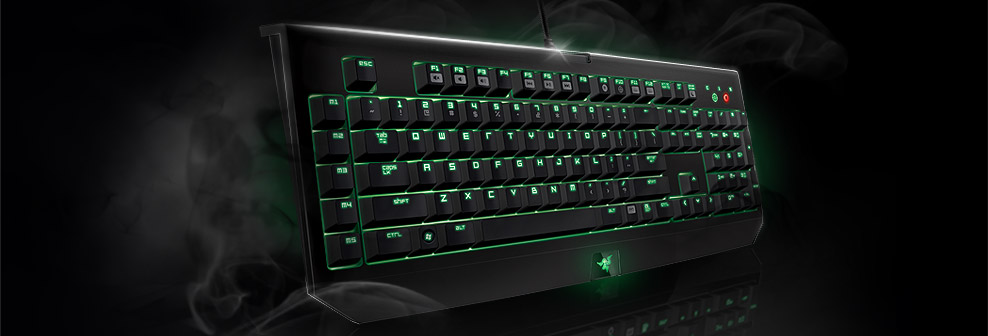
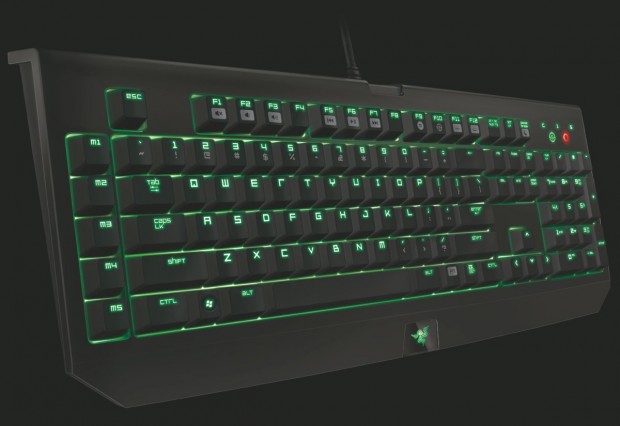
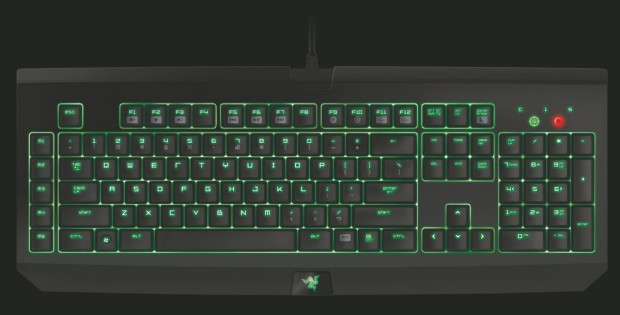
Ok it took a while for me to get my hands on the Razer BlackWidow Ultimate Elite Edition keyboard due to mailing issues and it has been a while since then. I am sure that the folks at Razer thought I forgot all about it, but it is really the opposite, I want to try everything I can on the keyboard andI don’t want to decide a moment to soon on any verdict, I want to test it on every game I can think of. So the time has finally come to start the review but it will by no means be the end of my use of this sleek black and green beauty, and every night I will cover her with a keyboard case to make her last.
Specifications:
For some folks this is gobbilty goop, for others this is the meat and potatoes of the keyboard and all they need to know when deciding whether or not to purchase it.
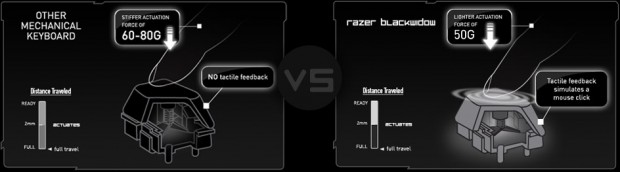
Full mechanical keys with 50g actuation force
1000Hz Ultrapolling
Fully programmable keys with on-the-fly macro recording
10 key rollover anti-ghosting
Razer Synapse 2.0 enabled
Individually backlit keys
Gaming mode option
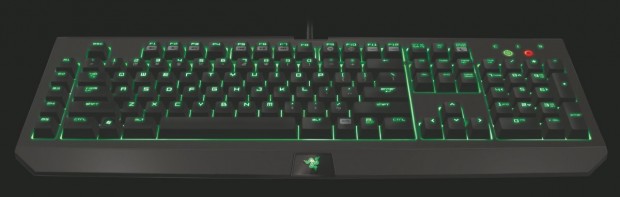
5 additional dedicated macro keys
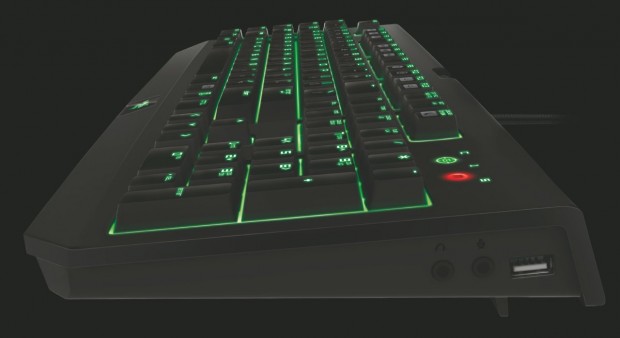
Audio-out/mic-in jacks
USB passthrough
Braided fiber cable
Approximate Size : 475 mm / 18.72” (Length) x 171 mm / 6.74” (Width) x 20 mm / 0.79” (Height)
Approximate Weight : 1500 g / 3.31 lbs
Hardware Requirements
PC with USB port
Windows 7 / Windows Vista / Windows XP
Internet connection (for driver installation)
At least 75MB of hard disk space
Removing The Mystery Of The Specs:
There are plenty of techno geeks who just read the above information and said “Yep, I’m buying that!” and probably never will see what I have to say about it. That’s fine, sometimes you just know when something is right for you, and those above specs are exceptional when you know what to look for. So first I will give you the official definitions then I will try to give a layman’s explanation. All gamers are not necessarily geeks and those who want the best, such as Razer provides, don’t necessarily study as much as compare.
When they say:
Full mechanical keys for superior tactility and faster response
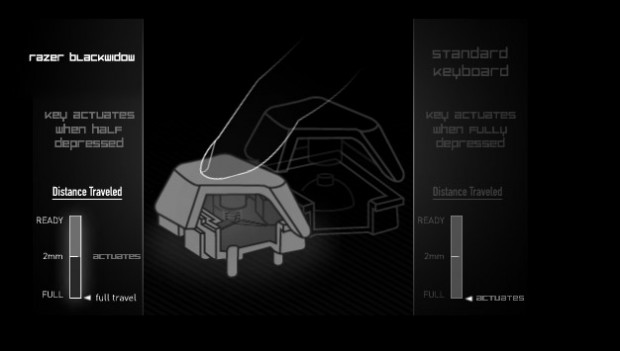
The Razer BlackWidow Ultimate’s mechanical key technology provides blazing fast game responsiveness as each key only requires an optimized actuation force of 50g, and a reduced actuation distance of 2mm, faster than what is possible on any other ordinary gaming keyboard. You are also getting distinctive tactile feedback in form of a light pronounced tap to your fingers with each key press, for gaming you can actually feel.
They mean:
These buttons are like the hair trigger on a gun, light push to register and lightning fast to register. The distance you have to push down on a key is reduced as well and you feel a slight physical click instead of just the noise. All this means that your keys register faster and easier than other keyboards and you can feel it registering by the click so you know it worked and can move on. So in gaming you have an edge by faster key response, feeling it register and in typing you know that your button has registered without even looking at the screen and typing speed can increase with less mistakes. This beauty isn’t just for gaming, though gaming on it is great!
When they say:
10 key roll-over in gaming mode
Actuate as many keys as there are fingers on both your hands and have them all register accurately and quickly during gaming. With the Razer BlackWidow Ultimate’s gaming mode 10 key roll-over, you can deliver overwhelming destruction on your opponents, or just ensure that every command is registered and executed perfectly for victorious gaming.
They mean:
On most keyboards if you hit two keys at one you can wind up with one of the keys not registering at all. On this you can hit 10 keys, I actually got it to successfully do more, and it will accurately and quickly register all the keys. So let’s say you have a whole bunch of macros set up that you want to go as quick as possible, or you don’t have macros set up and you have a bunch of attacks you want to all happen as close to simultaneously as possible. Hit all the keys. It won’t just register a couple, it will register them all. If you have a bunch of commands you want to send out all really close together you can hit them all and they all go out. I found this a challenge and kept hitting a dozen keys at a time or more then double checking. It always worked.
When they say:
Individually backlit keys with improved lighting
Never miss a key in the dark with the new green backlighting on the Razer BlackWidow Ultimate. With improved lighting configurable to your preference, you can launch assaults and flank foes even under low light conditions.
They mean:
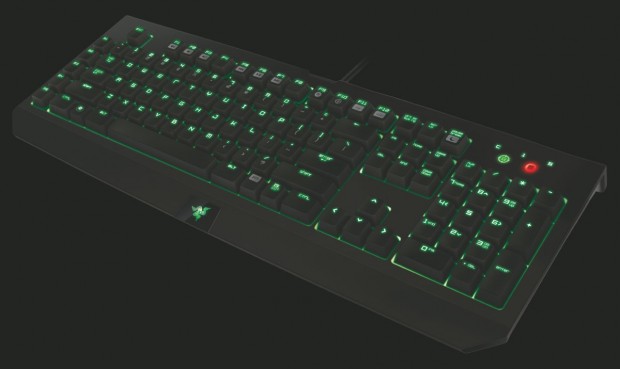
Ok I guess that one is pretty obvious. If you are like me and tend to do a lot of gaming and writing in a fairly dark room this feature is exceptional. I have had light up keyboards in the past and it was still dim on it’s highest setting. This keyboard is brighter on it’s lowest setting than most keyboards on their highest, and has an awesome green glow shining out of it on it’s top setting. Also most just have glowing letters on the keyboard, this keyboard lights up around every key for a clear definition.
Synapse 2.0
Razer came up with a great program designed to work with their different products and customize them all at one time with one interface. You can set the lighting, you can make special button settings, you can even build macros there if you are more comfortable doing it there rather than on the fly. It also enable you to set timing breaks in macros, double check your programming, just about anything you would like to adjust on your product can be done through the one program. I have the BlackWidow and the Razer Naga gaming mouse both going through it and before I start a big gaming session I go through and make sure all my settings are optimized and ready to go so I don’t run into surprises. You can also set gaming mode on the BlackWidow from that interface, which is a very handy function that kills hot keys and computer keys that aren’t essential to your gaming experience. A good example of this is one of the games I play a lot uses the Ctrl button to crouch, if you accidentally hit the windows button right next to it you find yourself out of the game, needing to open it back up and let it catch up with the action. This has gotten me killed more times on the game than I can count, I come back in and there I am standing right behind cover, wide open and dying. It is handy to have the Windows button turned off so if I do bump it no worries. Thanks Razer for making a clumsy bugger like me be a better gamer.
Mic/Headphone Jack, USB Passthrough
If your rig design was custom like mine or you have an older computer it might be a huge pain in the butt when you want to switch out your speakers for headphones, especially if it has communication errors if you try to have a USB headset plugged in at the same time as your speakers. The keyboard nicely takes care of this issue by plugging into the mic and headphone plugs in the back of your computer as well as an extra USB jack so that you can plug your speakers or headset into the keyboard and your mic or your headset mic in. If you want to unplug them so you can use a USB headset you can unplug them easily from your keyboard and plug the headset in through the USB passthrough. Or if all your sound issues work fine you can just plug what you want in easily at the keyboard and use the USB jack for your flash drives. The key is the keyboard gives you lots of options and more importantly multiple solutions to issues.
5 Dedicated Macro Keys
This may sound simple and not that impressive of an edition but it really is a key to the gaming aspect of the keyboard. Building macros on the fly can be a tricky thing, you can wind up covering up hotkeys or other macros by accident then having to go back and fix them. With the 5 macro keys you can hit one and quickly program it on the fly and know that you aren’t recording over anything you want. Using the Synapse 2.0 you can then save the macros you build as a profile and have it all available and setup the next time you play that game. If you are like me and might play at least a half dozen games in a day this is a huge benefit because all I have to do once I get the board set up for each the games I want is go into the Synapse 2.0, quickly pick my profile of choice and I am ready to play, no fresh programming required. In some cases I may even just use macros to say things I have to type out often in a game to save that kind of time or if I am working with a business setup I may want to keep a work profile where I can hit a macro and have it type out a kind of form letter without an obvious form letter file sitting around. I prefer the personal touch but hey, I am reviewing the keyboard so I am exploring it’s options.
Braided Fiber Cable
I have been asked before why this is even a feature, though people who use a lot of appliances with long cables tend to have a pretty good idea, they are often seen on higher end irons and toasters as well as headsets and keyboards. Braided fiber cables are less likely to knot tight or tangle and have a better defense against damage, say from rolling over the headset cable with your computer chair or accidentally putting a heavy case on the cable. This feature adds lots of protection and peace of mind as well as just keeping your cables less messy. Without the fiber covering there would be four cables running from the keyboard instead of one tidy protected one.
Putting It All To The Test
In the explanations above I went through a bit of how I tested the keyboard but just because it has features that are supposed to do certain things doesn’t mean it exercises them well and in multiple situations. Luckily this keyboard not only seems to have a habit of succeeding at what I tried to do, in some cases it did better than claimed.
Gaming:
There are a lot of types of gaming, and with pretty much every type of gaming you can think of there is a different style of play that is required of a keyboard. A keyboard that performs like a dream with a first person shooter may be a disaster with an MMORPG. So I ran the keyboard through the ringer in a way few outside of game reviewers can, because there really isn’t a game format type that I don’t have access to.
So let’s start with one of the obvious one: MMORPG. I’ve played a game that I have over five years experience with and I jumped into a raid. I had recently programmed my Razer Naga to maximize my gameplay by minimizing my keyboard movement but for this experiment I went all keyboard keys in every way I could. I found that the speed of moving my hand was my only limitation since I getting the keys to register with half the pressure, feeling each key register, and able to hit multiple keys at once without key failure and have my rotation fire off as fast as possible. I built a couple of macros on the fly so that I could then hit the macros without built in pauses and it would seem like I hit my different rotations all simultaneously making the only limits be the response of the game and the limitations due to cooldowns. I could use the Synapse interface and make it so that one of my attacks that has a ten second cooldown will trigger every ten seconds several times in a row by building in the pauses in the macro. So I hit the macro once and it will register the time delays and for whatever number of times I have it built for I don’t have to touch it again. So let’s say I need to do my skill every ten seconds to keep it on and built up and I build in 6 strikes, I hit and forget that for a minute while working some other part of my rotation. I could in theory build my entire rotation in with the proper times and only hit one key. This sounds like it could make the game a bit boring but if in raiding or some other situation where the timing of your rotation has to be perfect and you have to keep an eye on multiple possible threats for some it might only make the game manageable rather than easy. A good example is you have to fight a boss in a certain spot using your rotation, then you need to stop attacking and run over in a certain direction to keep from getting killed. It is still up to you to get to the right place and fight the right things, which may each even have their own rotations. So for a boss battle you might have multiple rotations, built for multiple points in the battle all made manageable by the tight reactive time of the keyboard and the diverse abilities presented in the macros. When it comes to MMORPGs this keyboard, when tested on a few different ones, outperformed another popular gaming keyboard because of the speed of key registration, the clear registration of the key and it’s abilities to adapt by going into gaming mode, the Synapse 2.0 and the macro diversity.
So next would probably be a first person or a third person shooter. Skyrim worked well for both of these test sections as well as did the most popular and recent shooters and some that have been around a while. I have a fondness for just about every first person shooter I have come across all the way back to Doom and Castle Wolfenstein and today’s games certainly don’t disappoint. Examples of games I played for testing purposes: Modern Warfare 3, Battlefield 3, Boarderlands on OnLive, Battlefield Heroes, Heroes And Generals (beta testing), Offensive Combat (beta), Zeno Clash (recently free from OnLive), Arkham Asylum and Arkham City, Offensive Combat and well the list could go on and on since between first person and third person shooters you take up most of the shooting franchises. The responsiveness for weapon changes in particular was extremely handy and on a couple games where you hit the number key for the weapon to shoot it there was the satisfaction of feeling the click of the button like the click of a trigger and the speed of the shooting which to me reminds me of in the Old West when they would file down their front gun sight. It meant a small improvement on the speed of getting a shot off but that sometimes can make all the different. If I was using a single attack weapon and found myself surrounded I was able to change weapons or lob a grenade with what felt like almost twice the speed. Also when I use a direction key to dodge it seemed to give me that edge of speed that really helped keep me going. When somebody has the element of surprise on you, the true saving grace can be the element of speed in reacting and this keyboard definitely give you an edge.
Real time strategies also showed a dramatic advantage with this keyboard. They are surprisingly similar to MMORPGs in their advantages though they also have a lot of the same advantages as the shooters too. Depending on the RTS the advantages varied but there was always some to be found. In a game where you need to do the same commands over and over that can be done by hotkey macros can be built, the speed at which you build things or move units around the field can make a huge difference and with the keyboard the time it takes to do anything that can be done by or macroed by the keyboard is sped up simply by it’s response speed. If you need to type something out, a command or a message they can all be done lightning fast or macroed to be instantaneous. The speed and quality in all these games can only be sped up to a certain degree without the proper mouse, so I really have to suggest a good gaming mouse like the Razer Naga to gain true strength in the games and by using the Naga all your programming is done on the same interface and macros you build on the keyboard can be activated by the mouse!
Not Just For Gaming
Let’s face it, when you buy a sexy glowing keyboard gaming is usually the first thing on your mind. If, like in my case, your gaming rig doubles as your work station the more diversity in the keyboard the better. What is kind of surprising is all the things that benefit in gaming can be used to benefit in writing, researching, pretty much anything you want to do with the computer. Let’s say you are typing up a review like this. The speed of the key registration as well as the rollover allows you to type much fast, in fact if a professional typist were given a standard keyboard to type on and then given this one I guarantee it would have a remarkably surprising improvement. Not subtle, not slight, large! The simple speed of responsiveness and rollover makes it so that the usual speed limitations no longer apply. I would think in most work places where lots of data entry or general typing is involved the keyboard would pay for itself in no time. Also let’s say it is a phone center where there are forms or questions that need answering. If you skip whole sections if the answer is no for example you might have a macro that tabs down to the next appropriate line. Or if there are preset responses you can hit a macro that types in the answer to the question. The fact that such keyboards are not already in most work places seems like an oversight. The employs will like the sexiness of such a keyboard and the ease of work and the employer will see a marked increase in productivity. I have worked with call centers and none of them have quality keyboards and that is simply limiting your business.
Last Call:
This keyboard is as close to perfection I have seen in a keyboard. The only way I could see a possible improvement may be a video interface built into it but I don’t think that is really even necessary (I used the feature on my old keyboard to keep track of the time mostly). This keyboard makes a person a better gamer no matter what their game is and it makes them a better typist no matter what they are writing. In most keyboards you just hope for not making you worse, this keyboard makes you better.
Ok it’s Friday, I have a song stuck in my head and since there is a video game out about the subject of the viral video and it is just catchy as can be… Enjoy!