
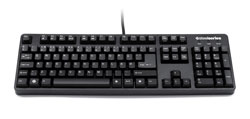
 SteelSeries has long been known as a developer of high-end gaming peripherals and their ‘7G’ gaming keyboards keeps to this tradition well. It is the most solid and well-made keyboard I have ever had the pleasure of using.
Looks/Design: The 7G features a flat black-metal (for the most part) construction which, at first look, is actually a bit underwhelming. It comes in two pieces, the keyboard itself and a metal wrist rest unit that attaches to it. You will not find any lights or LCD screens or any other bells and whistles on this unit.
What you will find, however, is a very effective braided cable system which almost entirely eliminates any ‘tangling effect’ as well as the possibly of fraying normal plastic insulation. This feature alone should be standard on all new gaming keyboards or mice out there as I cannot tell you how many times I have had a cable start to pull out of a device because the plastic connection got worn down. No such possibility here, thanks to some ingenious thinking.
One special feature that SteelSeries would have been smart to add is some sort of lighting system. Unlike the LCD screens and the other ‘bells and whistles’ found on gaming keyboards these days, lighting is definitely the most useful, especially when gaming in a dimly-lit tournament environment. The keyboard features a USB pass-through cable, so why not draw power from it for on board lighting?
The included wrist rest is quite large and does a good job of keeping your hands at a comfortable angle. 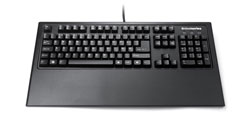 However, it is an all-metal design and can chafe if used for long periods of time. While SteelSeries has told us this design decision was made for durability purposes (gel rests can puncture and decay), and this makes sense, we recommend you put a soft barrier between the rest’s metal and your wrists for your own comfort.
The 7G’s key layout is fairly standard, save for the Windows key being replaced by a key with the SteelSeries logo on it. Once held down, it enables the ‘secondary media feature’ on keys F1-F6. So, you want to mute your PC’s volume, just hold down the SteelSeries key followed by F1 – simple! SteelSeries has also chosen to use an L-shaped enter key, which we find comfortable and familiar. The only real issue we have with the key layout is the small backspace key. It takes some getting used to if you have been using wider variants on other keyboards for a while.
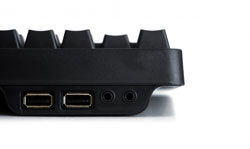
Then we looked at the 7G’s output cables. SteelSeries has attached a gold-plated USB cable (for the on board pass-through ports), speaker and headset cables, and a PS/2 connector! That’s right: PS/2! Why would such a premium keyboard use an ‘old’ technology like PS/2? Well, we asked. Our answer was fielded by Kim Rom, VP of Marketing at SteelSeries. Kim told us that the reason for the PS/2 connector (a USB adapter is included, by the way) is two fold: First, when gamers take their 7G’s to various tournaments, many tournament machines can have no available USB ports to plug their keyboards into. Second: The PS/2 interface (while actually has more dedicated access to the motherboard. 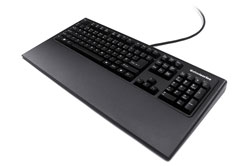 This can be seen pretty much anytime your USB ports ‘freeze up’. While the PC processes what is going on, if you had a PS/2 keyboard installed it would still be able to pass on your key presses. Also, this allows the 7G to be used during your PC’s booting period where a USB keyboard might not have been detected yet. We would like to thank Mr. Rom for his helpful answers.
Usage/Features: Using the 7G is a very pleasant experience, with the keys providing a smooth glide. They call them gold plated with ‘no-click’, however we found them to be extremely loud, so this is not the keyboard to use if you are trying to type in secret. Aside from the noise, the keys have a great action. They feel very solid, and you can feel friction in the glide which makes for an experience we liken to ‘squeezing’ the trigger of a semi-automatic pistol as opposed to ‘snapping’ it back. If all this sounds very ethereal and new age, you will just have to try one of these keyboards yourself, as the typing experience is quite unique among all the keyboards I have tried. This translates extremely well to gaming, with the only problem being that I miss having the macro features other keyboards provide. With the PS/2 anti-ghosting feature, I never ran into a keystroke overload even once. Also, the heavy weight of the unit keeps it staying put during intense gaming sessions. I just hate it when I end up pushing my keyboard about the desk while in a flurry of typing.
 Conclusion: If you are looking for the best ‘functional’ gaming keyboard possible, the SteelSeries 7G gaming keyboard is exceptional and well-worth its $150 dollar price point in that it very well could be the last keyboard you need to buy until the apocalypse, maybe. Even then, the thing might just hold-up fine. Unfortunately, nuclear testing was not part of our review regiment. Also, we cannot say what the value of the beast will be in bottle caps. Sorry, we have been playing Fallout 3 too much. The biggest complaint we can find about this keyboard is the lack of back-lighting. If you can get over not having the ‘bells and whistles’ and are able to afford it, the 7G is easily the keyboard for you.
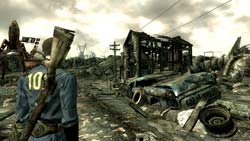 ‘War. War never changes’. It is with these words that began one of the greatest role-playing games ever made (of course I mean Fallout). The RPG and its sequel are renown for their tongue-in-cheek humor, stylistic design, and isometric gameplay. When we heard Bethsoft was taking the reigns on Fallout 3, and that it would be a first-person game, forums around the ‘net lit up with flame wars on the subject. Die-hards of the series naturally had a worry that by bringing the series into the first-person, Bethsoft would be taking away an aspect which made the previous games undeniably ‘Fallout’. We are pleased to say, however, that this worry has proven itself false. This is a Fallout game.
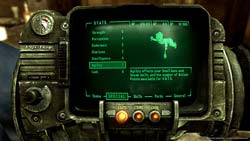 Thankfully, if you can get past the sense of sadness for the human race as a whole, you will find a gigantic amount of things to do and see. Quests can be found in abundance and it is very doubtful you will finish everything in one play through. In fact, your character’s level is capped at 20, making it very likely you will play the game over again at least a few times, trying different character builds. Bethsoft has stated numerous times that they wanted to increase the re-playability of the game immensely and they have succeeded in this feat. Of course, the low level cap is also probably some foreshadowing that forthcoming DLC will raise it somewhat for added quests, etc.
 When you are ready, simple click accept and the fun begins. The results of your stacked actions are shown in a cinematic, bullet-time, method with various camera angles and the like. The V.A.T.S. combat system can lead to some VERY cool-looking combat. For instance, using my Chinese pistol (which makes me feel a bit like Han Solo) I initiated combat with a raider. I queue up V.A.T.S. and assign two shots to the body, one to the left leg, and the last to the head and then click accept. The following ‘cut-scene’ (and I use the term loosely as it is all done in-game) blew me away and was completely unexpected. My two shots to the body blew the raider back a bit, obviously wounding him deeply. He turned around and began to run in an attempt to escape my wrath but he was not fast enough. My shot to his leg crippled him, sending him to the ground in a heap. My last shot finished him off with spectacular gore and violence. This kind of scenario does not happen all the time. However, it happens enough to make you want to continue using V.A.T.S. whenever possible. Using this mode drains you of action points (or ‘AP’) which must be recharged in real-time mode. This is just another example of the great lengths Bethsoft took in making Fallout 3 accessible to new gamers as well as fans of the original RPGs.
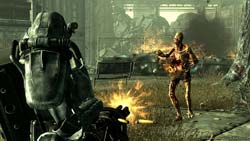 A new feature in Fallout 3 that we have not seen before in the series is the ability to own your own home. In certain areas and by accomplishing certain tasks, it is possible to own your own residence. This provides you with a free place to rest and heal up as well as the ability to customize it with house-specific items like jukeboxes, first-aid stations, and more.
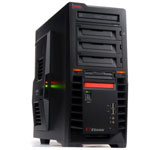 GMC, a Korean company, has been making its mark on the North American PC case market for a short time now. They usually offer cases with plenty of cool features and eye-popping designs. Their first gamer-specific enclosure, the X7 ‘X-Station’ is no different.
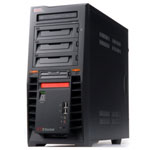
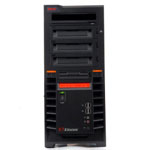
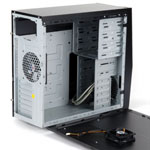 The X7 is designed with militaristic-looking black lines which lend themselves well to the gamer-centric motif. It actually reminds me of something you would see in Batman’s ‘Tumbler Batmobile’. The bezel features a couple of cool orange power lights as well as four USB 2.0 ports, power button, and reset button. We would like to have seen an eSATA and/or FireWire port on the front, but we digress. The X-7 also features a backlit LCD display which shows the case temperature and fan speed.
  Inside the case, there is just enough room to accommodate a gtx 280 video card, making cabling somewhat of a challenge. This is not out of the ordinary though, as most cases have issues in this department.
 The case allows for up to four 3.5” drives to be installed, right behind the 80mm forward area fan to promote hard disk cooling.



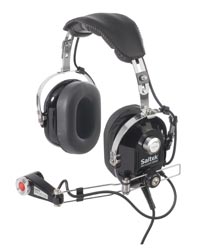 Q) What kind of a design process is used in developing new Pro-Flight peripherals? How much are real pilots used in this process?
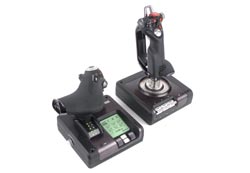 Q) How would you describe the flight simulation market currently???
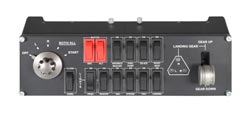 Q) And last, is there anything you would like our readers to know about that we have not covered here???
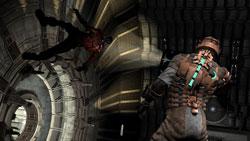 I had a vague idea of what to expect from seeing it played briefly at this year’s E3 Media and Business Summit. At least, I thought I did. I guess seeing it played in a brightly lit convention room flooded with fellow gamers is a lot different than sitting down in a darkened room to play it by myself.
 The design of the necromorphs is perfect. They look to be inspired by Rob Bottin’s and Lance Anderson’s work in John Carpenter’s 1982 film, The Thing. This fact alone did not bode well for me, as growing up The Thing was the only movie to ever really scare me. The idea of something using your own body for its grotesque purposes just creeped me out, and still does. Killing these abominations is a matter of tactics, just not spraying and praying. You have to dismember them first by blowing off their limbs/tentacles. This will usually kill the creature. If you try shooting it in the torso or head on the other hand, you will usually just piss it off. Trust me, don’t piss them off if you can help it.
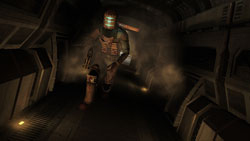 Your weaponry will consist mostly of unusual tools such as a plasma cutter. You will get a couple more standard military weapons, but ammo is nice and sparse in the game leaving you constantly hungry for more. You will also get some other engineering hardware which allows you to move things from far away, a sort of engineering telekinesis. Issac also gets to play with a stasis tool which slows down whatever object he hits with it. This can range from a fast-moving obstacle to a fast-moving tentacled infant-monster (creepy). This, coupled with your finite inventory space can lead to much pondering over what to keep with you and what to leave behind.
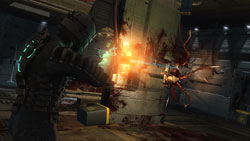 There are several other cool gameplay gimmicks in the game, even having to do with zero gravity, however I will not spoil anything more for you. Dead Space is one of those games which you just have to experience for yourself. If I can tell you one thing in this review, it is that if you usually enjoy shooters, creepy survival-horror titles, or sci-fi horror in general you will love Dead Space and should buy it right now. Go and support quality productions like this. There are far too few of them to let this one pass you by. And for goodness’ sake, try playing in the dark to start with just to get the full effect. Good luck…
 Usually, we are nothing but excited with sandbox games. The freedom one derives from exploration can be quite liberating. In an RPG it is also equally nice to have some sort of overall quest which ties the whole thing together. TaleWorlds has decided to just keep with the sandbox part of that equation, ditching an overall quest and thrusting gamers into the unknown.
  The battlefield strategy employed in these large skirmishes is vital as one false swing or direction can mean the turn of the tide. Commanding troops is done easily by shouting commands at them. They are fairly basic commands but mirror what a human being would be able to shout while riding into battle. This adds an additional element of realism to the combat, as knights in the middle ages did not have GPS or other high-tech gadgets with which to organize themselves.
 The character development is fairly complex, TaleWorlds taking a queue from Daggerfall in asking you a series of questions to determining your base character. From there, you allocate some skillpoints are off you go. Along the way you level up your character, increasing your skill points and personal wealth.
 Reel Deal Millionaire’s Club manages to walk this line of graphics and budget nicely, as it is the first time I can remember a Phantom EFX game with 3d elements to it. All of the cards are 3d as is your character’s avatar. Yes, you heard me: in this Phantom EFX title, you will actually create a full-bodied, 3d avatar for your player. After creation, the avatar will sit in your ‘place’ at the table game and react to the game’s outcomes in an often humorous manner. I chuckled after losing a big bet in blackjack at seeing my avatar slap his forehead in disbelief. It was as though his small, pixelated mind had bonded with my own. While the 3d characters are not exactly the most attractive Johns and Janes this side of the Mississippi, they are modeled nicely enough, especially when viewed in their ‘shrunken’ state at the bottom of your screen.
 Not to spend too much time discussing the graphical overhaul of the game, Phantom EFX has added eleven new slot machines to the game which are not found on any of their other titles. As usual, their video machine UI’s are crisp and vibrant. However, I did experience an odd bug in which the machines were completely silent while the MP3 player was active. Turning the player off unmuted the machines. I expect this and other bugs to be fixed in subsequent patches as is often the case.