Gather ’round younglings and let me tell you a tale. You may be familiar with turn-based strategy RPG’s such as Heroes of Might and Magic and Disciples. You may have visions of glorious 3d graphics, orchestral scores, and other modern amenities. However, did you know that this genre of game, now taking a back seat (unfortunately) to RTS and FPS games, all started with a little title called King’s Bounty back in 1990? You see, table-top board game creators had started to bring that experience to the personal computer, which at that point was bristling with an Intel i486DX2 CPU and 8 to 12 MB of system RAM. If the phrase ‘vesa local bus’ means anything to you, well, I hope you skipped this part and moved on to the next paragraph.
So with the original King’s Bounty released in 1990, the game’s rich universe cooled its heels while franchises such as Heroes of Might and Magic and Disciples took its place. All of these popular games knew where they came from, and King’s Bounty is even listed as the genesis of the Heroes of Might and Magic series in its third installment! It is now 2008, eighteen years since the release of the original and Atari, 1C, and Katauri Interactive have brought the King’s Bounty universe back to life with King’s Bounty: The Legend.
King’s Bounty: The Legend, puts you in control of a hero general, which you will select from three character classes: Warrior, Paladin, and Mage. Each of these archetypes has benefits and drawbacks which effect the various troop types under your command. For instance, as a warrior, you get no learned spells whereas the more magic-oriented classes will allow you to have magic spells at your ready in the spell book as opposed to just having to use magic scrolls.
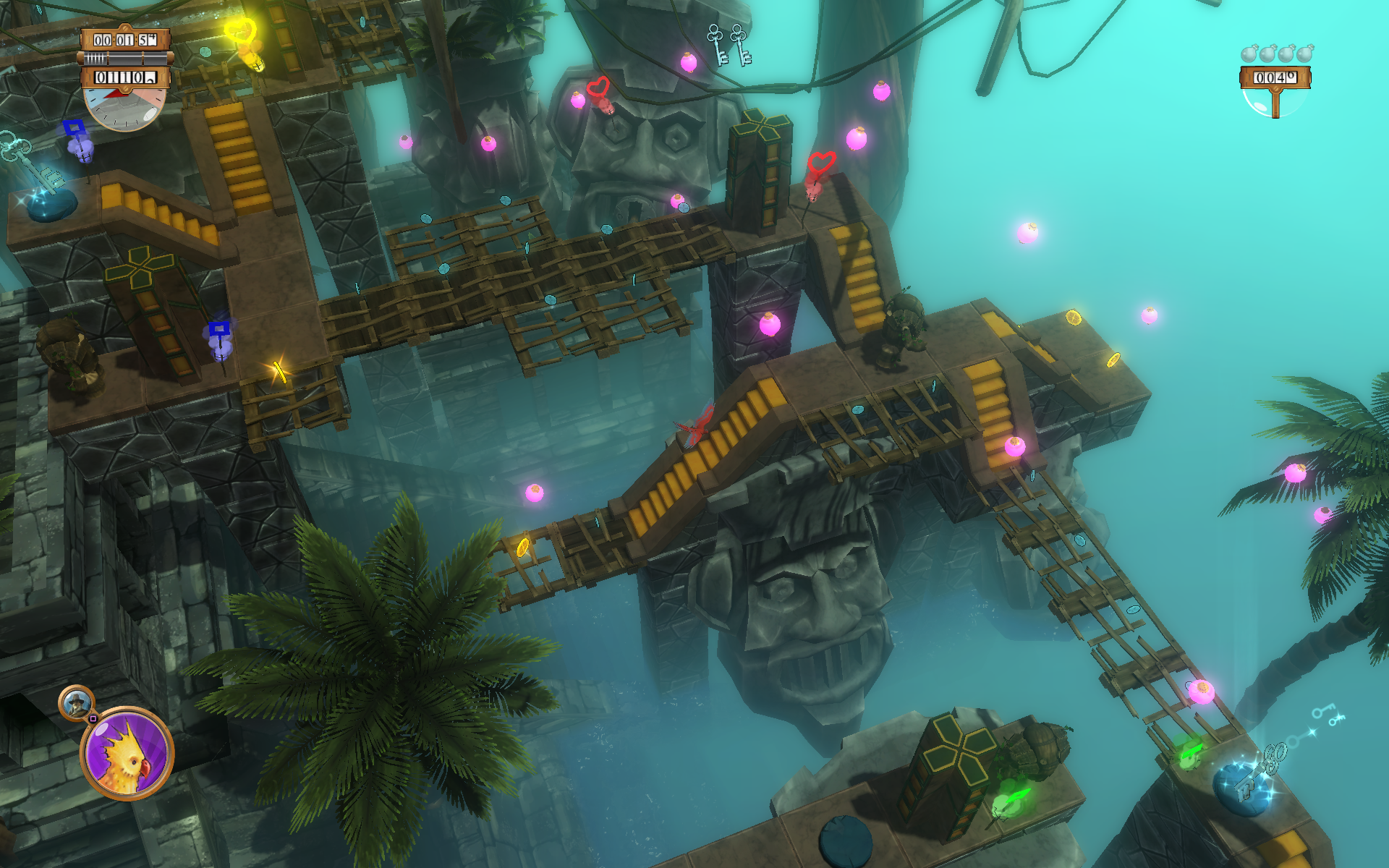
Combat is handled on a hexagonal board similar to the table-top board game and is presented in a lush, fully 3d manner. The camera is able to swivel almost about 180 degrees to help you get a better view of the battle at hand. Why they chose not to go with a full 360 degree camera, we are not sure. The troops on the battlefield all roll for initiative to determine the order of movement and the action begins. When one of your units is selected, you may move it, attack the enemy, or use one of its special abilities. These range in complexity from simple bonus attacks to full-on resurrections and are all presented with pleasing 3d effects.
The combat is fully turn-based and brings a good deal of that old-school gameplay to the more modern aspects of the game which allow it to feel fun and not stale (often times in gaming, ‘retro’ means stale).
Unlike the Heroes of Might and Magic series, you are free to run your general and his armies about the world-map with relative impunity of action. There are no action points to be spent on moving in this mode (only in combat). Speaking of the world map, you move from zone to zone completing quests and gaining experience as well as items along the way. These items can range from sellable flotsam to unique armors and more. The world map mode is also in full 3d, with a very lush design. It is slightly reminiscent of World of Warcraft in terms of art direction. Along the way you will find different structure which you can not only find the aforementioned quests, but also stores to purchase new troops for your army. Your army is composed of five different unit types. The amount of each unit you can command is based on your Leadership rating. In some cases, you will be able to have more than you can handle in your ranks. These units, however, will act of their own free-will in combat, which is sometimes not a good thing.
One of the issues in the game worth mentioning is the auto-combat AI. Setting your troops to act on their own is a mixed bag. Sometimes you will see your grunts move in front of ranged units to protect them and other times you will see them run away even though they could have easily handled the oncoming enemy. My advice is to keep command of your troops at all costs.
**This issue has an update to it in the Live Updates section. Another issue which I found to be irritating is the game’s auto-save feature which does not save your status prior to a battle. I found this out the hard way when I bit off more than I could chew by attacking an undead castle. I was slaughtered and had to load a game that set me back quite a bit. Manual saving is easily done, however the game is so engrossing you will find that you forget to do it!
One of the best things about King’s Bounty is all the beautifully hand-drawn artwork you will find in it: menu interfaces, character portraits, and more. We have to give some large kudos to the 2d artists of this game.
Also youngsters, in this world where companies would rather have a narrator read text for you, in King’s Bounty, you yourself will need to have the ‘reading’ skill to enjoy the game to its fullest. Yes, there is a lot of voice acting in the game, but there is also an equal amount of text strewn about which is full of incite into the game’s detailed-world and the quests you undertake.
The orchestral score of the game is incredible and enhances gameplay by setting the ‘mood’ of your current situation. Enter a land taken over by the undead and you will be treated to an equally creepy musical selection. It really appears as though Katauri pulled our all the stops in developing the game.
All of these elements combine wonderfully in King’s Bounty: The Legend, which succeeds in bringing the fun of classic turn-based strategy games into the 21st century, improving on them with modern features when possible. It delivers approximately 40 hours of gameplay and you will probably play through the entire game as each of the character types, not to mention all of the different army makeups you could possible have. This kind of replayability makes King’s Bounty: The Legend one of the easiest game purchases you will ever make.
Official Site
Confused about our review system? Click here!
It has been brought to my attention that our reviewer had some issue with the auto-save feature. While it is true that the auto-save feature gets activated upon visiting major castles, the auto-save does not activate before combat as stated in this review.
That being said, there is a ‘quick-save’ feature that can be activated by pressing ‘F5’. The problem, according to our reviewer, is that the game gets so engrossing, you end up forgetting to do this. Having the game auto-save prior to combat would be a very nice feature.
Oh sure, the preview stuff had looked interesting and sometimes blew me away (the Emotion demo vids for instance) but you can’t always tell when it comes to a Star Wars these days. How are we to trust Lucasfilm, LucasArts, Lucas* when we, as fans, have received such a spotty track record of both awesomeness and lameness? Anyhow, so I start the game and the main theme kicks off with the Star Wars logo. It slowly moves into the cosmos and the title crawl begins. I am already hooked. Why is it that just this alone is enough to fire my geek engine like nothing else? So at this point I am very excited to get past the opening crawl but remember Master Yoda’s teachings and utilize some of this mystical mojo we call ‘patience’ to see it through.
Now, it finally dawned on me where I had seen this character’s face before. I am sitting there and I blurt out, ‘Hey, Starkiller was on BSG!’, much to the funny looks from my two cohorts beside me. You see, Sam Witwer, who played ‘Crashdown’ on the re-imagined Battlestar Galactica series is Vader’s young apprentice. He not only voices the character but also lends his face to the game. They have modeled it extremely well and, unlike Kristen Bell in Assassin’s Creed, is very recognizable even without a lab ID card on his bosom. Not only that, but Witwer puts in a great performance and is a total credit to this game.
The aforementioned actors as well as the rest of the cast all put it incredible performances and I can’t think of anyone who came off as ‘wooden’ or unbelievable. The rendering of the cutscenes is equally incredible and makes me wish LucasFilm would have focused on turning this into a CGI film instead of the Clone Wars. And guess what? There is not a single fart joke in this entire beast, imagine that!
The camera will zoom out from behind you and move to some angle to try and frame the entire room in which you are fighting. Problem is, that when zoomed out, it is easy to lose your character (or the enemy’s) when the objects really start getting knocked about. Additionally, targeting between anything becomes more difficult as your perspective is off from your character’s (on which targeting is based). Aside from the camera, levels seem to spottily move from easy to insane in terms of difficulty level. While an increasing scale of difficulty is to be expected in most games, these seemingly random patches of insanity definitely keep you on your toes.
The X5 features a hard, black plastic design, save for the cap pieces which are rubberized, with a rubber scroll wheel and plastic vertical side buttons. The high-gloss, plastic center strip houses the scroll wheel, DPI, and Quick Turn buttons. Not a flashy gaming mouse, the X5 is only equipped with two rear-mounted undercarriage lights. Its minimalistic aesthetic gives an air of dignity to the mouse in a category where gamers often pay more for flash than function. Thankfully, the X5 makes up for its lack of lighting effects with a variable-DPI laser sensor.
Gone are the adjustable weights and interchangeable feet of the original Sidewinder, but they are not missed here in the least. The X5 shows that you do not need those frills in order to be effective in-game.
The keys are a hard plastic that do not feel like they belong. Thankfully, their action is nice with a good spring-back. If I had to suggest another feature on the next version of this keyboard, it would be to add a USB and audio port pass-through, something that is featured on many other keyboards in this price range.
You press this button, located along the top of the keyboard and then press the series of keys (up to four) you want it to remember. Finally, there is the keyboard’s ‘Cruise Control’ functionality, where you hold down the cruise control button and press a single key you wish to spam to your PC. Then release the cruise control button and it will go to work sending that key signal as if you were holding it down. Say you would like to auto-run in a shooter which does not feature such a key. Simply press the cruise control down, tap ‘w’ and release. Your character will continue running forward until you press any other key.


The goodies in question are a huge number of weapons, items, and modifications all based on their real-world counterparts. You purchase these items with points garnered from successfully winning games and killing your enemies. Purchasing something from the shop, you are given a choice as to how long you wish to keep the item (it costs more for the longer duration selected). This system of transactions (which will eventually include real-world money transactions) is in the UTMOST state of beta at the moment and is highly subject to change. There is also a chance that Nexon will offer several subscription models as well, but file that in the ‘rumor’ folder for now. As told to me from a company representative, development is firmly set in the realm of making the game as good as possible before they worry about the monetary system.
Combat Arms was the ability for your side to function as a cohesive team instead of getting myred down by complex gameplay mechanics. The gameplay is actually fairly simplistic, much like Dynamix’ Tribes was (and people STILL play that one). However this simplistic design ends up allowing a huge amount of complexity in how squads/guilds/clans will organize themselves and their plans to dominate the multiplayer games. Of course, there are always players who just want to run-and-gun, and that is fine for them. You will get a lot more out of the Combat Arms experience from getting involved in one of these squads.
The graphics in Combat Arms are pleasing, yet not too high-end. These graphics (and in fact the whole game) are made all the more impressive once you realize it is a relatively small client to download and free to play. Quality like this is usually found in retail boxes.
Design: The 5H V2 features a tough plastic construction with modular ear units nacelles which detach from the headband for easy transportation. Its ear cups are gigantic, enveloping all but the largest ears with a soothing foam the likes of which makes your ears feel like angel babies wrapped in a cloud. The headband is rather rigid and if your head is too wide you could have comfort issues. With my large cranium I was just pushing the limits of where the discomfort would begin thankfully, so I could enjoy the headset pain free. The boom microphone extends and retracts from the left ear unit on a flexible chord. This can make retracting the microphone tricky sometimes as the chord would rather flex than retract. The 5HV2’s cable for the microphone and headset plugs is made of a rope-like nylon, which is so much better than the standard rubber-insulated wires found on most headsets. This rope-cable is stronger and does not get tangled up as easily. Included is a huge extension cable for the headset, but I would have rather seen the base cable length extended by a couple feet instead.
Movies and Music: While you will enjoy this headset for your movie watching and music listening needs, you hardcore folk would probably be better served with a Dolby Digital-equiped multi-driver headset. For the general populace, I am happy to say music and movies both sound good and the comfort of the headset keeps on going through the entirety of the film or album and then some.
When I attend a press conference or private appointment at a gaming convention, I have always preferred to use a regular pen and paper whenever possible. I find that using higher-tech items just ends up getting in the way. As a student sitting in a professor’s lecture, I would sometimes miss an important point in my note-taking and have to scramble in my friends’ notes later to find out what I missed. These problems have plagued note-takers from around the world for quiet some time. Now, Livescribe has a solution to all your ills with their Smartpen Pulse.
Currently the word choices you can write out are limited but again, this feature is in beta and will be expanded upon soon. More of a toy feature, but probably useful for you aspiring musicians out there, is a virtual piano. Simply follow the instructions in drawing a simple nine-key piano keyboard and play music by tapping on the ‘keys’. The Smartpen Pulse is an open platform for software developers out there, and company reps tell me several third-parties are working on additional applications and games for the pen in the future.
The pen also includes a 3.5mm audio jack for your ear buds or headphones at the top of the unit so you can review your stuff without bothering those touchy neighbors.
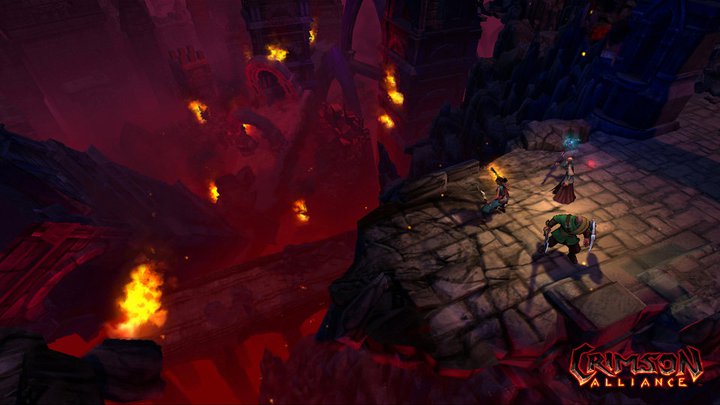
You play as Baldur, son of the patriarchal Norse god, Odin. The game is set out in a third-person hack-and-slash format mixed with ranged weaponry. You start off selecting one class from five, and these range from the melee-centric to the ranged-centric, with a healer class in the mix as well. This class is the only class in the game that can heal itself. There is none of that Halo or Gears-style ‘stay put to recharge’ business to be found here. If you are not a healer, you will have to depend on mobs dropping healing orbs.
Repeat this pattern until eventually you reach a boss battle. Unfortunately, most of those tend to be uninspired, getting down to a rinse-and-repeat method of killing each one. Outside of the combat, even walking around in the massive (but generally empty-feeling) Aesir city takes forever just to get anywhere. Making things worse is that sometimes while on a mission, a goal area will not trigger from your presence, making you walk some distance away from the place and then back. This work around is not always successful, and then you have to reload your game.
Even as one of the combat-focused classes, you end up dying quite a bit when this happens and your AI squad-mates aren’t worth much more than human shields. The robots will also get abilities that can stun you. This is fine, except for the fact that the stuns last way longer than necessary, forcing you to yell at the screen quite a bit as you sit there waiting to die. The best part is when they stun you and you wait all that time just to be stunned again right when you break free. FUN!
The voice acting is generally alright, but the real problem lies in the script. The dialog is corny, pompous, and cliched. Chances are that you will probably be reaching for the mute button about an hour or so into it. The plot also falls apart somewhat during the middle portion of the game. Thankfully it comes back to the entertaining side towards the end, but the last couple hours cannot redeem the previous seven spent playing it.