
My desk is a total disaster area. If you stream or create videos, I know you feel my pain. Between the dual-monitor mounts, the heavy microphone arm, and the tangled mass of cables for the camera rig, finding space for a keyboard is a constant struggle. You want something compact to give your mouse room for those fast, frantic swipes, but you also need a number pad for entering metadata or setting up stream deck hotkeys.
Enter the Logitech G316 X 98. Retailing at $119.99, this wired-only mechanical keyboard claims to give you the best of both worlds. It combines an 8,000 Hz polling rate with a space-saving layout and hot-swappable switches. But does it actually hold up under the pressure of daily gaming and streaming sessions, or are you better off spending your cash elsewhere? Let’s find out.
The Ultimate Desk Space Saver
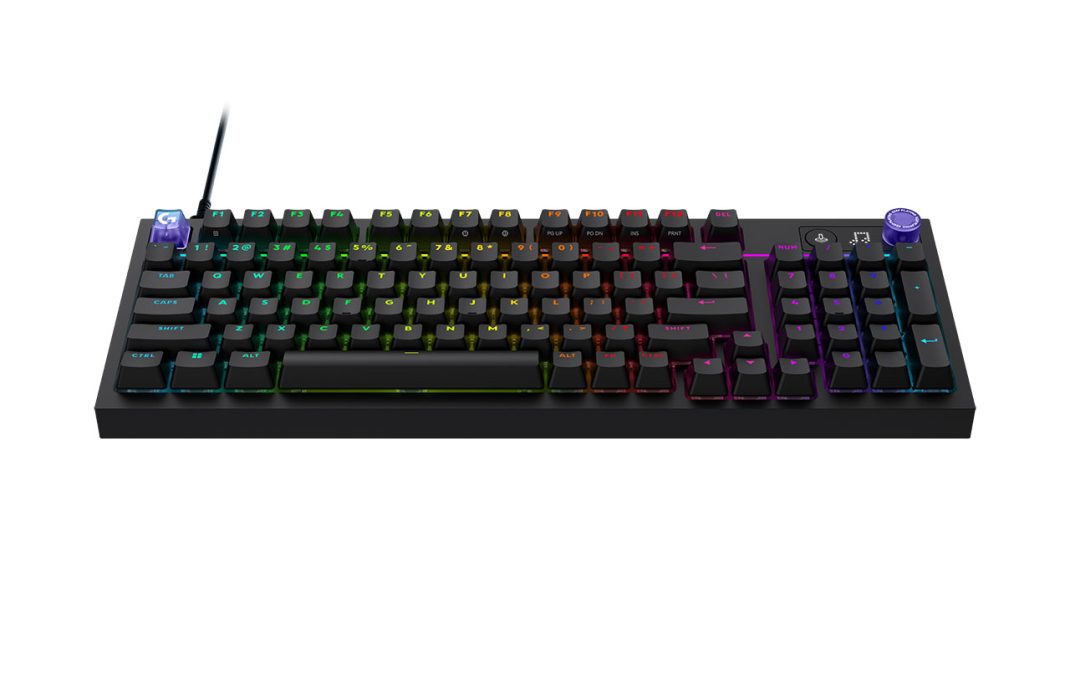
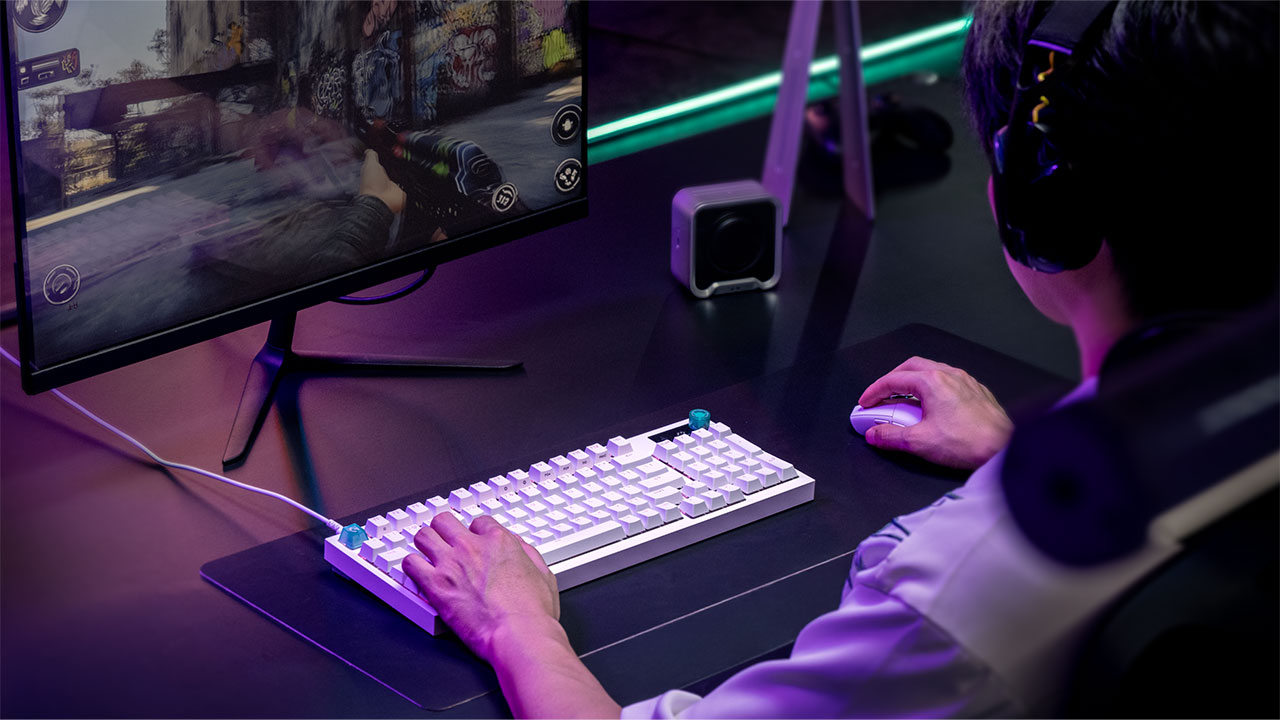
Let’s be real for a moment. Full-sized keyboards are giant desk hogs. But tenkeyless boards leave you high and dry when you need to type in numerical codes or manage complex in-game binds. This is exactly why the 98% layout on the G316 X is a massive win.
With 98 keys, this layout preserves the full numeric keypad, the F-row, and dedicated arrow keys, but it omits the bulky Home and End navigation cluster. Honestly, it is a fantastic compromise. It is noticeably more compact than a traditional full-sized board, which frees up precious desk real estate for wide, fast mouse flicks during intense FPS games.
For connectivity, you get a detachable 1.8-meter USB-C to USB-A cable. It is purely wired, meaning there is no battery inside. This is totally fine for a permanent desktop setup, but if you like a clean, wireless aesthetic, the lack of Bluetooth or 2.4 GHz wireless might feel like a step backward.
Linear vs. Tactile
Here is the thing: a keyboard lives or dies by its switches. The G316 X features a hot-swappable PCB, allowing you to easily swap out the stock switches. It comes in two stock configurations: GL Linear or GL Tactile.
If you go with the GL Linear version, you are going to have a great time. These linear switches feature a light 40-gram actuation force and a comfortable 1.9 mm travel distance. Typing on them is smooth, consistent, and incredibly comfortable. They feel slightly firmer than the red switches on my older ASUS ROG board, which I actually prefer. It makes the whole keyboard feel solid and stops you from accidentally fat-fingering keys during frantic moments.
But if you buy the GL Tactile variant? Honestly, brace yourself. I tested the tactile switches, and they are incredibly stiff. They require a heavy 55-gram actuation force and have a 2.2 mm travel distance. Traditionally, tactile switches have a satisfying little bump midway through the press to let you know the key has registered. On the G316 X, that bump is located right at the very top of the press. It feels more like pushing past a sticky membrane dome than typing on a refined mechanical keyboard.
Typing on these tactile switches for an entire workday left my fingers feeling completely fatigued. In fast-paced games like Counter-Strike 2, trying to counter-strafe with these stiff keys felt sluggish and unresponsive. If you want pinpoint control, the tactile version is a total pass.
The saving grace? The board is fully hot-swappable. If you buy the tactile version and hate it, you can pull the switches out and replace them with standard MX-style switches. But doing that immediately adds to the cost of a brand-new $120 keyboard, which is hard to justify.
That Quirky Dot-Matrix Screen
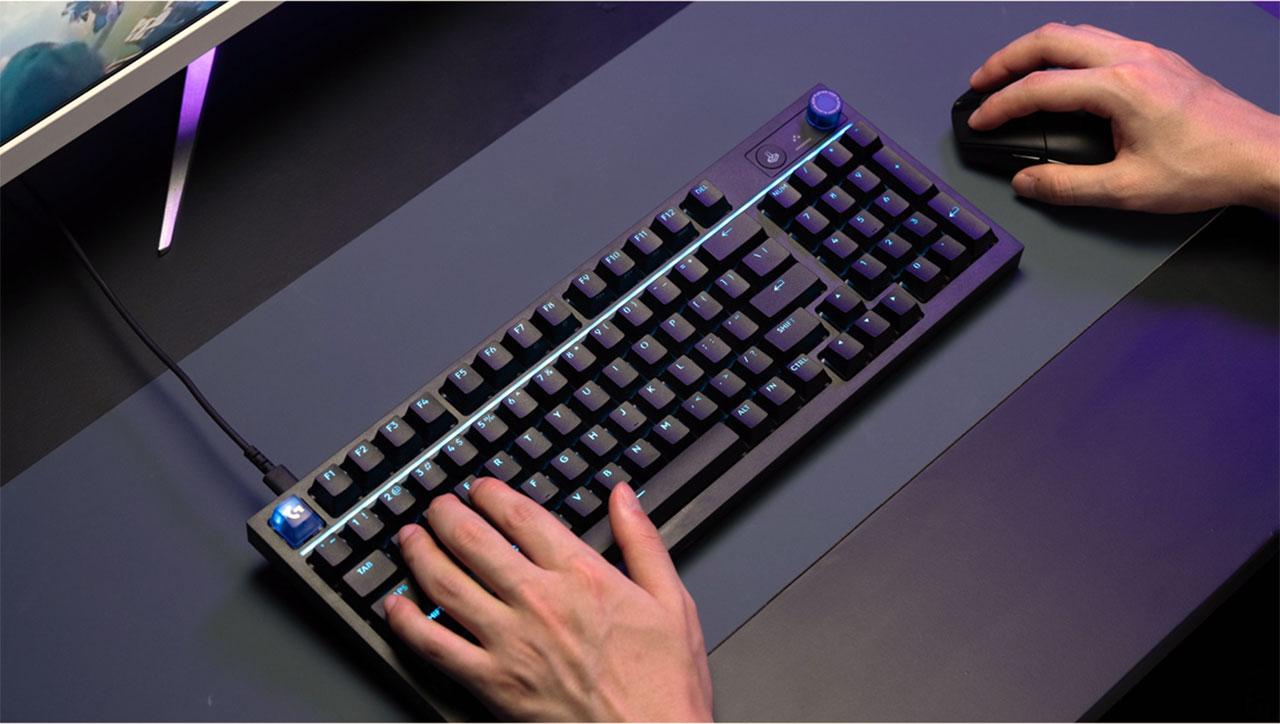
Let’s talk about the fun design elements. Up in the top right corner, Logitech added a physical volume dial and a retro LED dot-matrix display.
This dial is highly intuitive. By pressing and holding it for 1.5 seconds, you can cycle through controlling your volume, media playback, RGB brightness, or the polling rate. The dot-matrix screen displays cute little custom animations to show what mode you are in. For example, when you change the volume, a little animated speaker icon pulses on the grid.
But you know what? The screen can be a bit of a goofy gimmick. It often displays random smiley faces or solid white blocks with no clear logic behind them. More frustratingly, you cannot customize the graphics or write your own text through Logitech’s software.
On the bright side, the RGB backlighting is phenomenal. The per-key lighting is bright, saturated, and shines clearly through the bold, double-shot PBT keycaps. There is also a reactive, 30-zone light bar running along the top of the board. When you adjust the volume, blobs of colorful light shoot across the bar, which looks incredibly slick in a dark streaming room.
If you get the black version, the keycaps use a “stealthy” print style. The legends are non-contrasting, meaning they are completely invisible when the keyboard is powered off. It looks ultra-clean when your setup is shut down, but it can make typing a bit tricky if you are hunting for secondary keys in dim light.
Also, a quick heads-up for macOS creators: while the keyboard technically works on Mac, there is zero parity. There are no Mac keycaps in the box, and the Mac version of G HUB cannot map macOS-specific commands like the emoji viewer.
The 8,000 Hz Hype
Logitech heavily markets the 8,000 Hz (8 kHz) polling rate on the G316 X. Standard gaming keyboards operate at 1,000 Hz, sending an input signal to your PC every 1.0 millisecond. At 8,000 Hz, that delay drops to a near-instantaneous 0.125 milliseconds.
But here’s the catch. Because this keyboard uses traditional physical mechanical switches instead of advanced analog magnetic switches, the physical travel time of the key remains the real bottleneck. It lacks features like Rapid Trigger, which lets you reset a keypress instantly without letting the switch travel all the way back up.
When I changed the polling rate down to 1,000 Hz in G HUB, I could not feel a single bit of difference, even in high-speed competitive shooters. It is a technically impressive spec, but in daily use, it feels mostly like a clever marketing tool.
Components
The chassis is built entirely from plastic, using up to 42% recycled materials. While that is great for environmental sustainability, it does affect the initial physical feel. If you pick up the keyboard and give it a twist, there is some noticeable flex and a slightly hollow acoustic tone. It does not give a premium first impression.
However, once you set it flat on your desk, that flex completely vanishes. It feels robust, stable, and completely resistant to sliding around during intense gaming sessions. I also love the swappable rubber corner blocks. Instead of using cheap plastic flip-out feet that constantly snap, you pop out these thick rubber blocks and flip them to change your typing angle from 4 to 8 degrees. It is a clever, durable design choice.
Internally, Logitech went with a gasket-mounted design featuring sound-dampening foam and silicone layers. This design suspends the internal circuit board on soft dampeners to absorb high-pitched vibrations.
The acoustic result? It depends entirely on your switches. The GL Linear version produces a wonderfully deep, thocky thud that sounds rich and quiet enough for shared spaces. But the GL Tactile version is incredibly loud, harsh, and clacky. It screams when you type, and the clack is loud enough to be easily picked up by a streaming microphone, which will quickly drive your viewers crazy.
Another minor complaint: there is no wrist rest included in the box. The front edge of the keyboard is relatively high, so you will definitely want to buy a separate wrist rest to prevent hand fatigue over long typing sessions.
Is Logitech Charging Too Much?
If you are locked into the Logitech ecosystem, the G316 X 98 is a solid entry point for a mechanical setup. But if you look at what else you can get for around $120, the value proposition becomes very hard to defend.
For instance, the Keychron V1 Ultra 8K retails for $114.99. It gives you tri-mode wireless connectivity (Bluetooth 5.3, 2.4 GHz, and wired) and supports a full 8,000 Hz polling rate in both wired and wireless modes. It also features a web-based launcher tool that lets you customize your keyboard in any browser without needing to download local software.
Or look at the Epomaker P65, which retails for $119.99. It features a heavy, incredibly premium CNC-machined aluminum chassis weighing a solid 1.3 kilograms. It also offers tri-mode wireless connectivity and standard linear switches that deliver a beautifully creamy clack sound profile right out of the box.
By comparison, the G316 X is wired-only, built entirely of plastic, and relies on Logitech’s G HUB software, which is notoriously heavy and prone to occasional profile bugs.
The Final Verdict
So, what is the final verdict?
If you get the GL Linear version, the Logitech G316 X 98 is a lovely, thocky, and highly reliable mechanical keyboard. It looks fantastic, has incredible RGB flair, and performs flawlessly in fast-paced games.
But if you are stuck with the GL Tactile version, the stiff, fatiguing switches and loud clacky sound profile make it a very tough recommend. Unless you plan to buy it purely to swap the switches out for custom ones, you are better off looking at wireless or metal-built offerings from other board-makers out there.