
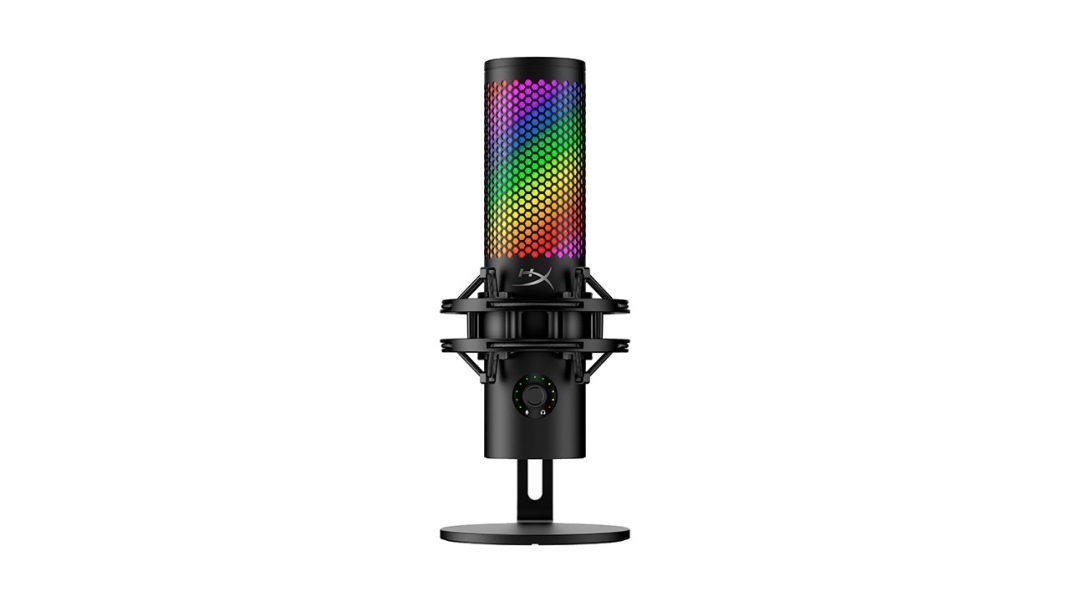
If you spend any time on Twitch, YouTube, or even just hopping into Discord calls, you know the exact visual: a glowing, honeycomb-patterned cylinder suspended in an elastic shock mount, casting a bright red aura across a creator’s face. That is the HyperX QuadCast. Since its debut back in 2019, it has basically been the undisputed aesthetic king of desktop gaming mics. It was simple, it looked cool, and it saved thousands of us from the terrible, compressed audio of built-in headset microphones.
But gaming setups have evolved. Streamers want cleaner desk setups, better controls, and higher audio fidelity. Rather than letting competitors eat their lunch, HyperX dropped the QuadCast 2 S, retailing at a premium $199.99. It features over a hundred addressable, customizable aRGB LEDs, a massive technical jump to 32-bit / 192 kHz recording resolution, and a completely reworked physical design.
But let’s be real for a second. Two hundred dollars is a serious investment for a USB peripheral. It pushes this mic out of the casual budget category and forces it to go toe-to-toe with dedicated audio giants like Shure and Rode. So, does the QuadCast 2 S actually justify its hefty price tag, or are you just paying a premium for a very fancy desk disco ball? Let’s check it out.
The 32-Bit Gimmick
Let me explain the big technical selling point of this mic first. HyperX is proudly boasting that the QuadCast 2 S is a “future-ready” device capable of recording audio at an incredible 32-bit depth and a 192 kHz sample rate. In theory, this is a massive technological upgrade from the original model’s 16-bit / 48 kHz capture. It means the mic is grabbing a massive, incredibly detailed slice of raw audio data every single second.
But honestly? For almost everyone reading this review, those specs are complete overkill.
Here is the thing: if your daily routine involves screaming at your friends in Discord, streaming on Twitch, or taking Zoom meetings for work, those high-end numbers will not make a shred of difference. Discord compresses your audio to save bandwidth. Twitch compressed audio does the same. By the time your voice reaches your viewers, the difference between 24-bit and 32-bit is completely imperceptible to the human ear.
However, if you are planning to record professional voiceovers, edit high-end YouTube videos, or capture local acoustic tracks, that extra digital headroom is actually a massive safety net. The raw sound quality of the electret condenser capsules is beautifully crisp, bright, and carries a very pleasant touch of mid-range warmth. It does not sound harsh or clinical, making you sound friendly and natural.
But there is a major catch to this extreme sensitivity. Because it is a condenser mic, it picks up everything in its immediate vicinity. If you have a clicky mechanical keyboard, a squeaky desk chair, or an air conditioner humming in the background, this mic will capture it all. If your room is completely untreated with bare walls and hardwood floors, your voice is going to sound a bit echoey and distant as the sound bounces off the hard surfaces. If you do not have a quiet, carpeted, or sound-treated space, a dynamic mic like the Shure MV6 will do a much better job of rejecting that unwanted background noise.
Boom Arms and Desk Real Estate
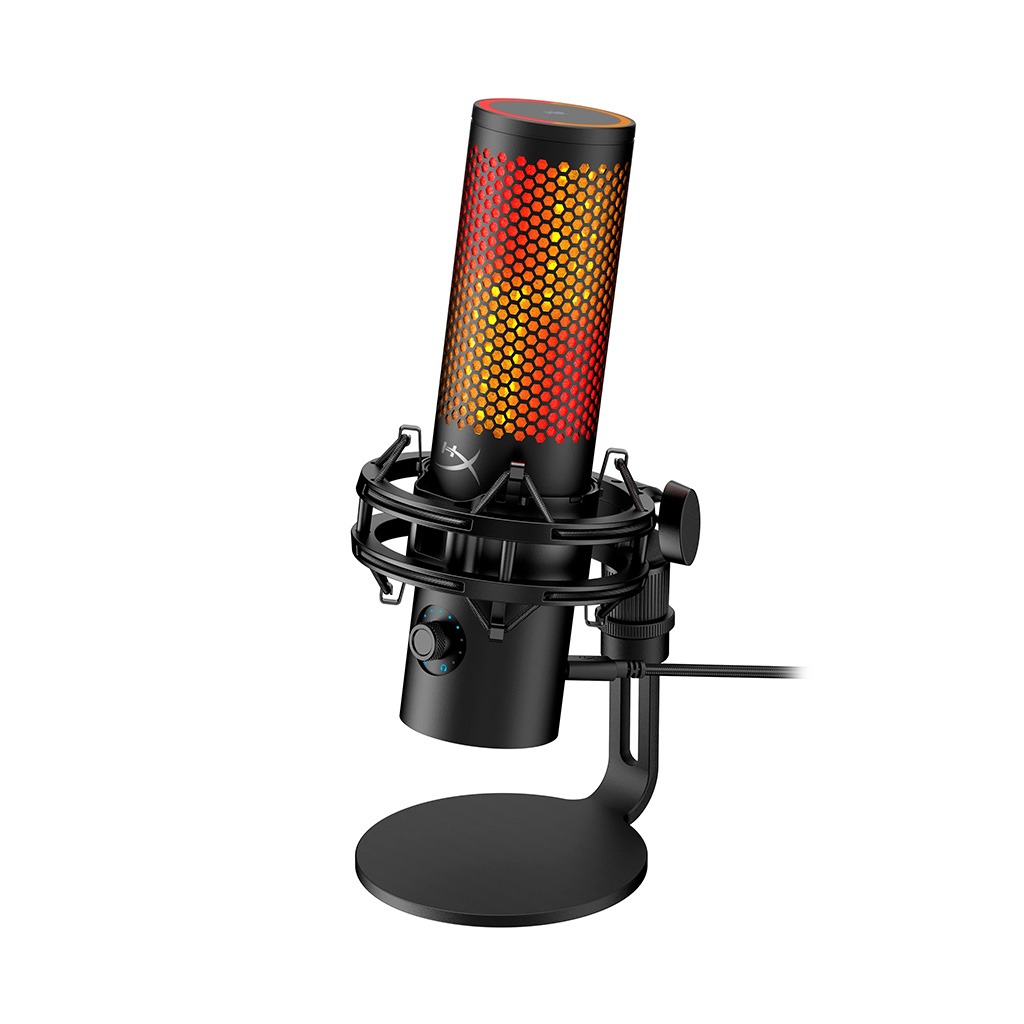
Let’s talk about physical presence, because the QuadCast 2 S is not a tiny microphone. Standing just under 11 inches tall when mounted on its heavy metal desktop stand, it is a beefy matte-black cylinder that will absolutely make itself known on your camera feed.
If you are planning to keep it on your desk, the base is sturdy and has a good grip. But honestly, keeping a highly sensitive condenser mic on your desk right next to your keyboard is a recipe for terrible sound. Every single keyboard tap, mouse swipe, and desk bump will send massive low-frequency vibrations straight up the stand and into your audio.
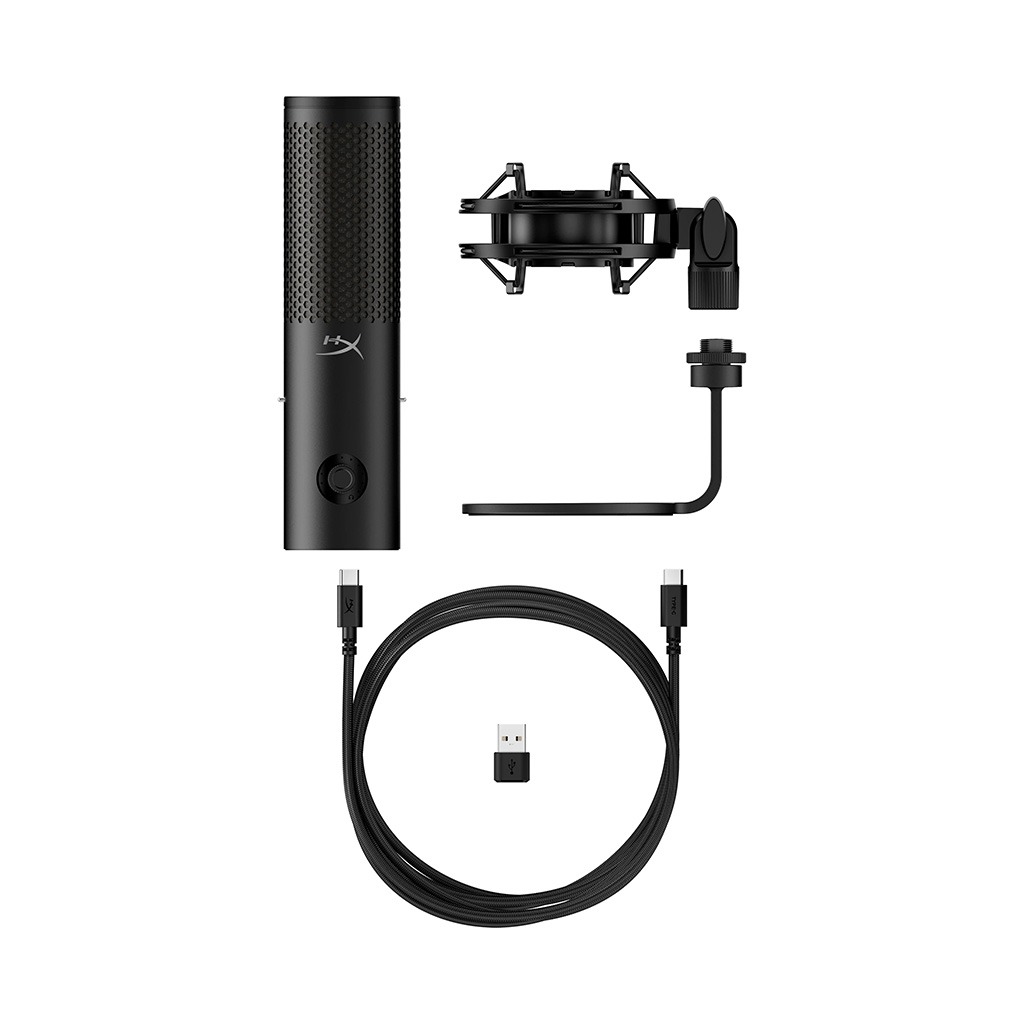
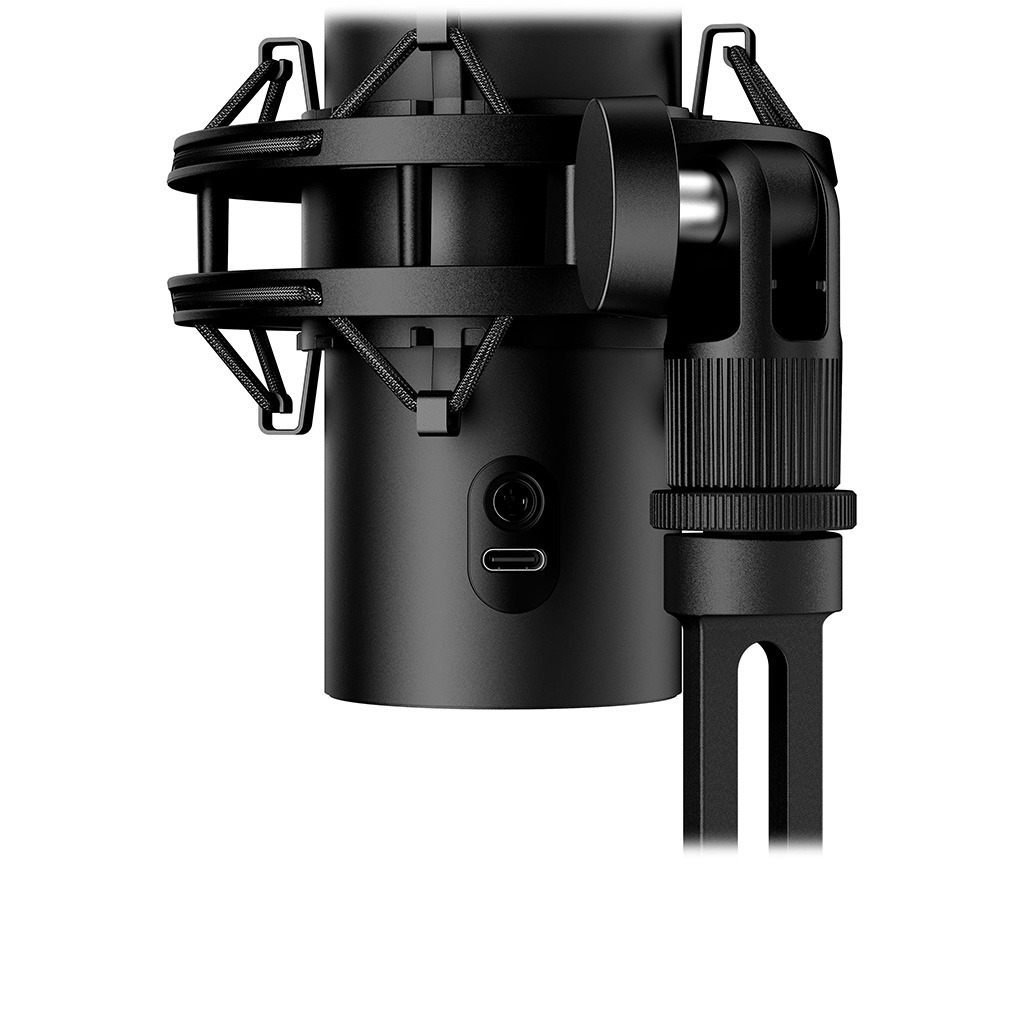
To fix this, you really need a suspension boom arm. Thankfully, HyperX made some brilliant design updates to the physical housing. The pre-attached elastic shock mount has been redesigned with a quick-release system. Instead of having to unscrew a tight plastic collar, you just pull two spring-loaded pins and the microphone slides right out of the shock mount in seconds.
But you have to be careful with your choice of boom arm. The QuadCast 2 S is heavier than its predecessor, weighing a solid 345 grams for the microphone unit alone, and a hefty 488 grams once you add the shock mount. Budget scissor arms like the Thronmax Flex S5 are great for light gear, but they might struggle, slip, or sag under the weight of this mic. You are much better off pairing it with a heavy-duty arm like the Elgato Wave Mic Arm LP or the RØDE PSA1+ to keep it locked in position right in front of your mouth. HyperX also thoughtfully offset the rear ports slightly, meaning your USB-C and headphone cables will not run into the metal frame when you tilt the mic on its stand.
The Tap of Silence
In terms of actual everyday usability, the physical controls on this microphone are fantastic. My biggest pet peeve with the older QuadCast S was having the gain knob hidden away on the bottom where you could easily bump it by accident. HyperX fixed this by throwing a gorgeous, multi-function rotary control knob right on the front of the body.
This single dial controls everything. By default, turning the knob adjusts your microphone’s gain. If you plug monitoring headphones into the zero-latency 3.5mm jack on the back, you can press the dial to switch between adjusting headphone volume and your monitor-to-playback mix. Holding the dial down for a few seconds allows you to cycle through the four polar patterns. The active pattern is displayed visually on a ring of colored indicator lights around the top sensor, which is a brilliant touch of design. When you are not actively adjusting settings, the LED ring around the dial acts as a real-time VU meter, bouncing up and down to show you exactly how loud you are.
And then we have the capacitive tap-to-mute button on top. Honestly, this is still the gold standard of mute switches on any microphone. You do not have to press a physical button that makes a loud, annoying “click” on your recording. You just tap the top of the mic with a fingertip. The over 100 addressable RGB LEDs immediately go dark, giving you and your stream audience a bulletproof visual cue that you are off the air.
But there is a small contradiction in the hardware design. While the mic is great at handling loud volumes without digital distortion, the internal pop filter is quite weak. If you speak within twelve inches of the grille, overzealous plosive sounds—like hard “P”, “T”, or “B” sounds—will easily blow past the thin internal foam and clip your recording. To get clean audio, you will need to add a cheap external pop filter, which ruins the sleek aesthetic of the RGB grille. Also, adjusting that beautiful multi-function dial during a live recording produces distinct physical clicking sounds that the sensitive condenser capsules will register clearly in your audio.
The Console Issue
Here is the thing: if you are a console gamer who splits your time between streaming on PC and playing on a PlayStation 5 or Nintendo Switch, you need to read this next part very carefully.
The QuadCast 2 S completely drops support for gaming consoles.
It is a massive, frustrating downgrade from the original model and a classic example of high-end technical specs causing serious compatibility issues.
Let me explain why this happens. To handle the high-resolution, uncompressed bandwidth required for its 32-bit / 192 kHz audio path, the QuadCast 2 S relies on the USB Audio Class 2 (UAC-2) standard. But console operating systems, including the PS5 and Nintendo Switch, do not support UAC-2; they are strictly limited to the older UAC-1 protocol.
Because the console’s operating system cannot negotiate the UAC-2 handshake, plugging the QuadCast 2 S into a PS5 results in absolutely nothing happening—the console will not even detect that a microphone is connected.
Here is the ultimate irony: the cheaper, standard QuadCast 2 (which retails for $150 and records at 24-bit / 96 kHz) uses the older UAC-1 protocol. That means the standard model works natively and flawlessly on PS5, Switch, and Steam Deck, while this “premium” $200 version is strictly locked to PC and Mac. If you play on consoles, buying the S is not the right move.
Software Gremlins
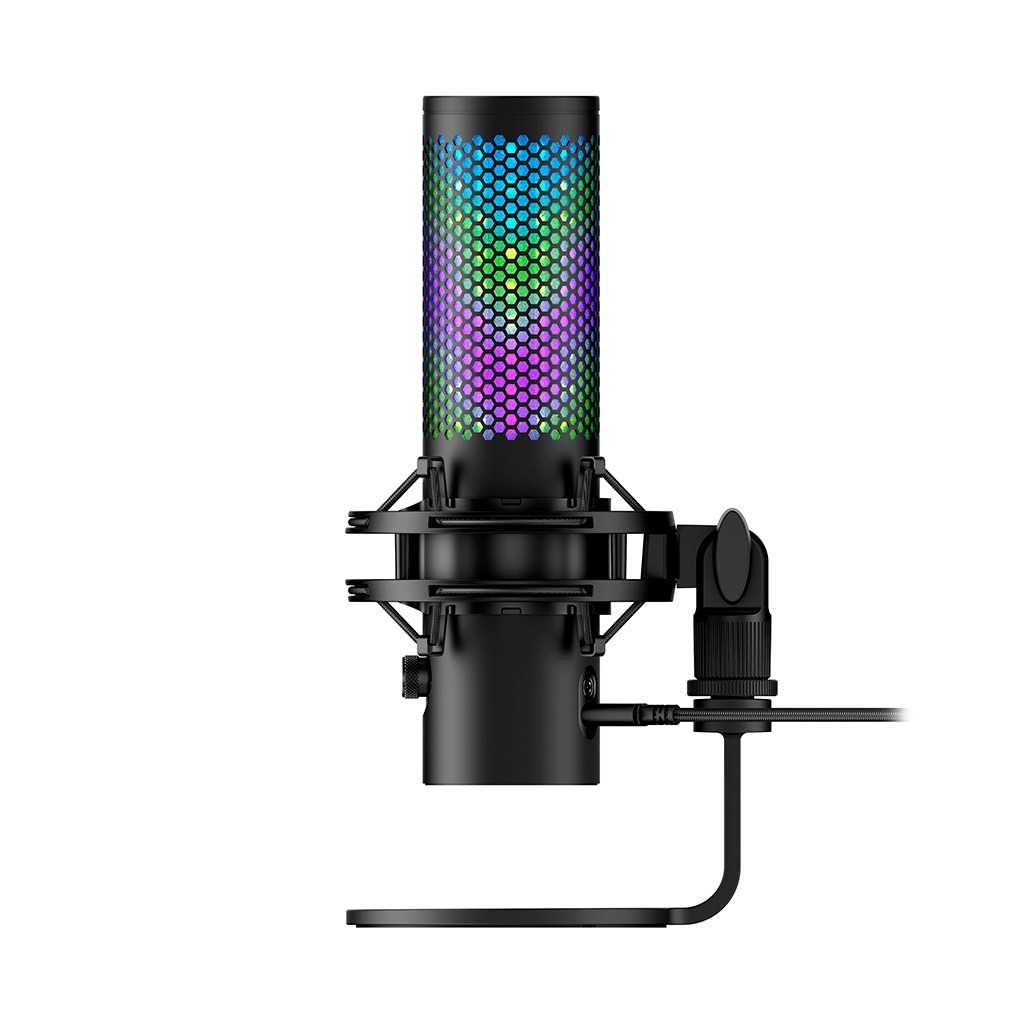
If you are on Windows, the NGENUITY software is required to customize the dazzling aRGB lighting. You can program gorgeous, custom color gradients, sync the colors to other HyperX gear, or set the LEDs to react dynamically to your voice. When it works, it looks spectacular.
But honestly, the software side of things is a massive headache.
First of all, NGENUITY is Windows-only. If you use macOS, there is no official app for you. Normally, you could plug the mic into a friend’s Windows PC, save your custom colors to the onboard memory, and bring it back to your Mac. But the QuadCast 2 S uses a live-driven LED controller. The microphone does not have onboard EEPROM storage to keep color profiles in its firmware. The moment you unplug it from Windows and connect it to a Mac, it immediately forgets your custom colors and reverts to its default, pulsing frosty blue pattern.
Even worse are the serious firmware update bugs. Many users on Reddit have reported that when they attempted to update the microphone’s firmware (specifically to version 6.1.1.3) through NGENUITY, the USB connection crashed midway. This interrupted write cycle completely corrupts the boot sector, bricking the microphone instantly. In other cases, when NGENUITY is running in the background, a software conflict can arise that disables the physical tap-to-mute button on top of the mic. Many creators have had to uninstall the software entirely just to get their microphone to function reliably, which completely defeats the purpose of paying an extra $50 for addressable RGB.
The Final Verdict
Ultimately, the HyperX QuadCast 2 S is an incredibly beautiful, highly capable USB condenser microphone that delivers stellar, broadcast-ready audio with zero effort. The raw sound quality is gorgeous, the physical mute button is unmatched, and the customizable addressable RGB looks spectacular on camera.
But for the vast majority of streamers and creators, the standard $150 QuadCast 2 is the much smarter buy. It sounds just as good in real-world streaming environments, it retains the key physical upgrades like the multi-function dial, and it works natively on consoles like the PS5 without the UAC-2 lockout.
If you are a PC-only creator who wants a dazzling showpiece for your setup and you do not mind fighting with a bit of unpolished software, the QuadCast 2 S is a beautiful, highly capable mic. Just be very careful when NGENUITY prompts you to update that firmware.
Overall Rating 3 out of 5
Pros
- Crisp 32-bit audio
- Responsive tap-to-mute
- Spectacular addressable RGB
- Easy-release shock mount
Cons
- No console compatibility
- Weak internal pop filter
- Glitchy companion software