Archive - 2010

Razer Nostromo Expert Gaming Keypad | Review

Gamepads are standard on gaming consoles. The buttons are all in easy-to-reach places, and it allows you to quickly navigate your game controls in a relatively small device. Keyboards, in contrast, are much larger. While this increased size means you can map a ton more controls to the various buttons that adorn most of the devices these days, it also takes more time to get from one button to another. Originally conceived for PC first-person shooter gamers, the Razer Nostromo aims to give gamers that gamepad-like experience with the customization potential of a keyboard.

While the original series of Nostromo devices were marketed by Belkin, this is the first of the series to be primarily under the Razer brand, with a nod to co-developer Belkin on the packaging.
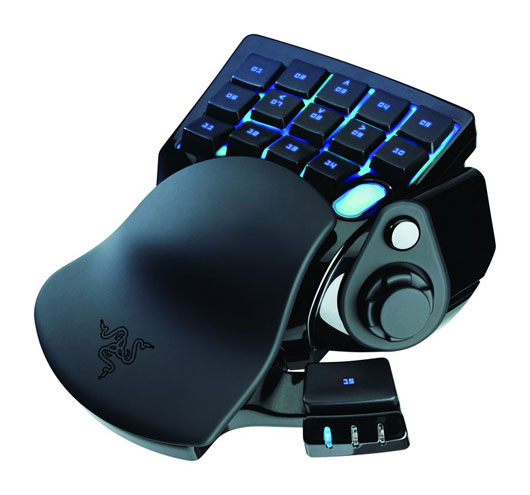
From a design standpoint, the Nostromo is a very pretty gaming peripheral. It features an all-black plastic design with a sleek shape and layout. The black, plastic body has a shine to it and the 16 buttons which adorn the control area are a rubberized plastic for comfort. The device uses a USB 2.0 interface to connect with your Windows PC, with a nice braided cable to avoid tearing or tangling. The unit is weighted enough at half a pound so that it is not effortless to move and has good ‘feet’ on it to prevent sliding around on most desktop surfaces.

The Nostromo also features a nice back lighting system with an icy-blue light. The back lighting brightness level can be adjusted within the configurator software. Those of you looking to customize your lighting color will not find that option here.

Installation of the Nostromo is not going to be any trouble for an average user. Simply install the CD and software then plug the unit into an available USB 2.0 port. From the Nostromo Configurator software, you can program all the buttons you like, or just use the out-of-the box presets, which work very well for most shooters and should be familiar to PC gamers. There is a 3-LED system to denote which of the 8 control profiles you are currently using, which can be a bit problematic if you forget which light pattern means what. I would have rather seen an LCD display with a profile’s name on it. Still, having 8 key maps and up to 20 game profiles available is a great thing and will serve you well, especially if you have a ton of macros to program into the unit.
After configuring the Nostromo, it was time we took it for a spin with Call of Duty: Black Ops. Using the Nostromo took some getting used to, but after feeling it out a while I was sufficiently impressed with its (and my own) performance to try it in a game not really meant for the device: 2K Game’s Civilization V. Civ V is a turn-based, empire-building title where game sessions can last for weeks depending on any number of factors. This means the Nostromo would have to be comfortable enough to use in such a situation – where it was not meant to be used. After many hours of play, I was still impressed with the Nostromo and its functionality on such a slowly-progressing game. Now, some of you may argue that you do not play with the keyboard a lot in Civ V. I would say to you, dear gamers, that you really should to be as efficient as possible (there are a ton of helpful keyboard shortcuts to know). As I have been beta testing DC Universe Online, an upcoming MMO from Sony Online Entertainment, I decided to give it a test in that environment next. Again, the biggest ‘trouble’ I had in using the device was deciding where to assign keyboard shortcuts on the control pad. After that, things went very smoothly and I had my fiery villain character decimating the city before I knew it.
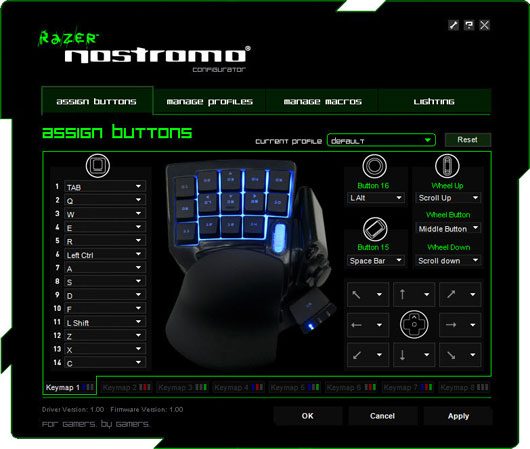
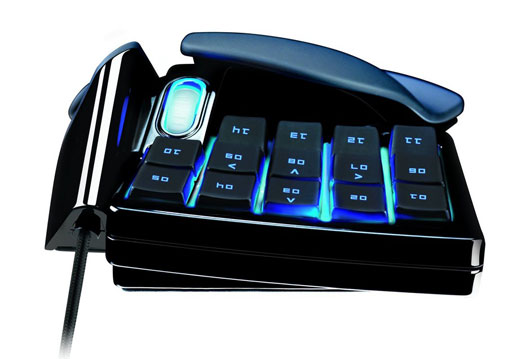
The controls are all very responsive, and I did not have trouble reaching any of them. The one button which I felt needed to be a little more ‘springy’ in its design was the thumb button. It replicates the function of a space bar in games, but did not have a strong enough return spring. I prefer ‘clicky’, quick-to-bounceback buttons as opposed to ‘squishy’ keys, so I digress. I would have also liked to have seen the thumb button be a bit larger in dimension. While reachable, it is not entirely effortless to access, being slightly off from where my thumb usually sits. This point will largely depend on your hand, of course, and its size in comparison to the Nostromo.

Also, the 8-way directional ‘nubbin’ was a mixed-bag. On one hand, you could use it for moving around the screen by assigning it WASD functionality. Essentially, this makes the Nostromo a fully independent controller. However, doing so proved a very odd experience, not really all that precise in comparison to a standard keyboard setup.

Overall – the Razer Nostromo’s performance, both in fast and slow-paced games, is very admirable and I would recommend it to any PC gamer looking to pare down the keyboard to a more focused gaming solution.
Review of Mafia II: Joe’s Adventures (Xbox 360)

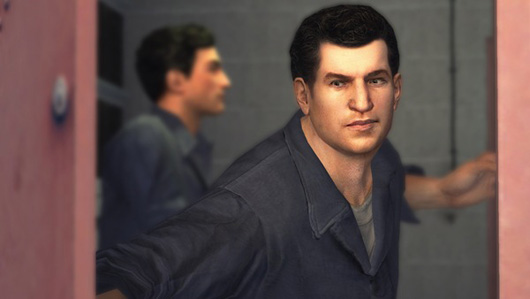
Joe’s Adventures is the second DLC pack for 2k Games’ Mafia II, after Jimmy’s Vendetta. This time around, the story focuses entirely on enforcer Joe Barbaro and his antics during the time of Vito Scaletta’s imprisonment. Joe returns to Empire Bay after a long hiatus – he ended up a marked man and had to leave town – to regain his proper standing and clear his ‘good’ name.

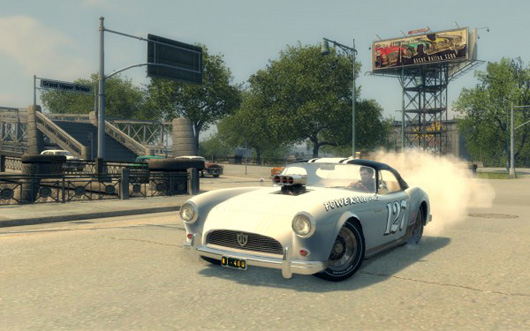
A cool breath of fresh air for the game, Joe’s Adventures allows players to drive a new, and fun-to-drive, vehicle as well as listen to some new songs from that period in time. There are also new Playboy magazines to collect for those of you seeking more achievements. Not such a breath of fresh air is that, unlike the base game, Joe’s Adventures does not feature anywhere near the amount of voice over work – instead opting for a plethora of text to read.

All the voice over work in the base game, as well as great performances, helped immerse the player into the gritty, crime-thriller story. Save for some well-done cinematics, this is largely missing here. Now, that’s not to say there is no story of any kind – there is. You just have to read it. Taking into account all the text, there is actually more story to be found here than in Jimmy’s Vendetta. It would have just been nice to have the aural presentation found in the base game.

Throughout the course of the adventure, the player will visit several new locations around Empire Bay – all of which look great and feature several
missions to complete before climaxing with, usually, a big showdown (lots of lead flying about). These big climactic events are a lot of fun and usually feature action-packed moments that would make any geek smirk. Speaking of set pieces, the frozen lake sequence is an especially fun experience, both in terms of gameplay as well as visuals with plenty of thin and cracking ice to be found.

While the aforementioned missions are a lot of fun, the expansion’s biggest problem lies in its strange cadre of poorly-designed missions. Some are moronically-easy to complete, whereas others are straight-up impossible. One gets the feeling that many of the simpler missions are ‘filler’ to round-out the expansion’s play time which, to its credit, is about six hours or so.

Overall, Joe’s Adventures has its share of high and low-points. For $10 dollars, it is a worth-while purchase for fans of the original game, but it is clearly not the end-all, be-all DLC pack for you to spend your cash on this holiday season. This is a big shame too, as the expansion pack has some sincerely cool moments. If only there had been more of them.

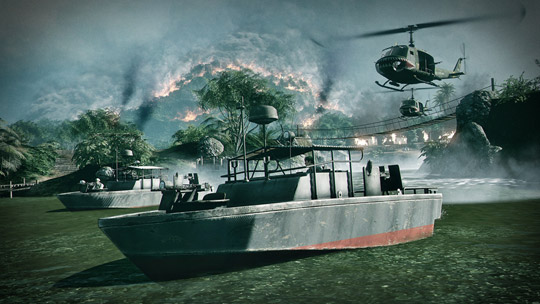
Bad Company 2 Vietnam to Feature Unlockable Operation Hastings

Over at the Battlefield Blog, EA DICE has announced that their upcoming Battlefield Bad Company 2: Vietnam will feature an unlockable ‘Operation Hastings’ map. This map is actually from the original Battlefield Vietnam. Bad Company 2: Vietnam is due out on December 21st for the Xbox 360, PlayStation 3, and Windows PC platforms.

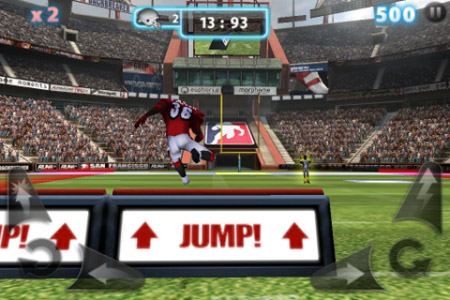
Backbreaker 2: Vengeance Out Now on App Store

NaturalMotion has announced the official release of their follow-up to Backbreaker, Backbreaker 2: Vengeance. In this game, you play as a tackle attempting to take down a runner with the ball before he reaches the end zone. For fans of the original, Backbreaker 2 also includes the original ‘Tackle Alley’ game mode.

Backbreaker 2: Vengeance retails for $2.99 and is available now.

OnLive Announces Flat-Rate Subscription Plan

Streaming game service, OnLive, has announced a flat rate ‘PlayPack’ subscription plan of $9.99 a month. The plan, which will begin on January 15th, 2011 will allow subscribers to access over 40 games as much as they want every month. Game titles include past hits such as FEAR 2, Prince of Persia, and HAWX.

Additional highlights:
– The PlayPack is immediately available to OGS owners and will become available to all OnLive members starting January 15, 2011.
– The PlayPack kicks off with titles such as Prince of Persia, Tomb Raider: Underworld and LEGO Batman and will include a combination of recent, indie and classic games.
– OnLive will continue to offer its current free trials, 3 and 5 day rentals and Full PlayPass options for a la carte new release games.
– The $99 OnLive Game System is now shipping to customers who have placed pre-orders.

You can find out more at OnLive’s official website.

Epic Mickey Epiculous Trailer from D!tto

In honor of today’s launch of Diney Interactive Studio’s Epic Mickey, they have released a new trailer featuring a musical mash-up by musical artist D!tto. The mash-up featured is between a track from artist Perch and D!tto himself. Epic Mickey is out exclusively on the Nintendo Wii platform.

First Back to the Future The Game Screenshots Released

Telltale Games has released the first screenshots from its upcoming Back to the Future game series. Back to the Future The Game takes place after the events of Back to the Future III and features the talents of Bob Gale and Christopher Lloyd. The first of the five game episodes is due out this Winter on Windows PCs and, hopefully, the iPad and iPhone platforms.

Checkout the first screenshots, After the Break!

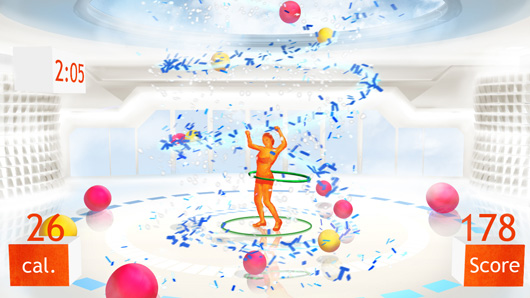
Your Shape: Fitness Evolved (X360) | REVIEW

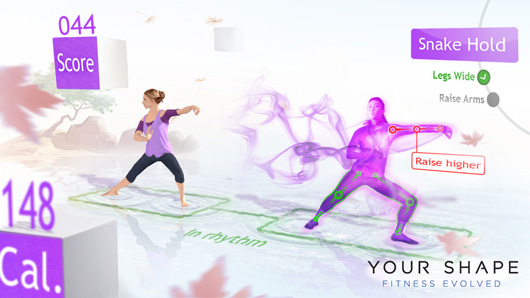
Before you even launch into Your Shape: Fitness Evolved, you are going to want to move the furniture. As with most Kinect titles, Your Shape requires at least 9 feet for me to properly event set the game up. As you launch into the game, it will run an initial setup that ‘scans’ your body into the game. The image shows up as a weird, matrix-like photo of the player that moves really well with how the player is actually moving in the real world. You also have the option to show your real likeness – however, both were quite off-putting, especially for those who have self esteem issues. The setup and initial scan were flawless as it measured my bone structure, arm length, and waist line. I had to manually input my weight and off I went into the fitness tests.

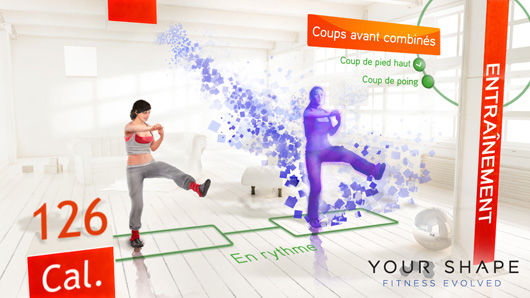
The fitness tests are an important part to any workout game. Your Shape wants to accurately gauge the player’s physical ability in both cardio and toning movements to make sure routines are of the appropriate level. I started the fitness tests by doing some simple cardio routines. This included back leg bends, side lunges, and punch dodge routines. As the player you need to remain in sync with the instruction’s beat and stay inside the green box. The cardio routines went smoothly, however the toning tests were a bit off. The toning routine consisted of some front lunges and by the gods I could not get my on screen self to stay in the green box (meaning that you are in sync with the virtual trainer). This could be due to the size of my play space but it just did not seem well synced-up. Once I finished all the tests, I was rated as a middle level individual for cardio routines and a beginner for toning workouts.

Your Shape then sent me into the activity selection screen. Your Shape uses a neat trick to select which activity you want to do. Instead of just hovering your hand the game measures where your hands are at and puts the buttons right near your hand on screen. I had several options of what I was able to do including personal trainer sessions, yoga, kickboxing, or fun mini games. I choose to start out the session with my personal trainer and it gave me a wide variety of activities to choose from. I am not sure why, but it offered me some after pregnancy workouts which made me feel like throwing myself out a window. I decided to go with a cardio routine and off I went for a 45 minute routine.

The routine was very similar to the fitness tests and the mechanics were the same – stay inside the green square or risk going out of sync with the trainer. I admit that I am not in the best shape and, due to an office job, don’t get as much exercise as I should but the cardio routine really worked my legs. I did not really find myself out of breath during the 45 minute routine, but afterward, it felt like I went snowboarding as my quads were really sore. Your Shape is not designed for those that hit the gym every single day. It seems to be designed for those that want to workout at home without the social anxiety fear of getting into a gym. The personal training section keeps great track of what you are doing and gives you positive motivation a long the way. The bar up by your nameplate keeps track of calorie burning goals and grants you achievements when you hit certain marks. Throw in the optional Ubisoft U-Play system and it really adds that ‘video game element’ to the fitness routine.

After stopping for some water, I opted to try out one of the mini games. The fitness game section consisted of boxing, light cycle racing, and several others. I chose to try out the boxing and it gave me several options of the game to choose from. I went with the beginner level and off I went to box punching land. The game throws up a wall of boxes in front of you that highlight which one you need to hit at any certain time. the game teaches you how to punch across your body correctly in order to hit the boxes and is a fun way to challenge some friends. While pretty much all the games were the same, it was a fun break from the personal training experience.

Your Shape has an interesting multiplayer component to it that allows you to challenge friends to beat your scores and fitness levels. Tie that in with the Your Shape website where you can keep track of all your calorie burning stats and you end up with a positive experience for ‘noob’ to mid level physical-types. The game suffers from space and sensor pick up concerns but really lays the groundwork for fitness games on the Kinect. With a contender in EA Active 2 already coming to store shelves, Ubisoft has a solid title that any Shogunite looking to get fit should try out.

EPIC Games Releases New Unreal Engine 3 Demo Video

EPIC Games has released a new video showing off the capabilities of their new Unreal Engine 3 game engine. The UE3 features a number of enhancements over the previous version, such as the ability to add fracture effects to static meshes and simulations of large crowds.