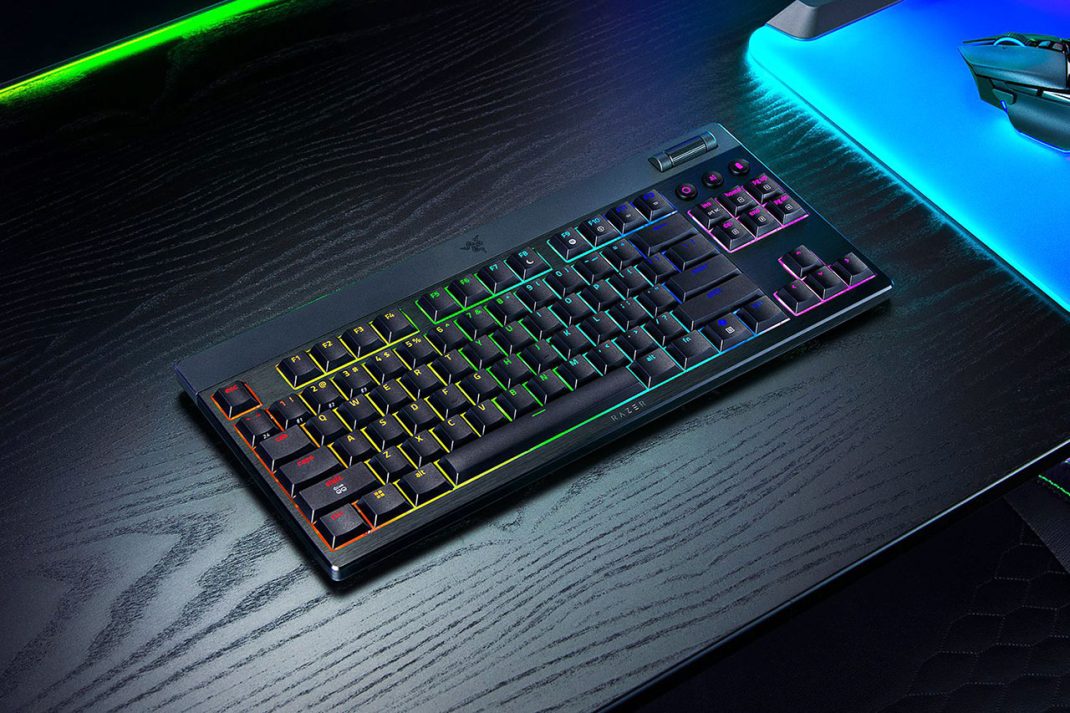
As a gamer who cut his teeth on the beige, clunky keyboards of the 90s, I’ve witnessed the entire evolution of the peripheral. I’ve gone from mushy membrane keys to the loud, proud clack of the original mechanical revival, and now, my wrists are starting to feel every one of those years. The towering keyboards that once defined a “serious” gaming setup now look less like command centers and more like ergonomic challenges. My desk serves double duty for work and play, and the search for a single keyboard that can handle both without requiring a wrist brace has been a long one. That search led me to the Razer BlackWidow V4 TKL Low-Profile HyperSpeed, a keyboard that promises to blend high-performance gaming with a design that’s a little kinder to aging joints.
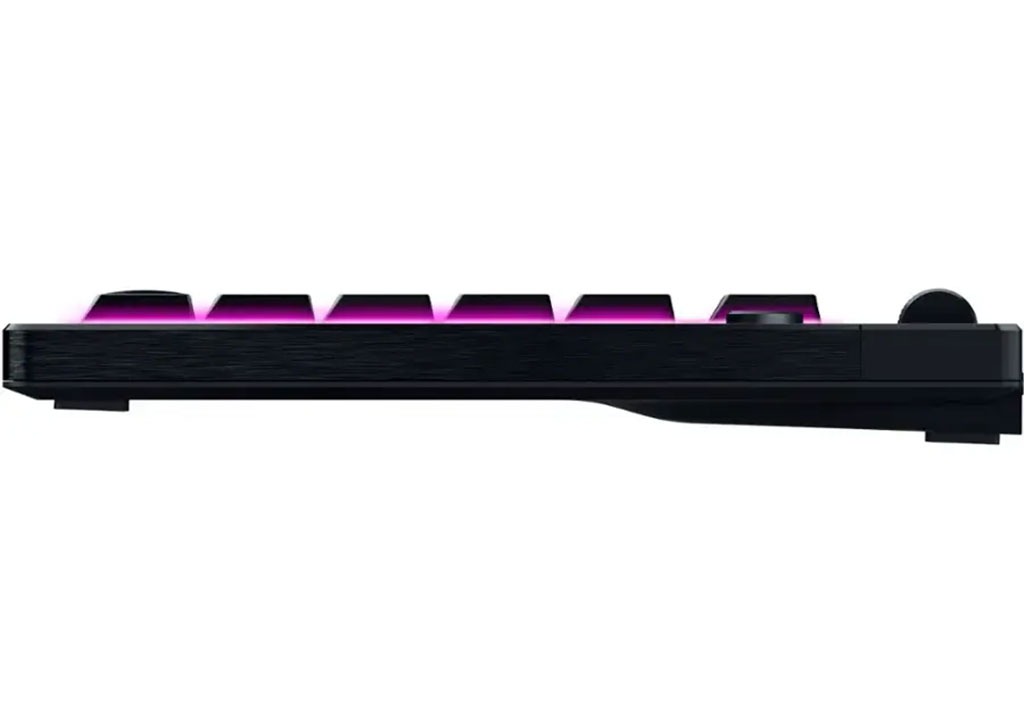
Right out of the box, the keyboard makes a statement with its construction. The top case is a cool, solid piece of 5052 aluminum alloy, giving it a substantial, premium feel without any of the creaks or flex you might find in cheaper plastic boards. It’s impressively thin, sitting low on the desk in a way that immediately feels more natural than its taller BlackWidow siblings. Razer makes a point of saying this slim profile is designed to promote a more neutral wrist posture, making a wrist rest unnecessary. After several long days of typing reports followed by a few hours of gaming, I have to agree. My wrists felt noticeably less strained. It’s a subtle but significant shift in design philosophy, solving the ergonomic problem at its source rather than patching it with an accessory.
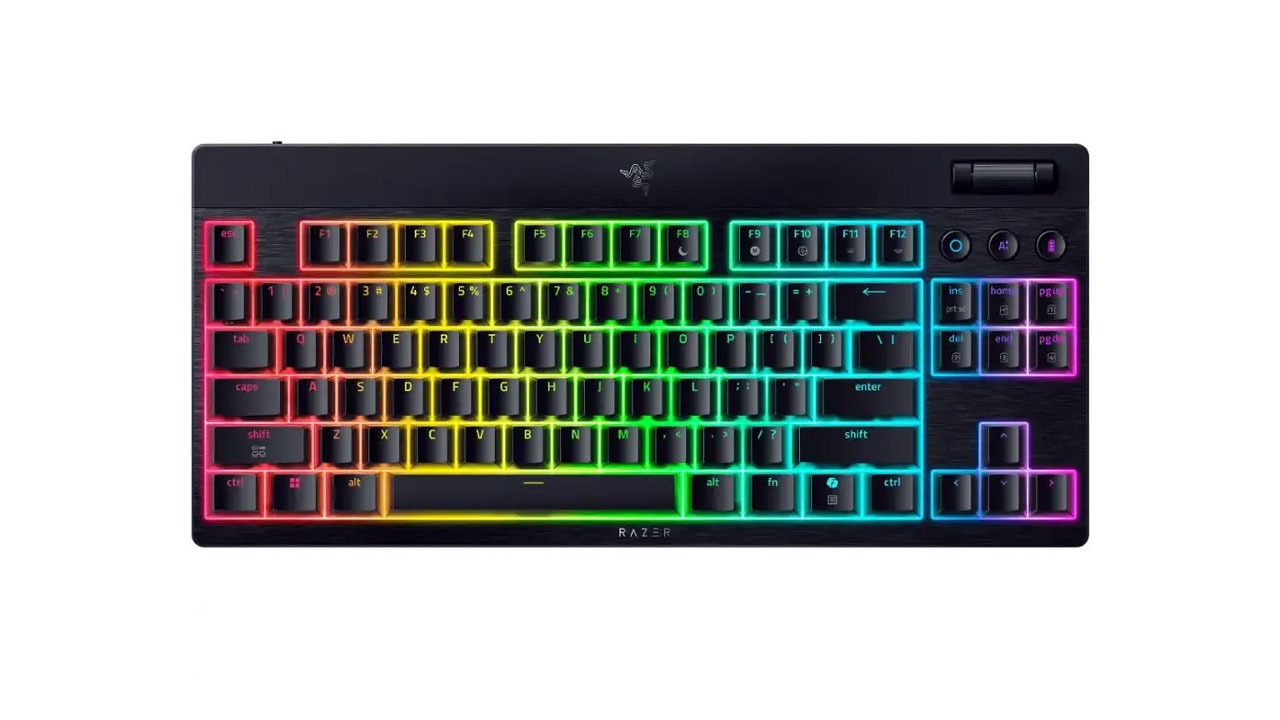
The heart of the experience, of course, is the typing and gaming feel. I opted for the Orange tactile switches, seeking a balance between the satisfying feedback needed for typing and the quiet responsiveness required for late-night gaming sessions. The new low-profile mechanical switches deliver beautifully. They provide a distinct tactile bump without the loud, office-disturbing click of their Green switch counterparts. Each keystroke feels quick and precise. Razer has clearly paid attention to the enthusiast market, incorporating two layers of sound-dampening foam and pre-lubricating the stabilizers. The result is a clean, crisp sound that’s a world away from the hollow rattle of older gaming keyboards. It’s a refined acoustic experience that’s satisfying without being obnoxious.
For someone juggling a work laptop and a gaming PC, the dual-wireless connectivity is a game-changer. The 2.4 GHz HyperSpeed connection is flawless for gaming, providing a lag-free experience that’s indistinguishable from a wired connection. Then, with a simple key combination, I can switch over to one of three paired Bluetooth devices, letting me type on my work laptop or tablet seamlessly. It has genuinely cleaned up my desk and simplified my workflow. This low-profile keyboard is available in a tenkeyless as well as tenkey equipped model – the model with ten key pad being slightly more expensive.
However, no product is perfect, and there are a few minor areas where the BlackWidow V4 Low-Profile falls short. While the headline figure of nearly a thousand hours of battery life is technically true – it’s only true if you turn off the vibrant Chroma RGB lighting and lower the performance settings – essentially disabling the very features that make it a premium Razer product. With the lights on at a reasonable brightness, however, you should expect a more realistic 40 to 50 hours. That range is perfectly fine for a weekly charge. Also, I didn’t find the Chroma RGB lighting to be as bright as I would have liked it to have been. I think I set everything correctly, but it still lacks for some reason. More to the point of battery life, the keyboard utilizes a visual cue to show its battery life. When the battery status button is pressed, the 1-0 keys will light up as if they were a status bar – each key representing 10% battery life. It’s a very cool feature to have!
One terrific new addition to Razer keyboards is the AI prompt master key located in the keyboard’s upper-right corner. This key allows you to bring up an AI chat bot overlay (even while in most games). You can then interact with it. Think of getting to a point in your favorite single-player adventure game and having trouble beating a particular boss. You can bring up the AI prompt master, provide it information and ask it for tips! It’s a nifty idea that I think we’re going to start seeing a lot more of in future peripherals.
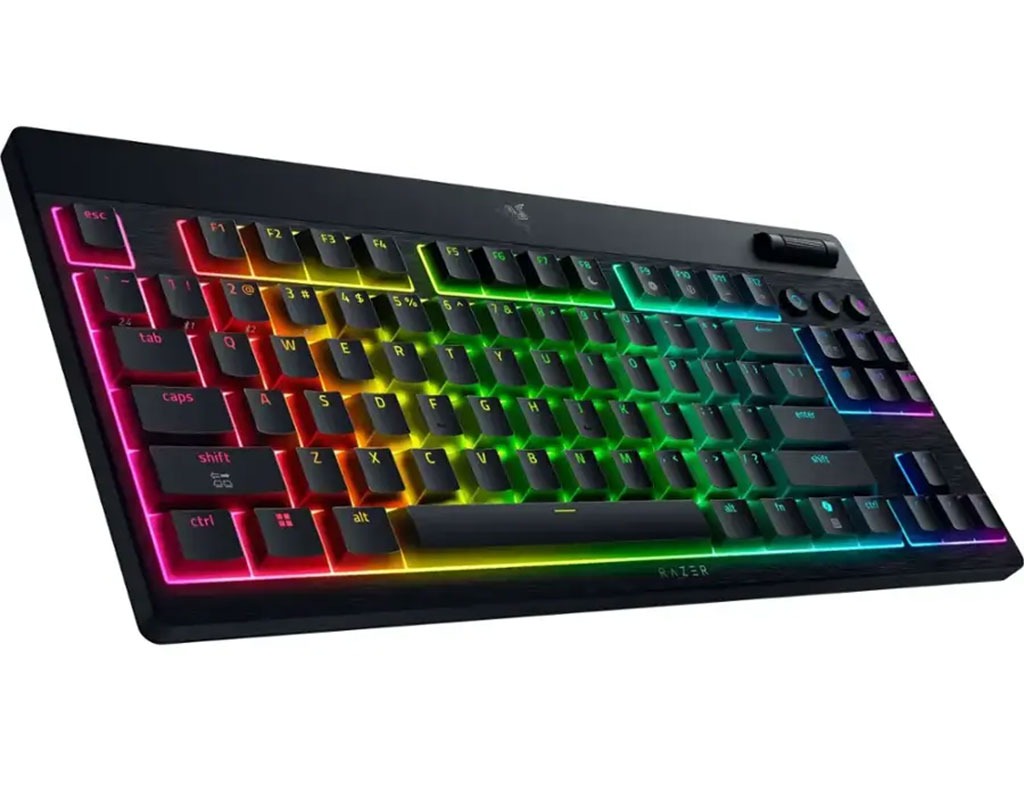
Ultimately, the Razer BlackWidow V4 TKL Low-Profile HyperSpeed is a thoughtfully designed and superbly executed keyboard that successfully bridges the gap between work and play. It offers the high-end performance gamers expect, wrapped in a sleek, comfortable design that my 40-year-old wrists genuinely appreciate. The build quality is exceptional, the wireless versatility is a massive convenience, and the typing experience is a joy. While the battery marketing and lighting is a slight letdown, these are very minor blemishes on an otherwise outstanding product. It’s an investment, to be sure, but for the mature gamer who values comfort, quality, and a clean setup as much as performance, it’s an investment that pays off every single day. The keyboard retails for $199.99 and is available now.
Overall Score: 5 out of 5
Pros & Cons
Pros:
- Excellent build quality with an aluminum top case.
- Slim, low-profile design is comfortable for long sessions without a wrist rest.
- Satisfying and responsive low-profile mechanical switches.
- Refined typing sound thanks to internal foam and lubricated stabilizers.
Cons:
- Near 1,000 hour battery life is only in power-saver mode
- Chroma RGB lighting could be brighter at full settings
Tech Specs
- Switch Type
- Razer™ Low-profile Mechanical Switches (Tactile)
- Size
- Tenkeyless
- Lighting
- Razer™ Chroma RGB
- Wrist Rest
- None
- Onboard Memory
- Hybrid On-Board Storage For Up To 5 Profiles
- Media Keys
- Multi-function roller with secondary media keys
- Passthrough
- None
- Connectivity
- Connect via Razer™ HyperSpeed Wireless (2.4 GHz),
- Bluetooth, or Type C
- Keycaps
- Doubleshot PBT Keycaps
- Others
- Razer™ Snap Tap
- Razer™ Synapse 4 enabled
- 5052 Aluminum Alloy Top Case
- Top-mounted Stainless Steel Plate
- ABS Plastic Bottom Case
- PCB & Case Sound Dampening Foams included
- Lubricated stabilizers
- 1,000 Hz Polling Rate