Let’s be real for a second. Hauling around a modern gaming setup is an absolute logistical nightmare. You carefully pack your expensive laptop, your precision gaming mouse, the massive power brick, your smartphone, your wireless earbuds, and suddenly your everyday backpack weighs as much as a small car. It’s exhausting. We have all been there, sitting in a crowded coffee shop or sweating at a local LAN party, desperately untangling a messy rat king of USB cables just to keep our essential gear alive. Honestly, I’m over it.
Enter the Razer Laptop Sleeve 16 with Wireless Charging. Yeah, that is definitely a mouthful of a name, but this clever piece of gear is trying to solve a massive headache for us gamers and tech nerds who just want to grab our stuff and get moving.
Speaking of grabbing your stuff and going, let me explain what you are actually holding here.
Stealthy Aesthetic
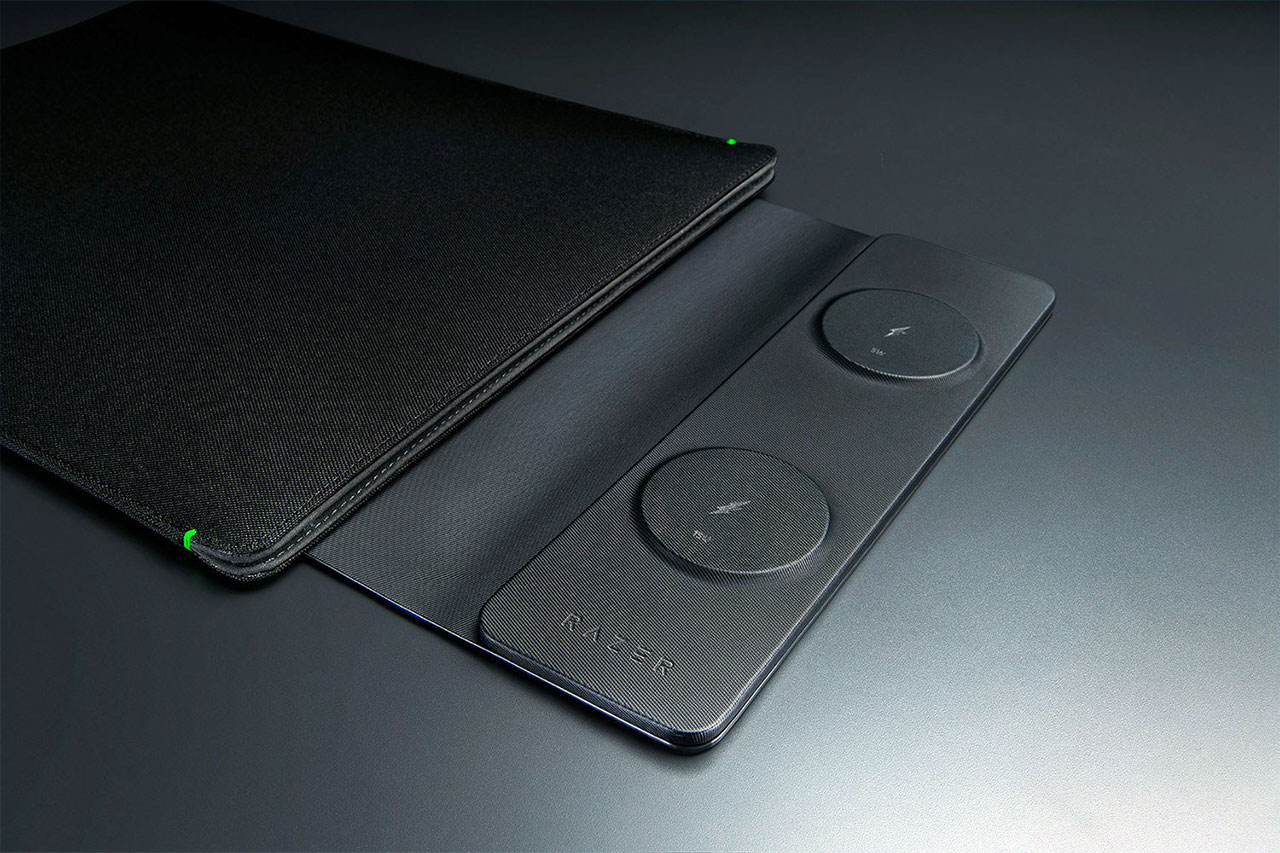
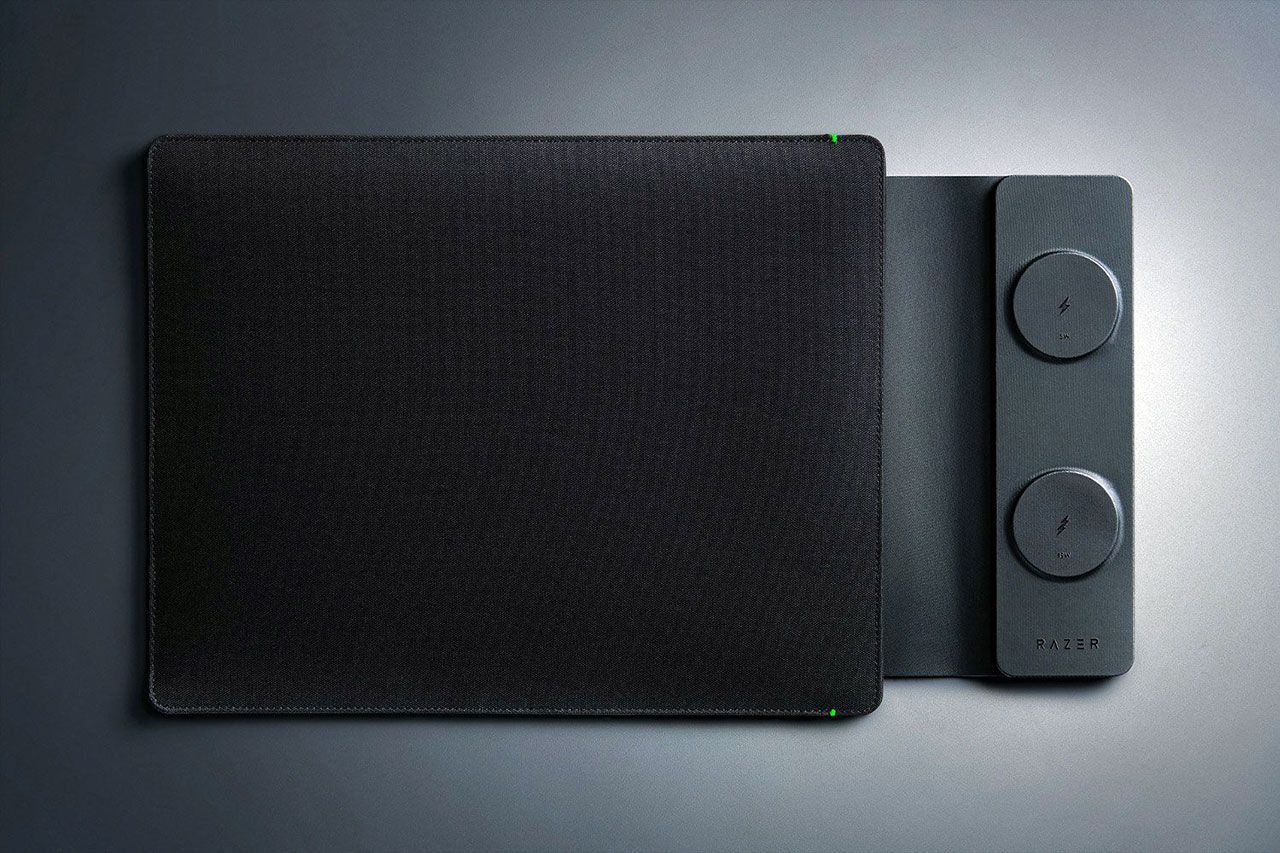
When you first lay eyes on this sleeve, you might be a little surprised. I kind of was. It is wrapped in this durable, tactical-style woven polyester exterior. It looks stealthy. It feels rugged, like it could easily survive being tossed into the back of a sketchy Uber after a long weekend of heavy gaming. But here is the thing – there is absolutely no RGB lighting on this sleeve. Zero. None. For a Razer product, that almost feels like a crime against nature, right? They did toss in two tiny green accent dots near the top flap that look like little LEDs, but they are literally just colored dots.
At first, I was mildly puzzled by the lack of glowing colors. But honestly, I get it. This stealthy, muted vibe makes it way easier to bring your gear into a serious corporate boardroom without screaming, “I play competitive shooters until 3 AM!” The inside is lined with this dense, snakeskin-inspired microfiber that acts more like a firm, supportive mattress than a squishy pillow. It safely protects your anodized aluminum chassis from nasty scratches. It perfectly fits thin-and-light powerhouses like the 2025 Razer Blade 16 or even a 16-inch MacBook Pro. But a quick heads-up: if you are rocking a massive, thick desktop replacement like an Alienware Area-51, forget about it. That chonky boy is simply too big to squeeze past the seams.
MagSafe Magic on Your Desk
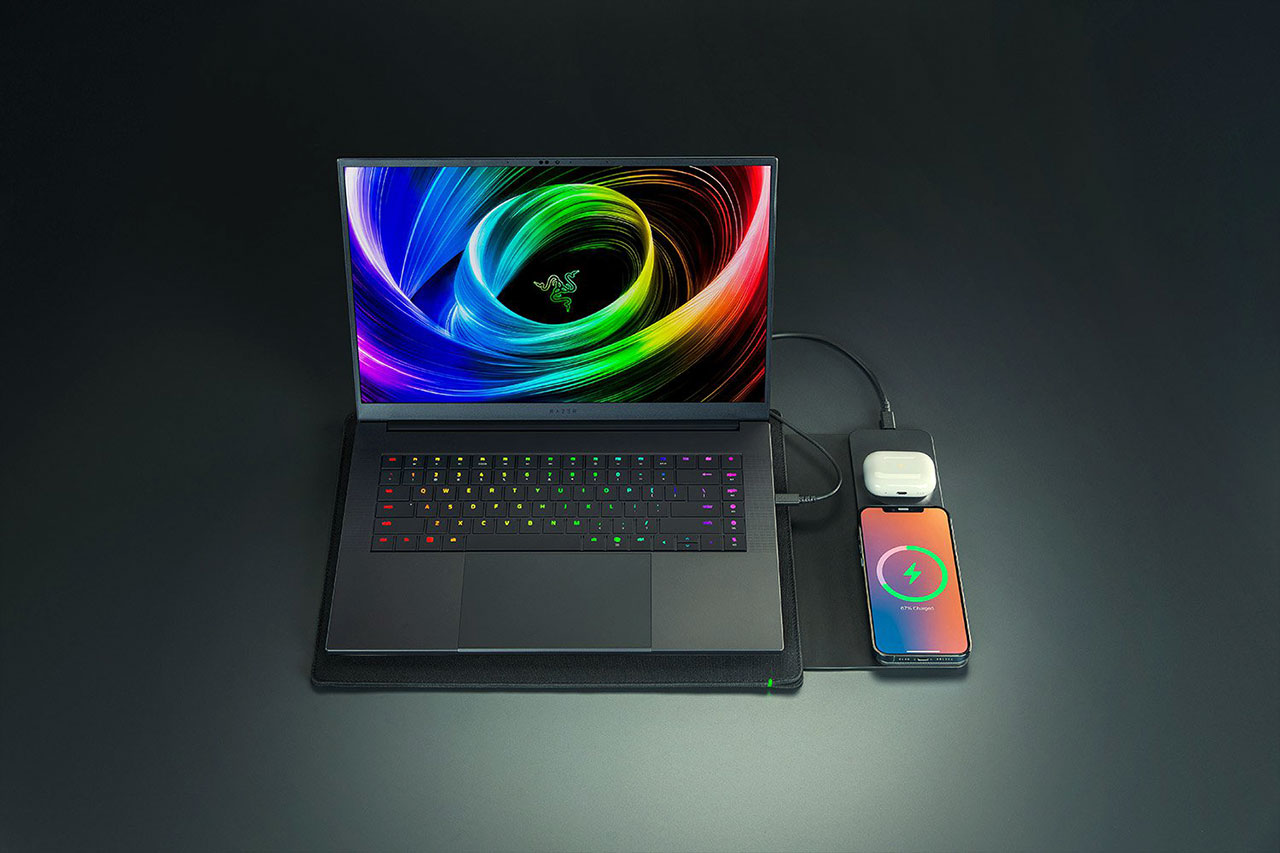
But the real magic is not just the padding. It is what happens when you actually take the laptop out and lay the sleeve completely flat on your desk.
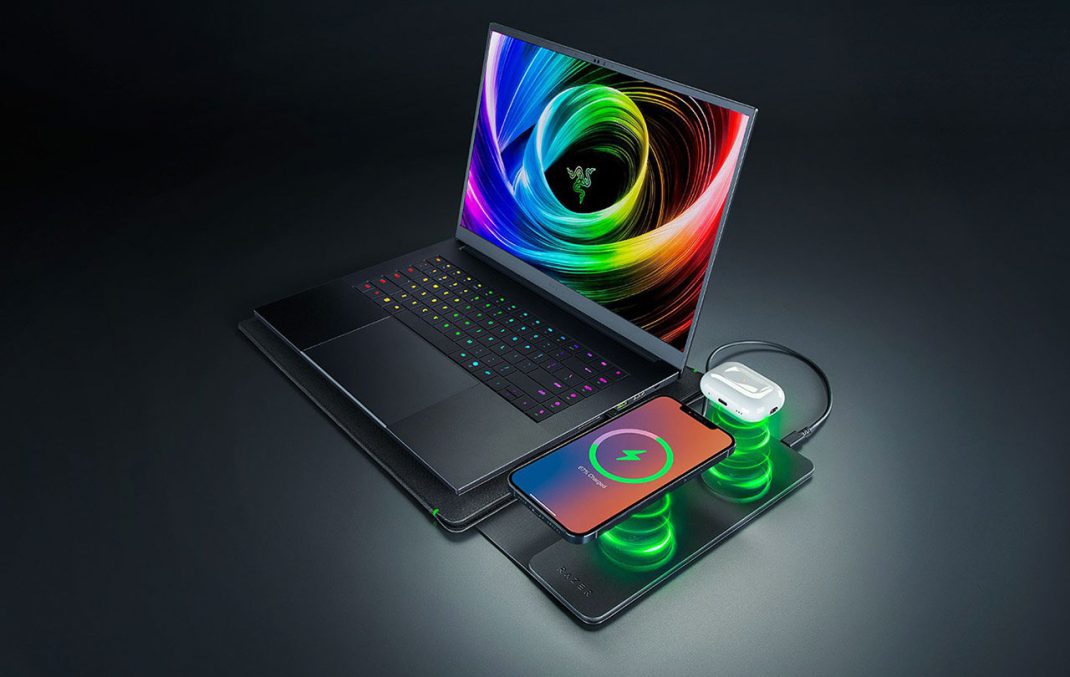
The top cover flap of this sleeve literally turns into a dual wireless charging station. It is a pretty wild concept. You have two MagSafe-compatible zones built right into the PU leather flap. The bottom pad pushes up to 15W to fast-charge your phone, while the top pad handles your AirPods or Razer Hammerheads at 5W. And let me tell you, the magnetic snap is super satisfying. It grabs your phone perfectly so you aren’t waking up to a dead battery because you missed the sweet charging spot by a single millimeter. When you are grinding through some code or watching a Twitch stream, having your phone securely snapped to your desk mat just makes your workspace feel incredibly clean and organized.
The sleeve itself lays totally flat and acts like a protective desk mat. It is a brilliant touch. It cuts down on the visual clutter of having three different cables scattered across your desk.
Power Rules and Thermal Realities
Of course, pumping electricity through a fabric sleeve naturally brings up some thermal concerns. Let’s talk about the heat.
Wireless charging is notoriously inefficient and generates a lot of waste heat. I was definitely worried this thing would cook my iPhone’s battery. Surprisingly, it runs pretty cool. In a 30-minute test juicing up an iPhone 16 Pro, the 15W pad only hit about 95ºF. That is totally safe and well within normal operating limits. It bumped the phone battery up by 19% in that half-hour, which is a solid, reliable 0.63% per minute.
But there is a bit of a catch here. The sleeve does not have an internal battery bank. You have to plug it into a live power source using the included 60W USB-C cable. To get those advertised fast-charging speeds, it needs a full 30W input. If you plug it into a weak, older USB port that only pushes 7.5W, the charging output crashes down to just 25% of its capacity. So, you really need to tether it to your laptop’s high-output Thunderbolt port or carry a beefy external GaN charger.
The Missing Pocket
And that brings me to my biggest pet peeve with this whole setup.
You know what drives me crazy? There is literally no storage pocket on this sleeve. None. You absolutely need that 500mm USB-C cable to make the wireless charging work, but Razer did not give you anywhere to stash the cable. You still have to carry a separate tech pouch or toss the wire loosely into your backpack. It kind of defeats the whole purpose of a minimalist carry system if I still have to juggle loose accessories. For 130 bucks, I really expected at least a small, stretchy mesh pocket.
If you compare it to something like the Moft Carry Sleeve, which costs around $60, the Moft has this genius expandable fiberglass storage area for your mouse and charger, plus it folds up into a handy laptop stand. Or look at the Journey Nexa sleeve. It costs basically the same as the Razer, packs the exact same MagSafe charging setup, but is made of slick vegan leather that works perfectly as a high-speed mousepad for optical mice. The textured polyester on the Razer sleeve? It is durable, but it is not the greatest surface for hitting fast flick shots in a competitive shooter.
Final Thoughts
So, what is the final verdict on the Razer Laptop Sleeve 16 with Wireless Charging?
Honestly, it is a beautifully constructed, highly protective piece of kit that genuinely cleans up your mobile workstation. The MagSafe integration is incredibly slick, the desk mat functionality is fantastic, and it definitely feels like a premium product. But at $129.99, it is a fairly steep investment. You can grab the exact same sleeve without the charging tech for just $79.99. If you are a die-hard minimalist who despises cable clutter and you mainly use a thin 16-inch rig, this is going to make you very happy. Just make sure you figure out exactly where you are going to put that USB-C cable, because this sleeve is not going to help you there.
Overall Rating 4 out of 5
Pros
- Built-in Dual Charging: Features two MagSafe-compatible pads (15W and 5W) to wirelessly charge your phone and earbuds simultaneously.
- Premium Protection: Uses a dense microfiber interior and a durable woven polyester exterior to guard against bumps and scratches.
- Desk Mat Functionality: Lays completely flat when open, acting as a clean, organized workspace mat.
- Safe Thermals: Effectively manages heat, keeping surface temperatures well within safe operating limits during active charging.
- Cable Included: Comes with a 500 mm 60W USB-C cable in the box.
Cons
- Zero Storage Space: Lacks any extra pockets or compartments to carry the included USB-C cable, a mouse, or other small items.
- No Power Adapter Included: You must provide your own high-output USB-C wall charger or rely on your laptop’s power.
- Strict Size Limits: Fits thin premium laptops perfectly but cannot accommodate thick, oversized gaming chassis.
- Power Dependent: Charging speeds will severely throttle if you connect it to a weak or older USB port.
- Premium Price Tag: Retails for $50 more than the exact same sleeve without the charging hardware.