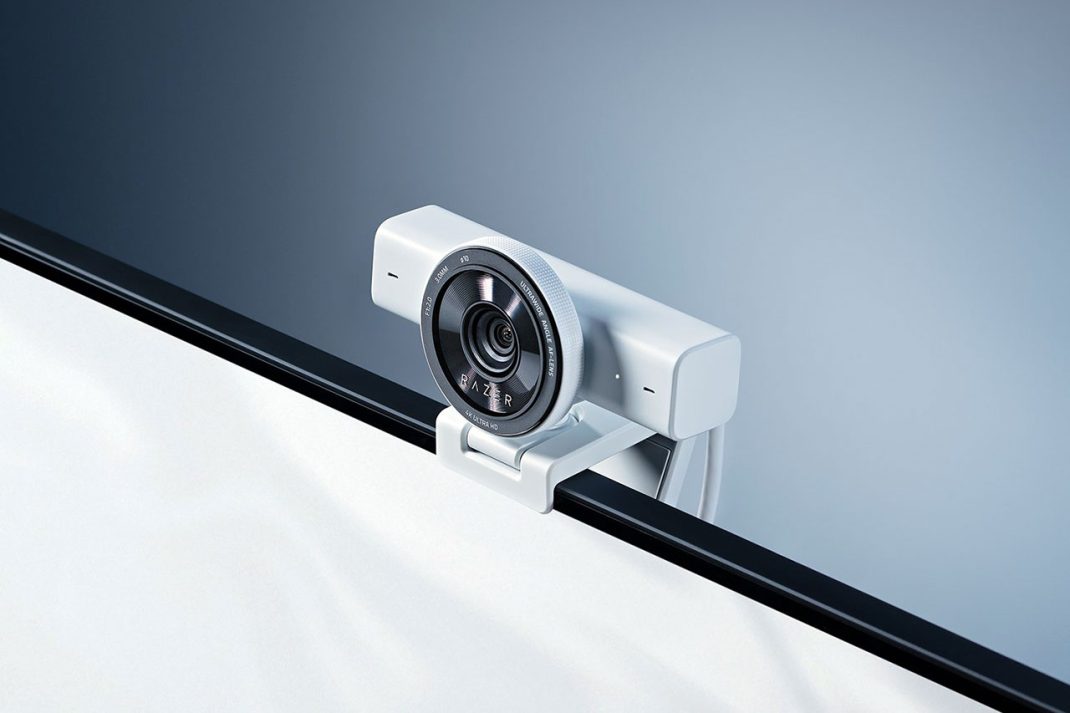
Spring 2026 is here. Let’s be real for a second. The whole aesthetic of streaming and gaming has completely changed. We just aren’t hiding in dark, messy rooms anymore. Cozy gaming, minimalist white battlestations, and carefully curated desk setups are basically the standard now.
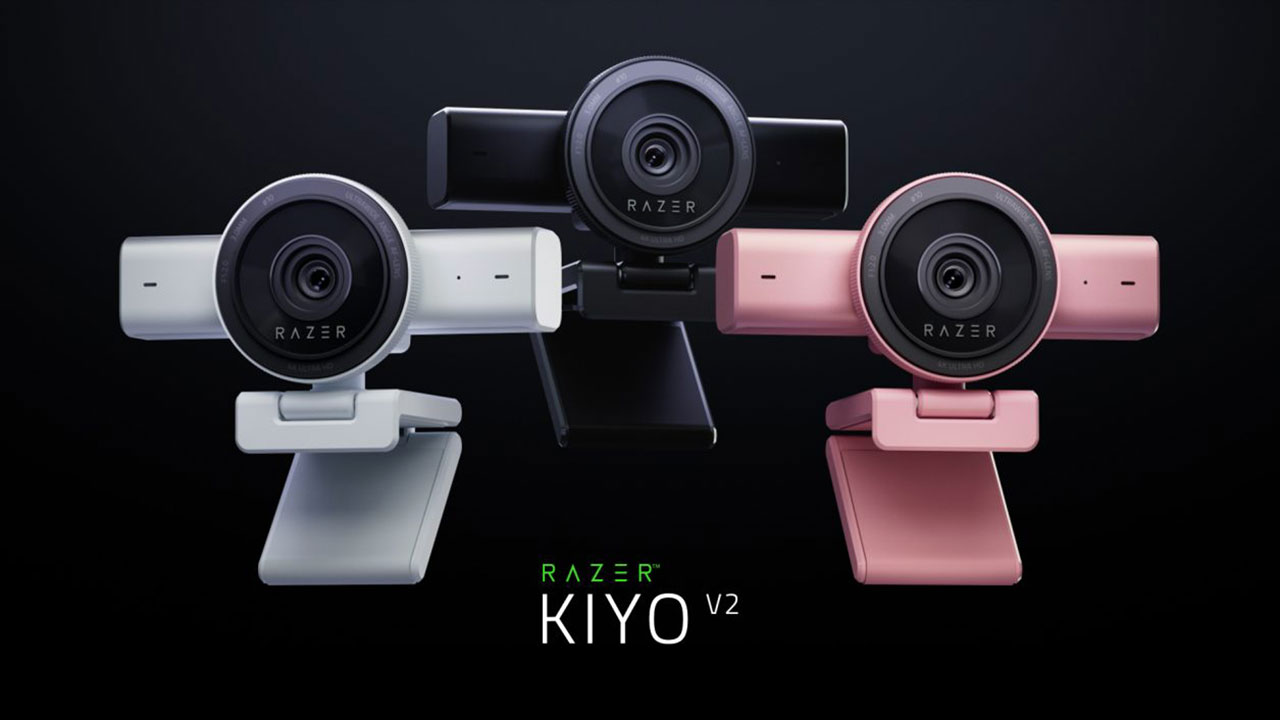
But you know what usually ruins that pristine white vibe? A giant, ugly block of black plastic sitting right on top of your monitor. Honestly, finding a webcam that matches a clean, bright setup without sacrificing raw image quality is ridiculously hard. Enter the Razer Kiyo V2. It is now rocking a gorgeous White colorway, alongside the standard Black and a pastel pink Quartz option. But does this $150 piece of hardware actually hold up, or is it just pretty desk jewelry? Let me explain.
The Glow-Up is Real
Razer finally ditched the old ring-light design from the original Kiyo. The V2 sports a brand-new silhouette. It has a sleek, rectangular back attached to a circular lens barrel. It honestly looks like a miniature mirrorless camera lens sitting on your desk. In white, it just looks incredible above my dual monitors. It feels intentional. It feels like a piece of decor.
Oh, and here’s a tiny detail that I am mildly obsessed with. The privacy shutter. It’s built-in. You just twist the notched ring around the outside of the lens, and the shutter snaps over the glass with this incredibly satisfying mechanical click. It’s a very small thing. But feeling that physical barrier click into place gives you absolute peace of mind. No worrying about sketchy software toggles.
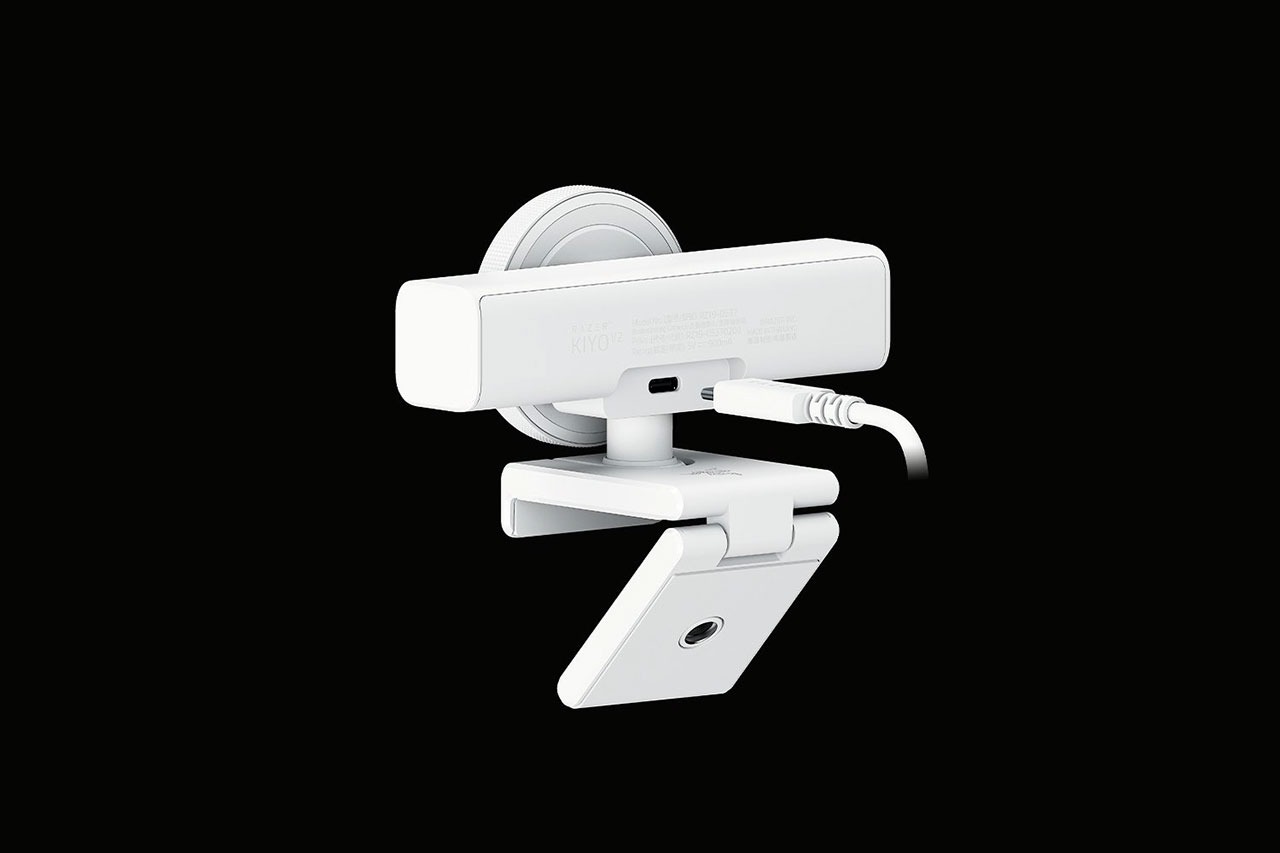
The mounting hardware is super flexible, too. It clamps to the monitor with a 360-degree swivel. So, if I need to spin it around to show off my cat doing something goofy on the bed behind me, I can just turn it without unhooking the whole clamp. There is even a standard tripod thread on the bottom.
Into the Dark
Okay, let’s talk about the glass. The Kiyo V2 is packing an 8.3-megapixel Sony STARVIS sensor. If you aren’t familiar with camera jargon, STARVIS was originally built for commercial surveillance cameras. They need to see clearly in near-total darkness. So, what happens when you put that tech into a streaming webcam? You get exceptional low-light performance.
Honestly, I tested this in a room lit entirely by the ambient glow of my monitors. The image remained surprisingly clear. No nasty digital grain. No muddy, flushed skin tones that make you look like a tired ghost. It just works. It also handles high dynamic range beautifully. If you have a bright window right behind your desk, the camera won’t blow out the background into a blinding white glare. It balances the light so your face stays perfectly visible.
The 4K Catch
Now, here is the thing. I have a slight contradiction for you. This is heavily marketed as a premium 4K webcam. But you know what? I honestly keep it set to 1080p most of the time. Let me tell you why.
The Kiyo V2 captures gorgeous 4K video, but it caps out at 30 frames per second at that massive resolution. If you are a high-end gamer streaming buttery smooth 60fps gameplay on Twitch, having your face cam running at a choppy 30fps right next to it looks disjointed. It is super jarring. To get that fluid 60fps motion to match your game, you have to drop the camera’s resolution down to 1080p.
It is a trade-off. If you are recording a sit-down YouTube video or doing a Zoom call for work, 4K at 30fps is fantastic. But for fast-paced live streams, you will probably stick to 1080p. Funny enough, the cheaper $100 Kiyo V2 X can actually push 1440p at 60fps. But it sacrifices the premium STARVIS sensor and the AI software to do it. I’ll take the better sensor over the resolution bump any day.
The Secret Weapon is Actually… Software?
I usually dread installing Razer Synapse. It’s a bit sluggish and usually the weakest link in their ecosystem. So when I saw the “AI” tag on this camera, I assumed Synapse was going to be a hassle to tune.
I was wrong. Now, Synapse is still pretty bare-bones – but, Razer did something incredibly smart here. They partnered with Reincubate and bundled a lifetime license to Camo Studio Pro right in the box. This is a serious piece of enterprise-grade software. It normally costs a hundred bucks on its own!
Camo Studio is the absolute MVP of this whole package. It takes the raw, uncompressed feed from the Kiyo V2 and applies real-time AI auto-framing. Because the camera has a massive 93-degree ultrawide lens, the software can digitally crop in. It artificially pans and tilts to follow you around the room as you move in your chair. It’s exactly like having a tiny, invisible camera operator tracking your movements.
And remember that new face retouching trend? They just added AI Face Retouching to the Camo integration. After a grueling 12-hour stream, nobody looks their best. This feature maps your face and subtly smooths out blemishes. It keeps your natural skin texture, so you don’t look like a blurry plastic mannequin. You can adjust the intensity on a slider. It is just a nice, subtle confidence boost when you are totally exhausted.
A Quick Tangent on the Switch 2
Before I wrap this up, I have to mention a weird little bonus. The Nintendo Switch 2 recently launched. It actually supports external USB webcams for certain games, like the new Super Mario Party.
The wild part? The giant, flagship $400 Razer Kiyo Pro Ultra completely fails to work on the console. It probably draws way too much power. But the regular Kiyo V2? You just plug it right into the dock’s USB-A port with an adapter. It works flawlessly. It’s total plug-and-play. If you are building a fun living room setup for the new Nintendo console, this is a shockingly good accessory to have around.
The Final Verdict
The $150 price bracket is a warzone right now. You’ve got the Insta360 Link 2 and the Elgato Facecam MK.2 fighting in the trenches. The Insta360 has a cool physical gimbal. The Elgato has terrific uncompressed 1080p feeds.
But the Razer Kiyo V2 in White just brings this incredible sense of balance. It gives you a premium optical sensor that totally crushes low-light conditions. It has a sleek, modern design that perfectly accents a minimalist setup. And it packs a ridiculously valuable software bundle that makes managing your stream effortless.
The built-in stereo microphone is fairly average. You will definitely still want a dedicated USB mic for serious streaming. But as a complete visual package? It is a massive win. If you want your stream to look exactly as good as your carefully decorated white aesthetic desk, the Kiyo V2 is absolutely worth the investment – especially with its two new colorways.
Overall Rating 4 out of 5
Pros:
- The Sony STARVIS sensor provides clear, natural exposure even in very dark environments
- Includes a lifetime license to Camo Studio Pro, which unlocks advanced AI auto-framing and more
- Features a built-in, twistable mechanical privacy shutter
- Available in Black, White, and Quartz (pink) to match different desk setups
Cons:
- 4K resolution is capped at 30 FPS
- You must use a high-bandwidth USB-C cable to get full 4K performance without warnings
- The built-in microphone isn’t clear enough for professional streaming