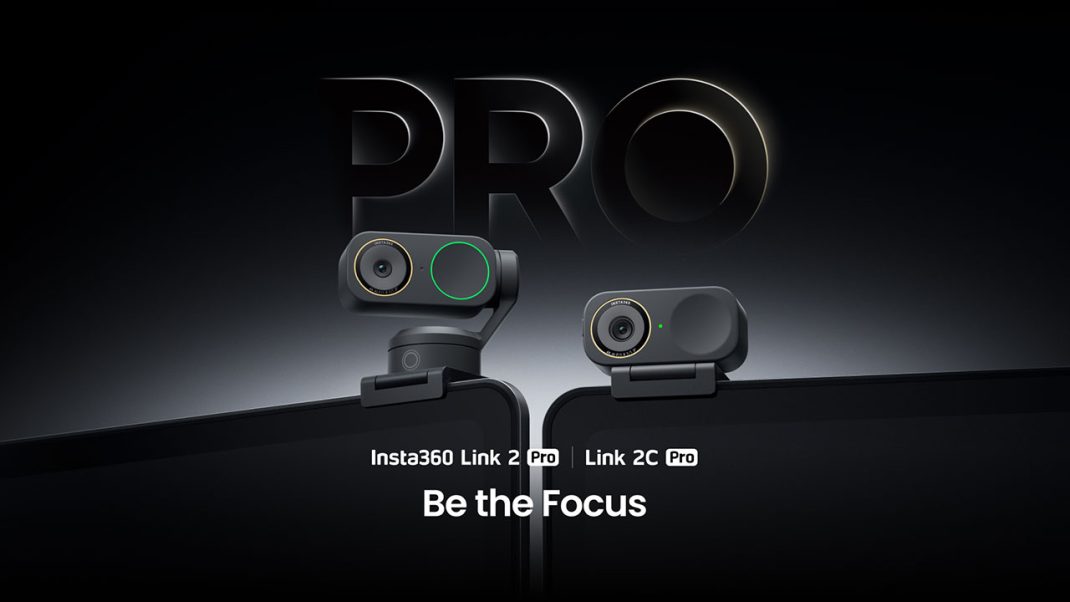
For the longest time, buying a webcam felt like paying for a parking ticket. You did it because you had to, not because you wanted to. You’d spend a hundred bucks, plug it in, and still look like a potato. A 1080p, slightly out-of-focus potato. That’s why so many of us in the streaming and content game moved to using mirrorless cameras with dummy batteries and capture cards. It’s a hassle, sure, but at least you look sharp.
But I’ve been testing the Insta360 Link 2 Pro and its chill little sibling, the Link 2C Pro, for a bit now. And honestly? I’m starting to wonder if my desk really needs all that extra gear. These things are genuinely impressive, even if they make some weird choices that had me scratching my head.
Let’s break it down, gamer to gamer.
The “Big Sensor” Energy
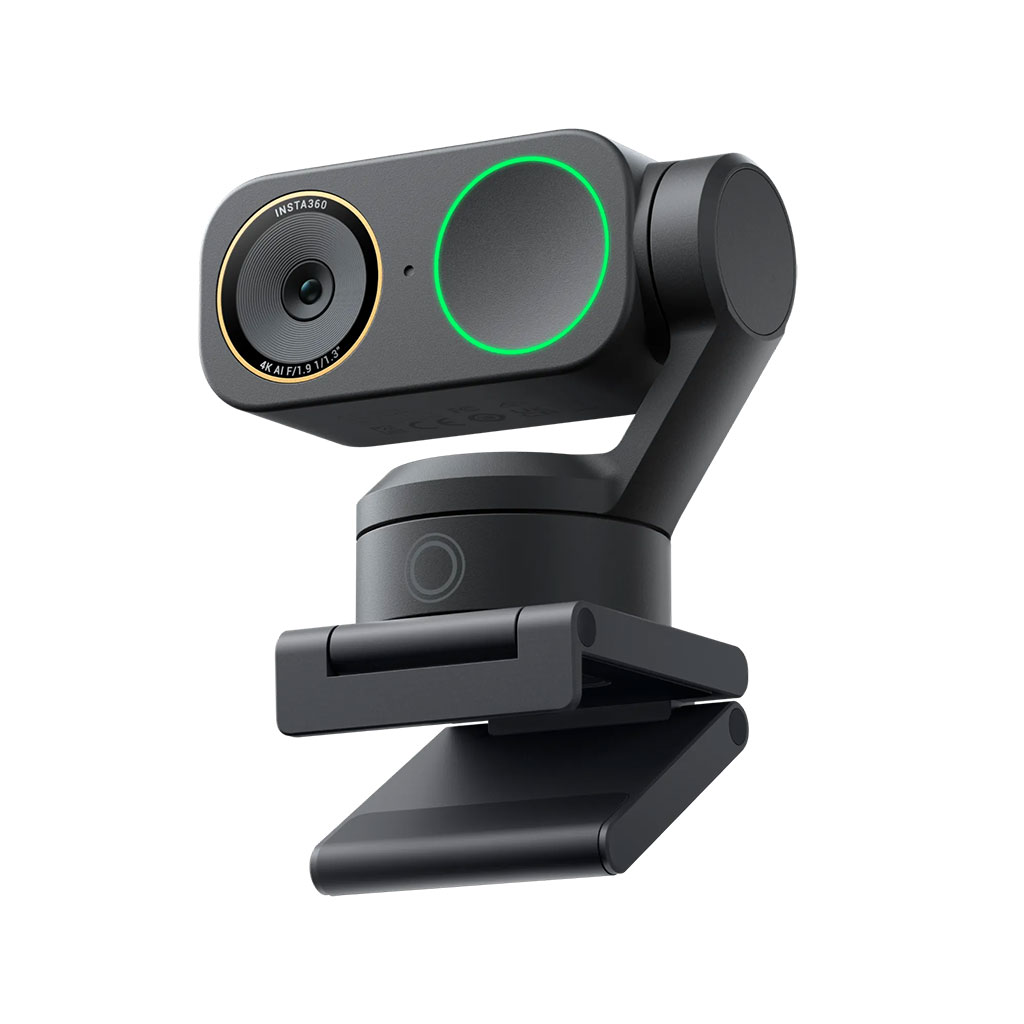
Here’s the thing about cameras: size matters. You can throw all the AI and software tricks you want at an image, but if your sensor is the size of a grain of rice, your footage is going to look grainy in low light. It’s just physics. The headline feature for both the Link 2 Pro and the 2C Pro is the 1/1.3-inch sensor.
If you aren’t a camera nerd, let me explain why that’s a big deal. Most webcams use tiny sensors that struggle the second you turn off your ring light. This sensor is massive by comparison—it’s roughly the same size as what you’d find in a flagship smartphone like the Samsung S24 Ultra or a high-end drone.
What does that mean for you?
It means natural background blur. Real bokeh. Not that fake, software-generated blur that accidentally erases your headphones when you turn your head. I’m talking about actual optical depth of field. When I hold up a controller or a new piece of tech to the lens, the focus snaps to it, and my face gently blurs out. It looks expensive. It looks professional.
And low light? Forget about it. I tend to game in what my family affectionately calls a “cave.” Even with just the glow of my monitors, the Link 2 Pro pulls a clean image. No mud, no static noise dancing in the shadows. It’s refreshing.
The Tale of Two Pros: To Spin or Not to Spin?
So, what’s the difference between the Link 2 Pro ($249) and the Link 2C Pro ($199)?
It’s the neck.
The Link 2 Pro sits on a 2-axis gimbal. It looks like a little robot (think something like Wall-E’s cousin). It physically moves to follow you around the room. If you’re the type of streamer who gets up to show off a fit, or if you’re teaching a class and pacing back and forth, this is killer. The tracking is smooth, like really smooth. It doesn’t feel jerky or robotic – it just floats with you!
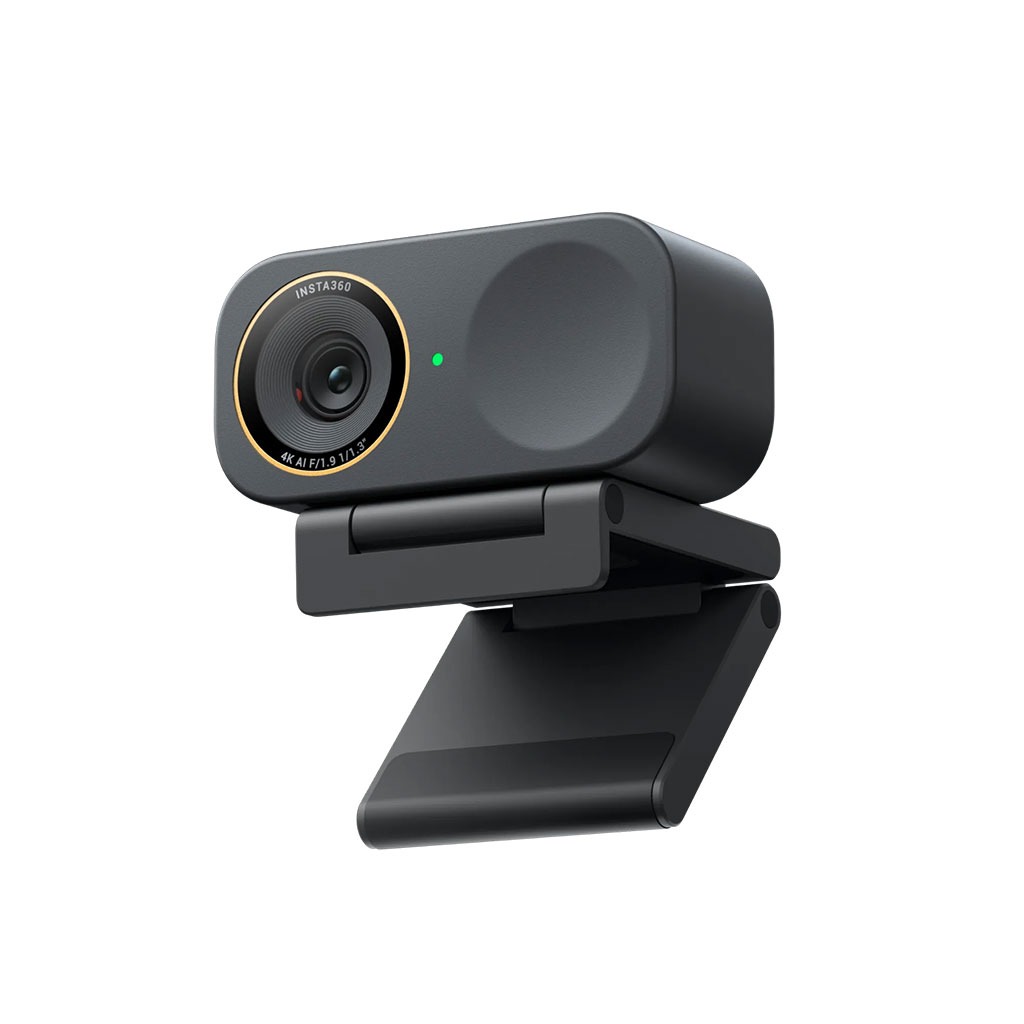
The Link 2C Pro? It’s the exact same camera, same sensor, same image quality, but it’s fixed. It doesn’t move. It can still use AI to crop in and follow your face (digital zooming), but it won’t physically turn.
Honestly? For 90% of us who just sit in a Secretlab chair for 8 hours straight, the 2C Pro is the smarter buy. Save the fifty bucks. Buy a new game. Unless you really need that physical movement, the static version is sleek, low-profile, and less likely to break if you accidentally smack it.
The Audio Surprise
I usually tell people to never, ever use a webcam microphone. They usually sound like you’re talking from inside a tin can located in a bathroom down the hall.
But Insta360 actually put some work in here. The noise cancellation is aggressive (in a good way). I did a typing test with my mechanical keyboard (Blue switches, sorry not sorry), and the camera managed to cut out a good chunk of the clatter while keeping my voice clear. It’s not going to replace my Shure SM7B, obviously. But if you’re just hopping on a Discord call or a quick work meeting? It’s totally passable.
The “What Were They Thinking?” Moment
Okay, I have to roast them for a second. It’s 2026. We have USB-C everywhere. Thunderbolt is standard. So why, why does the Link 2 Pro series use USB-C USB 2.0 instead of USB 3.X?
I’m serious. The data transfer speeds are capped at 480Mbps. Because of this bottleneck, the camera can’t send uncompressed 4K video to your PC. It has to compress the footage using H.264 or MJPEG before it leaves the cable.
Does it look bad? No. To the naked eye, it looks crisp. But if you’re a pixel peeper like me, or if you record locally for YouTube reviews, you lose a tiny bit of that raw editing flexibility compared to something like the Razer Kiyo Pro Ultra, which uses USB 3.0 for uncompressed video.
It’s not a dealbreaker for streaming (Twitch is going to compress your stream anyway) but it feels like a weird corner to cut on a “Pro” device.
The Heat and The Mac Struggle
Another thing to keep in mind: these things run hot. Like, toasty hot.
If you’re running 4K with HDR and tracking turned on, the chassis gets warm to the touch. It has overheat protection, so it’ll shut down before it melts, but maybe don’t leave it in direct sunlight during a summer marathon stream.
And for my macOS friends… grab a drink before you set this up. The software can be a bit finicky on Macs, specifically with getting the “Virtual Camera” driver to show up in other apps due to Apple’s security permissions. It works, but you might have to dig through your System Settings to grant it permission. It’s annoying, just giving you a heads-up.
The Verdict
So, should you buy it? If you want the absolute best raw image quality and don’t care about size or smart features, there is a more expensive alternative on the market.
However, the Insta360 Link 2 Pro (and especially the 2C Pro) offers a much better package for the average human. The AI features like Whiteboard Mode (which flattens and enhances a whiteboard view) and the incredible autofocus make it a joy to use.
It captures the vibe. It handles tricky lighting like a champ. And it stops you from looking like a potato.
If you’re just sitting at your desk? Get the Link 2C Pro. It’s the sweet spot. If you’re a pacer, a teacher, or a chaotic streamer who moves around? Get the Link 2 Pro.
Just remember to check your USB ports, and maybe keep a fan nearby.